
Introduction
The Hama Star 700 EF is a versatile and lightweight camera tripod designed to provide stable support for various photographic and videographic needs. Its aluminum construction ensures durability while remaining portable. This manual provides essential information for setting up, operating, and maintaining your tripod to achieve optimal results.
Setup
Unfolding the Tripod
Carefully remove the tripod from its carrying case. Extend the three legs outwards until they are fully spread, ensuring the cross braces are locked into position for maximum stability.
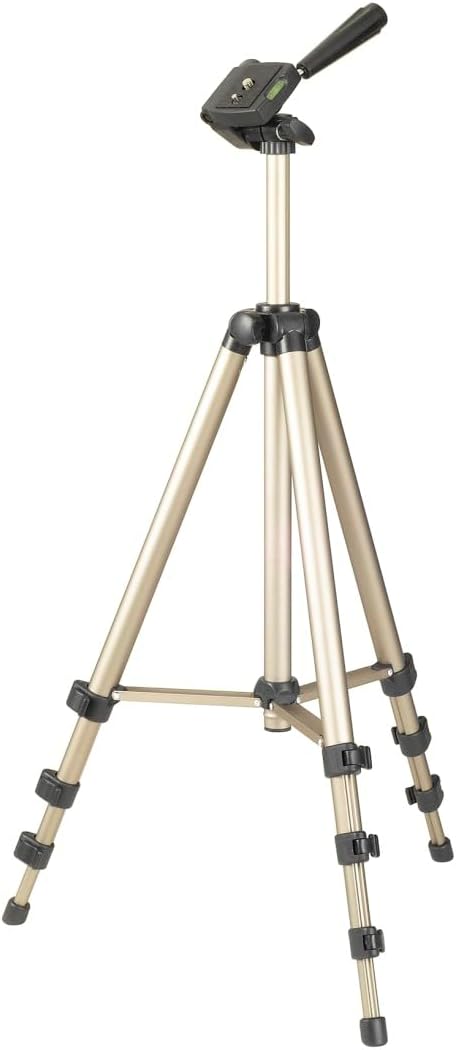
Image: The Hama Star 700 EF tripod shown fully extended, ready for use. Note the wide stance of the legs for stability.
Adjusting Leg Height
Each leg features quick-release clamps. Open the clamps to extend the leg sections to your desired height. Close the clamps firmly to secure the legs in place. The rubber feet provide a firm grip on various surfaces.

Image: Detail view of the tripod's leg sections with quick-release clamps and non-slip rubber feet, illustrating how to adjust height and ensure stability.
Extending the Center Column
For additional height, loosen the knob on the center column and carefully raise it. Tighten the knob securely once the desired height is reached. The center column also includes a weight hook for added stability in windy conditions (attach a bag or weight).

Image: The tripod with its center column fully extended, demonstrating the maximum height capability. A knob for locking the column is visible.
Attaching Your Camera
The tripod features a standard 1/4-inch (6.4mm) thread for camera attachment. Locate the quick-release plate on the 3-way head. Attach this plate to the bottom of your camera by screwing it in firmly. Then, slide the quick-release plate with your camera into the tripod head until it clicks securely into place.

Image: A camera securely mounted on the tripod head, positioned for a landscape shot. The quick-release plate mechanism is integrated into the head.
Operating the 3-Way Head
The Hama Star 700 EF is equipped with a 3-way pan head, allowing for precise adjustments across three axes: pan (horizontal rotation), tilt (vertical up/down), and portrait/landscape orientation.
Pan and Tilt Adjustments
Use the handle to control horizontal panning and vertical tilting. Loosen the corresponding knobs to adjust the angle, then tighten them to lock the head in position. The integrated spirit levels (one on the head, one on the base) assist in achieving perfectly level shots.

Image: A detailed view of the tripod's 3-way pan head, highlighting the adjustment knobs and the built-in spirit level for accurate leveling.
Portrait/Landscape Orientation
To switch between landscape and portrait modes, loosen the side knob on the head and rotate your camera to the desired orientation. Securely tighten the knob once adjusted.
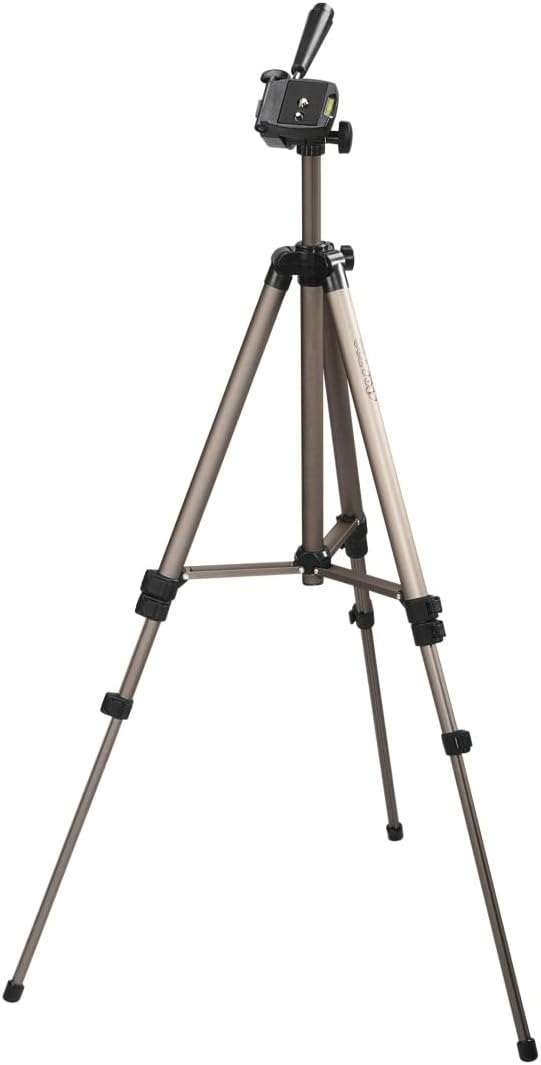
Image: A camera mounted on the tripod head, adjusted for a portrait-oriented shot, demonstrating the flexibility of the 3-way head.
Maintenance
To ensure the longevity and optimal performance of your Hama Star 700 EF tripod, follow these simple maintenance guidelines:
- Cleaning: Wipe down the tripod with a soft, dry cloth after each use to remove dust and dirt. For stubborn grime, use a slightly damp cloth and mild soap, then dry thoroughly.
- Storage: Store the tripod in its included carrying case in a dry, cool place away from direct sunlight and extreme temperatures.
- Lubrication: Avoid applying lubricants to the leg clamps or head mechanisms unless specifically recommended by the manufacturer, as this can attract dust and impair function.
- Inspection: Periodically check all screws, knobs, and clamps to ensure they are tight and functioning correctly. Do not overtighten.

Image: The black carrying case provided with the Hama Star 700 EF tripod, designed for easy transport and protection.
Troubleshooting
If you encounter any issues with your Hama Star 700 EF tripod, consider the following common solutions:
- Instability: Ensure all leg clamps are fully tightened and the cross braces are locked. Verify that the center column knob is secure. For outdoor use, consider using the weight hook.
- Stiff Adjustments: Check for any debris in the moving parts. Do not force adjustments; ensure all locking mechanisms are loosened before attempting to reposition.
- Camera Not Secure: Confirm that the quick-release plate is correctly attached to your camera and fully seated in the tripod head. The locking lever for the quick-release plate should be engaged.
Specifications
| Feature | Detail |
|---|---|
| Product Dimensions | 17.09 x 3.66 x 3.54 inches (folded) |
| Item Weight | 1.37 pounds (21.87 Ounces) |
| ASIN | B0002W6E56 |
| Item Model Number | 00004133 |
| Manufacturer | Hama |
| Brand | Hama |
| Color | Champagne |
| Compatible Devices | Camera (with 1/4 inch thread) |
| Special Feature | Lightweight |
| Material | Aluminum, Rubber |
| Weight Limit | 2500 Grams |
| Maximum Height | 125 Centimeters |
| Minimum Height | 42.5 Centimeters |
| Tripod Head Type | Pan Heads (3-way) |

Image: A diagram illustrating the key dimensions of the Hama Star 700 EF tripod, including its height and base width.
Warranty and Support
For warranty information or technical support, please refer to the official Hama website or contact their customer service directly. Keep your purchase receipt as proof of purchase.