
1. Product Overview
The BestAir H65-PDQ-4 Extended Life Humidifier Replacement Paper Wick Filter is designed to provide efficient humidification and improve air quality in your home. This filter features a reinforced design for extended life and incorporates Micro-free technology to protect against bacteria. BestAir Technology is utilized to trap impurities, and the Chlora-Clear component helps neutralize chlorine in the water, ensuring cleaner, healthier moisture. The filter measures approximately 8.25 x 2.68 x 10 inches.

Image 1: The BestAir H65-PDQ-4 humidifier replacement wick filter, shown in its rolled-up form. This filter is designed for extended life and efficient moisture delivery.
2. Compatibility
This BestAir H65-PDQ-4 replacement wick filter (also known as H65-C) is compatible with a variety of humidifier models from leading brands. Please verify your humidifier's model number to ensure proper fit.
Compatible Humidifier Brands and Models include:
- Holmes: Various models (e.g., those requiring RPS #H65-C-6)
- Sunbeam: Various models
- White-Westinghouse: Various models
- GE: Various models
- Bionaire: Various models
For a complete list of compatible models, refer to your humidifier's original manual or the product packaging.
3. Installation Instructions
Follow these general steps to replace your humidifier wick filter. Always consult your specific humidifier's instruction manual for detailed, model-specific installation procedures.
- Power Off: Ensure your humidifier is turned off and unplugged from the power outlet before beginning any maintenance or installation.
- Access Filter Compartment: Open the humidifier's housing or filter compartment. This usually involves removing a cover or lifting a section of the unit.
- Remove Old Filter: Carefully remove the old, used wick filter. Dispose of it according to local regulations.
- Unpack New Filter: Remove the new BestAir H65-PDQ-4 filter from its packaging.
- Install New Filter: Place the new filter into the designated filter compartment. Ensure it is seated correctly and securely. The filter is designed to be flexible and may need to be gently shaped to fit the internal structure of your humidifier.
- Close Compartment: Close the humidifier's housing or filter compartment, ensuring all latches or screws are secured.
- Restore Power: Plug the humidifier back into the power outlet and turn it on.

Image 2: The BestAir H65-PDQ-4 filter shown in a flattened state, highlighting its honeycomb-like structure and flexibility for installation.
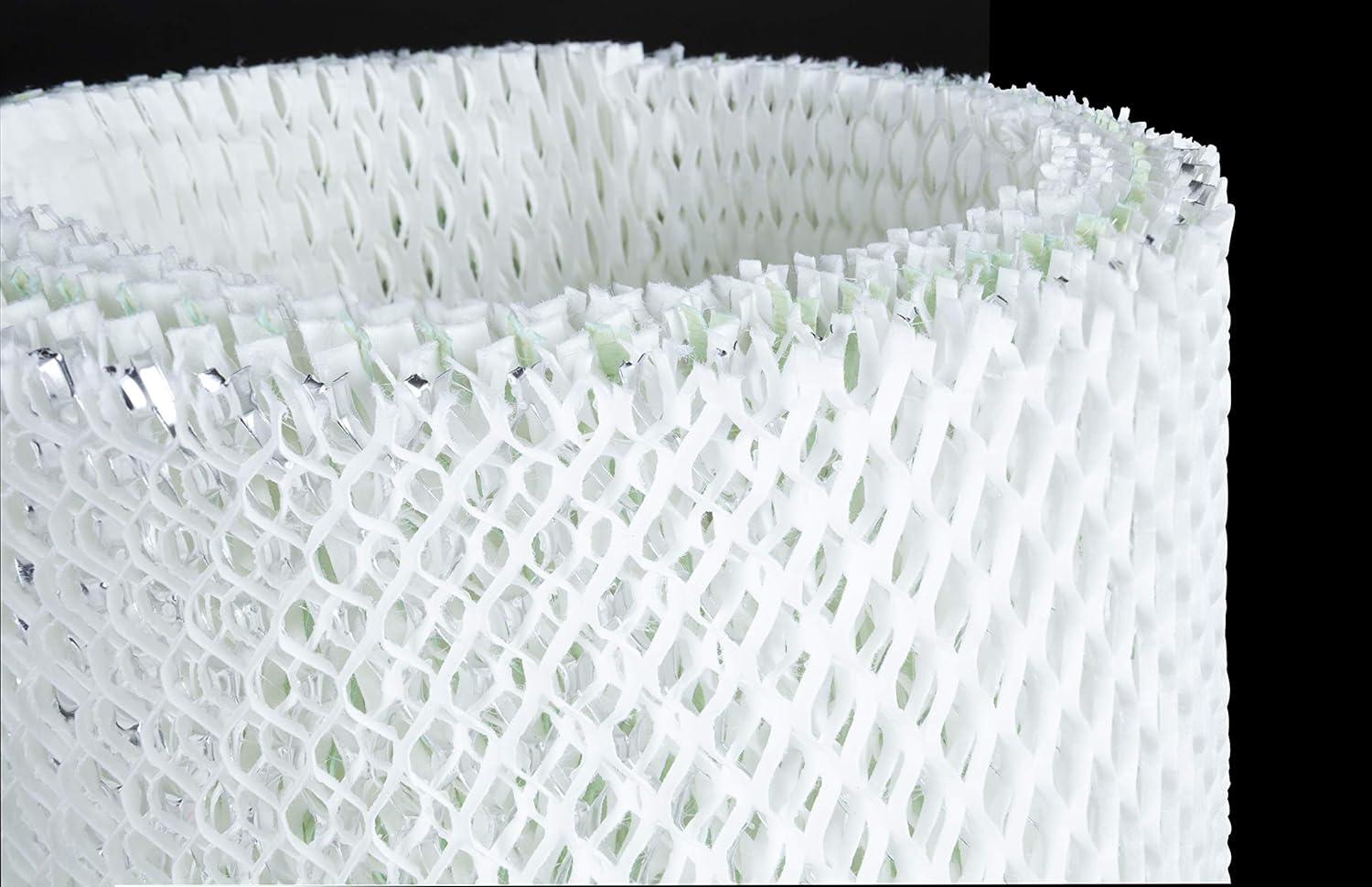
Image 3: A close-up view of the BestAir H65-PDQ-4 filter material, showing the intricate design and texture that contributes to its extended life and filtration capabilities.
4. Operating Your Humidifier with the New Filter
After installing the new BestAir H65-PDQ-4 filter, fill your humidifier's water tank with clean, fresh water. The filter will begin to absorb water and release moisture into the air. It may take a short period for the filter to become fully saturated and for optimal humidification to begin.
- Water Quality: Using distilled or demineralized water can help extend filter life and reduce mineral buildup.
- Humidity Levels: Monitor your room's humidity levels using a hygrometer to maintain a comfortable and healthy environment (typically between 30-50% relative humidity).
- Initial Odor: A slight odor may be present during the first few hours of operation with a new filter. This is usually normal and should dissipate quickly.
5. Maintenance and Replacement
Regular maintenance of your humidifier and timely filter replacement are crucial for optimal performance and air quality.
- Regular Inspection: Periodically inspect the filter for signs of mineral buildup, discoloration, or mold growth.
- Filter Life: The BestAir H65-PDQ-4 filter is designed for extended life. However, replacement frequency depends on water hardness, usage, and air quality. It is generally recommended to replace the filter at least once per heating season, or every 1 to 2 months with regular use, or when you notice a decrease in humidifier output.
- Cleaning: Wick filters are generally not designed to be cleaned. Attempting to clean them can damage the filter material and reduce its effectiveness. Replace the filter when it shows signs of wear or reduced performance.
- Humidifier Cleaning: Regularly clean your humidifier's water tank and base according to the manufacturer's instructions to prevent the growth of bacteria and mold.
6. Troubleshooting Common Issues
If you encounter issues with your humidifier after installing the BestAir H65-PDQ-4 filter, consider the following:
- Reduced Humidification Output:
- Ensure the filter is fully saturated with water.
- Check for excessive mineral buildup on the filter, which can impede water absorption. If heavily scaled, replace the filter.
- Verify that the humidifier's fan is operating correctly.
- Unpleasant Odor:
- A new filter may have a slight initial odor that should dissipate.
- If the odor persists or smells musty, it may indicate bacterial or mold growth. Replace the filter and thoroughly clean the humidifier's water tank and base with a disinfectant solution. Consider using a humidifier bacteriostat.
- Filter Not Lasting:
- Hard water (high mineral content) can significantly shorten filter life. Using distilled or demineralized water is recommended.
- Ensure the humidifier is not running continuously in an overly dry environment, which can accelerate filter wear.
7. Product Specifications
| Feature | Detail |
|---|---|
| Brand | BestAir |
| Model Name | H65-PDQ-4 |
| Item Model Number | H65-C |
| Product Dimensions | 8.25 x 2.68 x 10 inches |
| Item Weight | 8 ounces (0.5 Pounds) |
| Operation Mode | Evaporative |
| Included Components | H65-C wick filter |
| Shape | Rectangular (flexible) |
| UPC | 885473750238, 078757014045, 078757006606 |
| Manufacturer | RPS PRODUCTS |
| Color | White |
| Made In | USA |
8. Warranty and Support
For specific warranty information regarding your BestAir H65-PDQ-4 Humidifier Replacement Wick Filter, please refer to the product packaging or contact BestAir customer support directly. Keep your proof of purchase for any warranty claims.
BestAir Customer Support: For assistance with product inquiries, troubleshooting, or warranty services, please visit the official BestAir website or refer to the contact information provided on the product packaging.