
Introduction
This manual provides essential information for the safe and proper use of your Theo Klein 8520 Bosch Tool Box. Please read all instructions carefully before assembly and operation. This toy tool set is designed for children aged 3 years and up, promoting motor skills, creativity, and imaginative play.
Safety Information
- Adult Supervision: Always ensure adult supervision during play, especially with younger children.
- Small Parts: This set contains small parts (screws, nuts) which could pose a choking hazard. Keep away from children under 3 years.
- Battery Safety: The cordless screwdriver requires batteries. Follow battery installation instructions carefully. Do not mix old and new batteries, or different types of batteries. Remove batteries if the toy is not used for an extended period.
- Intended Use: This product is a toy and should not be used with real construction materials or for actual repair work.
- Sharp Edges: While designed for safety, inspect all tools regularly for any damage that might create sharp edges. Discontinue use if damaged.
Package Contents
The Theo Klein 8520 Bosch Tool Box includes the following items:
- 1 x Bosch Cordless Screwdriver (battery-powered)
- 3 x Interchangeable Screwdriver Bits (for slotted and cross-head screws)
- 1 x Hammer
- 1 x Saw
- 1 x Adjustable Wrench
- 2 x Toy Nails
- 2 x Toy Strips of Wood
- 4 x Toy Screws with Nuts
- 1 x Tool Box with Handle
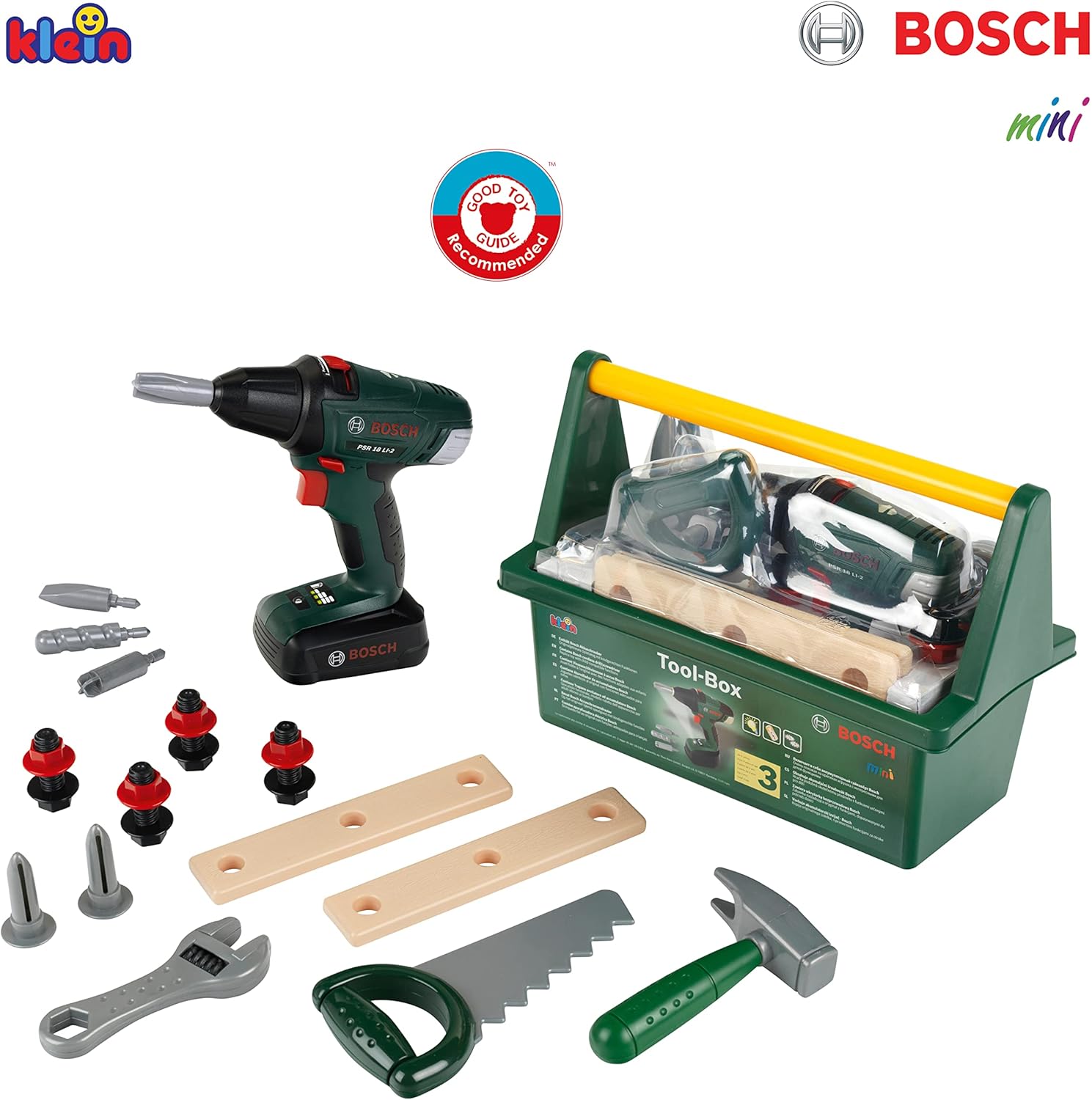
Image: All components of the Theo Klein 8520 Bosch Tool Box, neatly arranged to show each item included in the set.
Setup
Battery Installation for Cordless Screwdriver
- Locate the battery compartment on the handle of the Bosch cordless screwdriver.
- Using a small screwdriver (not included), unscrew the battery compartment cover.
- Insert 3 x AA (R6) batteries, ensuring correct polarity (+/-) as indicated inside the compartment. Batteries are not supplied with the product.
- Replace the battery compartment cover and secure it with the screw.

Image: The Bosch cordless screwdriver, highlighting its design and the interchangeable bits for various tasks.
Operating Instructions
Using the Bosch Cordless Screwdriver
- Attach a Bit: Select one of the interchangeable screwdriver bits and firmly insert it into the chuck of the screwdriver.
- Select Rotation Direction: Use the switch located near the trigger to select either clockwise (for tightening screws) or anti-clockwise (for loosening screws) rotation.
- Activate: Press the trigger to activate the screwdriver. It will produce realistic sounds and light effects during operation.
- Interchangeable Bits: The screwdriver bits can be easily swapped to simulate different types of screws (slotted or cross-head).
Using Other Tools
- Hammer: Use the hammer to gently tap the toy nails into the toy wooden strips.
- Saw: The saw is designed for pretend cutting of the toy wooden strips.
- Adjustable Wrench: The adjustable wrench can be used to simulate tightening or loosening the toy nuts on the toy screws.
Maintenance
- Cleaning: Wipe all tools and the tool box with a damp cloth. Do not immerse in water.
- Storage: Store all components neatly in the tool box after use to prevent loss and keep them clean. Keep the tool box in a dry place away from direct sunlight.
- Battery Replacement: Replace batteries in the cordless screwdriver when sounds and lights become faint or stop working.
Troubleshooting
Cordless Screwdriver Not Working
- Check Batteries: Ensure batteries are inserted correctly with the correct polarity.
- Replace Batteries: If batteries are old or depleted, replace them with new AA (R6) batteries.
- Battery Compartment: Ensure the battery compartment cover is securely closed.
Tools Appear Damaged
- Inspect: Carefully inspect the damaged tool. If there are sharp edges or broken pieces, discontinue use immediately to prevent injury.
- Contact Support: Refer to the Support Information section for assistance.
Specifications
| Feature | Detail |
|---|---|
| Product Model Number | 8581 |
| Recommended Age | 3 years and up |
| Product Dimensions (Tool Box) | 31 cm x 16.5 cm x 22.5 cm (12.2 x 6.5 x 8.86 inches) |
| Item Weight | 2.18 pounds |
| Batteries Required (Screwdriver) | 3 x AA (R6) batteries (not included) |
| Brand | Klein |

Image: The Theo Klein Bosch Tool Box with its overall dimensions clearly indicated.
Support Information
For further assistance, questions, or concerns regarding your Theo Klein 8520 Bosch Tool Box, please contact Theo Klein customer service. Refer to the product packaging or the official Theo Klein website for the most current contact details.
Online Resources: You may find additional information and FAQs on the official Theo Klein website.


