
1. Introduction
Thank you for choosing the Evans Genera HD Dry Snare Drum Head. This manual provides essential information for the proper installation, use, and care of your new drum head. Designed for drummers seeking a focused, dry snare sound with controlled overtones, the Genera HD Dry is a versatile choice for various musical styles.
The 14-inch Evans Genera HD Dry coated snare drum head is constructed with two plies of film: a 5mil outer ply and a 7.5mil inner ply. This combination delivers an aggressive rimshot and a balanced response. It also features a 2mil overtone control ring on the underside that "floats" with the head, effectively eliminating excessive overtones and controlling sustain. Additionally, small precision-drilled vent holes around the edge of the drum head further eliminate stray harmonics, control sustain, and tighten the sound. Enhanced with Level 360 technology, this drum head is designed for easier tuning and a wider tonal range.
2. Key Features
- Two-Ply Construction: Features a 5mil outer ply and a 7.5mil inner ply for durability and a powerful sound.
- Overtone Control Ring: A 2mil ring on the underside helps to eliminate unwanted overtones and control sustain, providing a focused sound.
- Dry Vent Holes: Small, precision-drilled holes around the perimeter of the head further reduce stray harmonics and tighten the overall sound.
- Level 360 Technology: Ensures proper seating of the drum head, making it easier to tune and offering a wider tonal range.
- Coated Surface: Provides a warm tone and a textured feel for brush playing.

Figure 2.1: Top view of the Evans Genera HD Dry Snare Drum Head, showing the coated surface and the Evans HD Dry logo.
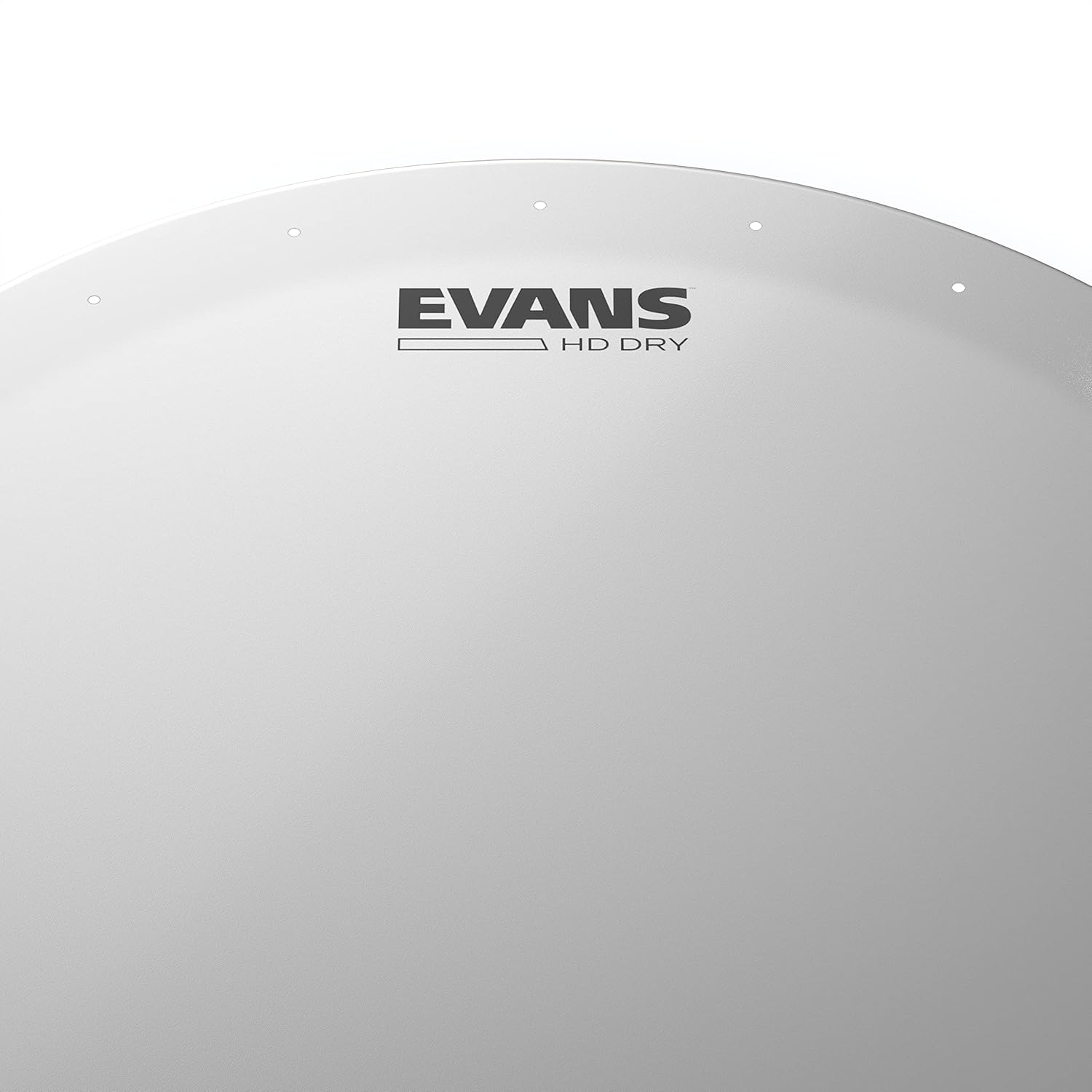
Figure 2.2: Close-up view of the Evans Genera HD Dry Snare Drum Head, highlighting the small vent holes around the edge designed to control sustain and harmonics.
3. Setup
Proper installation of your drum head is crucial for optimal sound and longevity. Follow these steps for setting up your Evans Genera HD Dry Snare Drum Head:
- Remove Old Head: Loosen all tension rods on your snare drum and carefully remove the old drum head and hoop.
- Clean Bearing Edge: Inspect the drum's bearing edge for any debris, dust, or imperfections. Clean it thoroughly with a soft cloth to ensure a smooth, even surface for the new head.
- Place New Head: Place the Evans Genera HD Dry drum head onto the drum shell, ensuring it is centered. The Level 360 collar is designed to seat properly, making this step easier.
- Place Hoop and Tension Rods: Place the counter hoop over the drum head and insert all tension rods into their respective lugs.
- Finger Tighten: Finger-tighten all tension rods in a star pattern (opposite sides) until they are snug. This ensures even tension around the head.
- Initial Tuning (Seating the Head): Using a drum key, turn each tension rod a quarter turn at a time, following the star pattern. Continue this process until the head begins to produce a tone. Apply gentle pressure to the center of the head with your hand to help seat it properly. You may hear a slight crackling sound as the head stretches and settles.
- Fine Tuning: Once the head is seated, continue to turn the tension rods in small increments (e.g., eighth of a turn) in the star pattern. Tap near each tension rod to check the pitch and adjust until all points around the head produce a consistent pitch. Adjust the overall tension to achieve your desired snare drum sound.

Figure 3.1: The Evans Genera HD Dry Snare Drum Head properly installed on a snare drum, ready for tuning.
Video 3.1: Official product demonstration of the Evans Genera HD Dry drum head, showcasing its sound and features.
4. Operating
The Evans Genera HD Dry drum head is designed to provide a specific sound profile. Understanding its characteristics will help you achieve the best results in your playing.
- Sound Profile: This head produces a warm tone with a fat and focused attack. The "Dry" features (overtone control ring and vent holes) minimize unwanted sustain and stray harmonics, resulting in a tight, articulate sound.
- Versatility: While ideal for studio recording due to its controlled sound, it also performs well in live settings, providing a clear and punchy snare sound. It is suitable for a wide range of genres, including rock, jazz, country, and metal.
- Tuning: The Level 360 technology makes tuning easier and allows for a wider tonal range. Experiment with different tensions to find your preferred sound. Higher tensions will yield a crisper, more cutting sound, while lower tensions will provide a fatter, deeper tone with controlled resonance.
- Playing Dynamics: The coated surface offers excellent response for both stick and brush playing. The two-ply construction provides durability for aggressive playing while maintaining sensitivity for nuanced dynamics.
5. Maintenance
Regular maintenance will extend the life of your drum head and ensure consistent sound quality.
- Cleaning: Wipe the drum head surface with a soft, damp cloth to remove dust, stick residue, and fingerprints. Avoid abrasive cleaners or solvents, as they can damage the coating.
- Check Tension: Periodically check the tension of your drum head. Over time, heads can stretch and lose tension, affecting the sound. Re-tune as needed to maintain desired pitch and response.
- Inspect for Wear: Regularly inspect the drum head for signs of wear, such as dents, tears, or excessive coating flaking. While durable, drum heads are consumable items and will eventually need replacement.
- Storage: If removing the drum head for storage, keep it flat and protected from extreme temperature changes or humidity, which can affect its shape and tension.
6. Troubleshooting
Here are some common issues and their solutions:
| Problem | Possible Cause | Solution |
|---|---|---|
| Unwanted Ringing/Overtones | Uneven tension, head not fully seated, or resonant head issues. | Re-tune the head evenly. Ensure the head is properly seated. Check the resonant (bottom) head for proper tension and condition. |
| Dull/Lifeless Sound | Head is too loose, worn out, or bearing edge issues. | Increase tension gradually. If the head is old or damaged, replace it. Inspect and clean the bearing edge. |
| Difficulty Tuning | Head not properly seated, uneven tensioning, or damaged hoop/lugs. | Ensure the head is fully seated using the initial tuning steps. Always tighten in a star pattern. Check hardware for damage. |
| Snare Buzz/Rattle | Snare wires too loose/tight, resonant head tension, or foreign objects. | Adjust snare wire tension. Adjust resonant head tension. Check for loose parts or debris inside the drum. |
7. Specifications
- Model Name: Genera HD Dry
- Model Number: B14HDD
- Size: 14 Inch
- Plies: 2-ply (5mil outer, 7.5mil inner)
- Overtone Control: 2mil control ring (underside)
- Harmonic Control: Precision-drilled dry vent holes
- Technology: Level 360
- Surface: Coated
- Color: White
- Material Type: Film
- Item Weight: 0.28 Kilograms (9.9 ounces)
- Dimensions (L x W x H): 14.57 x 14.57 x 0.79 inches
- Manufacturer: D'Addario & Co. Inc. (Evans is a D'Addario brand)
- Country of Origin: USA
- UPC: 019954500122
8. Warranty & Support
Evans drum heads are manufactured by D'Addario & Company, Inc. For specific warranty information and customer support, please refer to the official D'Addario website or contact their customer service directly. Generally, products are covered against manufacturing defects.
For further assistance or inquiries, please visit the official Evans or D'Addario website: