
TRIPP LITE OMNIVS1000
Tripp Lite OMNIVS1000 1000VA UPS Backup System User Manual
Model: OMNIVS1000
1. Introduction
This manual provides essential information for the safe and efficient operation of your Tripp Lite OMNIVS1000 Line-Interactive Uninterruptible Power Supply (UPS) system. The OMNIVS1000 offers comprehensive power protection, including voltage regulation, surge suppression, and battery backup, for personal computers, networking equipment, and other sensitive electronics.
Please read this manual thoroughly before installation and use, and retain it for future reference.
2. Important Safety Instructions
WARNING: This product can expose you to chemicals including Lead, which is known to the State of California to cause cancer and birth defects or other reproductive harm. For more information go to www.P65Warnings.ca.gov.
- Do not open the UPS enclosure. There are no user-serviceable parts inside.
- Do not connect non-computer-related equipment such as medical devices, life support equipment, or other critical systems to the UPS.
- Ensure the UPS is connected to a properly grounded AC power outlet.
- Do not block ventilation openings.
- Avoid installing the UPS in areas with excessive moisture, heat, or dust.
3. Package Contents
Verify that your package contains the following items:
- Tripp Lite OMNIVS1000 Line Interactive UPS
- USB cable
- Telephone cable
- User manual with warranty information
4. Product Overview
The Tripp Lite OMNIVS1000 is a tower-style UPS designed to provide reliable power protection. Below is an illustration of the unit and its key indicators.
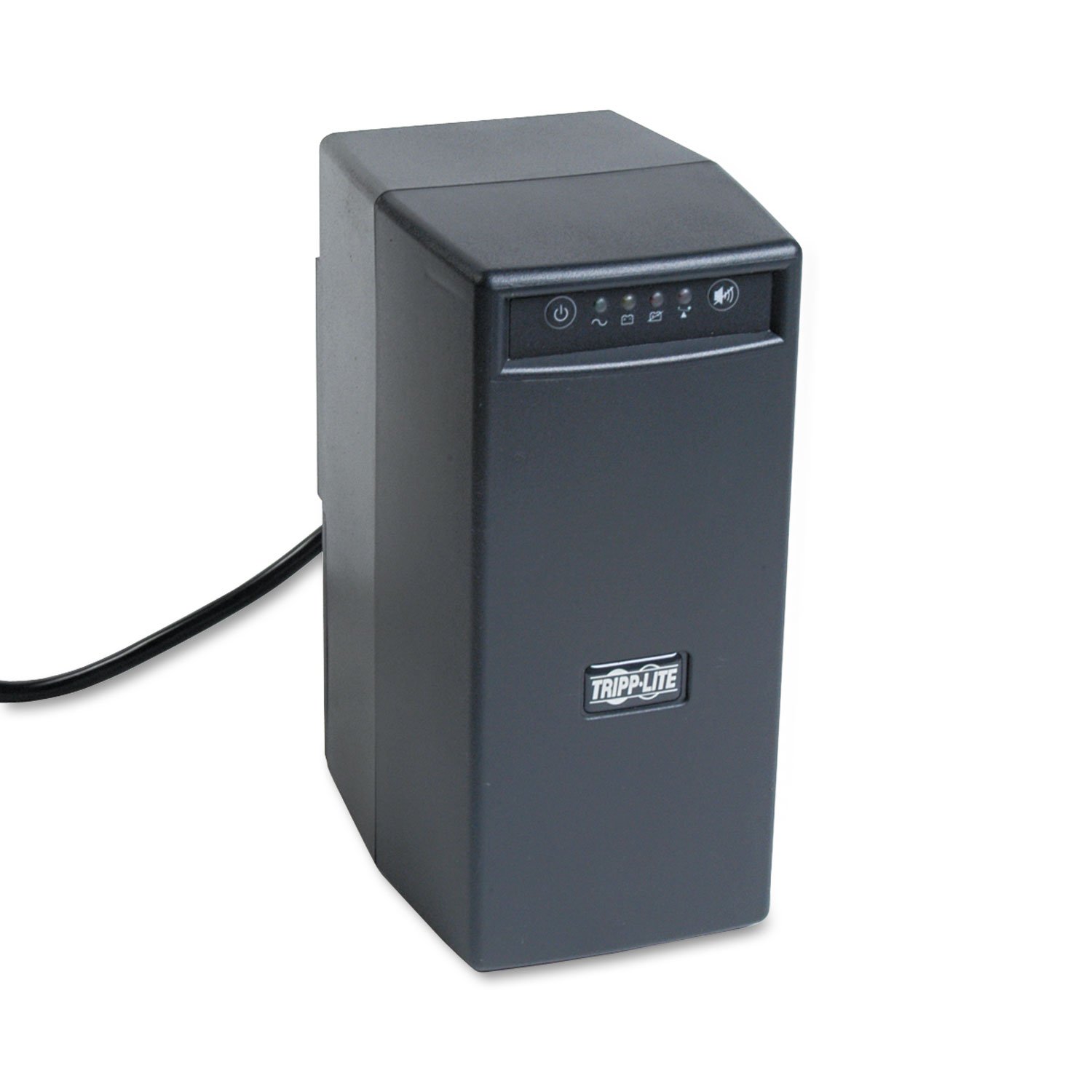
Figure 1: Front view of the Tripp Lite OMNIVS1000 UPS, showing the power button and LED status indicators.
Front Panel Indicators:
- Power Button: Controls the UPS power.
- Line Power LED (Green): Indicates the UPS is receiving utility power.
- Battery Power LED (Yellow): Indicates the UPS is operating on battery power.
- Battery Low/Replace LED (Red): Indicates the battery is low or needs replacement.
- Overload LED (Red): Indicates an overload condition on the UPS outlets.
- Audible Alarm Mute Button: Silences the audible alarm.
Rear Panel Connections:
- Battery Supported Outlets (6): Provide battery backup and surge protection for critical equipment like computers and monitors.
- Surge-Only Outlets (2): Provide surge protection only for non-critical peripherals like printers.
- USB Communication Port: Connects to a computer for unattended system shutdown and monitoring with PowerAlert software.
- RJ45 TEL/Ethernet Jacks: Provide surge protection for a single-line telephone, DSL, or Ethernet connection.
Product Overview Video:
Video 1: An overview of the Tripp Lite OMNIVS1000 UPS, highlighting its features and benefits. This video provides a visual guide to the product's design and functionality.
5. Setup and Installation
- Placement: Position the UPS in a cool, dry indoor environment, away from direct sunlight, heat sources, and excessive moisture. Ensure adequate ventilation around the unit. The OMNIVS1000 is designed for tower placement.
- Initial Battery Charge: Before initial use, connect the UPS to a standard AC outlet and allow it to charge for at least 4 hours. This ensures the battery is fully charged and ready to provide maximum runtime.
- Connecting Equipment:
- Connect critical equipment (e.g., computer, monitor, external hard drive) to the Battery Supported Outlets. These outlets provide both battery backup and surge protection.
- Connect non-critical equipment (e.g., printer, scanner) to the Surge-Only Outlets. These outlets provide surge protection but no battery backup.
- USB Connection: Connect the supplied USB cable from the UPS USB port to your computer's USB port. This enables communication for automatic shutdown and power management features using Tripp Lite's PowerAlert software.
- RJ45 Protection: For telephone, DSL, or Ethernet line protection, connect your incoming line to the "IN" RJ45 jack on the UPS, and then connect a cable from the "OUT" RJ45 jack to your device (modem, phone, etc.).
- Power On: Press and hold the power button on the front panel until the green Line Power LED illuminates. The UPS is now operational.
6. Operation
Turning On/Off:
- To Turn On: Press and hold the power button until the green Line Power LED lights up.
- To Turn Off: Press and hold the power button until all LEDs turn off.
LED Indicators and Audible Alarms:
The front panel LEDs provide real-time status of the UPS. Audible alarms will sound to indicate specific conditions.
| Indicator | Status | Audible Alarm | Description |
|---|---|---|---|
| Green Line Power LED | On | None | UPS is receiving utility power and providing power to connected equipment. |
| Yellow Battery Power LED | On | Beeping (every 4 seconds) | UPS is operating on battery power due to a power failure or severe voltage fluctuation. |
| Red Battery Low/Replace LED | On | Rapid Beeping | Battery charge is critically low, or the battery needs replacement. Prepare to shut down connected equipment. |
| Red Overload LED | On | Continuous Tone | Connected equipment exceeds the UPS's capacity (500W). Disconnect non-essential equipment immediately. |
Press the Audible Alarm Mute Button to silence alarms temporarily.
Automatic Voltage Regulation (AVR):
The OMNIVS1000 features Automatic Voltage Regulation (AVR) to correct minor power fluctuations (brownouts as low as 89 volts) without switching to battery power. This preserves battery life for actual power outages.
Battery Runtime:
The UPS provides approximately 3.5 minutes of battery runtime at a full load of 1000VA/500 watts, and approximately 14 minutes at a half load of 500VA/250 watts. Actual runtime may vary based on load and battery age.
7. Maintenance
Battery Replacement:
The OMNIVS1000 supports battery replacement via a built-in access panel. Refer to the specific battery replacement instructions provided with your replacement battery or contact Tripp Lite support for guidance. It is recommended to replace the battery every 3-5 years, or when the "Battery Low/Replace" LED indicates a need for replacement.
WARNING: Battery replacement should only be performed by qualified personnel. Use only Tripp Lite approved replacement batteries.
Cleaning:
Periodically clean the exterior of the UPS with a soft, dry cloth. Do not use liquid or aerosol cleaners. Ensure ventilation openings are free from dust and debris.
8. Troubleshooting
If the UPS is not functioning correctly, consult the table below for common issues and solutions. If the problem persists, contact Tripp Lite technical support.
| Problem | Possible Cause | Solution |
|---|---|---|
| UPS does not turn on. | Not connected to AC power; Battery not charged. | Ensure power cord is securely plugged into a live AC outlet. Allow 4 hours for initial battery charge. |
| UPS beeps continuously, Overload LED is on. | Overload condition. | Disconnect non-essential equipment from battery-backed outlets until the Overload LED turns off. |
| UPS switches to battery mode frequently. | Unstable utility power (brownouts/sags). | This is normal operation for AVR. If it happens excessively, consult an electrician about your building's wiring. |
| Battery Low/Replace LED is on. | Battery is low or needs replacement. | Allow the UPS to charge for several hours. If the LED remains on, the battery may need replacement. |
9. Specifications
| Feature | Detail |
|---|---|
| Model Number | OMNIVS1000 |
| Capacity (VA/Watts) | 1000VA / 500W |
| Input Voltage | 120V AC |
| Output Voltage | 120V AC |
| Frequency Range | 60 Hz |
| Battery Type | Lead Acid |
| Battery Charge Time | 4 Hours |
| Runtime (Full Load) | 3.5 minutes (1000VA/500W) |
| Runtime (Half Load) | 14 minutes (500VA/250W) |
| Number of Outlets | 8 (6 Battery Supported, 2 Surge-Only) |
| Connector Type | USB |
| Power Plug Type | Type B - 3 pin (North American & Japanese) |
| Form Factor | Tower |
| Dimensions (D x W x H) | 5.24 x 7.48 x 10.75 inches |
| Weight | 2.1 Pounds |
| Color | Black |
| Certifications | UL 508, CSA, UL 497A |
10. Warranty and Support
Warranty Information:
The Tripp Lite OMNIVS1000 is covered by a 2-year limited warranty. Please refer to the warranty information included in your package for full terms and conditions.
This product also includes $200,000 Ultimate Lifetime Insurance (U.S., Canada, and Puerto Rico only) for connected equipment. See warranty documentation for details.
Technical Support:
For technical assistance, product information, or warranty service, please visit the official Tripp Lite website or contact their customer support. PowerAlert software for advanced power management can be downloaded from the Tripp Lite website.
Ask a question about this manual
Ask about setup, troubleshooting, compatibility, parts, safety, or missing instructions. Manuals+ will review the question and use this page’s manual context to help answer it.