
1. Introduction
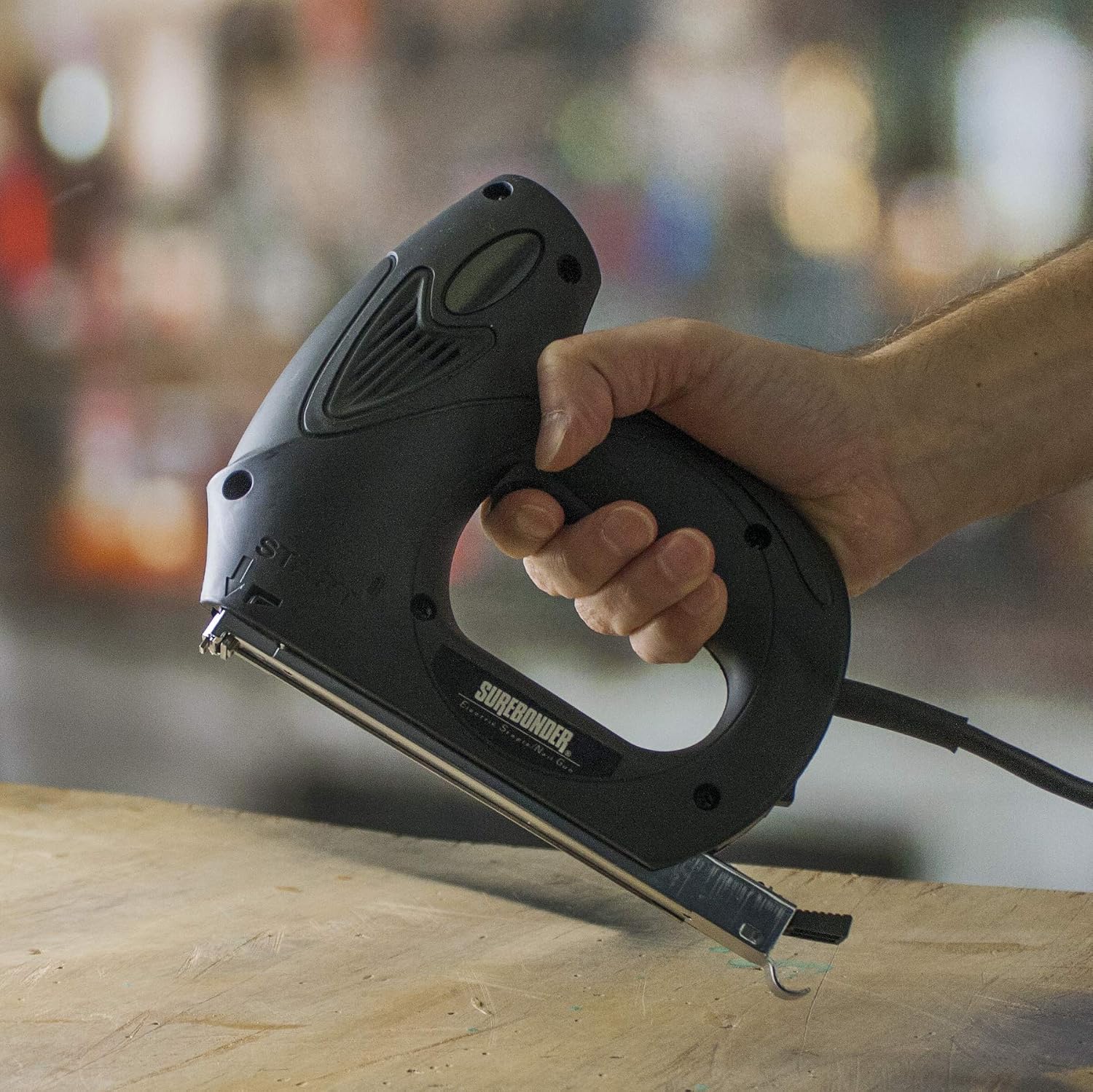
The Surebonder 5900N Electric Staple Gun is a heavy-duty tool designed for driving staples, brad nails, and pin nails. It features both trigger and 'bump fire' modes for versatile operation, an ergonomic rubber handle for user comfort, and an easy-to-clear staple track. This manual provides essential information for safe and effective use of your electric staple gun.
2. Important Safety Instructions
Always observe basic safety precautions when using electrical appliances to reduce the risk of fire, electric shock, and personal injury.
General Safety Warnings:
- Wear Safety Goggles: Always wear appropriate eye protection to prevent eye injury from flying debris.
- Read Instructions: Read and understand all instructions before operating the tool.
- Keep Away from Children: This tool is not a toy. Store it out of reach of children.
- Never Point at People: Do not point the staple gun at yourself or others. Accidental discharge can cause serious injury.
- Disconnect Power: Always disconnect the tool from the power source before loading, unloading, clearing jams, or performing any maintenance.
- Inspect Tool: Before each use, inspect the tool for any damage or loose parts. Do not use if damaged.
- Use in Dry Conditions: Do not operate the tool in damp or wet environments.
- Use Correct Fasteners: Only use Surebonder #4 or Arrow T50 Heavy Duty Staples, #8 Brad Nails, and #9 Pin Nails as specified.
3. Product Overview
Components:
Familiarize yourself with the main parts of your Surebonder 5900N Electric Staple Gun.

- Trigger: Activates the firing mechanism.
- Bump Fire Mechanism: Allows for rapid firing upon contact with the work surface.
- Staple/Nail Magazine: Holds the fasteners.
- Staple Track: The channel where fasteners are loaded and ejected.
- Ergonomic Rubber Handle: Provides a comfortable and secure grip.
- Power Cord: Connects the tool to an electrical outlet.
4. Setup
Loading Staples/Nails:
Ensure the staple gun is unplugged before loading fasteners.
- Locate the staple magazine release mechanism, typically at the rear or bottom of the tool.
- Slide open the staple magazine.
- Insert a strip of compatible staples, brad nails, or pin nails into the staple track. Ensure the fasteners are oriented correctly.
- Close the staple magazine securely until it locks into place.

Power Connection:
Plug the 8-foot power cord into a standard 110-120V AC electrical outlet. Ensure the outlet provides stable voltage for optimal performance.
5. Operating Instructions
Selecting Operating Mode:
The Surebonder 5900N offers two operating modes:
- Trigger Mode: Press the trigger to fire a single fastener. This mode provides precise control for individual applications.
- Bump Fire Mode: This mode allows for rapid firing. Hold the trigger down and press the nose of the tool against the work surface to drive fasteners in quick succession. This is ideal for high-volume fastening tasks.
Firing the Staple Gun:
- Ensure the tool is loaded with the correct fasteners and plugged into a power source.
- Hold the staple gun firmly with both hands, maintaining a secure grip on the ergonomic rubber handle.
- Position the nose of the tool squarely against the work surface where the fastener is to be driven.
- Select your desired operating mode (trigger or bump fire).
- Activate the tool to drive the fastener.
- After use, unplug the tool and store it safely.
6. Maintenance
Clearing Jams:
If a fastener becomes jammed, follow these steps:
- Disconnect Power: Immediately unplug the staple gun from the electrical outlet.
- Open Magazine: Open the staple magazine and remove any remaining fasteners.
- Remove Staple Track: The staple track is designed to be removable for easy jam clearing. Carefully slide or pull the track out as per the tool's design.
- Clear Jam: Use pliers or a thin, blunt object to carefully remove the jammed fastener. Never use your fingers to clear a jam.
- Reassemble: Reinsert the staple track and close the magazine. Reload fasteners and reconnect power.
General Cleaning:
Keep the tool clean and free of dust and debris. Use a dry cloth to wipe down the exterior. Do not use solvents or harsh chemicals.
7. Troubleshooting
Refer to this section for common issues and their solutions.
| Problem | Possible Cause | Solution |
|---|---|---|
| Staple gun does not fire. | No power, magazine empty, safety mechanism engaged, or internal fault. | Check power connection. Ensure magazine is loaded. Verify safety is disengaged. If problem persists, contact customer support. |
| Fasteners do not drive fully. | Incorrect fastener length for material, low input voltage, or worn driver blade. | Ensure fasteners are appropriate for the material. Try plugging into a different, dedicated outlet. If issue continues, contact support. |
| Tool jams frequently. | Incorrect fastener type/size, bent fasteners, or debris in staple track. | Use only recommended fasteners. Inspect fasteners for damage before loading. Clear the staple track as described in the Maintenance section. |
| Tool feels sluggish or weak. | Low input voltage or extension cord is too long/thin. | Plug directly into a wall outlet or use a heavy-duty, short extension cord. |
8. Technical Specifications
| Specification | Detail |
|---|---|
| Model Number | 5900N |
| Brand | Surebonder |
| Power | 11 Amps |
| Power Cord Length | 8 feet |
| Compatible Staples | Surebonder #4 or Arrow T50 Heavy Duty Staples |
| Compatible Brad Nails | #8 Brad Nails |
| Compatible Pin Nails | #9 Pin Nails |
| Operation Mode | Automatic (Trigger and Bump Fire) |
| Material | Rubber (handle) |
| Weight | 1 Pound (approx. 453.59 g) |
| Product Dimensions (L x W x H) | 3.05 x 2.54 x 3.05 cm |
| UPC | 018239315710 |
9. Warranty and Customer Support
For warranty information or technical assistance, please refer to the documentation included with your purchase or contact Surebonder customer support directly. Keep your proof of purchase for any warranty claims.
Manufacturer: FPC CORPORATION
Website: www.surebonder.com