
1. Introduction
This manual provides essential information for the safe and efficient operation of your Tripp Lite PV150 150W Ultra-Compact Car Power Inverter. This device converts 12V DC power from your vehicle's accessory outlet into 120V AC household current, allowing you to power various electronic devices on the go. Please read all instructions carefully before use.
2. Safety Information
Always observe the following safety precautions to prevent injury or damage to the inverter or connected devices:
- Do not open the inverter casing. There are no user-serviceable parts inside.
- Ensure proper ventilation. Do not cover the inverter or place it in an enclosed space during operation.
- Keep the inverter away from water, moisture, and flammable materials.
- Do not connect the inverter to AC power sources.
- Always connect the inverter to a 12V DC vehicle accessory outlet only.
- Do not exceed the inverter's rated output power (150W continuous, 300W peak).
- Disconnect the inverter from the vehicle's power source when not in use.
3. Product Overview
The Tripp Lite PV150 is an ultra-compact power inverter designed for portability and convenience. It features a rugged all-metal housing for durability and efficient heat dissipation.
Key Features:
- 150 watts continuous output power; up to 300 watts instantaneous peak power.
- One (1) standard 120V AC outlet.
- Convenient cigarette lighter plug for easy connection.
- Automatic low-battery shutdown to prevent vehicle battery drain.
- Overload and short-circuit protection.
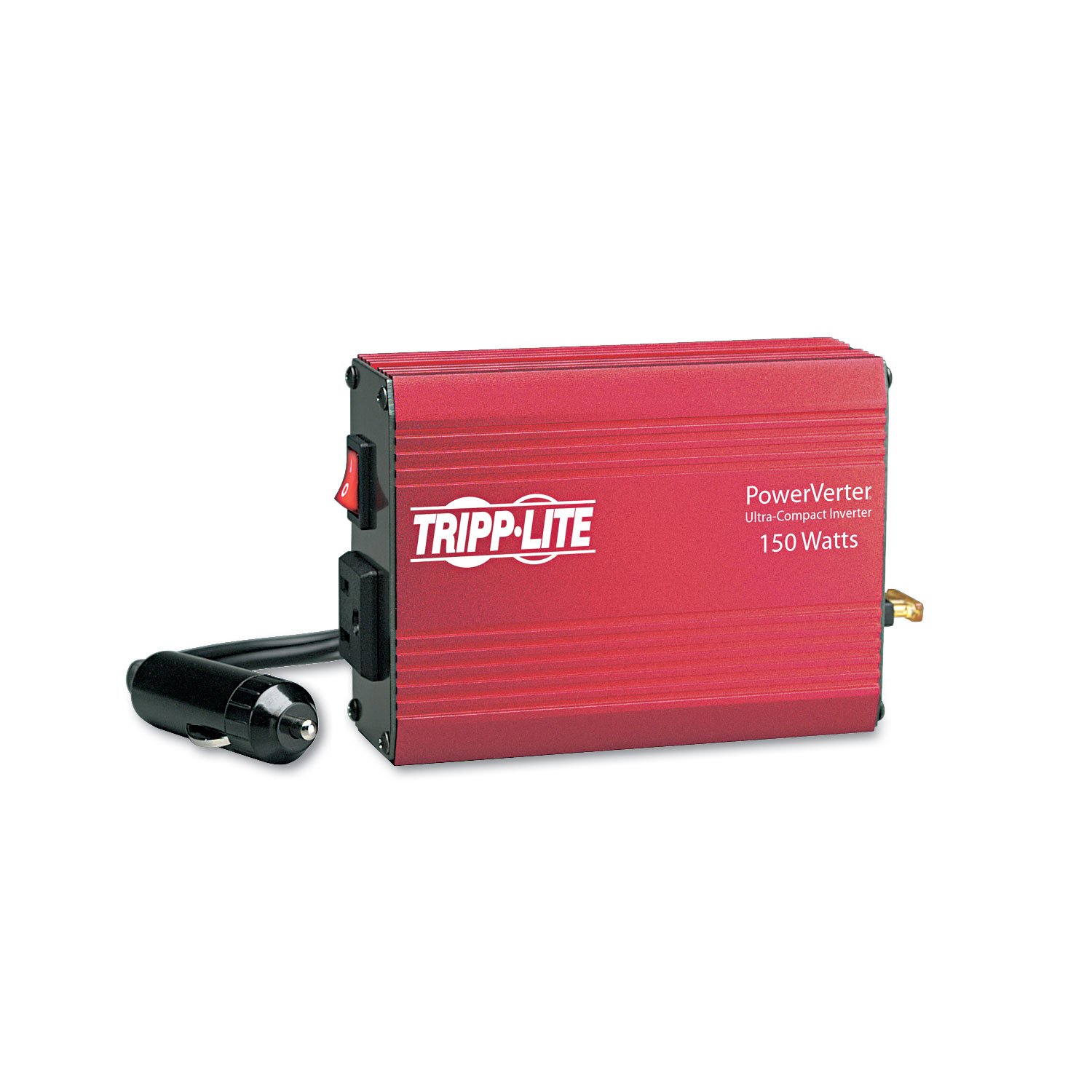
Figure 1: Top view of the Tripp Lite PV150 inverter, showing the brand logo and wattage rating.

Figure 2: Front view of the inverter, highlighting the single 120V AC outlet and the power switch.

Figure 3: Back view of the inverter, showing the integrated cigarette lighter plug and the fuse compartment.
4. Setup
Follow these steps to set up your PV150 inverter:
- Ensure your vehicle's engine is running or the ignition is in the accessory position to provide power to the accessory outlet.
- Insert the inverter's cigarette lighter plug firmly into your vehicle's 12V accessory outlet.
- Flip the power switch on the inverter to the 'ON' position. The indicator light should illuminate.
- Plug your 120V AC device into the inverter's AC outlet.
Important: Before plugging in any device, ensure its power consumption does not exceed 150 watts continuously or 300 watts peak. Overloading the inverter can cause it to shut down or damage the unit.
5. Operating Instructions
Once set up, operating the PV150 inverter is straightforward:
- Powering Devices: Connect your AC-powered device to the inverter's outlet. Turn on the inverter, then turn on your device.
- Monitoring: The inverter features an automatic low-battery shutdown to protect your vehicle's battery. If the vehicle battery voltage drops too low, the inverter will automatically turn off. This ensures you retain enough power to start your vehicle.
- Overload Protection: If a connected device draws too much power, the inverter will shut down to prevent damage. Disconnect the device, turn the inverter off and then on again to reset.
- Cooling: The all-metal housing acts as a heatsink. Ensure adequate airflow around the inverter during operation.
Video 1: Tripp Lite Informational Video. This video provides an overview of the PV150 inverter's features and benefits, including its 150W continuous output and low-battery shutdown.
6. Maintenance
The Tripp Lite PV150 inverter requires minimal maintenance:
- Keep the inverter clean and free from dust and debris. Use a dry cloth for cleaning.
- Periodically check the cigarette lighter plug and the AC outlet for any signs of damage or corrosion.
- Ensure the fuse is intact. The fuse is located near the cigarette lighter plug connection. Refer to the specifications for the correct fuse type if replacement is needed.
7. Troubleshooting
If you encounter issues with your PV150 inverter, refer to the following common problems and solutions:
| Problem | Possible Cause | Solution |
|---|---|---|
| Inverter does not turn on. | No power from vehicle outlet; loose connection; blown fuse; low vehicle battery. | Check vehicle accessory outlet; ensure firm connection; replace fuse if necessary; start vehicle engine to charge battery. |
| Inverter shuts down during operation. | Overload; low vehicle battery; overheating. | Reduce connected load; start vehicle engine to charge battery; ensure adequate ventilation around inverter. |
| Connected device does not work. | Device power consumption too high; device malfunction; modified sine wave incompatibility. | Check device wattage; test device with standard AC outlet; some sensitive electronics may not operate correctly with modified sine wave inverters. |
8. Specifications
| Feature | Specification |
|---|---|
| Brand | TRIPP LITE |
| Model Number | PV150 |
| Output Power (Continuous) | 150 Watts |
| Peak Output Power | 300 Watts |
| Input Voltage | 12 Volts (DC) |
| Output Voltage | 120 Volts (AC) |
| Number of Outlets | 1 |
| Electrical Output Waveform | Modified Sine Wave |
| Item Weight | 1.2 Pounds |
| Energy Specifications Met | FCC, UL |
9. Warranty Information
This Tripp Lite product is covered by a 30-day warranty from the manufacturer. Please note that the warranty does not cover misuse of the product. For specific warranty claims or details, please refer to the documentation included with your purchase or contact Tripp Lite customer support.
10. Customer Support
For technical assistance, troubleshooting, or warranty inquiries, please visit the official Tripp Lite website or contact their customer support department. Contact information can typically be found on the product packaging or the manufacturer's website.


