
1. Introduction
The Body Glove Earglove Sport is a lightweight and secure headset designed for individuals with active lifestyles. This headset features a 2.5mm audio jack for connection to compatible devices and includes a 3.5mm adapter for broader compatibility. Its design prioritizes comfort and stability, ensuring the earbud remains in place during movement.

Image 1.1: The Body Glove Earglove Sport headset, showcasing its earloop design.
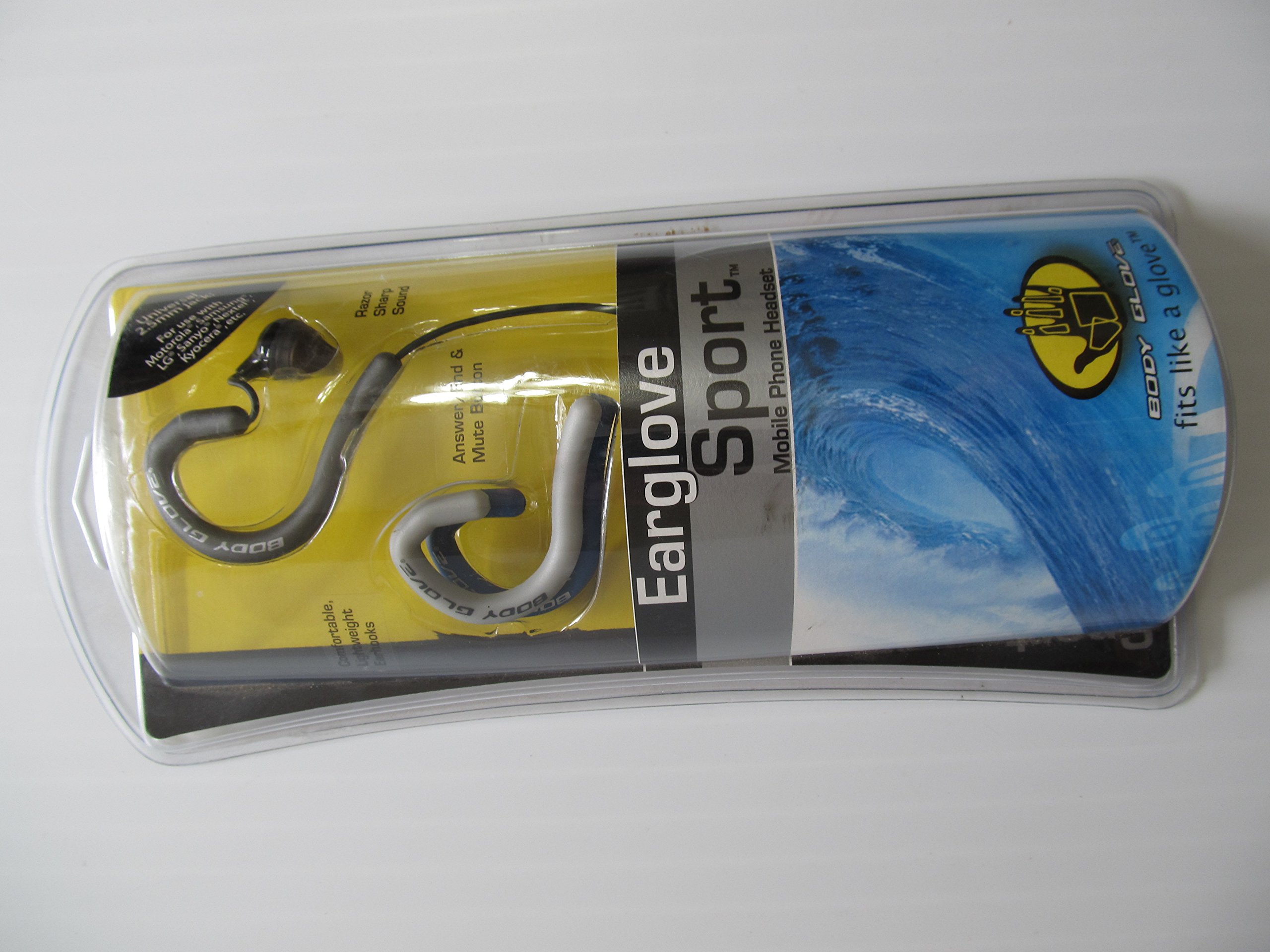
Image 1.2: Packaging of the Body Glove Earglove Sport headset, illustrating product features and contents.
2. Setup Instructions
Follow these steps to set up your Body Glove Earglove Sport headset:
- Connecting the Headset: Locate the audio jack on your mobile phone or compatible device. Insert the 2.5mm jack of the headset firmly into the port. If your device requires a 3.5mm connection, attach the included 3.5mm adapter to the headset's 2.5mm jack before inserting it into your device.
- Adjusting for Fit: The headset features a curved earloop designed for a secure and comfortable fit. Gently place the earbud into your ear and adjust the earloop over your ear until it feels stable and comfortable. The headset can be worn on either the left or right ear by rotating the earloop.
- Customizing Appearance: Your headset comes with three interchangeable earloop colors. To change the earloop, carefully detach the current one and snap the desired color into place.
3. Operating Instructions
The Body Glove Earglove Sport headset includes a single button for convenient call management:
- Answering a Call: When an incoming call is received, press the button once to answer.
- Ending a Call: During an active call, press the button once to end the conversation.
- Muting/Unmuting: During a call, pressing the button may mute or unmute your microphone. This functionality can vary depending on your specific phone model.
- Voice Activation: Press and hold the button to activate your phone's voice command feature, if supported.
4. Maintenance
Proper care will extend the life of your headset:
- Cleaning: Gently wipe the earbud and earloop with a soft, dry, lint-free cloth. Do not use liquid cleaners, solvents, or abrasive materials, as these can damage the headset.
- Storage: When not in use, store the headset in a clean, dry environment away from extreme temperatures and direct sunlight. Avoid tangling the cable to prevent internal wire damage.
5. Troubleshooting
If you encounter issues with your Body Glove Earglove Sport headset, refer to the following common solutions:
- No Sound or Poor Sound Quality:
- Ensure the headset's audio jack is fully and securely inserted into your device's port.
- Check the volume settings on your mobile phone or connected device.
- Test the headset with another compatible device to determine if the issue is with the headset or the original device.
- Inspect the headset cable for any visible damage or kinks.
- Headset Does Not Stay in Ear:
- Adjust the earloop's position and curvature to achieve a more secure and stable fit around your ear.
- Ensure the headset is correctly oriented for your ear (left or right).
- Button Functions Not Working:
- Verify that your phone model supports headset control functions for answering, ending, muting, or voice activation. Some features are device-dependent.
- Ensure the headset is properly connected to your device.
6. Specifications
| Product Dimensions | 3.8 x 2 x 1.2 inches |
| Item Weight | 2.4 ounces |
| Item Model Number | 7497401 |
| Connectivity Technologies | Wired |
| Special Features | Lightweight, sports-and-exercise design |
| Audio Jack | 2.5 mm (includes 3.5mm adapter) |
| Form Factor | In Ear |
| Color | Black & Grey (with interchangeable earloop colors) |
| Manufacturer | Body Glove (Fellowes) |
| Date First Available | June 30, 2006 |
7. Warranty and Support
For warranty information, technical assistance, or further inquiries regarding your Body Glove Earglove Sport headset, please contact Body Glove customer service directly:
- Website: www.bodyglove.com
- U.S. Support: 1-800-945-4545 or 1-630-893-1630
- Mexico Support: 001-800-234-1185
- Canada Support: 1-800-665-4339
- Australia Support: 1-800-33-1177