
1. Introduction
This manual provides detailed instructions for the proper use and care of your Nikon 28mm f/3.5 PC-Nikkor Manual Focus Lens. This specialized lens is designed for precision photography, offering unique perspective control capabilities.
Key features of this lens include:
- Perspective Control (PC) Function: Allows for shifting the optical axis to correct converging lines, particularly useful in architectural photography.
- Manual Focus: Provides precise control over focus, essential for critical sharpness.
- Shift Mechanism: Enables the lens to move parallel to the film or sensor plane.
Originally designed for film cameras, this lens functions as a natural 28mm on full-frame (FX) Nikon cameras. When used with DX-format cameras, the crop factor will result in an effective focal length of approximately 42mm.

Figure 1: Front view of the Nikon 28mm f/3.5 PC-Nikkor lens.
2. Setup and Mounting
Before attaching the lens to your camera, ensure both the camera and lens mounts are clean and free of dust. This lens is compatible with Nikon F-mount and Nikon Z-mount cameras (with appropriate adapter, if necessary).
- Prepare Camera: Turn off your camera. If your camera has an autofocus (AF) function, it is recommended to turn it off as this is a manual focus lens.
- Align Mounts: Align the mounting index on the lens barrel with the mounting index on your camera body.
- Attach Lens: Rotate the lens clockwise (when viewed from the front) until it clicks into place. Do not force the lens.
- Remove Lens: To remove the lens, press the lens release button on your camera body and rotate the lens counter-clockwise until it detaches.

Figure 2: Nikon 28mm f/3.5 PC-Nikkor lens with accessories.
3. Operating the Lens
The Nikon 28mm f/3.5 PC-Nikkor lens offers manual control over focus, aperture, and perspective correction (shift).
3.1 Manual Focus
Rotate the focus ring on the lens barrel to achieve sharp focus. Your camera's viewfinder may provide a focus confirmation dot or indicator when the subject is in focus, even with manual lenses.
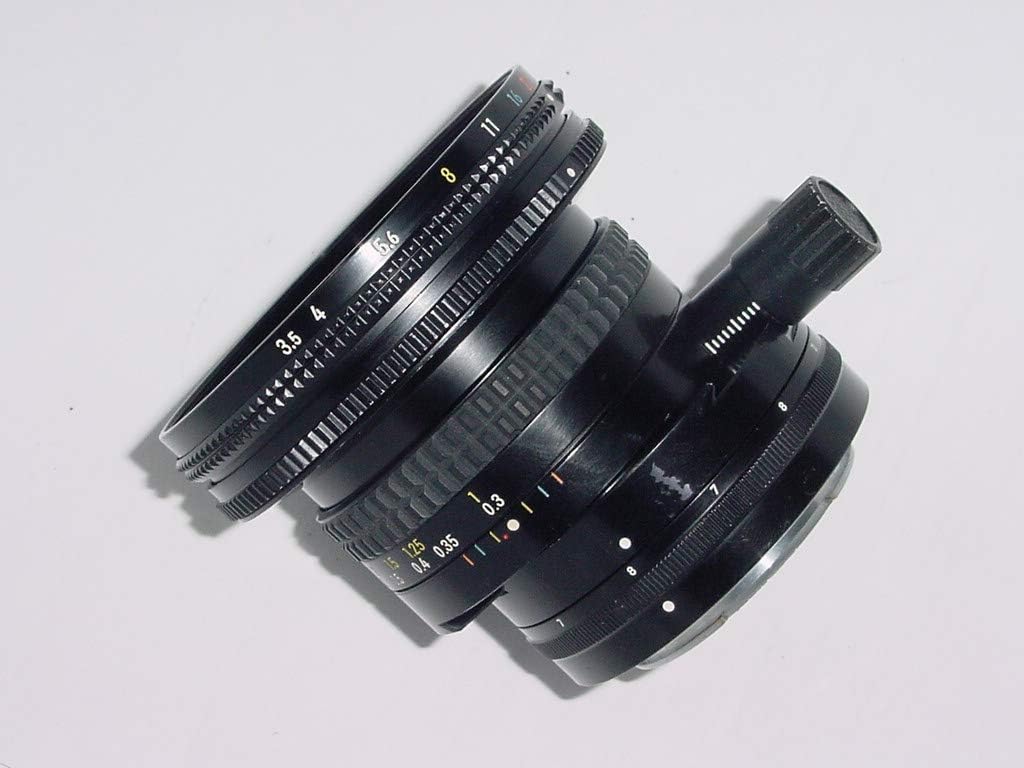
Figure 3: Lens showing focus and aperture rings.
3.2 Aperture Control
Adjust the aperture ring to control the depth of field and exposure. The lens features an aperture range of f/3.5 to f/22.
3.3 Perspective Control (Shift)
The shift mechanism allows you to move the lens vertically or horizontally relative to the sensor plane. This is primarily used to correct converging vertical lines in architectural photography or to create a miniature effect.
- Set Neutral Position: Before applying any shift, ensure the lens is in its neutral, unshifted position.
- Adjust Shift: Use the shift knob or lever (refer to Figure 4) to move the lens. Observe the effect through your viewfinder or live view.
- Leveling: For architectural correction, it is crucial to ensure your camera is perfectly level. All camera settings should be finalized before making shift adjustments.
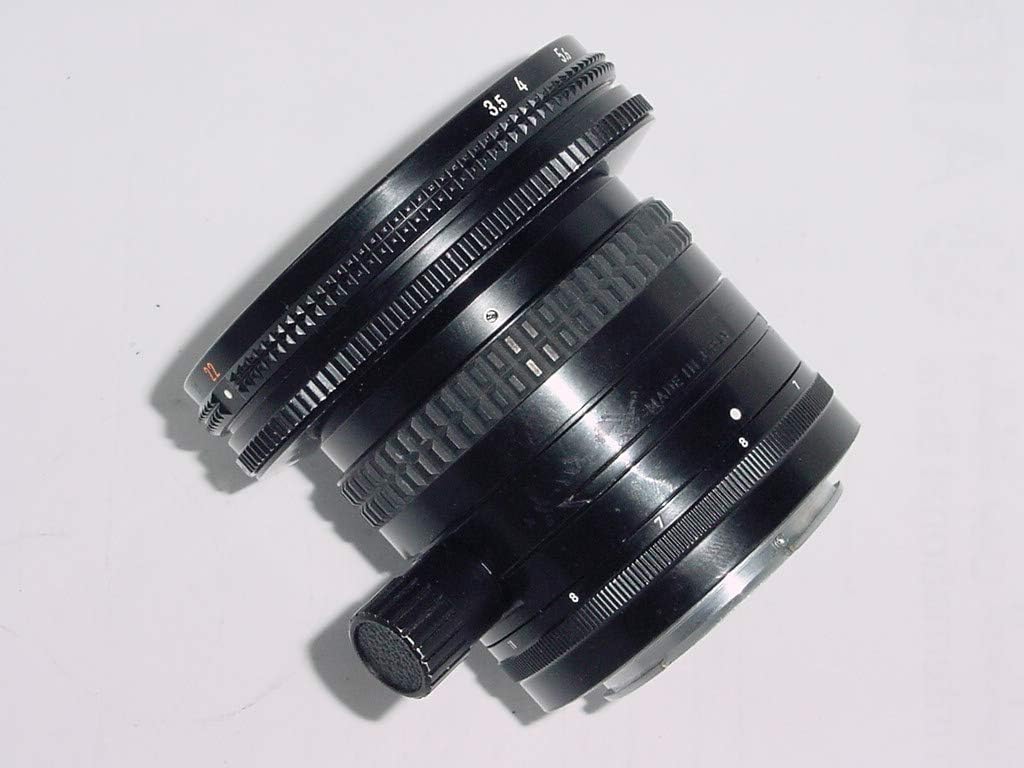
Figure 4: Lens showing the shift mechanism.
4. Maintenance and Care
Proper maintenance ensures the longevity and optimal performance of your lens.
- Cleaning Lens Elements: Use a soft, lint-free cloth or a lens brush to remove dust. For smudges, use a specialized lens cleaning solution and a microfiber cloth. Avoid touching the glass surfaces with your fingers.
- Cleaning Lens Body: Wipe the lens barrel with a soft, dry cloth. Do not use harsh chemicals or solvents.
- Storage: Store the lens in a cool, dry place away from direct sunlight and extreme temperatures. Always attach the front and rear lens caps when not in use to protect the elements.
- Avoid Impact: Protect the lens from drops or impacts, which can damage the optical elements or mechanical components.
5. Troubleshooting
If you encounter issues with your lens, consider the following common solutions:
- Difficulty Focusing: Ensure your camera's autofocus is turned off, as this is a manual focus lens. Practice rotating the focus ring slowly and deliberately. Check your camera's focus assist features.
- Image Quality Issues (e.g., softness, vignetting):
- Ensure the lens elements are clean.
- Check that the lens is securely mounted to the camera body.
- Verify that the aperture is set appropriately for your desired depth of field.
- When using the shift function, be aware that extreme shifts can sometimes introduce slight vignetting or optical aberrations, especially at wider apertures.
- Lens Not Attaching/Detaching Smoothly: Ensure the lens release button is fully depressed when detaching. Check for any obstructions on the lens or camera mount. Do not force the lens.
6. Specifications
| Feature | Detail |
|---|---|
| Brand | Nikon |
| Model Number | 1024 |
| Focal Length | 28 mm |
| Lens Type | Tilt Shift (Perspective Control) |
| Compatible Mountings | Nikon F, Nikon Z |
| Product Dimensions | 3 x 3 x 3 inches |
| Item Weight | 1.05 pounds |
| Date First Available | November 24, 2003 |
7. Warranty and Support
This product comes with the following warranty and satisfaction guarantee:
- 14-Day Satisfaction Guarantee: Full refund available within 14 days if not satisfied.
- 90-Day Parts and Labor Warranty: Covers defects in materials and workmanship for 90 days from the date of purchase. Serial #200020.
For technical support, service, or warranty claims, please contact Nikon customer service through their official website or authorized service centers. Please have your model number (1024) and serial number ready when contacting support.


