
Introduction
Final Fantasy: Crystal Chronicles is an action role-playing game developed by Square Enix for the Nintendo GameCube. This manual provides essential information for setting up, playing, maintaining, and troubleshooting the game. It supports both single-player and multiplayer modes, with multiplayer requiring Game Boy Advance systems as controllers.

Image: Front cover of the Final Fantasy: Crystal Chronicles game case, displaying the title and main characters.
Setup
System Requirements
- Nintendo GameCube console
- One GameCube controller (for single-player)
- Up to four Game Boy Advance (GBA) systems and GBA-GameCube link cables (for multiplayer)
- Memory Card (for saving game progress)
Inserting the Game Disc
- Ensure your GameCube console is powered off.
- Open the disc tray cover on the GameCube.
- Carefully place the Final Fantasy: Crystal Chronicles game disc onto the spindle, label side up. Press gently until it clicks into place.
- Close the disc tray cover.

Image: The Final Fantasy: Crystal Chronicles game disc, showing its design and placement within the game case.
Connecting Game Boy Advance for Multiplayer
For multiplayer gameplay, each player requires a Game Boy Advance system and a GBA-GameCube link cable. Connect one end of the link cable to the GBA and the other end to a controller port on the GameCube. The GBA will function as a personal screen for menus and inventory, while the GameCube displays the main action.
Operating
Basic Controls
Controls are primarily handled via the GameCube controller in single-player mode. In multiplayer, the Game Boy Advance provides additional input and a personal display. Refer to the in-game tutorial for specific button mappings and actions.
Single-Player Mode
In single-player mode, you control one character and are accompanied by a Moogle companion who assists in carrying the Crystal Chalice, which protects you from the Miasma. The Moogle can also be directed to cast spells or perform other actions.
Multiplayer Mode
Up to four players can join a Crystal Caravan. Each player controls a unique character using a Game Boy Advance. Communication and teamwork are essential for survival, especially when moving the Crystal Chalice to protect the party from the Miasma and during combat encounters.
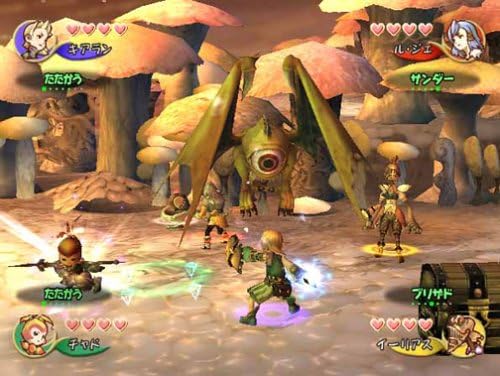
Image: An in-game battle scene showing multiple characters engaging a large, one-eyed monster in a mushroom forest environment.
Saving Progress
Game progress is saved to a GameCube Memory Card. The game features specific save points or automatic saving at certain intervals. Ensure a Memory Card is inserted and has sufficient free space.
Gameplay Mechanics
- Crystal Caravan: Players travel through a world covered in Miasma, a poisonous mist. A Crystal Chalice must be carried to create a safe zone.
- Real-time Combat: Engage enemies in real-time action. Characters can use physical attacks, magic, and special abilities.
- Magic System: Spells are cast by collecting and combining magicite. In multiplayer, players can combine their magicite to create more powerful spells.
- Teamwork: Essential for navigating environments, solving puzzles, and defeating powerful enemies.
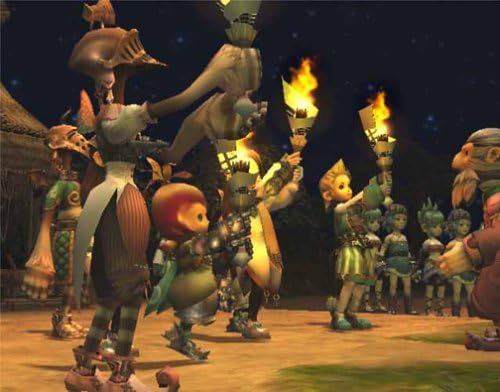
Image: Several in-game characters, including different races, gathered together and holding torches in a dark environment.
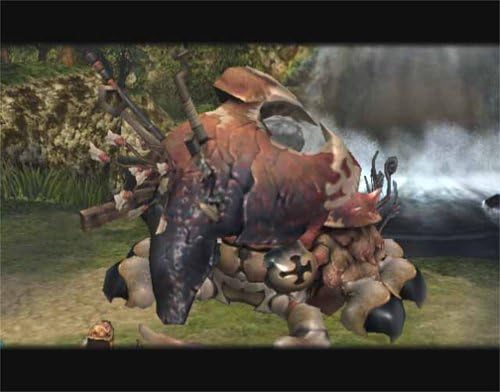
Image: A large, heavily armored monster with multiple limbs and a shell-like back, standing in a natural environment near a waterfall.
Maintenance
Disc Care
- Always handle the disc by its edges to avoid fingerprints and scratches.
- Store the disc in its original case when not in use.
- If the disc becomes dirty, gently wipe it with a soft, lint-free cloth from the center outwards. Do not use abrasive cleaners.
Console Care
Keep your Nintendo GameCube console and Game Boy Advance systems clean and free from dust. Ensure proper ventilation for the GameCube to prevent overheating.
Troubleshooting
Disc Read Errors
- If the console displays a disc read error, ensure the disc is clean and free of scratches.
- Verify the disc is correctly seated in the disc tray.
- If issues persist, try another GameCube game to determine if the problem is with the console or the game disc.
Game Boy Advance Connection Issues
- Ensure GBA systems are powered on and link cables are securely connected to both the GBA and GameCube.
- Check that the GBA-GameCube link cables are not damaged.
- Confirm that the GameCube controller ports are functioning correctly.
Specifications
| Feature | Detail |
|---|---|
| Item Model Number | 45496961275 |
| ASIN | B00009WAUH |
| UPC | 045496961275, 719546192611 |
| GTIN | 045496961275, 719546192611 |
| Compatible Console Models | Nintendo GameCube, Nintendo Game Boy Advance SP (for multiplayer) |
| Release Date | February 10, 2004 |
| Manufacturer | Square Enix |
| Product Dimensions | 7.75 x 5.5 x 0.75 inches |
| Item Weight | 1.23 ounces |
| Rated | Teen |
Warranty and Support
For information regarding product warranty or technical support, please refer to the official documentation included with your game purchase or visit the official Square Enix website. Support options may vary based on region and purchase date.

