
1. Introduction
This manual provides essential information for the proper installation, operation, and maintenance of your Pioneer CDX-P670 6-Disc CD Player. Please read these instructions thoroughly before using the unit to ensure optimal performance and longevity. The CDX-P670 is designed to provide high-quality audio playback from multiple compact discs within your vehicle's audio system.
2. Key Features
The Pioneer CDX-P670 offers a range of advanced features for an enhanced in-car audio experience:
- 6-Disc Capacity: Allows for extended music playback without frequent disc changes.
- 8x Oversampling, 1-Bit D/A Converter: Ensures high-fidelity audio reproduction.
- AGC (Automatic Gain Control): Optimizes CD tracking performance for stable playback.
- Digital Audio CD-R Playback: Compatible with finalized Digital Audio CD-R discs.
- Ultra-Compact Size: Designed for flexible installation in various vehicle interiors.
- Versatile Mounting: Supports vertical, horizontal, and angled mounting configurations.
- "Double-Floating" Anti-Vibration System: Minimizes disc skipping due to road vibrations.
- High-Speed Disc Load and Access: Quick disc changes and track selection.
- CD-Text Decoder: Displays disc and track information from CD-Text encoded CDs (with compatible IP-bus controller).
- Disc Title Memory: Stores up to 20 characters per disc for 100 discs.
- ITS Memory: Programs up to 99 tracks per disc for 100 discs.
- 24-Hour Memory Back-up: Retains settings even when power is disconnected.
- Three-Mode Repeat: Offers magazine, disc, and track repeat options.
- IP-Bus Compatible: Seamless integration with all IP-bus multi-CD player controllers.
- Voice Control Ready: Compatible with the optional CD-VC60 voice commander.
3. Setup and Installation
Proper installation is crucial for the performance and safety of your CD player. It is recommended that installation be performed by a qualified professional.
3.1. Removing Transport Screws
Before installation, it is essential to remove the transport screws that secure the CD mechanism during shipping. Failure to remove these screws can cause damage to the unit and prevent proper operation.
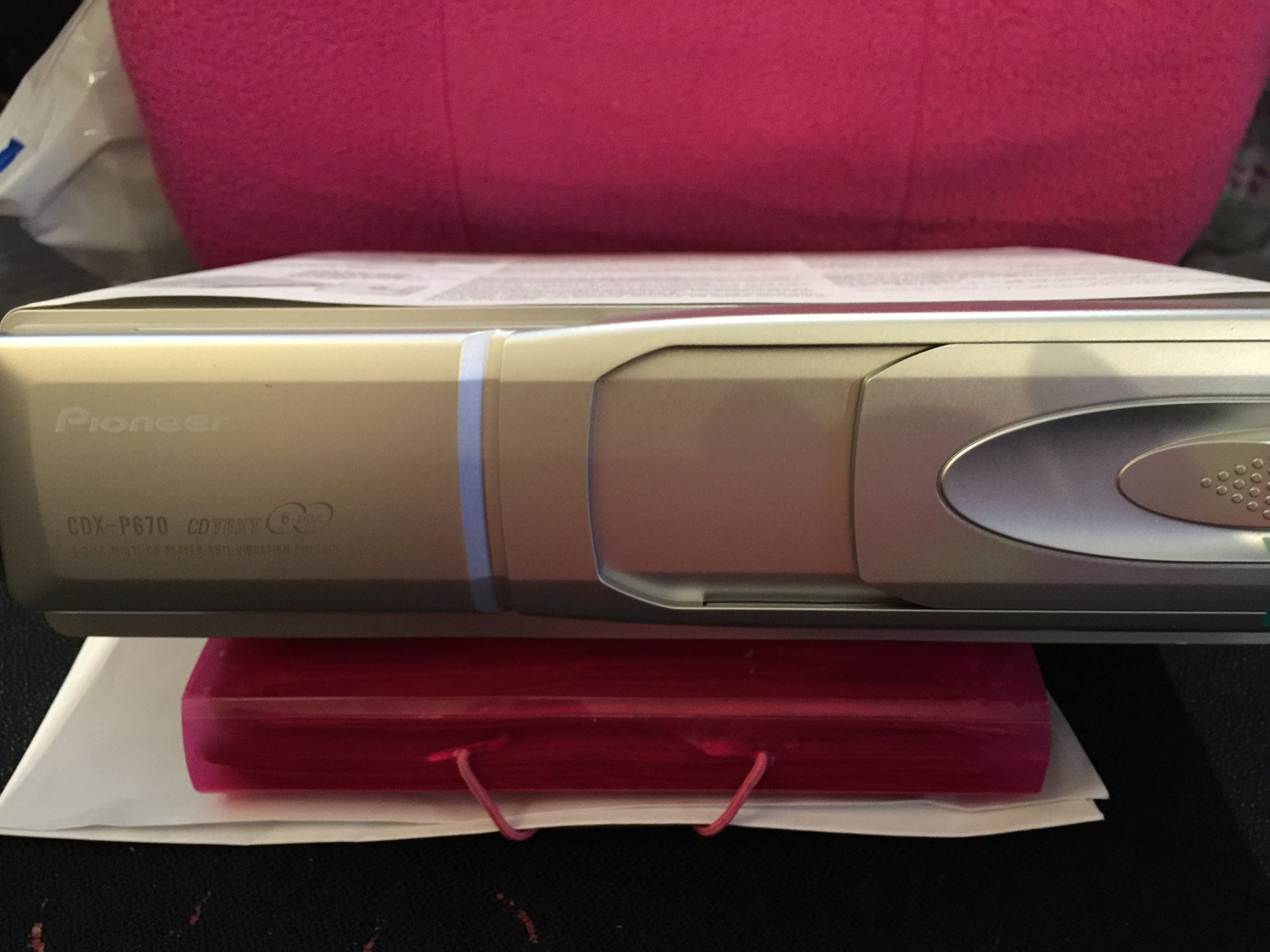
Image 3.1: Illustration of transport screw locations and the angle switching dial. Locate and remove the indicated screws before proceeding with installation. The diagram also shows the seal/cache location.
3.2. Mounting Options
The CDX-P670 offers flexible mounting capabilities to suit various vehicle layouts. It can be installed vertically, horizontally, or at an angle. Use the Angle Switching Dial to adjust the unit's internal mechanism for the chosen mounting orientation. Refer to the diagram above for the dial's location and settings.
The unit features a "Double-Floating" anti-vibration system to maintain stable playback even on rough roads, regardless of the mounting angle.
3.3. Connectivity
The CDX-P670 is IP-Bus compatible, allowing for seamless integration with Pioneer IP-Bus head units and controllers. It also supports auxiliary connectivity for broader compatibility.

Image 3.2: Included wiring harness and accessories for connecting the CDX-P670 to your vehicle's audio system.
3.4. Product Overview
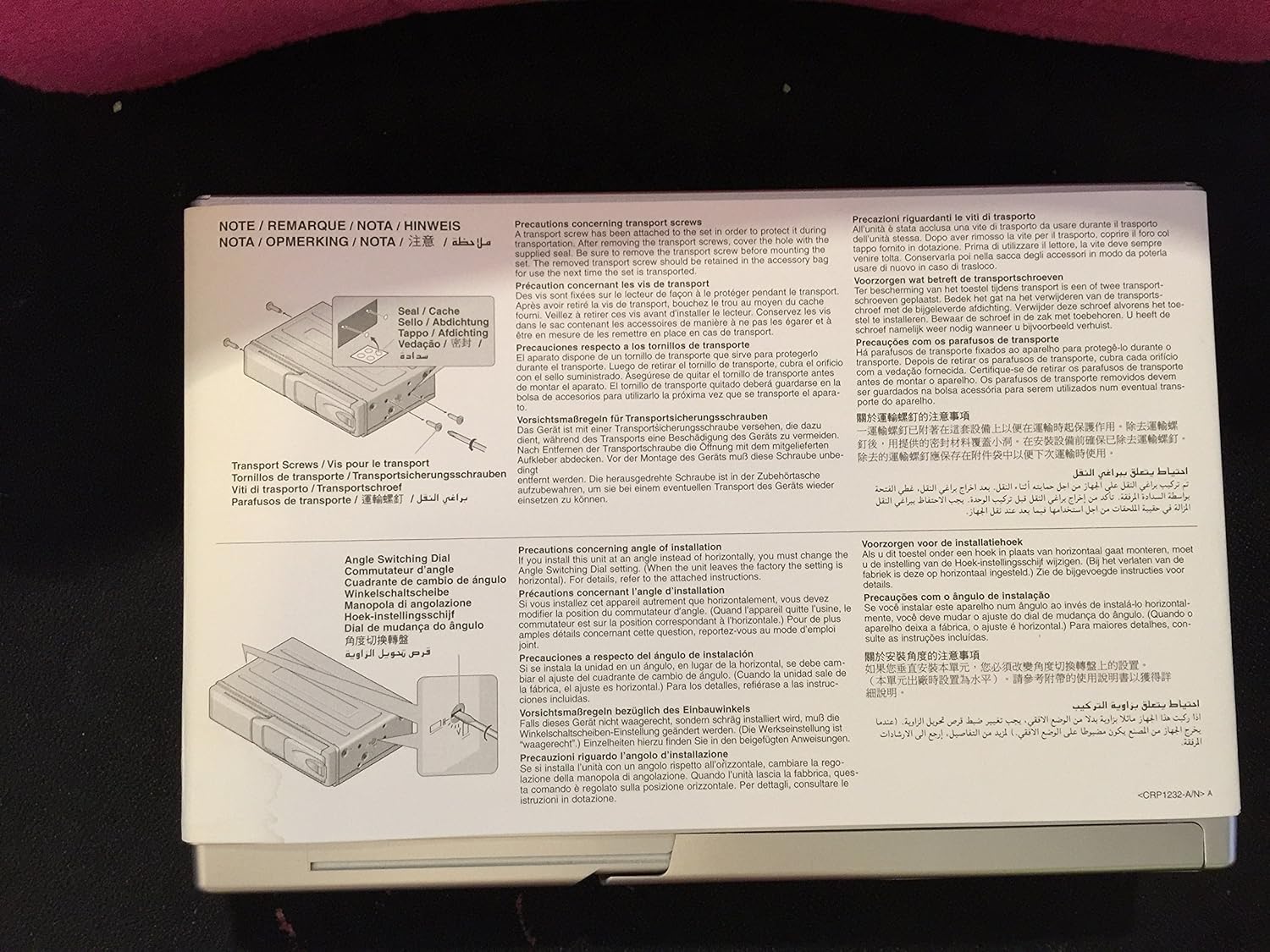
Image 3.3: Front view of the Pioneer CDX-P670 unit, showing the disc loading slot and control interface.
4. Operation
This section outlines the basic steps for operating your Pioneer CDX-P670 CD player.
4.1. Loading Discs
- Insert a JD-612V magazine (one included) into the CD player's loading slot.
- Load up to six compact discs into the magazine trays. Ensure discs are clean and free of scratches.
- Once loaded, the unit will recognize the discs.
4.2. Basic Playback
Control playback functions (play, pause, skip track, select disc) via your compatible Pioneer IP-Bus head unit or controller. The 8x oversampling and 1-bit D/A converter ensure high-quality audio output.
4.3. Advanced Features
- CD-Text Display: If your discs are CD-Text encoded and your controller supports it, disc and track titles will be displayed.
- Disc Title Memory: Program custom titles for up to 100 discs, each up to 20 characters long.
- ITS Memory: Store preferred track sequences for up to 99 tracks per disc, across 100 discs.
- Repeat Modes: Cycle through repeat options: repeat current track, repeat current disc, or repeat all tracks in the magazine.
- Voice Control (Optional): Connect the optional CD-VC60 voice commander for hands-free operation.
5. Maintenance
Regular maintenance helps ensure the longevity and optimal performance of your CDX-P670.
5.1. Cleaning the Unit
- Use a soft, dry cloth to wipe the exterior of the unit.
- Do not use abrasive cleaners, waxes, or solvents as they may damage the finish.
- Avoid spraying cleaning solutions directly onto the unit.
5.2. Disc Care
- Handle discs by their edges to prevent fingerprints and scratches.
- Clean discs with a soft, lint-free cloth, wiping from the center outwards.
- Store discs in their cases or the magazine when not in use to protect them from dust and damage.
6. Troubleshooting
If you encounter issues with your CDX-P670, refer to the following common problems and solutions before contacting support.
- No Power: Ensure all power connections are secure. Check vehicle's fuse box.
- No Sound: Verify audio cables are correctly connected. Check volume levels on both the CD player and your head unit.
- Disc Skipping/Poor Playback: Ensure discs are clean and free of scratches. Check that the unit is securely mounted and the transport screws were removed. Verify the Angle Switching Dial is set correctly for the mounting orientation.
- Disc Not Loading/Ejecting: Check for obstructions in the disc slot or magazine. Ensure the magazine is inserted correctly.
- Error Message: Consult your head unit's manual for specific error code meanings. Often indicates a disc or connection issue.
If the problem persists after attempting these solutions, please contact Pioneer customer support.
7. Specifications
Below are the technical specifications for the Pioneer CDX-P670 6-Disc CD Player:

Image 7.1: Product label showing model number, serial number (ACTM014575UC), and certification details.
| Feature | Specification |
|---|---|
| Model Number | CDX-P670 |
| Brand | PIONEER |
| Disc Capacity | 6 Discs |
| D/A Converter | 8x Oversampling, 1-Bit |
| Frequency Response | 5-20 kHz |
| Signal-to-Noise Ratio | 92 dB (IHF-A network) |
| Connectivity Technology | Auxiliary, IP-Bus |
| Supported Audio Format | Digital Audio CD, CD-R (finalized) |
| Dimensions (W x H x D) | 9-3/4" x 2-5/8" x 6-5/8" (24.77 cm x 6.67 cm x 16.83 cm) |
| Item Weight | 7.25 Pounds (3.29 kg) |
| UPC | 012562546803 |
| ASIN | B000096G4S |
| Serial Number (Example) | ACTM014575UC |
8. Warranty and Support
Pioneer products are manufactured to high-quality standards. For information regarding your product's warranty coverage, please refer to the warranty card included with your purchase or visit the official Pioneer website. Keep your proof of purchase and the product's serial number (e.g., ACTM014575UC, found on the product label) readily available when contacting support.
For technical assistance, troubleshooting beyond this manual, or service inquiries, please contact Pioneer customer support through their official channels. You can often find contact information on the Pioneer website or in your product's packaging.