
Avery 73601
Avery Self-Adhesive Laminating Sheets User Manual
Model: 73601
1. Product Overview
The Avery Self-Adhesive Laminating Sheets (Model 73601) provide a convenient and machine-free solution for protecting and preserving documents, photos, and signs. These 9" x 12" clear sheets feature a permanent self-adhesive backing, offering durable protection against spills, tears, and wear. They are ideal for various applications in home, school, or office environments.

Image 1.1: Packaging for Avery Self-Adhesive Laminating Sheets, highlighting "No Lamination Machine Required" and "50 Pack 9"x12"".
2. Features
- Machine-Free Lamination: No laminating machine is required. Simply peel and stick.
- Permanent Self-Adhesive: Provides a strong, lasting bond to protect your items.
- Convenient Gridlines: The backing includes gridlines for easy alignment and precise trimming.
- Acid-Free & Archival-Safe: Ensures long-term preservation of documents and photos without yellowing or degradation.
- Dry Erase Compatible: Laminated surfaces can be written on with dry erase markers and wiped clean, making them reusable.
- PVC-Free: An eco-friendly alternative for lamination.

Image 2.1: A visual representation of the two single-sided sheets included in each pack, showing the grid on the backing for easy alignment.
3. Setup and Preparation
Before laminating, ensure your workspace is clean and free of dust or debris. Prepare your document or item for lamination by ensuring it is flat and dry.
3.1. Materials Needed
- Avery Self-Adhesive Laminating Sheets (Model 73601)
- Item(s) to be laminated (documents, photos, signs, etc.)
- Scissors or a paper trimmer (optional, for precise cuts)
- A flat, clean surface
- A squeegee, ruler, or credit card (optional, for smoothing)
4. Operating Instructions
Follow these steps for effective lamination:
- Prepare the Sheet: Lay one laminating sheet on a clean, flat surface with the grid-lined backing facing up. Carefully peel back a small section of the backing from one corner or edge to expose the adhesive.
- Position Your Item: Align your document or photo precisely on the exposed adhesive area. Use the gridlines on the backing for accurate placement. Ensure there is a small margin around your item if you plan to trim the edges later.
- Apply the Sheet: Slowly and carefully peel away the rest of the backing while simultaneously smoothing the laminating sheet over your item. Work from one edge to the other, pressing down firmly to remove air bubbles. A squeegee, ruler, or credit card can be used to help smooth out any trapped air.
- Seal (for two-sided lamination): If laminating both sides, repeat steps 1-3 with a second sheet, aligning it precisely over the first laminated side. Ensure the adhesive sides face each other with the document in between.
- Trim Excess: Once fully adhered, use scissors or a paper trimmer to carefully cut around the laminated item, leaving a small border for a secure seal.

Image 4.1: Demonstrates the process of applying the self-adhesive laminating sheet to a document, showing the clear film being smoothed over the surface.
4.1. Dry Erase Functionality
After lamination, the surface can be used as a dry erase board. Write directly on the laminated sheet with a dry erase marker. To clean, simply wipe with a soft cloth or dry erase eraser.

Image 4.2: An example of a laminated "Morning Routine" checklist being used with a dry erase marker, demonstrating the reusability feature.
5. Usage Tips
- For best results, work on a flat, clean, and well-lit surface.
- When applying, start from one edge and slowly smooth outwards to minimize air bubbles.
- If bubbles occur, try to gently push them towards the nearest edge with a flat object. For stubborn bubbles, a small pinprick can release the air, then smooth down.
- Ensure your document is slightly smaller than the laminating sheet to allow for a complete seal around the edges.
- These sheets are ideal for protecting frequently handled items like recipes, flashcards, or certificates.

Image 5.1: A laminated certificate, showcasing the clear, protective finish provided by the sheets.
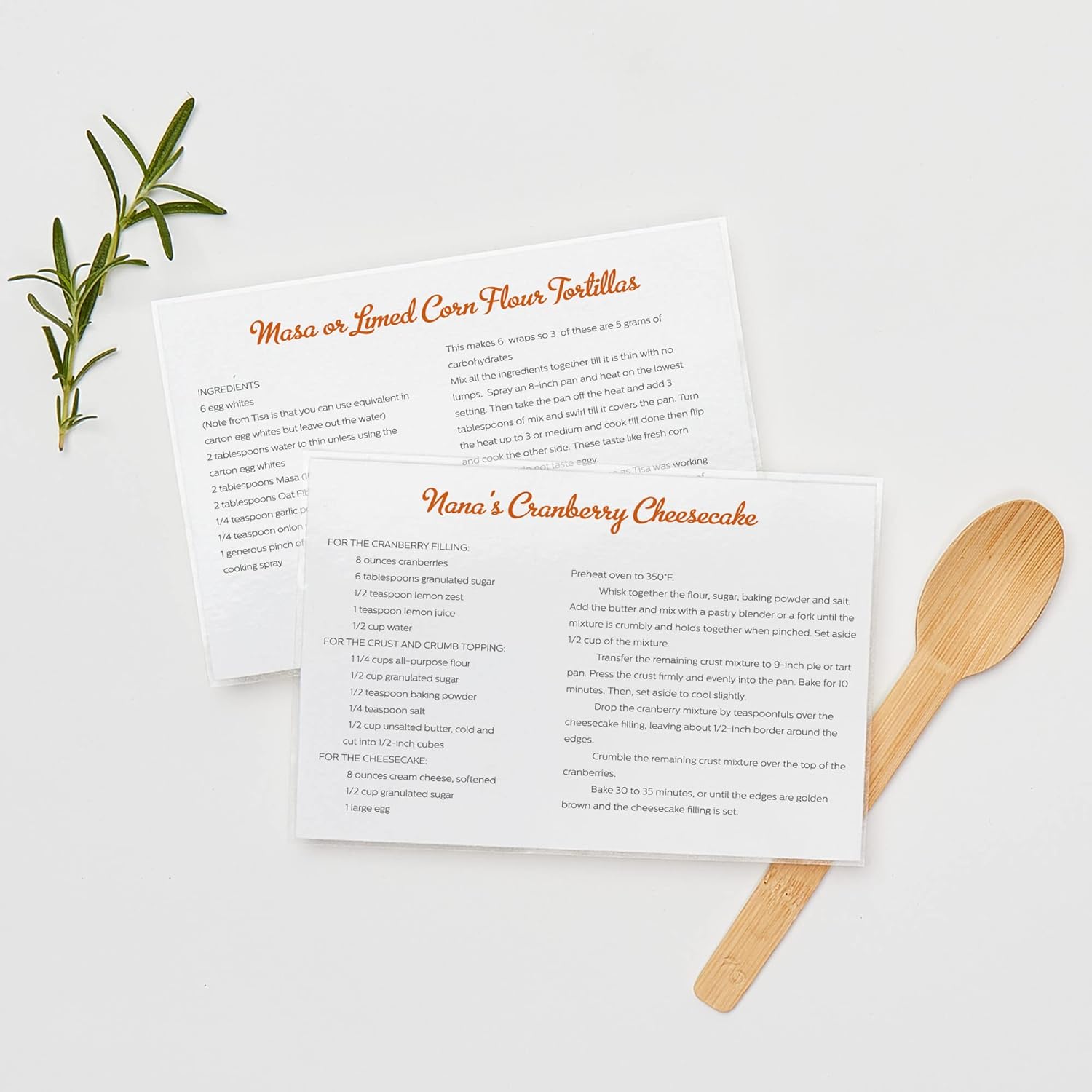
Image 5.2: Laminated recipe cards, illustrating how the sheets protect frequently used items from spills and wear.

Image 5.3: Laminated bookmarks, demonstrating the versatility of the sheets for various craft and organizational needs.

Image 5.4: Laminated documents such as an emergency directory and checklist, showing their use in a binder for easy access and protection.

Image 5.5: Laminated items like a baseball schedule and a calendar, highlighting their durability for repeated use.

Image 5.6: Laminated photos within a photo album, demonstrating protection for cherished memories.
6. Maintenance and Storage
Avery Self-Adhesive Laminating Sheets require minimal maintenance. Keep them stored in their original packaging in a cool, dry place away from direct sunlight to prevent premature adhesion or damage.
6.1. Cleaning Laminated Items
Laminated items can be wiped clean with a damp cloth. For dry erase surfaces, use a dry erase eraser or a soft cloth. These sheets are also safe for use with disinfectants.

Image 6.1: An icon indicating that laminated items are safe for cleaning with disinfectants, enhancing hygiene.
7. Troubleshooting
7.1. Common Issues and Solutions
| Problem | Possible Cause | Solution |
|---|---|---|
| Air Bubbles | Sheet applied too quickly or unevenly. | Apply slowly from one edge, smoothing with a squeegee or credit card. For existing bubbles, gently push them out or use a pin to release air and then smooth. |
| Sheet Not Sticking | Surface is dusty, oily, or wet. Sheet stored improperly. | Ensure surface is clean and dry. Store sheets in a cool, dry place. |
| Wrinkles or Creases | Improper alignment or sudden application. | Take time to align the document before full application. Peel back slowly and reapply if possible, or discard and use a new sheet. |
8. Specifications
- Model Number: 73601
- Sheet Dimensions: 9 inches x 12 inches (22.86 cm x 30.48 cm)
- Quantity: 50 sheets per box
- Material: Clear Plastic (PVC-Free)
- Adhesive Type: Permanent Self-Adhesive
- Finish: Glossy
- Item Weight: Approximately 1.4 pounds (0.63 kg)
- Product Dimensions (Box): Approximately 12.25 x 9.25 x 0.5 inches (31.1 x 23.5 x 1.3 cm)
9. Warranty and Support
For information regarding product warranty, returns, or additional support, please refer to the official Avery website or contact Avery customer service directly. Contact details can typically be found on the product packaging or on the Avery website.
Related documents73601

Ask a question about this manual
Ask about setup, troubleshooting, compatibility, parts, safety, or missing instructions. Manuals+ will review the question and use this page’s manual context to help answer it.