
Omron HEM-711AC
Omron HEM-711AC Automatic Blood Pressure Monitor User Manual
Model: HEM-711AC
1. Introduction
This manual provides instructions for the safe and effective use of the Omron HEM-711AC Automatic Blood Pressure Monitor. Please read this manual thoroughly before using the unit.
The Omron HEM-711AC utilizes the oscillometric method of blood pressure measurement. This means the monitor detects your blood's movement through your brachial artery and converts these movements into a digital reading. The IntelliSense technology ensures personalized inflation for accurate and comfortable readings, minimizing discomfort and misreadings due to improper cuff inflation.
This device is designed for home use to measure systolic blood pressure, diastolic blood pressure, and pulse rate in adults.
2. Package Contents
Verify that the following components are included in your package:
- Omron HEM-711AC Blood Pressure Monitor Unit
- Standard Arm Cuff (fits arms 9 to 13 inches in circumference)
- AC Adapter
- Instruction Manual (this document)
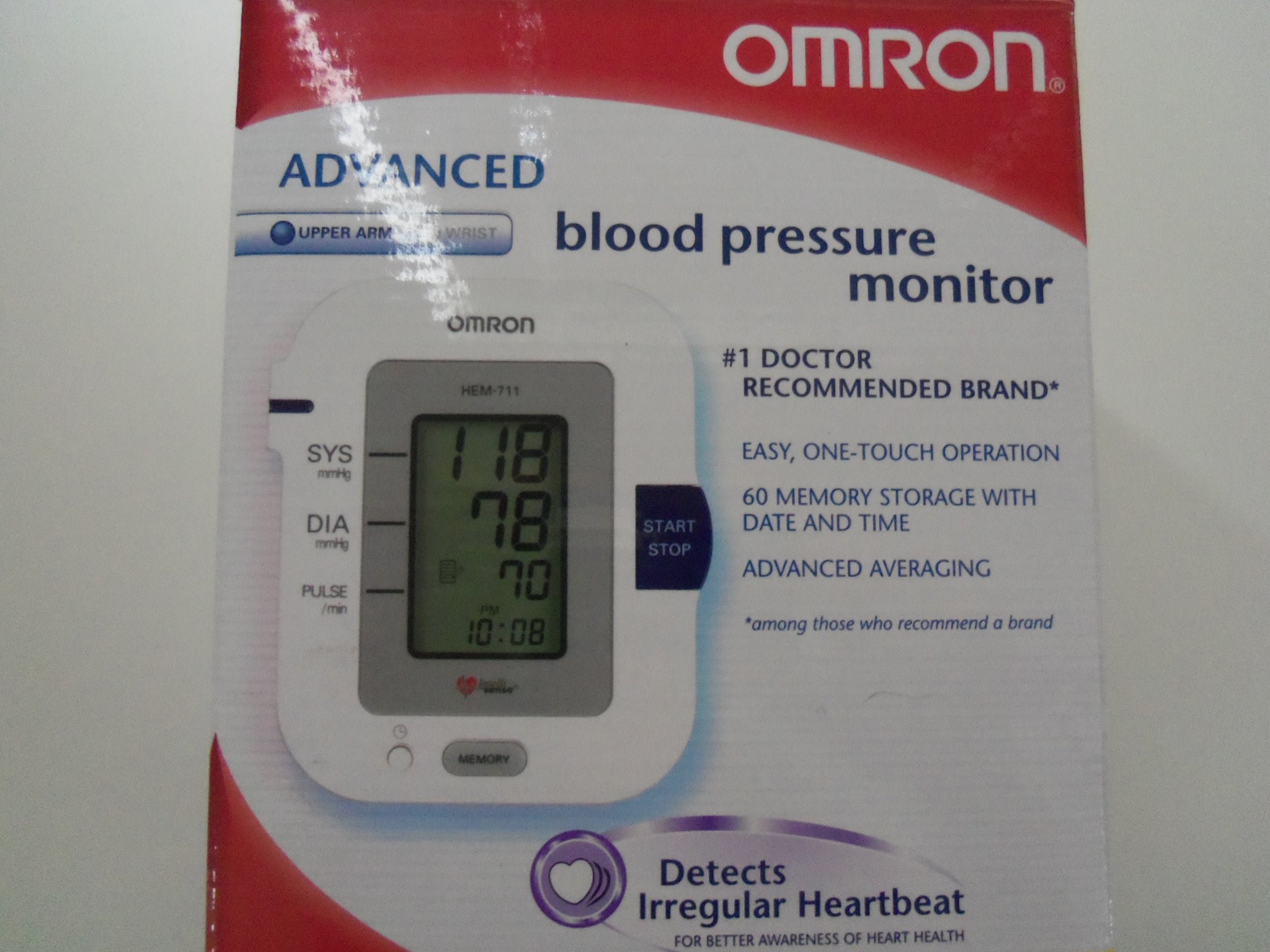
Figure 1: Omron HEM-711AC Blood Pressure Monitor packaging. The image displays the product box, featuring the monitor unit with a digital display showing blood pressure readings (118 SYS, 78 DIA, 70 PULSE) and time (10:08 PM). Key features like "Easy, One-Touch Operation" and "Detects Irregular Heartbeat" are visible on the box.
3. Important Safety Information
Please read and understand all safety precautions before using this device.
- Consult your physician before using this device if you have any medical conditions.
- Do not self-diagnose or self-treat based on your blood pressure readings. Always consult a healthcare professional.
- Keep the device out of reach of infants and children.
- Do not use the device in a moving vehicle.
- Avoid using the device in areas with strong electromagnetic fields.
- Use only the authorized Omron AC adapter and cuff provided with this unit.
4. Setup
4.1 Power Source
The Omron HEM-711AC can be powered by either the included AC adapter or four "AA" alkaline batteries (not included).
Using the AC Adapter:
- Insert the AC adapter plug into the AC adapter jack on the side of the monitor unit.
- Plug the AC adapter into a standard electrical outlet.
Installing Batteries:
- Open the battery compartment cover on the bottom of the monitor.
- Insert four "AA" alkaline batteries according to the polarity indications (+/-) inside the compartment.
- Close the battery compartment cover securely.
Note: If using batteries, ensure they are correctly installed. If the monitor is not used for an extended period, remove the batteries to prevent leakage.
4.2 Attaching the Arm Cuff
- Insert the air plug of the arm cuff firmly into the air jack on the left side of the monitor unit.
- Ensure the connection is secure to prevent air leakage during measurement.
5. Operating Instructions
5.1 Before Taking a Measurement
- Avoid eating, drinking alcohol, smoking, or exercising for at least 30 minutes before measurement.
- Rest for at least 5 minutes before taking a measurement.
- Sit in a chair with your feet flat on the floor and your arm resting on a table so the cuff is at heart level.
- Ensure your clothing does not restrict blood flow to your arm.
5.2 Applying the Arm Cuff
- Place your left arm through the cuff loop. The air tube should run down the inside of your arm.
- Position the cuff so the bottom edge is approximately 1 to 2 cm (0.5 to 1 inch) above your elbow.
- Wrap the cuff snugly around your upper arm. The fabric fastener should be secure.
- Ensure the air tube is centered on the inside of your arm and aligned with your middle finger.
5.3 Taking a Measurement
- Press the START/STOP button. The cuff will begin to inflate automatically.
- Remain still and silent during the measurement.
- Once the measurement is complete, the cuff will deflate, and your systolic pressure, diastolic pressure, and pulse rate will be displayed on the screen.
- Press the START/STOP button again to turn off the monitor. If you do not turn it off, the monitor will automatically shut down after two minutes.
Note: The monitor features a 60-memory recall function, storing your readings with date and time. To view past readings, press the MEMORY button.
6. Maintenance and Storage
6.1 Cleaning the Monitor
- Wipe the monitor unit and cuff with a soft, dry cloth.
- Do not use abrasive cleaners or immerse the unit in water.
6.2 Storage
- Store the monitor and cuff in a clean, dry place.
- Avoid extreme temperatures, humidity, and direct sunlight.
- Do not fold the cuff tightly or crease the air tube.
7. Troubleshooting
| Problem | Possible Cause | Solution |
|---|---|---|
| No display when pressing START/STOP. | Batteries are dead or incorrectly installed; AC adapter not connected. | Replace batteries or ensure AC adapter is securely plugged in. |
| Cuff does not inflate or inflates improperly. | Air plug not securely inserted; cuff not applied correctly. | Ensure air plug is fully inserted. Reapply cuff as per instructions. |
| Error message displayed. | Movement during measurement; irregular pulse; cuff too loose/tight. | Remain still. Reapply cuff. Wait 2-3 minutes and try again. If errors persist, consult a physician. |
| Inconsistent readings. | Improper measurement posture; recent activity; environmental factors. | Ensure proper posture and rest for 5 minutes before measurement. Take multiple readings and average them. |
8. Specifications
- Model: HEM-711AC
- Display: Large Digital Display
- Measurement Method: Oscillometric method
- Measurement Range:
- Pressure: 0 to 299 mmHg
- Pulse: 40 to 180 beats/min
- Accuracy:
- Pressure: ±3 mmHg
- Pulse: ±5% of display reading
- Memory: 60 readings with date and time
- Cuff Size: Standard Arm Cuff (fits arm circumference 9-13 inches)
- Power Source: 4 "AA" batteries or AC Adapter (included)
- Unit Dimensions (W x H x D): Approximately 5.16 x 3.31 x 6.09 inches
- Unit Weight: Approximately 2.5 pounds (including batteries)
- Operating Temperature/Humidity: 50°F to 104°F (10°C to 40°C) / 15% to 90% RH
- Storage Temperature/Humidity: -4°F to 140°F (-20°C to 60°C) / 10% to 95% RH
9. Warranty and Support
9.1 Warranty Information
The Omron HEM-711AC Automatic Blood Pressure Monitor comes with a 5-year limited warranty from the date of purchase. This warranty covers defects in materials and workmanship under normal use. It does not cover damage caused by misuse, abuse, accidents, or unauthorized alterations.
For complete warranty terms and conditions, please refer to the warranty card included with your product or visit the official Omron website.
9.2 Customer Support
If you have any questions or require assistance with your Omron Blood Pressure Monitor, please contact Omron Customer Support. Contact information can typically be found on the Omron website or on the product packaging.
Related documentsHEM-711AC


Ask a question about this manual
Ask about setup, troubleshooting, compatibility, parts, safety, or missing instructions. Manuals+ will review the question and use this page’s manual context to help answer it.