
1. Product Overview
The Tripp Lite SMART1500 SmartPro 120V 1.5kVA 980W Line-Interactive UPS provides essential battery backup and AC power protection. It safeguards against blackouts, brownouts, power surges, and line noise that can compromise electronics or data integrity. This unit is suitable for applications such as point-of-sale systems, VoIP systems, and small business networks.
Key features include:
- Tower design for versatile placement.
- Provides 7 minutes of standby power at full load and 20 minutes at half load.
- Features 120V AC input and 120V AC output.
- Equipped with 6 NEMA 5-15R outlets (one switchable).
- Includes a 6-foot power cord with 120V NEMA 5-15P input.
- Offers a 4-hour recharge time.
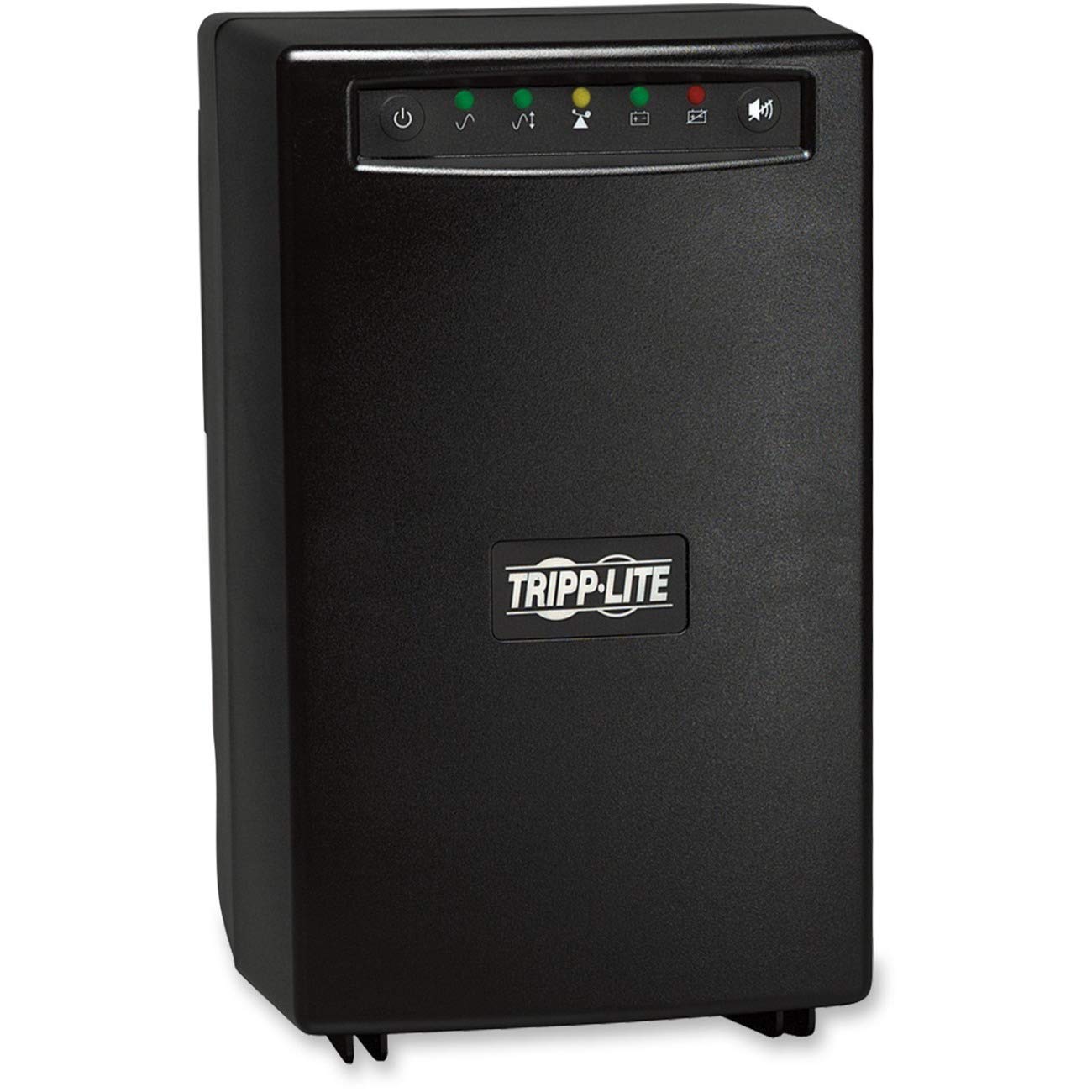
Image 1: Front view of the Tripp Lite SMART1500 UPS unit, showcasing its tower design and front panel display.
Product Overview Video
Video 1: An official product overview of the Tripp Lite SMART1500 UPS, highlighting its features and benefits.
2. Setup
Before initial use, ensure the UPS is placed in a well-ventilated area, away from direct sunlight or heat sources. Connect the UPS to a standard 120V AC wall outlet using the provided 6-foot power cord. Allow the unit to charge for at least 4 hours before connecting critical equipment to ensure optimal battery performance.
Connecting Equipment
The SMART1500 features six NEMA 5-15R outlets. Connect your critical equipment, such as computers, monitors, and network devices, to these outlets. One of these outlets is switchable, allowing for remote control or scheduled shutdowns of less critical devices.
For advanced monitoring and control, connect the UPS to your computer using the included USB or DB9 cable. Download and install Tripp Lite's PowerAlert software for safe unattended system shutdown and file saves during prolonged power failures.
3. Operating Instructions
Front Panel Display
The front panel features an LCD display with LEDs that indicate various operational statuses:
- Line Power: Indicates the unit is receiving utility power.
- Battery Power: Illuminates when the UPS is operating on battery power.
- Overload: Warns of excessive load connected to the UPS.
- Voltage Regulation: Shows when Automatic Voltage Regulation (AVR) is active.
- Battery Status: Displays the current charge level of the battery.
An audible alarm will sound to indicate power failure, overload conditions, or a low battery state. The multi-function color LCD panel provides immediate, detailed information on battery and power conditions, alerting users to potential issues before they can affect critical equipment.
Automatic Voltage Regulation (AVR)
The SMART1500 incorporates Automatic Voltage Regulation (AVR) to maintain a nominal 120V output. This feature automatically corrects undervoltages as low as 75V and overvoltages up to 147V without consuming battery power. This extends battery life and ensures a stable power supply to connected devices.
EMI/RFI Noise Filtering
Built-in EMI/RFI noise filtering enhances the performance of your equipment by suppressing electromagnetic and radio frequency interference, which can cause data errors and system malfunctions.
4. Maintenance
Battery Care
The internal battery provides backup power. To maximize battery lifespan, ensure the unit is kept in a cool, dry environment and avoid frequent deep discharges. The battery is designed to provide 7 minutes of support at full load and 20 minutes at half load. Regular testing of the battery is recommended to ensure readiness.
Battery Replacement
Over time, batteries will degrade and require replacement. Refer to the manufacturer's guidelines for recommended replacement intervals and compatible battery models. Always disconnect the UPS from the AC power source and connected equipment before attempting battery replacement. Follow all safety precautions outlined in the full user manual.
5. Troubleshooting
The SMART1500's multi-function color LCD panel is designed to alert users to potential issues. Pay attention to the displayed information and audible alarms. Common issues and their indicators include:
- Audible Alarm: Indicates a power failure, overload, or low battery. Consult the LCD for specific details.
- Overload LED: If illuminated, reduce the load connected to the UPS by unplugging non-essential devices.
- Battery Status LED: A low battery indication means the battery needs charging or may be nearing the end of its service life.
For persistent issues not resolved by these basic steps, refer to the comprehensive troubleshooting section in the complete user manual or contact Tripp Lite technical support.
6. Specifications
| Feature | Detail |
|---|---|
| Model Number | SMART1500 |
| Product Dimensions | 7.48 x 9.02 x 12.76 inches |
| Item Weight | 40 pounds |
| Voltage | 120 Volts |
| Battery Cell Composition | Lead Acid |
| Manufacturer | Tripp Lite |
| Color | Black |
What's in the Box: SMART1500 SmartPro 120V 1.5kVA 980W Line-Interactive UPS, USB cable, DB9 cable, Owner’s manual.
7. Warranty and Support
For detailed warranty information, please refer to the official documentation included with your Tripp Lite SMART1500 UPS or visit the official Tripp Lite website. Protection plans may be available for extended coverage.
For technical support, troubleshooting assistance, or service inquiries, please contact Tripp Lite customer service. Contact details are typically found in the included owner's manual or on the manufacturer's website.