
Introduction
Ballistic: Ecks vs Sever for Game Boy Advance is an action-packed first-person shooter. Players can assume the roles of former FBI agent Ecks or ex-NSA operative Sever across more than 24 single-player missions. The game features diverse environments, including car chases, subway trains, and underwater sections, requiring players to navigate various high-tech challenges like laser trip wires and infrared goggles.
The game also includes three multiplayer modes: Death Match, Assassination, and Bomb King, offering explosive, destructible environments and a massive array of realistic weapons, from hand-to-hand combat items to pistols, shotguns, assault rifles, sniper rifles, and grenades. Experience improved enemy AI that reacts to sound, sight, and threatening situations, and engage in Counterstrike-style hostage rescue missions.
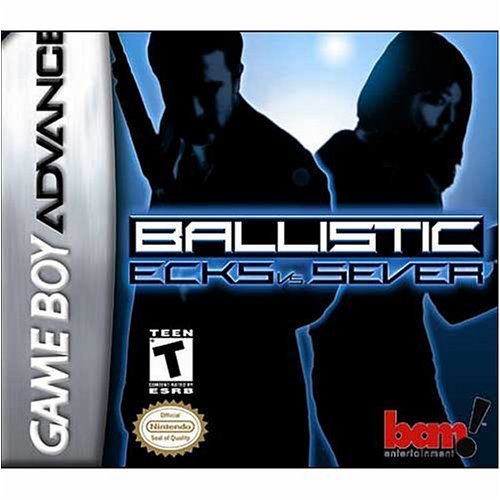
This image shows the game cartridge for Ballistic: Ecks vs Sever, designed for the Game Boy Advance system.
Setup
- Ensure your Game Boy Advance system is powered off.
- Insert the Ballistic: Ecks vs Sever game cartridge into the cartridge slot located on the top of your Game Boy Advance system. Push firmly until it clicks into place.
- Power on your Game Boy Advance system. The game's title screen should appear. If the game does not start, ensure the cartridge is fully inserted and the system's power switch is in the 'ON' position.
Operating the Game
Basic Controls:
- Directional Pad (D-Pad): Used for character movement.
- A Button: Primary action, typically used to fire your weapon or confirm selections.
- B Button: Secondary action, often used for jumping or other specific character abilities.
- L Button: Strafe left or cycle through available weapons.
- R Button: Strafe right or cycle through available weapons.
- START Button: Pauses the game and accesses the in-game menu.
- SELECT Button: Displays the map or accesses inventory.
Gameplay Modes:
- Single Player: Engage in over 22 missions as either Ecks or Sever, battling through various locations and objectives. Missions involve diverse methods of transportation and encounters with advanced enemy AI.
- Multiplayer: Connect with other Game Boy Advance systems using a Game Link Cable for Death Match, Assassination, and Bomb King modes. Each player requires a separate game cartridge for multiplayer functionality.
Maintenance and Care
To ensure the longevity and proper functioning of your game cartridge:
- Keep the cartridge clean and free from dust and debris. Use a soft, dry cloth to gently wipe the plastic casing.
- Avoid touching the metallic connector pins at the bottom of the cartridge. If cleaning is necessary, use a cotton swab lightly dampened with isopropyl alcohol, then allow to dry completely before use.
- Store the cartridge in its original case or a protective storage container when not in use to prevent physical damage.
- Do not expose the cartridge to extreme temperatures, direct sunlight, or moisture, as these can damage the internal components.
Troubleshooting
Game Does Not Start:
- Ensure the game cartridge is fully and correctly inserted into the Game Boy Advance slot.
- Check that your Game Boy Advance system has sufficient battery power.
- Clean the cartridge's connector pins as described in the Maintenance section.
- If the issue persists, try the cartridge in another Game Boy Advance system to rule out a console-specific problem.
Game Freezes or Crashes:
- This can sometimes occur due to a loose connection. Power off the system, remove and re-insert the cartridge, then power on again.
- Ensure the Game Boy Advance system itself is functioning correctly with other games.
For further assistance, refer to the official Nintendo Game Boy Advance system manual or visit Nintendo's support website.
Specifications
- ASIN: B00006JC3V
- Product Dimensions: 5 x 5 x 1 inches
- Item Weight: 1.6 ounces
- Type of Item: Video Game
- Rated: Teen
- Manufacturer: Bay Area Multimedia
- Date First Available: August 20, 2002
Warranty and Support
For warranty information and technical support regarding Ballistic: Ecks vs Sever, please refer to the original game packaging or contact Nintendo's official customer support channels. Specific warranty terms may vary based on region and purchase date.


