
Vivitar 59880
Vivitar V3800N Manual SLR Camera User Manual
Model: 59880
Introduction
This manual provides comprehensive instructions for the proper setup, operation, and maintenance of your Vivitar V3800N Manual SLR Camera. Designed for photographers who appreciate fundamental control, the V3800N offers a robust platform for film photography.
Please read this manual thoroughly before using your camera to ensure optimal performance and longevity.
What's in the Box
- Vivitar V3800N Camera Body
- 50mm f/1.7 "K" Type Manual Focus Lens
- Camera Case
- Lens Cap
- Strap
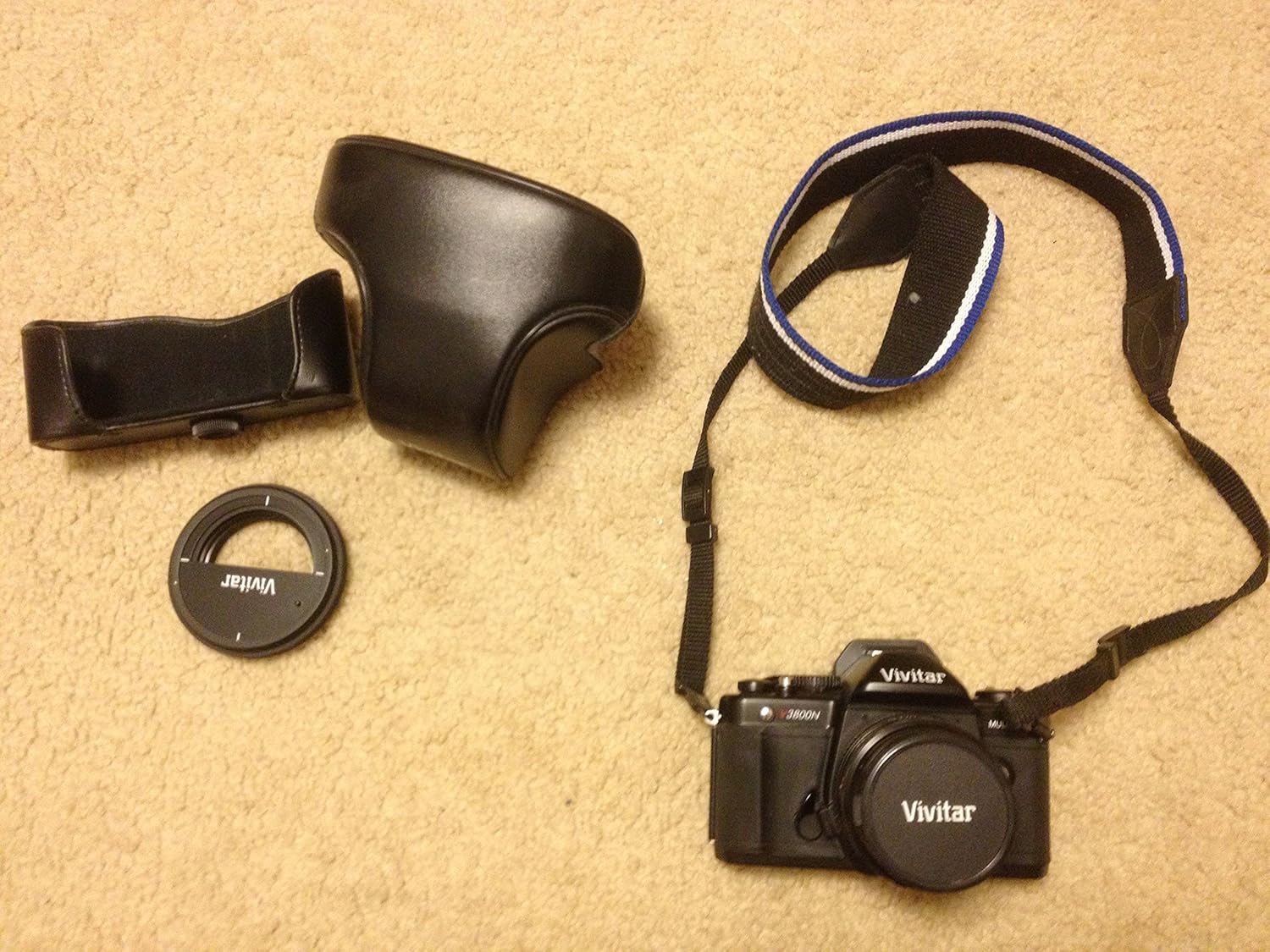
Figure 1: Contents of the Vivitar V3800N package, including the camera body, 50mm lens, camera case, and strap.
Setup
1. Attaching the Lens
- Remove the body cap from the camera and the rear lens cap from the 50mm lens.
- Align the red dot on the lens barrel with the red dot on the camera's lens mount.
- Insert the lens into the camera body and rotate it clockwise until it clicks securely into place.

Figure 2: The lens mount area of the Vivitar V3800N camera, illustrating the bayonet mount for lens attachment.
2. Inserting Batteries (for Light Meter)
The Vivitar V3800N operates mechanically and does not require batteries for basic shutter function. However, batteries are required to power the built-in TTL center-weighted exposure meter.
- Locate the battery compartment, typically on the bottom of the camera.
- Open the compartment and insert the required 1.5V watch-type batteries, ensuring correct polarity.
- Close the compartment securely.
3. Loading Film
- Open the camera back by pulling up the film rewind knob.
- Place a new roll of 35mm film into the film chamber on the left side.
- Pull the film leader across to the take-up spool on the right and insert it into one of the slots.
- Advance the film slightly using the film advance lever until the sprockets engage the film perforations.
- Close the camera back firmly.
- Advance the film two frames, pressing the shutter release button each time, to ensure the film is properly loaded and to advance past the exposed leader. The frame counter should show '1'.
4. Setting Film Speed (ISO/ASA)
The film speed (ISO or ASA) must be set on the camera to ensure accurate exposure metering. Refer to the ISO rating on your film roll packaging.
- Locate the ISO/ASA dial, usually integrated with the shutter speed dial or on the back of the camera.
- Adjust the dial to match the ISO speed of your loaded film (e.g., 100, 200, 400).

Figure 3: The ISO/ASA chart located on the back of the Vivitar V3800N, used for setting film sensitivity.
Operating the Camera
1. Focusing
The V3800N features a fixed, eye-level pentaprism viewfinder with split-image focusing and a microprism ring for precise manual focus.
- Look through the viewfinder.
- Rotate the focusing ring on the lens until the image in the split-image circle appears as a single, unbroken image. For the microprism ring, focus until the image appears clear and free of shimmering.

Figure 4: The viewfinder and film advance lever of the Vivitar V3800N, essential for composing and focusing your shots.
2. Setting Shutter Speed
The shutter speed controls the duration the film is exposed to light. Speeds range from Bulb (B) for long exposures to 1/2000th of a second.
- Rotate the shutter speed dial, located on the top of the camera, to select your desired speed.
- For stationary subjects in good light, faster speeds (e.g., 1/125s or faster) are generally used. For low light or motion blur effects, slower speeds (e.g., 1/30s or slower, often requiring a tripod) are used.
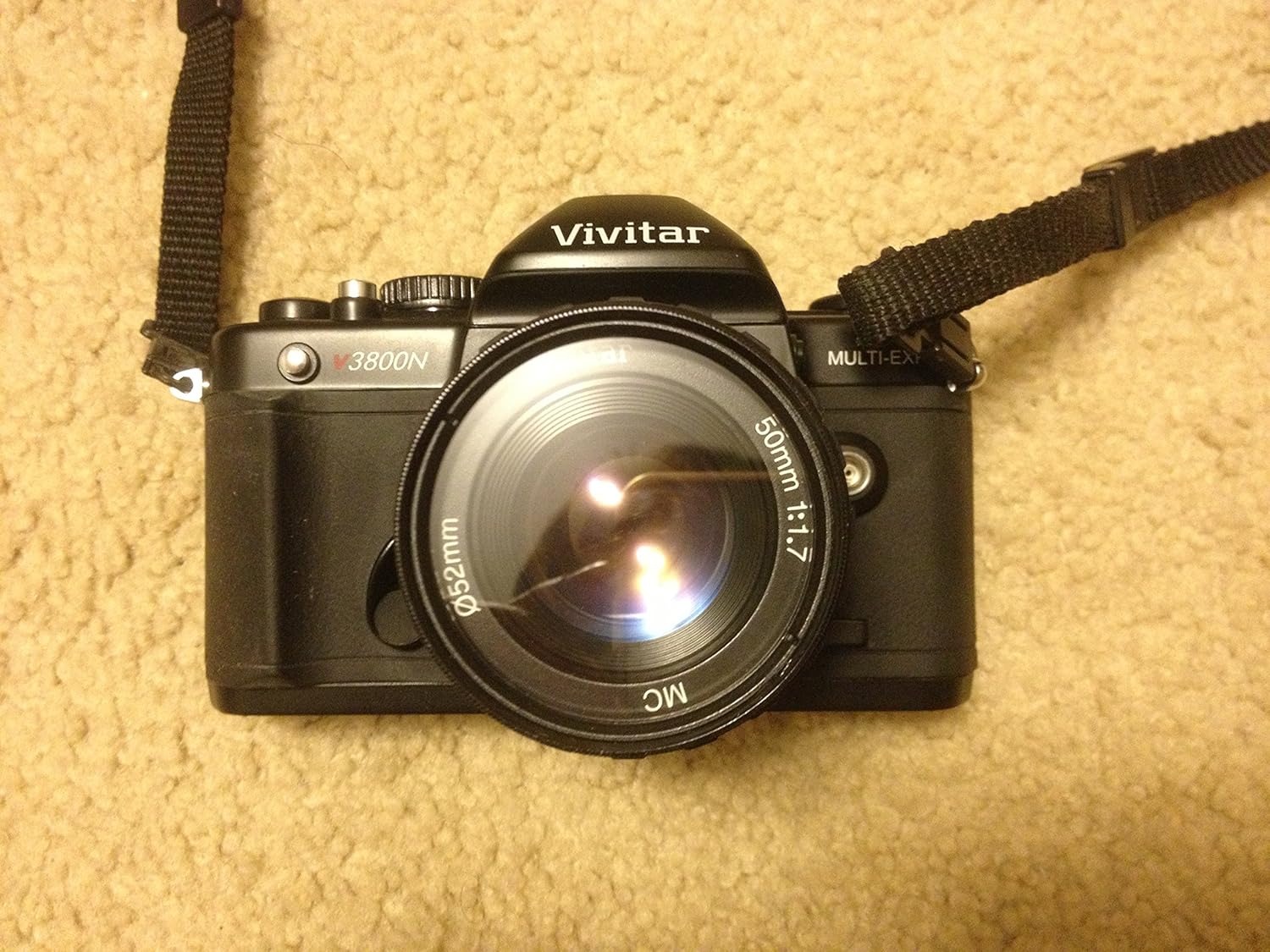
Figure 5: Top controls of the Vivitar V3800N, including the shutter speed dial and film advance lever.
3. Setting Aperture (on Lens)
The aperture controls the amount of light entering the lens and affects depth of field. The 50mm f/1.7 lens has an aperture ring.
- Rotate the aperture ring on the lens to select your desired f-stop (e.g., f/1.7 for maximum light and shallow depth of field, f/16 for less light and greater depth of field).
4. Exposure Metering
The viewfinder displays TTL (Through-The-Lens) center-weighted exposure metering using a three-LED display.
- Look through the viewfinder and observe the LED indicators.
- Adjust the shutter speed and/or aperture until the central LED illuminates, indicating correct exposure.
- A red plus sign (+) indicates overexposure. A minus sign (-) indicates underexposure. Adjust settings accordingly.
5. Taking a Picture
- Compose your shot through the viewfinder.
- Focus the lens.
- Set the appropriate shutter speed and aperture based on the light meter reading.
- Advance the film using the film advance lever until it stops.
- Gently press the shutter release button located on the top of the camera to take the picture.

Figure 6: The Vivitar V3800N camera with its 50mm lens, ready for use.
6. Multi-Exposure Function
The Vivitar V3800N features a multi-exposure button, allowing you to expose the same frame multiple times.
- After taking a picture, press and hold the multi-exposure button (located near the film advance lever).
- While holding the button, advance the film advance lever. This cocks the shutter without advancing the film.
- Release the multi-exposure button and take another picture on the same frame. Repeat as desired.
7. Rewinding Film
Once all frames on the film roll have been exposed, the film must be rewound back into its cassette before opening the camera back.
- Press the film rewind release button on the bottom of the camera.
- Fold out the crank on the film rewind knob and turn it clockwise until you feel the tension release, indicating the film is fully rewound.
- Open the camera back and remove the film cassette.
Maintenance
- Cleaning the Lens: Use a soft, lint-free cloth and a specialized lens cleaning solution. Gently wipe from the center outwards. Avoid touching the lens surface with your fingers.
- Cleaning the Camera Body: Wipe the camera body with a soft, dry cloth. For stubborn dirt, a slightly damp cloth can be used, but ensure no moisture enters the camera.
- Storage: When not in use, store the camera in its case in a cool, dry place away from direct sunlight and extreme temperatures. Remove batteries if storing for extended periods to prevent leakage.

Figure 7: The Vivitar V3800N camera securely placed within its protective case, ideal for storage and transport.
Troubleshooting
| Problem | Possible Cause | Solution |
|---|---|---|
| Light meter not working | Dead or incorrectly inserted batteries. | Check battery polarity; replace batteries if necessary. |
| Film not advancing | Film not properly loaded onto take-up spool; film end reached. | Re-load film, ensuring leader is securely attached. If at end of roll, rewind film. |
| Shutter not firing | Film not advanced; shutter cocked but not released. | Advance film advance lever fully. Ensure multi-exposure button is not stuck. |
| Images consistently overexposed (Red Plus sign in viewfinder) | Incorrect ISO setting; too much light for current aperture/shutter speed. | Verify ISO setting matches film. Use faster shutter speed or smaller aperture (higher f-number). |
| Images consistently underexposed (Minus sign in viewfinder) | Incorrect ISO setting; not enough light for current aperture/shutter speed. | Verify ISO setting matches film. Use slower shutter speed or larger aperture (lower f-number). Consider using flash in low light. |
Specifications
| Feature | Detail |
|---|---|
| Model Number | 59880 |
| Product Dimensions | 5.31 x 1.97 x 3.33 inches |
| Item Weight | 2.25 pounds |
| Lens Mount | K-type bayonet mount (Pentax K compatible) |
| Included Lens | 50mm f/1.7 multi-coated manual focus lens |
| Shutter Speeds | Bulb to 1/2000 second (manual) |
| Viewfinder | Fixed, eye-level pentaprism with 92% field of view |
| Focusing | Split image focusing and three LED display |
| Metering | TTL center-weighted exposure metering |
| ISO Range | 100 (Expanded ISO Minimum) |
| Supported File Format | RAW, JPEG (Note: This specification seems to be for digital cameras, but it's listed in the source. For a film camera, this would refer to the film type it supports, e.g., 35mm film.) |
| Aspect Ratio | 3:2 |
Warranty and Support
Specific warranty terms and conditions for the Vivitar V3800N camera are typically provided at the point of purchase or within the product packaging. Please refer to any documentation included with your camera for detailed warranty information.
For technical support, service, or inquiries regarding your Vivitar product, please contact Vivitar customer service directly through their official website or support channels. Keep your purchase receipt as proof of purchase for any warranty claims.
Related Documents - 59880
 |
Vivitar v3800n Camera Frame Counter Replacement Guide A step-by-step guide from iFixit on how to replace the frame counter in a Vivitar v3800n film camera. This guide covers disassembly, repair, and reassembly, requiring basic tools like glue and screwdrivers. |
 |
Vivitar 84P Super 8 Movie Camera Instruction Manual Comprehensive instruction manual for the Vivitar 84P Super 8 Movie Camera, detailing its features, operation, specifications, troubleshooting, and available accessories. |
 |
Vivitar 2000 35mm SLR Camera Instruction Manual Comprehensive user manual for the Vivitar 2000 35mm SLR film camera. This guide covers camera setup, loading and rewinding film, setting exposure (shutter speed and aperture), focusing techniques, holding the camera, electronic flash usage, and detailed specifications. Includes a list of parts and do's and don'ts for camera care. |
 |
Vivitar v3800n Camera Frame Counter Replacement Guide A step-by-step guide from iFixit on how to replace the frame counter in a Vivitar v3800n camera, including disassembly and reassembly instructions. |
 |
Vivitar V-800MR 800mm Mirror Lens Instruction Manual Instruction manual for the Vivitar V-800MR 800mm mirror lens, covering specifications, focusing, filter usage, exposure adjustments, depth of field, cleaning, maintenance, and warranty information. Learn how to get the most out of your telephoto lens. |
 |
Vivitar 800 Series 110 Camera Owner's Manual Comprehensive owner's manual for the Vivitar 800 Series 110 film camera, covering features, battery installation, film loading, taking pictures, flash usage, care, and specifications. |