
1. Introduction
This manual provides instructions for the installation, operation, and troubleshooting of the StarTech.com 2 Port PCI Low Profile RS232 Serial Adapter Card, model PCI2S550_LP. This adapter card adds two high-speed RS-232 serial ports to your computer, offering a solution for connecting various serial devices. It features a 16550 UART and supports data transfer rates up to 115.2 Kbps. The low-profile design ensures compatibility with small form factor computer cases.
2. Safety Information
Observe the following safety precautions during installation and operation:
- Static Electricity: Always discharge static electricity by using an anti-static wrist strap or grounding yourself before handling the component. Static discharge can damage devices and cause injury.
- Sharp Edges: Be cautious when handling the device, as some edges or components may be sharp. Wear gloves if necessary to avoid cuts or abrasions.
- Power Off Before Handling: Ensure the host device is powered off and unplugged before installing or removing this device. Working with powered systems may lead to electric shocks or damage to components.
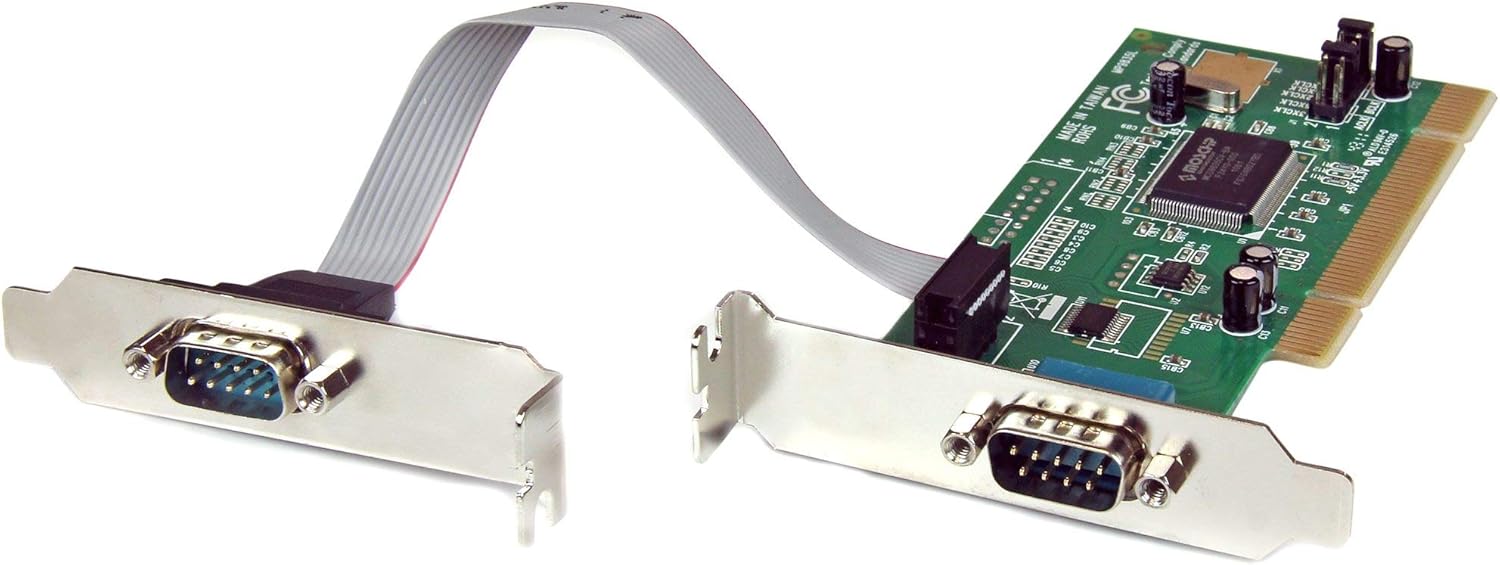
Image 1: StarTech.com 2 Port PCI Low Profile RS232 Serial Adapter Card. This image displays the full card with its standard bracket and the ribbon cable connecting to the second serial port bracket.
3. Package Contents
Verify that your package contains the following items:
- 1x 2 Port PCI Low Profile RS232 Serial Adapter Card
- 1x Low Profile Bracket (for the second serial port)
- 1x Driver CD
- 1x Instruction Manual (this document)
4. System Requirements
Before installation, ensure your system meets the following requirements:
- Available PCI expansion slot
- Compatible Operating System: Windows (7, Server 2008 R2, Vista, XP, Server 2003, 2000, ME, 98, 95, NT4, 3.1), DOS, or Linux
- Screwdriver (Phillips head recommended)
5. Installation
5.1 Hardware Installation
- Power off your computer and disconnect the power cable and all peripheral devices.
- Open the computer case. Refer to your computer's manual for specific instructions.
- Locate an available PCI expansion slot on your motherboard.
- Remove the metal bracket cover from the chosen PCI slot on the back of your computer case.
- Carefully insert the PCI serial adapter card into the PCI slot, ensuring it is fully seated.
- Secure the card to the computer case with a screw.
- If using a low-profile case, you may need to replace the standard bracket on the card with the included low-profile bracket. For the second serial port, attach the low-profile bracket to the ribbon cable and secure it in an available slot opening.
- Close the computer case, reconnect the power cable and all peripheral devices.
- Power on your computer.
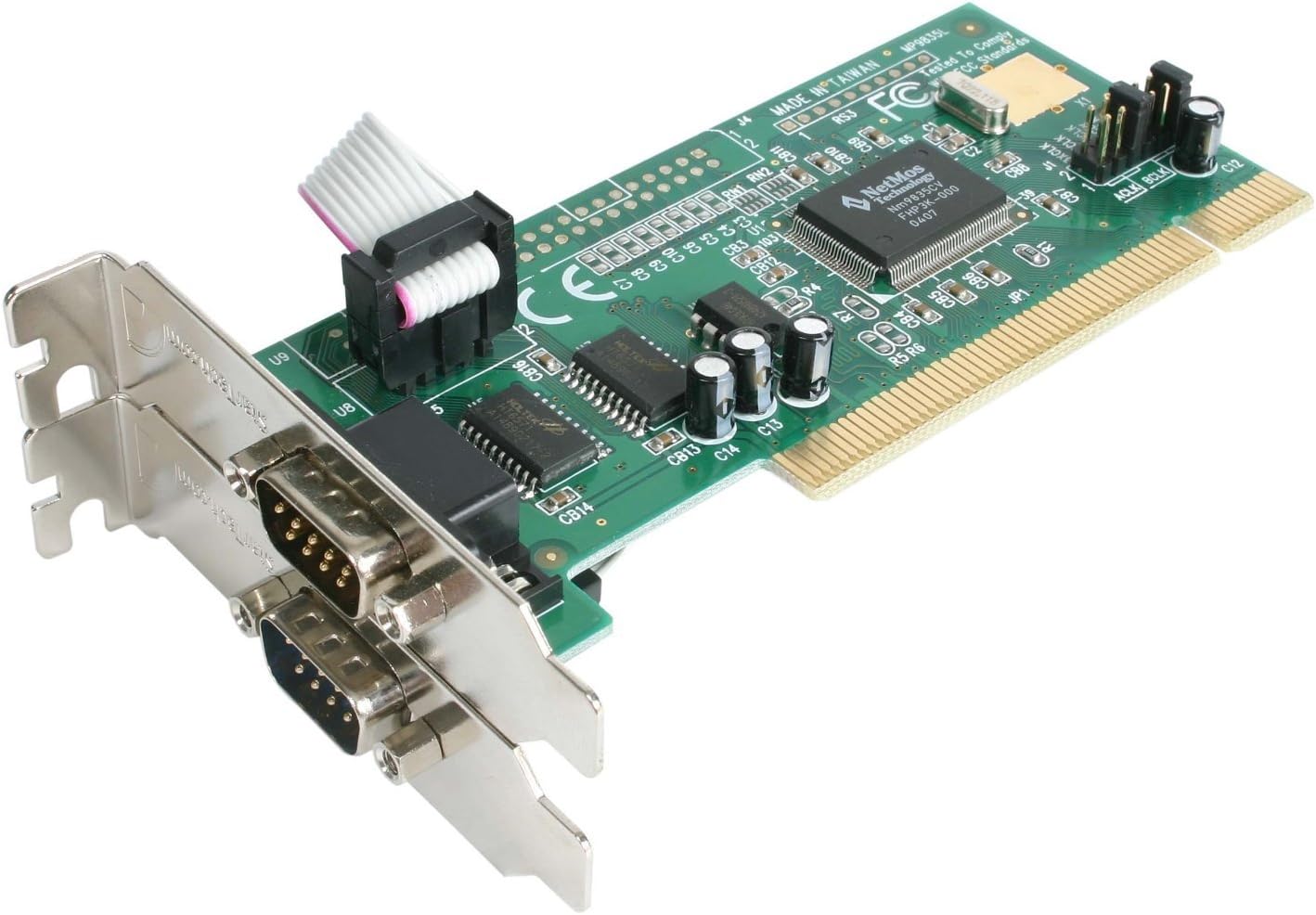
Image 2: Close-up view of the StarTech.com PCI Serial Card. This image highlights the two DB9 serial ports, one directly on the card and the other on a separate bracket connected via a ribbon cable, suitable for low-profile installations.
5.2 Driver Installation
For most modern operating systems (Windows XP and higher), the card should be recognized as a Plug and Play device, and drivers may install automatically. If drivers do not install automatically or if you are using an older operating system, follow these steps:
- Insert the included Driver CD into your computer's optical drive.
- Follow the on-screen instructions to install the drivers.
- Alternatively, visit the StarTech.com website and download the latest drivers for the PCI2S550_LP model.
- After installation, restart your computer if prompted.
Note for Windows 7 Users: If automatic driver installation fails, try navigating to Device Manager, right-clicking on the unrecognized device, and selecting 'Scan for hardware changes'. This can sometimes prompt Windows to find and install the correct drivers.
6. Operating Instructions
Once the card is installed and drivers are functioning, the two new serial ports will be available in your operating system's Device Manager (typically as COM ports). You can then connect your RS-232 compatible devices (e.g., modems, POS devices, digital cameras, printers, ISDN terminal adapters) to these ports.
- Ensure your serial device is properly connected to one of the DB9 ports on the adapter card.
- Configure your application software to use the correct COM port number assigned to your device. You can find the assigned COM port numbers in your operating system's Device Manager.
- The card supports IRQ sharing, allowing for efficient resource utilization within your system.
7. Maintenance
The StarTech.com PCI2S550_LP serial adapter card requires minimal maintenance. To ensure optimal performance and longevity:
- Keep the computer's interior clean and free of dust to prevent overheating and component damage.
- Avoid exposing the card to extreme temperatures or humidity.
- Handle the card by its edges to prevent damage to components or static discharge.
8. Troubleshooting
If you encounter issues with your serial adapter card, consider the following:
- Card Not Detected: Ensure the card is fully seated in the PCI slot and securely fastened. Verify that the computer is powered off before checking connections.
- Driver Issues: If drivers do not install automatically, try downloading the latest drivers from the StarTech.com website. For Windows 7, if installation is problematic, use Device Manager to 'Scan for hardware changes'.
- Device Not Communicating: Confirm that your serial device is connected to the correct COM port. Check the device's settings and your application software's configuration to ensure they match the assigned COM port and communication parameters (baud rate, parity, data bits, stop bits).
- COM Port Number Changes: In some instances, the assigned COM port number may change upon system restart. While the card itself does not offer direct configuration for port numbers, IRQ, or memory range, ensure your software is configured to dynamically detect or be updated with the correct COM port.
- Physical Damage: Inspect the DB9 connectors and ribbon cable for any signs of damage, such as bent pins.
9. Specifications
| Brand | StarTech |
| Model Number | PCI2S550_LP |
| Hardware Interface | PCI |
| Ports | 2 x RS-232 (DB9) |
| UART | 16550 |
| Data Transfer Rate | Up to 115.2 Kbps |
| Operating System Compatibility | Windows (7, Server 2008 R2, Vista, XP, Server 2003, 2000, ME, 98, 95, NT4, 3.1), DOS, Linux |
| Product Dimensions (LxWxH) | 5.91 x 0.87 x 5.51 inches |
| Item Weight | 5 ounces |
| Color | One Color |
10. Warranty and Support
StarTech.com provides technical support for the life of this product. For assistance, visit the StarTech.com website for drivers, manuals, and online support resources. You can also contact their technical support team directly for further assistance.
For detailed warranty information, please refer to the warranty statement available on the StarTech.com website or included with your product documentation.


