Introduction
The Tripp Lite Isobar ULTRABLOK is a heavy-duty, direct plug-in surge protector designed to safeguard your valuable electronics from power surges and line noise. Featuring a robust all-metal housing and advanced noise filtration, this 2-outlet unit provides reliable protection for various applications, including network equipment, audio/video systems, and industrial machinery.
This manual provides essential information for the proper installation, operation, and maintenance of your ULTRABLOK surge protector to ensure optimal performance and longevity.

Figure 1: Front view of the Tripp Lite Isobar ULTRABLOK 2-Outlet Surge Protector.
Features
- Heavy-Duty Protection: Equipped with two NEMA 5-15R outlets and a 1410-joule surge protection rating, this unit defends sensitive electronics against strong surges and spikes.
- Advanced Power Conditioning: Patented isolated filter banks minimize noise interaction between connected devices. It effectively blocks EMI/RFI line noise up to 80 dB, ensuring clean power delivery.
- Premium Safety Standards: Conforms to UL 1449 3rd Edition safety standards with a 330V Let Through Rating. Includes a 15A circuit breaker with automatic shutoff for enhanced safety.
- Compact and Durable Design: The direct plug-in design saves space and features a robust all-metal housing for long-lasting industrial use.
- Diagnostic LEDs: Three diagnostic LEDs provide immediate status updates for power, protection, and line faults.
Setup and Installation
The ULTRABLOK surge protector is designed for direct plug-in installation into a standard NEMA 5-15R wall outlet. Optional mounting hardware is included for permanent attachment.
- Direct Plug-in: Simply plug the ULTRABLOK directly into any standard NEMA 5-15R wall outlet. Ensure a secure connection.
- Optional Permanent Mounting: For enhanced stability and security, use the included mounting hardware. Attach the metal bracket to the wall outlet's center screw, then slide the ULTRABLOK onto the bracket and secure it with the second screw provided. This method is recommended for industrial or high-traffic environments.

Figure 2: ULTRABLOK surge protector installed in a wall outlet using the optional mounting hardware.

Figure 3: Rear view of the ULTRABLOK, illustrating the plug and the rubber bumper for stability.
Operating Instructions
Once plugged in, the ULTRABLOK operates automatically. Monitor the diagnostic LEDs on the front panel for status information:
- LINE OK (Green LED): Illuminates when the unit is receiving proper AC power.
- FAULT (Red LED): Illuminates if there is a wiring fault in the wall outlet (e.g., missing ground).
- PROTECTION PRESENT (Green LED): Illuminates when the surge protection circuitry is active and functioning correctly.
Connect your electronic devices to the two NEMA 5-15R outlets on the front of the ULTRABLOK. Ensure that the total power draw of connected devices does not exceed the unit's maximum capacity.

Figure 4: Close-up of the ULTRABLOK's front panel, showing the two outlets and diagnostic LEDs.
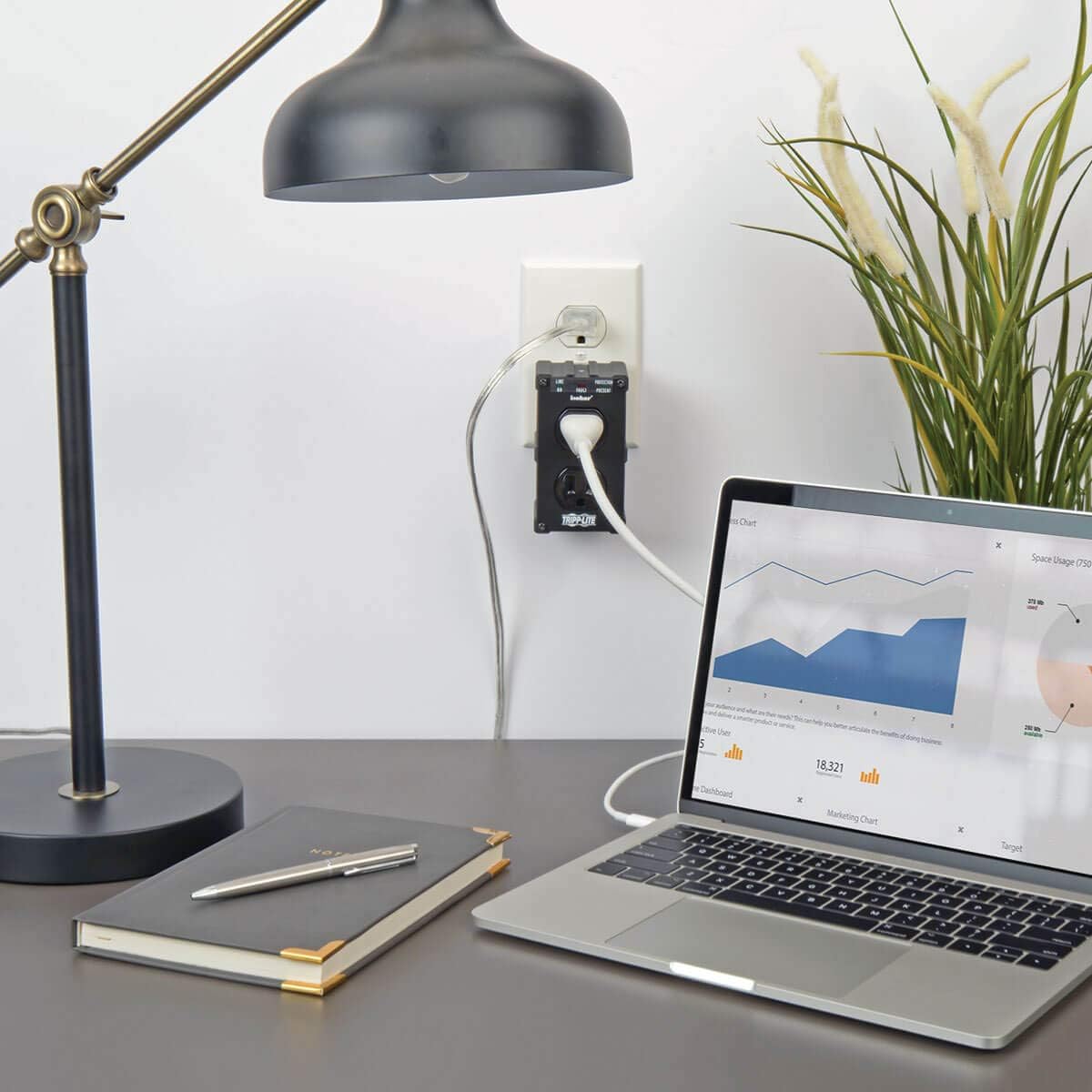
Figure 5: The ULTRABLOK providing power and surge protection to a laptop and desk lamp.
Specifications
| Feature | Specification |
|---|---|
| Product Dimensions | 5.7 x 4 x 2.6 inches |
| Item Weight | 12.8 ounces |
| Total Power Outlets | 2 |
| Voltage | 120 Volts |
| Surge Protection Rating | 1410 Joules |
| EMI/RFI Noise Reduction | Up to 80 dB |
| Special Features | Light Indicator, Surge Protection, Automatic Shutoff, All-Metal Housing |
Maintenance
The Tripp Lite Isobar ULTRABLOK is designed for minimal maintenance. Regularly inspect the unit and its connections for any signs of damage or wear. Keep the unit clean and free from dust and debris. Periodically check the diagnostic LEDs to ensure proper functioning of the power and protection circuits.
If the PROTECTION PRESENT LED is off, the surge protection circuitry has been compromised, and the unit should be replaced to ensure continued protection for your devices.
Troubleshooting
- No Power to Devices: Ensure the ULTRABLOK is securely plugged into a functioning wall outlet. Check if the LINE OK LED is illuminated. If not, try a different outlet.
- PROTECTION PRESENT LED is Off: This indicates that the surge protection components have absorbed a significant surge and are no longer providing protection. The unit should be replaced.
- FAULT LED is On: This indicates a wiring problem in the wall outlet, such as a missing ground. Consult a qualified electrician to inspect the outlet wiring. The ULTRABLOK will still provide surge protection, but optimal performance requires proper grounding.
- Interference with Audio/Video: While the ULTRABLOK provides EMI/RFI noise filtration, severe line noise might still affect sensitive equipment. Ensure all connections are secure and try isolating the affected device to a different circuit if possible.
Warranty and Support
The Tripp Lite Isobar ULTRABLOK is protected by a Lifetime Limited Manufacturer's Warranty and includes $10,000 Ultimate Connected Equipment Insurance. This warranty covers defects in materials and workmanship under normal use. For warranty claims or technical assistance, please contact Eaton's expert technical support team via phone, web, or email.
For more information, visit the official TRIPP LITE website or refer to the contact details provided with your product packaging.
Product Overview Video
Video 1: Tripp Lite ULTRABLOK Product Overview. This video provides a visual introduction to the features and benefits of the ULTRABLOK surge protector.


