
Product Overview
The Hosa CPR-201 cable is designed to connect devices with dual 1/4 inch TS outputs to devices with dual RCA inputs. This cable is ideal for integrating professional audio equipment, such as mixers, into consumer stereo systems or home studios. Its construction ensures reliable signal transfer and durability.

Image: The Hosa CPR-201 cable featuring dual 1/4 inch TS connectors and dual RCA connectors.
Key Features
- Stereo Breakout Essential: Converts dual 1/4" TS outputs to dual RCA inputs, perfect for connecting mixers to stereo systems.
- High-Quality Audio Transfer: Oxygen-free copper (OFC) conductors ensure exceptional sound clarity and detail.
- Rugged and Reliable: Features molded connectors for superior strain relief and long-lasting durability.
- Effective Noise Rejection: Spiral shielding helps eliminate electromagnetic and radio frequency interference.
- Flexible Setup Options: Available in a range of configurations to suit various audio connections.
Setup Instructions
Follow these steps to properly connect your Hosa CPR-201 cable:
- Identify Connectors: The cable has two 1/4 inch TS (Tip-Sleeve) connectors, typically used for unbalanced mono signals, and two RCA connectors, commonly used for consumer audio. The connectors are color-coded (red for right, black for left) for easy identification.
- Connect 1/4 Inch TS Ends: Plug the two 1/4 inch TS connectors into the corresponding output jacks of your source device (e.g., a mixer's main outputs). Ensure a firm connection.
- Connect RCA Ends: Plug the two RCA connectors into the corresponding input jacks of your destination device (e.g., a stereo receiver, powered speakers). Match the red connector to the right input and the black connector to the left input.
- Secure Connections: Verify that all connections are secure to prevent signal loss or interference.

Image: A close-up view of the red and black 1/4 inch TS and RCA connectors on the Hosa CPR-201 cable.
Visual Setup Guide
Video: This video demonstrates the physical characteristics of the Hosa CPR-201 cable and provides a visual guide on how to connect it to audio equipment, specifically showing connection from a digital-to-analog converter to powered speakers. It highlights the cable's construction and ease of use.
Operating Guidelines
Once connected, ensure your audio devices are powered on and set to the correct input/output channels. The Hosa CPR-201 cable is designed for straightforward signal transmission without requiring additional configuration. Always start with low volume levels on your destination device and gradually increase to a comfortable listening level.

Image: The Hosa CPR-201 cable showing the distinct red and black molded connectors for stereo audio.
Care and Maintenance
To ensure the longevity and optimal performance of your Hosa CPR-201 cable, follow these care instructions:
- Storage: When not in use, coil the cable loosely. Avoid tight coiling or sharp bends, which can damage the internal conductors and shielding.
- Cleaning: Keep the connectors clean and free of dust or debris. Use a soft, dry cloth to wipe them if necessary. Avoid using harsh chemicals.
- Handling: Always grasp the connector housing when plugging or unplugging the cable, rather than pulling on the cable itself. This prevents strain on the cable-to-connector joint.
- Environment: Avoid exposing the cable to extreme temperatures, direct sunlight, or excessive moisture.
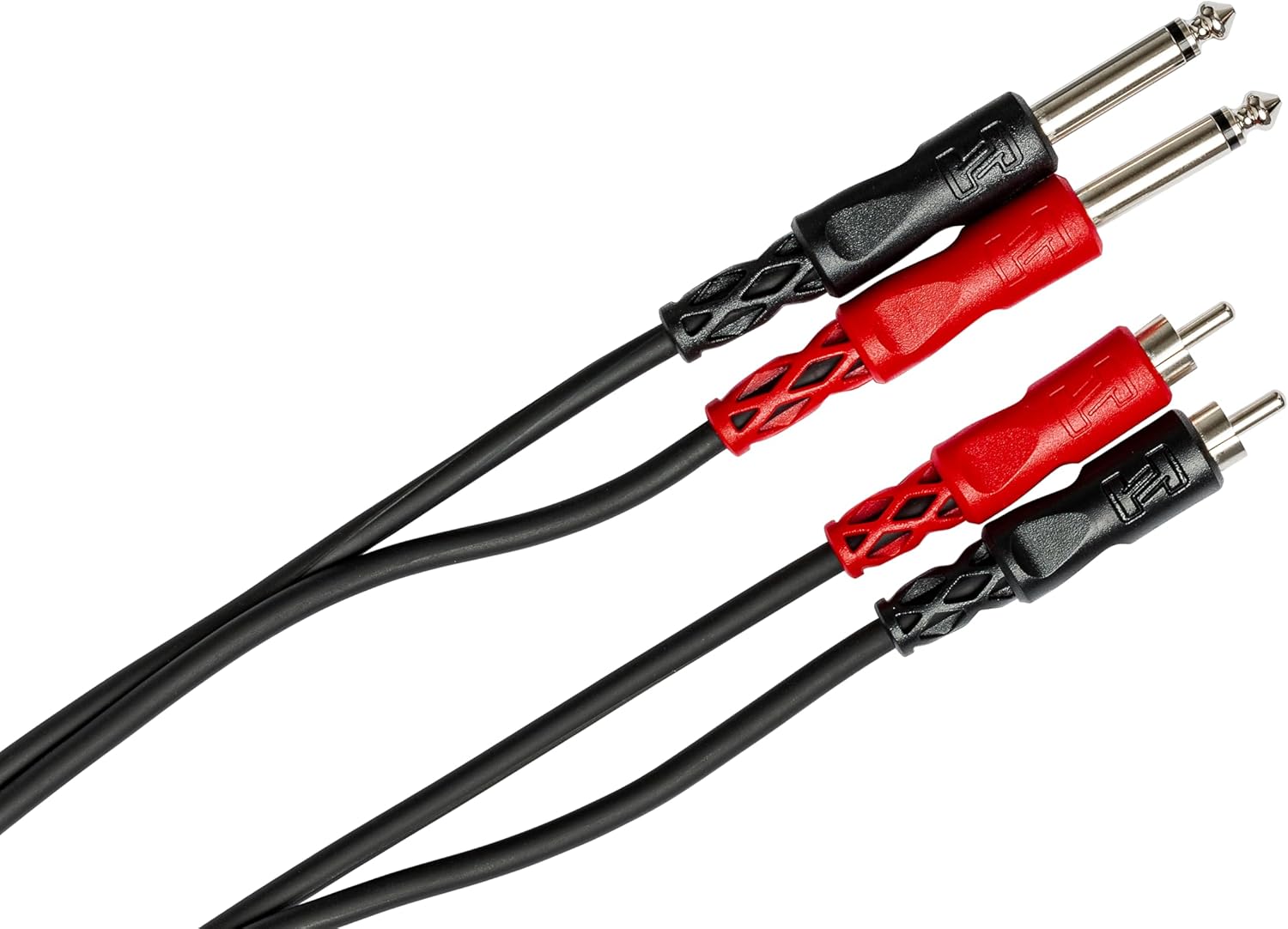
Image: The Hosa CPR-201 cable coiled for storage, demonstrating proper handling to prevent damage.
Troubleshooting
If you encounter issues with your Hosa CPR-201 cable, consider the following:
- No Audio Signal:
- Ensure all connections are secure and fully inserted.
- Verify that both source and destination devices are powered on and set to the correct input/output channels.
- Check the volume levels on all connected devices.
- Test with another known working cable to rule out device issues.
- Humming or Buzzing Noise:
- Ensure the cable is not running parallel to power cables or other sources of electromagnetic interference.
- The cable features spiral shielding to reduce noise; however, in environments with significant RF interference, some noise may still occur.
- Try connecting devices to the same power outlet or using a power conditioner to minimize ground loops.
- Intermittent Signal:
- Check for any visible damage to the cable or connectors.
- Ensure connectors are clean and free of corrosion.

Image: A wiring diagram illustrating the internal construction of the Hosa CPR-201 cable, highlighting the shielded design for noise prevention.
Technical Specifications
| Feature | Description |
|---|---|
| Model Number | CPR-201 |
| Connector Type | Dual 1/4" TS Male to Dual RCA Male |
| Cable Type | Stereo Interconnect (AUX) |
| Cable Length | 3.3 Feet (approximately 1 meter) |
| Conductors | Oxygen-Free Copper (OFC) |
| Shielding | Spiral Shielding |
| Connectors | Molded |
| Outer Material | PVC or rubber |
| Color | Black |
| Item Weight | 2.1 Ounces |
| Compatible Devices | Musical Instruments, Mixers, Stereo Systems, Powered Speakers |
Warranty Information
Hosa Technology, Inc. warrants all Hosa cables and adapters purchased in the USA to be free of defects in material and workmanship for the lifetime of the original purchaser. This warranty does not cover misuse of the product.

Image: The Hosa USA Warranty shield logo, indicating the product's warranty coverage.
Customer Support
For further assistance, technical support, or warranty claims, please visit the official Hosa website or contact their customer service department. Keep your proof of purchase for warranty validation.
Official Hosa Website: www.hosatech.com