
Tripp Lite LC1200
Tripp Lite LC1200 Line Conditioner User Manual
Model: LC1200 | Brand: Tripp Lite
1. Introduction
The Tripp Lite LC1200 Line Conditioner is designed to protect your sensitive electronics from power fluctuations, surges, and line noise. It maintains a stable 120V nominal output during severe brownouts and overvoltages, ensuring optimal performance and longevity for your connected devices.
Key Features:
- 1200W Line Conditioner: Maintains stable 120V nominal output to sensitive electronics during severe brownouts and overvoltages between 89V and 147V. Prevents surges and spikes from damaging circuitry. Filters out potentially disruptive line noise.
- 4 Outlets: Connect up to 4 electronic devices to the rear NEMA 5-15R outlets. Compact 7.25 in. tall unit features 7ft NEMA 5-15P plug. Rated at 120V / 1200W. Ideal for computers, routers, printers, home theaters, and point-of-sale equipment.
- Surge Suppression: 1200 joules of network-grade surge suppression protects against potentially harmful power surges and spikes. Filters out EMI/RFI line noise that can disrupt or damage your equipment’s performance.
- Diagnostic LEDs: Front-panel LEDs indicate AC power, incoming voltage level and line status at a glance. Lighted on/off switch provides one-touch power control over all components.
- Backed and Supported: Protected by a 2-Year Manufacturer's Warranty and $25,000 Ultimate Connected Equipment insurance. Supported by Eaton's expert technical support team.
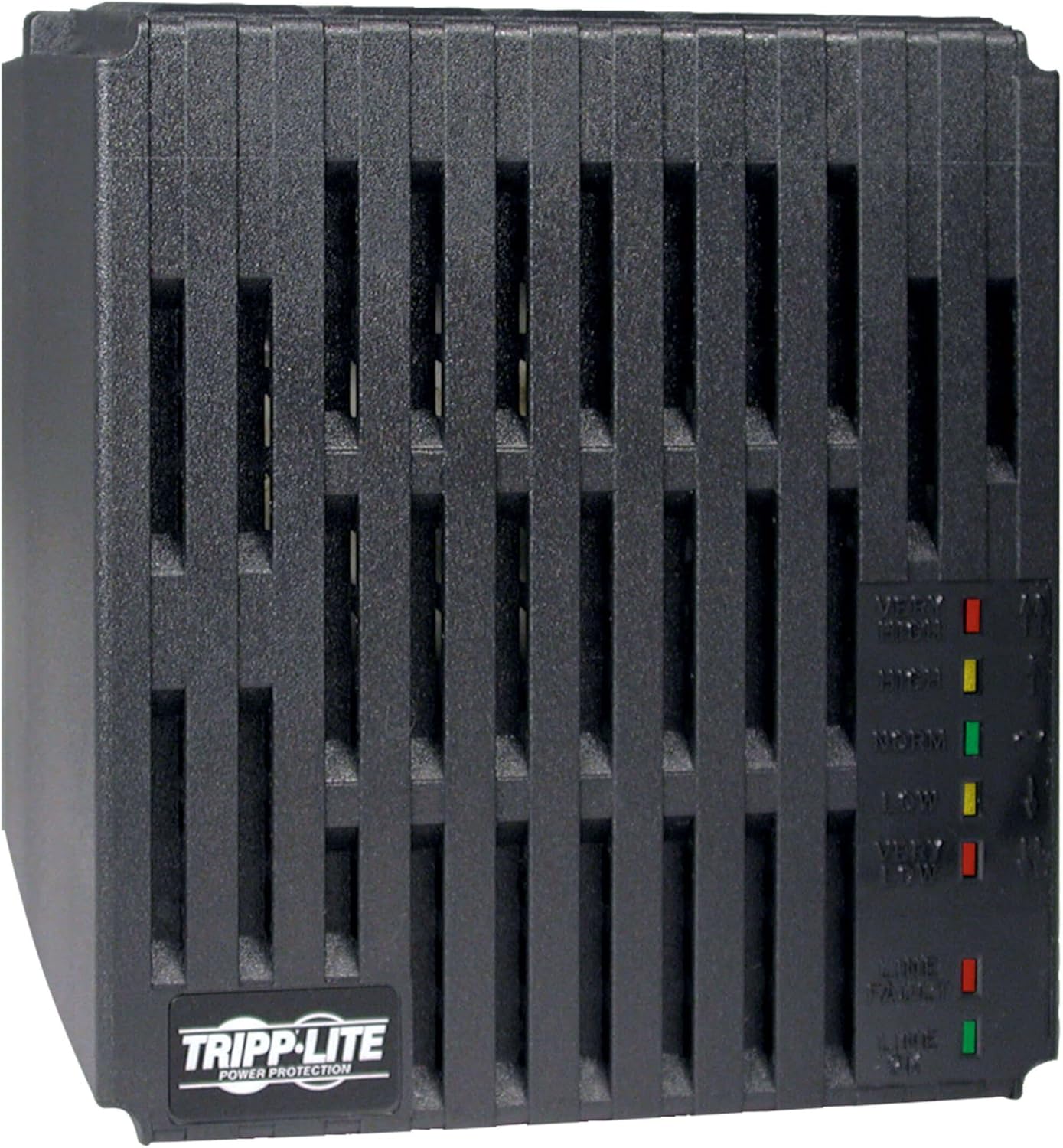
Figure 1: Front view of the Tripp Lite LC1200 Line Conditioner, showing its compact design and ventilation grilles.
2. What's in the Box
Upon opening the packaging, verify that all components are present:
- Tripp Lite LC1200 Line Conditioner Unit
- Instruction Guide (this manual)
3. Setup Instructions
Follow these steps to properly set up your Tripp Lite LC1200 Line Conditioner:
- Placement: Place the LC1200 unit on a stable, flat surface with adequate ventilation. Ensure that the ventilation grilles are not obstructed.
- Connect to Power: Plug the LC1200's attached 7-foot NEMA 5-15P power cord into a standard 120V AC wall outlet. The angled plug design allows for convenient placement.

Figure 2: The 7-foot power cord with an angled NEMA 5-15P plug for easy installation.
- Connect Devices: Plug up to four electronic devices into the NEMA 5-15R outlets located on the rear panel of the LC1200. Ensure that the total power consumption of all connected devices does not exceed 1200 watts.

Figure 3: Rear panel of the LC1200, featuring four protected outlets and the main power switch.
- Power On: Flip the lighted on/off switch on the rear panel to the "ON" position. The front-panel diagnostic LEDs will illuminate to indicate the status of the incoming power.
Product Overview Video:
Video 1: An informational overview of the Tripp Lite LC1200 Line Conditioner, highlighting its features and benefits for power protection.
4. Operating Instructions
Once connected, the Tripp Lite LC1200 operates automatically to regulate voltage and protect your equipment. It continuously monitors the incoming AC power and adjusts the output to a stable 120V.
Diagnostic LED Indicators:
The front panel of the LC1200 features a series of LEDs that provide real-time status of the incoming power and the unit's operation. Refer to the diagram below for their locations and meanings:
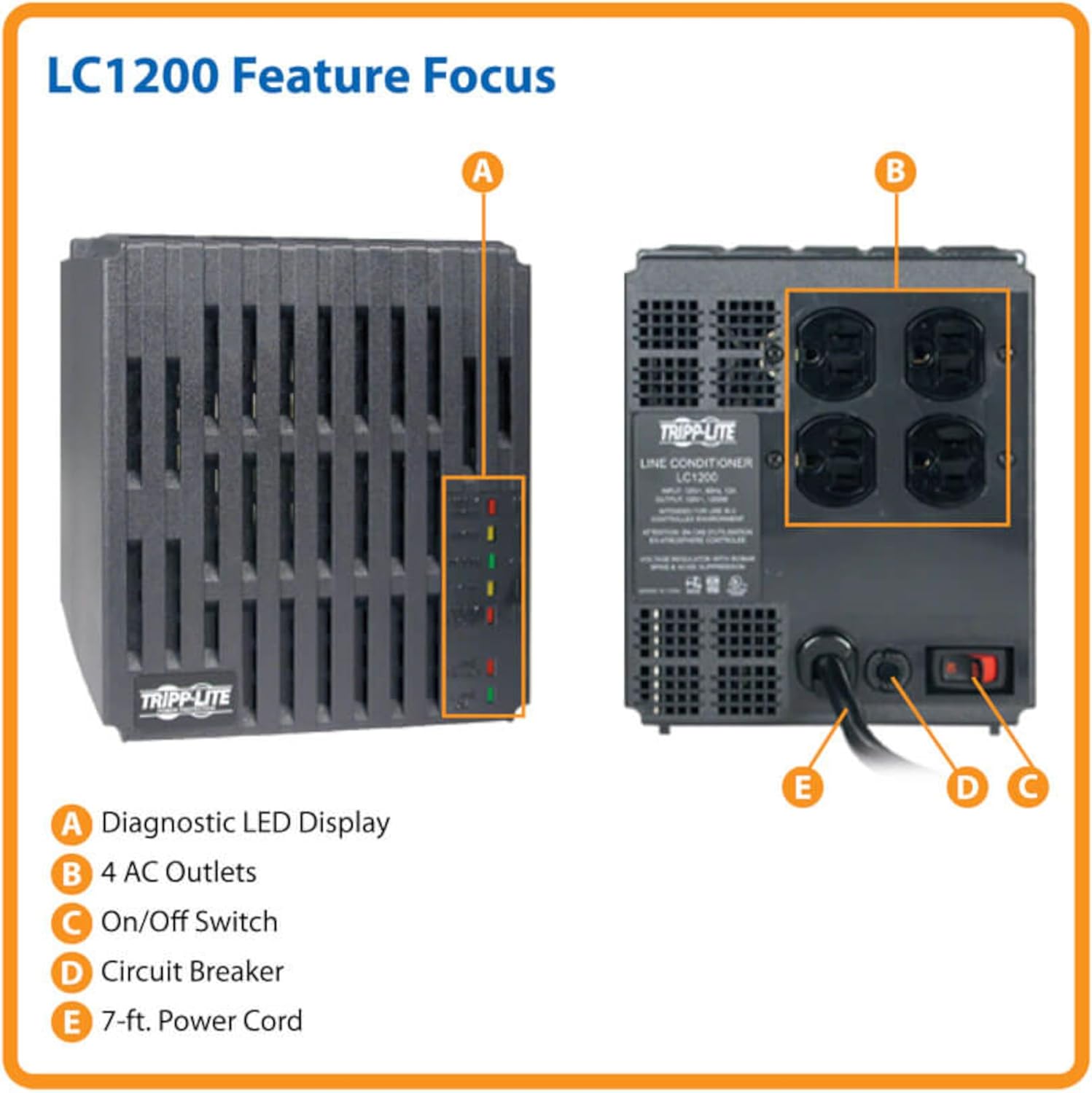
Figure 4: Feature Focus diagram of the LC1200, detailing its components including the Diagnostic LED Display (A).
| LED Indicator | Meaning |
|---|---|
| VERY HIGH (Red) | Incoming voltage is significantly above normal (e.g., >147V). The unit is actively regulating or has shut down to protect equipment. |
| HIGH (Yellow) | Incoming voltage is above normal. The unit is actively regulating to bring voltage to 120V. |
| NORM (Green) | Incoming voltage is within the normal operating range (120V ± 10%). No regulation is needed. |
| LOW (Yellow) | Incoming voltage is below normal. The unit is actively regulating to boost voltage to 120V. |
| VERY LOW (Red) | Incoming voltage is significantly below normal (e.g., <89V). The unit is actively regulating or has shut down to protect equipment. |
| LINE FAULT (Red) | Indicates a wiring problem with the input AC line, such as a missing ground or reversed polarity. |
The LC1200 automatically adjusts to maintain a stable output. You may hear a clicking sound as the unit switches between voltage regulation modes; this is normal operation.
5. Maintenance
The Tripp Lite LC1200 Line Conditioner requires minimal maintenance. To ensure optimal performance and longevity:
- Keep Vents Clear: Ensure that the ventilation grilles on the unit are not blocked by dust, debris, or other objects. Proper airflow is essential for cooling.
- Cleaning: Periodically wipe the exterior of the unit with a soft, dry cloth. Do not use liquid cleaners or solvents.
- Environmental Conditions: Operate the unit in a clean, dry environment, away from excessive heat, humidity, or corrosive contaminants.
6. Troubleshooting
If you experience issues with your Tripp Lite LC1200, refer to the following common problems and solutions:
| Problem | Possible Cause | Solution |
|---|---|---|
| No power to connected devices. | Unit is off, input power issue, or circuit breaker tripped. | Ensure the on/off switch is in the "ON" position. Check the wall outlet for power. Check the circuit breaker on the unit (if present) and reset if tripped. |
| "VERY HIGH" or "VERY LOW" LED is constantly lit. | Extreme input voltage outside the unit's regulation range. | The unit may have shut down to protect equipment. Disconnect the unit from the wall outlet and consult an electrician to check your building's wiring. |
| "LINE FAULT" LED is lit. | Wiring error (e.g., missing ground, reversed polarity) at the wall outlet. | Do not use the outlet. Consult a qualified electrician to correct the wiring issue. |
| Clicking sound from the unit. | Normal operation during voltage regulation. | This is normal. The unit is actively adjusting the output voltage. |
If the problem persists after attempting these solutions, please contact Tripp Lite technical support.
7. Specifications
| Attribute | Value |
|---|---|
| Model Number | LC1200 |
| Product Dimensions | 7 x 6 x 7.25 inches |
| Item Weight | 15.2 ounces |
| Voltage | 120 Volts |
| Power Source | Corded Electric |
| Color | White |
| Manufacturer | Tripp Lite |
| Country of Origin | Canada |
| Special Feature | Surge Protection |
8. Warranty and Support
The Tripp Lite LC1200 Line Conditioner is backed by a 2-Year Manufacturer's Warranty. Additionally, it includes $25,000 Ultimate Connected Equipment Insurance, providing peace of mind for your valuable electronics.
For technical assistance, troubleshooting, or warranty claims, please contact Eaton's expert technical support team. Contact information can typically be found on the manufacturer's official website or in the original product packaging.
Legal Disclaimer: Warranty does not cover misuse of product.
Ask a question about this manual
Ask about setup, troubleshooting, compatibility, parts, safety, or missing instructions. Manuals+ will review the question and use this page’s manual context to help answer it.