
PORTER-CABLE 557
PORTER-CABLE Plate Joiner Kit, 7-Amp (557)
Model: 557 | Brand: PORTER-CABLE
1. Product Overview
The PORTER-CABLE 7-Amp Plate Joiner Kit (Model 557) is designed for powerful and dependable performance in various woodworking applications. This deluxe kit is suitable for both professional cabinetmakers and woodworkers, offering versatile features for precise joinery.
Key features include a robust motor, a versatile fence system with a pivot point for accurate height readings, and a 4-inch blade for standard-size cuts. The tool's design emphasizes control and stability, with the bale handle attached directly to the fence rather than the motor.
Key Features:
- Powerful Motor: 7.0 Amp, 120 V, AC only, 10,000 rpm for efficient operation.
- Dust Management: 1-inch O.D. dust port accepts standard bag or can be connected to a vacuum for a cleaner workspace.
- Adjustable Fence: Tilts from 0 degrees to 135 degrees with a positive adjustable stop at 90 degrees for versatile angle cuts.
- Precise Depth Control: Micro height-adjustment knob and a seven-position rotating depth stop for FF, #0, #10, #20, Simplex, Duplex, or Max (#6) biscuits.
- Enhanced Stability: Bale handle attached to the fence, not the motor, for greater stability and added control during cuts.
- Easy Blade Changes: Spindle lock feature allows for single wrench bit changes.
- Included Blade: Comes with a 4-inch diameter blade for standard biscuit cutting.
- Lock-on Trigger: For continuous operation.
- Accurate Height Scale: Maintains accuracy at any angle.
2. Safety Instructions
Always read and understand all safety warnings, instructions, illustrations, and specifications provided with this power tool. Failure to follow all instructions listed below may result in electric shock, fire, and/or serious injury.
- Work Area Safety: Keep your work area clean and well-lit. Cluttered or dark areas invite accidents. Do not operate power tools in explosive atmospheres, such as in the presence of flammable liquids, gases, or dust.
- Electrical Safety: Power tool plugs must match the outlet. Never modify the plug in any way. Do not abuse the cord. Never use the cord for carrying, pulling, or unplugging the power tool. Keep cord away from heat, oil, sharp edges, or moving parts.
- Personal Safety: Always wear appropriate personal protective equipment (PPE), including safety glasses, hearing protection, and a dust mask. Dress properly; avoid loose clothing or jewelry that can get caught in moving parts.
- Tool Use and Care: Do not force the power tool. Use the correct power tool for your application. Disconnect the plug from the power source before making any adjustments, changing accessories, or storing power tools.
- Maintenance: Maintain power tools and accessories. Check for misalignment or binding of moving parts, breakage of parts, and any other condition that may affect the power tool’s operation.
3. Components and Assembly
The PORTER-CABLE Plate Joiner Kit (Model 557) comes with several components to facilitate its use and maintenance. Familiarize yourself with each part before operation.
Included Components:
- Plate Joiner Tool (Model 557)
- Centering Plate
- Dust Bag
- Chip Deflector
- Allen Wrench
- Carrying Case
- Owner's Manual (this document)

Figure 3.1: The PORTER-CABLE Plate Joiner Kit, Model 557, with its main components visible, including the motor housing, adjustable fence, and dust bag attached.

Figure 3.2: The black dust bag with the PORTER-CABLE logo, designed to collect wood chips and dust during operation.
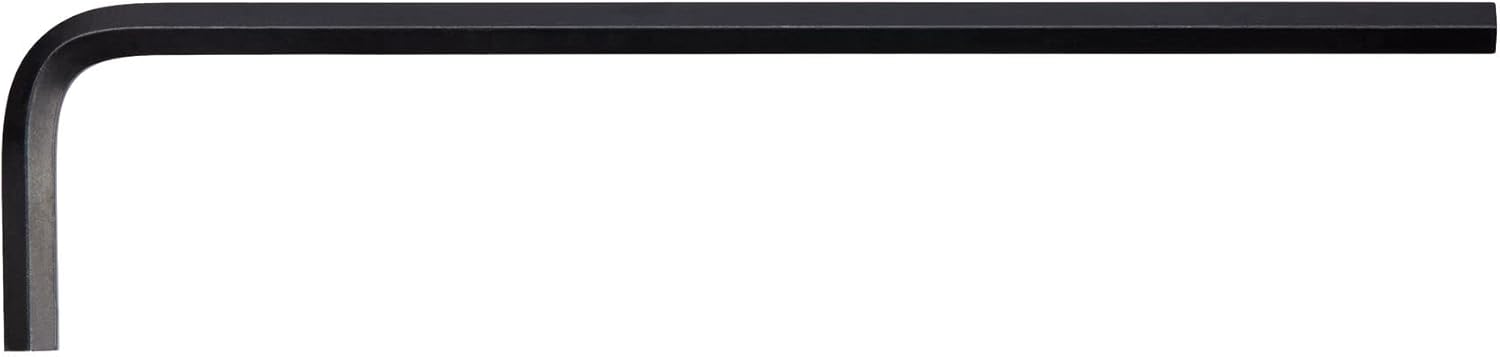
Figure 3.3: The L-shaped Allen wrench, used for various adjustments and blade changes on the plate joiner.

Figure 3.4: The durable black carrying case with the PORTER-CABLE logo, designed for convenient storage and transport of the plate joiner and its accessories.
4. Setup
Proper setup ensures safe and accurate operation of your plate joiner.
- Blade Installation:
- Ensure the tool is unplugged from the power source.
- Press the spindle lock button.
- Use the provided Allen wrench to loosen the blade retaining screw.
- Carefully remove the old blade (if applicable) and install the new 4-inch blade, ensuring it is seated correctly.
- Tighten the blade retaining screw securely while holding the spindle lock.
- Dust Bag Attachment:
- Attach the dust bag securely to the 1-inch O.D. dust port. Ensure a snug fit to maximize dust collection efficiency.
- Alternatively, connect a vacuum hose to the dust port for continuous dust extraction.
- Depth Adjustment:
- Rotate the seven-position depth stop to select the desired biscuit size (FF, #0, #10, #20, Simplex, Duplex, or Max #6).
- For fine adjustments, use the micro height-adjustment knob.
- Fence Angle Adjustment:
- Loosen the fence locking knob.
- Tilt the fence to the desired angle between 0 and 135 degrees. A positive stop is available at 90 degrees.
- Tighten the fence locking knob to secure the angle.
- Height Adjustment:
- Use the height adjustment mechanism to set the vertical position of the blade relative to the workpiece. The height scale is accurate at any angle.
5. Operating Instructions
Follow these steps for safe and effective operation of your PORTER-CABLE Plate Joiner.
- Prepare Workpiece:
- Ensure your workpiece is securely clamped to a stable surface.
- Mark the precise locations for your biscuit slots on both pieces of wood to be joined.
- Connect Power:
- Plug the tool into a suitable 120V AC power outlet.
- Position the Tool:
- Align the plate joiner's fence with your workpiece, ensuring the blade will cut at the marked location.
- Hold the tool firmly with both hands, utilizing the bale handle for enhanced stability and control.
- Make the Cut:
- Press the trigger to start the motor. For continuous operation, engage the lock-on trigger.
- Smoothly plunge the blade into the workpiece until the depth stop is reached.
- Maintain firm pressure and allow the blade to reach full speed before plunging.
- Once the cut is complete, withdraw the tool from the workpiece.
- Release the trigger to stop the motor.
- Repeat and Join:
- Repeat the cutting process for all necessary biscuit slots on both workpieces.
- Insert biscuits into the slots and apply wood glue as required before joining the pieces.
6. Maintenance
Regular maintenance ensures the longevity and optimal performance of your PORTER-CABLE Plate Joiner.
- Cleaning: After each use, unplug the tool and clean off any dust and debris from the tool body, especially around the motor vents and blade area. Use a soft brush or compressed air.
- Dust Bag/Vacuum System: Empty the dust bag regularly or clean the vacuum filter to maintain efficient dust collection.
- Blade Inspection: Periodically inspect the blade for sharpness and damage. A dull or damaged blade can lead to poor cuts and increased motor strain. Replace blades as needed.
- Cord Inspection: Check the power cord for any cuts, fraying, or damage. Do not use the tool if the cord is damaged.
- Lubrication: This tool is generally designed with sealed bearings that do not require lubrication. Refer to the full owner's manual for specific lubrication instructions if any.
- Storage: Store the tool in its carrying case in a dry, secure location, out of reach of children.
7. Troubleshooting
This section provides solutions to common issues you might encounter with your plate joiner.
| Problem | Possible Cause | Solution |
|---|---|---|
| Tool does not start. | No power supply; faulty cord/plug; motor overload. | Check power outlet and circuit breaker. Inspect cord for damage. Allow motor to cool if overheated. |
| Poor quality cuts (rough edges, inaccurate depth). | Dull or damaged blade; incorrect depth setting; unstable workpiece. | Replace blade. Verify depth stop setting. Ensure workpiece is securely clamped. |
| Excessive dust/chips. | Dust bag full or improperly attached; dust port clogged. | Empty dust bag or connect vacuum. Clear any blockages from the dust port. |
| Tool vibrates excessively. | Loose blade; damaged blade; internal component issue. | Check blade for tightness and damage. If problem persists, seek professional service. |
8. Specifications
| Attribute | Detail |
|---|---|
| Manufacturer | PORTER-CABLE |
| Model Number | 557 |
| Power Source | Corded-Electric |
| Voltage | 120V |
| Amperage | 7.0 Amp |
| No-Load Speed | 10,000 rpm |
| Blade Diameter | 4 inches |
| Fence Tilt Range | 0 to 135 degrees (with 90-degree positive stop) |
| Dust Port O.D. | 1 inch |
| Product Dimensions | 40.44 x 26.04 x 19.48 cm |
| Item Weight | 5.21 kg |
| Material | Plastic (housing) |
| Included Components | Centering plate, Dust bag, Chip deflector, Allen wrench, Carrying case, Owner's manual |
9. Warranty and Support
PORTER-CABLE stands behind the quality of its products. This product is covered by a limited warranty against defects in material or workmanship from the date of purchase. Please retain your proof of purchase for warranty claims.
For detailed warranty information, technical support, or to locate an authorized service center, please visit the official PORTER-CABLE website or contact their customer service department. Do not attempt to repair the tool yourself, as this may void the warranty and could lead to injury.
Online Support: www.portercable.com/support
Customer Service: Refer to the official PORTER-CABLE website for regional contact numbers.
Related documents557


Ask a question about this manual
Ask about setup, troubleshooting, compatibility, parts, safety, or missing instructions. Manuals+ will review the question and use this page’s manual context to help answer it.