1. Setup
1.1 Lens Attachment and Detachment
The Canon Rebel 2000 is compatible with all Canon EF lenses. Follow these steps to attach or detach a lens:
- To detach a lens: Press and hold the lens release button located on the camera body. Rotate the lens counter-clockwise approximately a quarter turn until it detaches from the camera body.
- To attach a lens: Align the red dot on the lens with the red dot on the camera body's lens mount. Gently insert the lens into the mount and rotate it clockwise until it clicks into place. Ensure the lens is securely locked.
Video: Demonstrates how to change a lens on the Canon EOS Rebel 2000 camera, showing the lens release and attachment process.
1.2 Battery Installation
The Canon Rebel 2000 requires two CR2 batteries. Proper battery installation is crucial for camera operation.
- Locate the battery chamber on the bottom of the camera body.
- Use a fingernail or a small tool to push the battery chamber clip outwards, then open the door.
- Insert two CR2 batteries according to the polarity indicators (+/-) inside the chamber. The bottom battery should have the positive terminal facing up, and the top battery should have the negative terminal facing up.
- Close the battery chamber door. Ensure the clip locks securely into place.
Important: Always use reputable brand CR2 batteries to prevent leakage or damage to the camera. Incorrect installation can prevent the battery door from closing properly.
Video: Illustrates the correct procedure for changing batteries in the Canon EOS Rebel 2000, including proper orientation and closing the battery compartment.
1.3 Film Loading
The Canon Rebel 2000 uses 35mm film. Follow these steps to load film:
- Open the camera back by sliding the latch on the side of the camera downwards.
- Insert the film cassette into the film chamber on the left side, ensuring the film leader points towards the right.
- Pull the film leader across the film gate until its tip aligns with the orange film leader placement index mark on the right side of the film chamber. Ensure the film lies flat.
- Close the camera back firmly until it clicks shut. The camera will automatically advance the film to the first frame.
Video: Shows the process of loading 35mm film into the Canon EOS Rebel 2000 camera, including correct film placement and closing the camera back.

Image: The open film chamber of the Canon Rebel 2000, illustrating where the film cassette is placed and the path the film leader takes across the film gate.

Image: A detailed view of the film chamber with the film leader extended, highlighting the film leader placement index for correct loading.
2. Operating the Camera
The Canon Rebel 2000 offers a range of automatic and creative controls for various shooting situations.
2.1 Shooting Modes
The camera features 11 versatile shooting modes, including:
- Program AE (P): Automatic exposure with flexible program shift.
- Shutter-Priority AE (Tv): You set the shutter speed, camera sets aperture.
- Aperture-Priority AE (Av): You set the aperture, camera sets shutter speed.
- Manual Exposure (M): You control both shutter speed and aperture.
- Depth-of-Field AE (A-DEP): Automatically sets aperture for maximum depth of field.
- Full Auto: Camera handles all settings for simple point-and-shoot operation.
- Creative Zone Modes: Dedicated modes for Portrait, Landscape, Close-up, Sports, and Night Scene photography.
2.2 Autofocus System
The camera utilizes a 7-point autofocus system for precise focusing. It is linked to a 35-zone AE metering system for accurate exposure in various lighting conditions.
2.3 Flash System
The Rebel 2000 includes a retractable built-in flash. It supports advanced flash metering system features, including E-TTL, FE Lock, and High-Speed Sync modes when used with compatible Canon EX-series Speedlites.
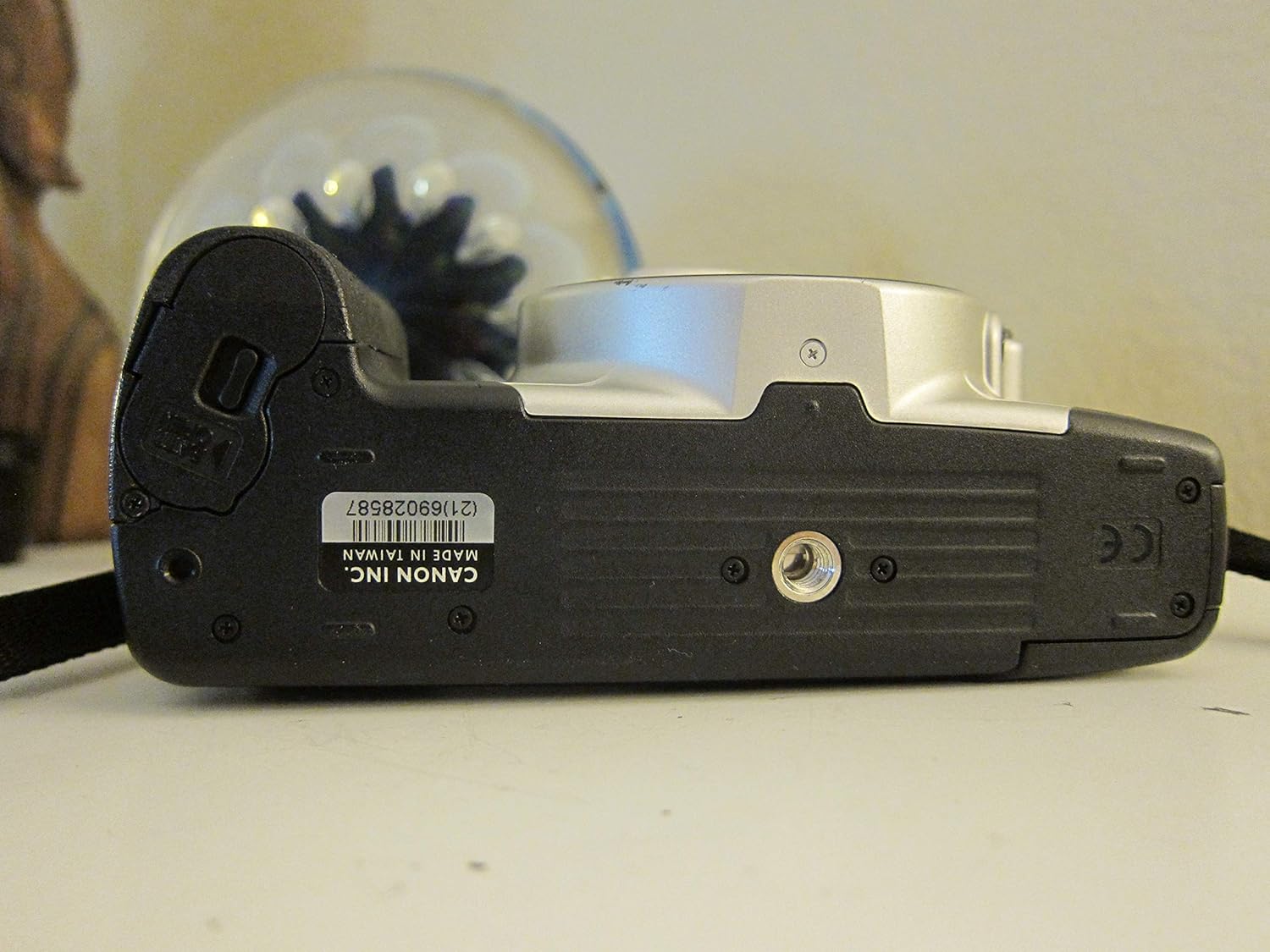
Image: Top view of the Canon Rebel 2000, highlighting the mode dial for selecting various shooting programs and the LCD screen displaying camera settings.

Image: Front view of the Canon Rebel 2000 camera body with a lens attached, showing the lens mount and the overall design.

Image: Rear view of the Canon Rebel 2000, displaying the viewfinder and various control buttons for adjusting settings.
3. Maintenance
Proper care and maintenance will ensure the longevity and optimal performance of your Canon Rebel 2000 camera.
- Cleaning: Use a soft, lint-free cloth to clean the camera body. For the lens, use a specialized lens cleaning solution and cloth. Avoid touching the mirror or shutter curtain inside the camera.
- Storage: Store the camera in a cool, dry place away from direct sunlight and extreme temperatures. If storing for an extended period, remove the batteries to prevent leakage.
- Battery Care: Replace CR2 batteries when the low battery indicator appears. Always dispose of used batteries responsibly.
4. Troubleshooting
Here are some common issues and their solutions:
- Camera does not power on: Check if the batteries are correctly installed with the proper polarity. Ensure the batteries are fresh and not depleted.
- Film does not advance: Verify that the film leader is correctly pulled to the index mark and the camera back is securely closed. If too much leader is pulled out, gently push some back into the cassette before re-aligning.
- Lens not focusing: Ensure the lens is securely attached and clicked into place. Check the autofocus/manual focus switch on the lens.
5. Specifications
| Feature | Specification |
|---|---|
| Model Name | Canon EOS Rebel 2000 (2067A002) |
| Camera Type | 35mm AF SLR Camera |
| Compatible Mountings | Canon EF |
| Autofocus System | 7-point selectable |
| Metering Description | 35-zone AE metering (Evaluative or Partial) |
| Built-in Flash | Retractable, with E-TTL, FE Lock, High-Speed Sync (with EX-series Speedlites) |
| Shooting Modes | 11 versatile modes (Program AE, Shutter-Priority AE, Aperture-Priority AE, Manual Exposure, Depth-of-Field AE, Full Auto, Portrait, Landscape, Close-up, Sports, Night Scene) |
| Power Source | 2 x CR2 Lithium Batteries |
| Item Weight | 4.8 ounces (body only) |
| Dimensions (Package) | 6.2 x 5.6 x 5.5 inches |
| Manufacturer | Canon Cameras US |
| Date First Available | May 31, 2000 |
6. Warranty and Support
For detailed warranty information, please refer to the documentation included with your purchase or contact Canon customer support directly. Warranty terms may vary based on region and retailer.
For technical assistance or further inquiries, please visit the official Canon support website or contact their customer service department.


