
1. Setup
Follow these steps to set up your Alien 3 game for the Super Nintendo Entertainment System:
- Ensure your Super Nintendo Entertainment System (SNES) console is powered off.
- Gently insert the Alien 3 game cartridge into the SNES cartridge slot until it clicks into place.
- Connect your SNES console to your television or display device using the appropriate audio/video cables.
- Power on your television and select the correct input source.
- Power on your SNES console.
- The game should now load. If not, refer to the Troubleshooting section.

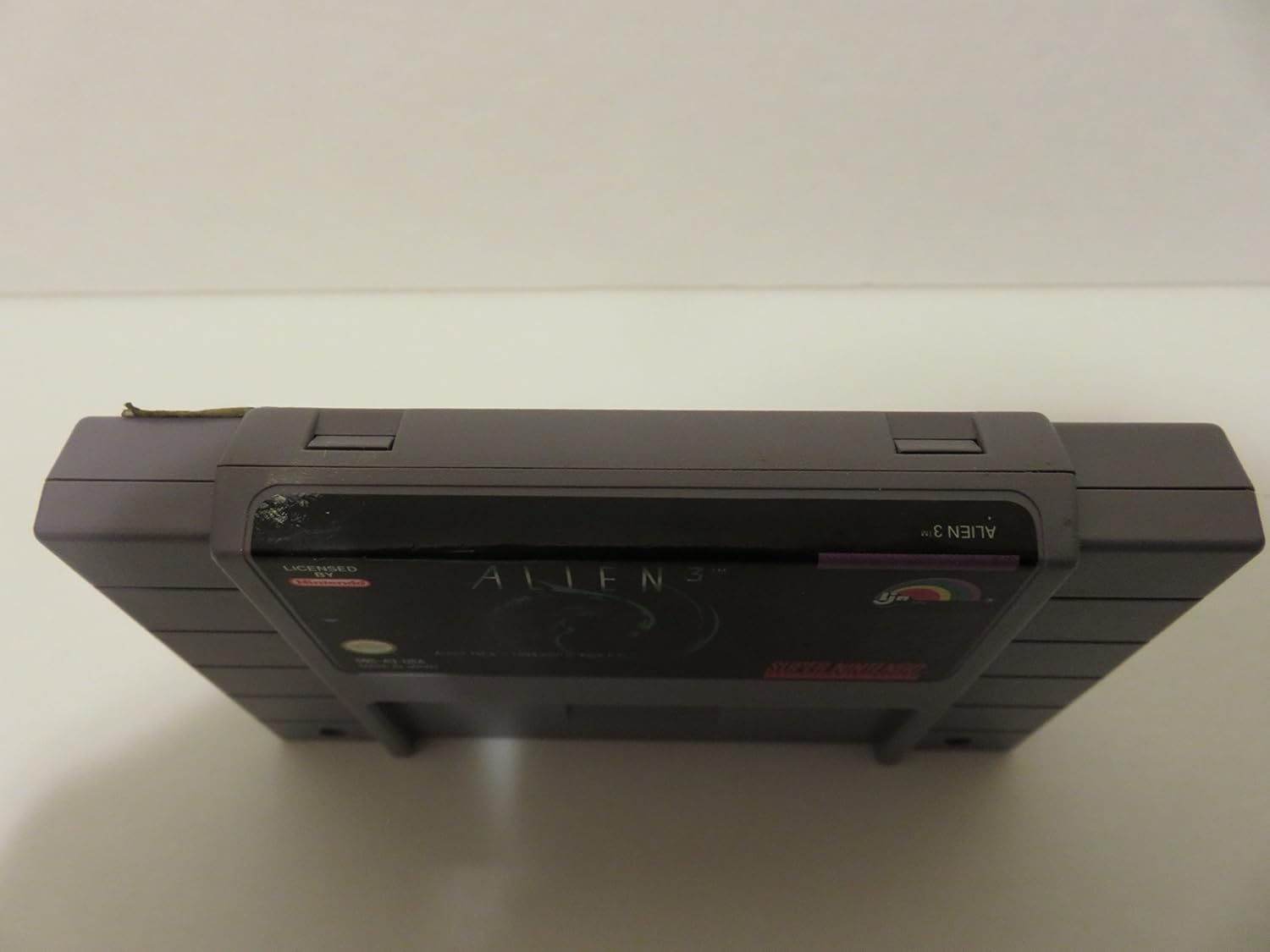
Top view of the Alien 3 Super NES game cartridge, displaying the game title and Super Nintendo branding.

Close-up view of the gold-plated connector pins on the bottom of the Alien 3 Super NES game cartridge, which interface with the console.
2. Operating Instructions
Alien 3 is a side-scrolling action platformer where you control Ellen Ripley. Your primary objective is to navigate through various levels, complete mission objectives, and eliminate Xenomorph threats.
Basic Controls:
- Movement: Use the D-pad to move Ripley left and right, and to climb ladders.
- Jump: Press the A button to jump.
- Shoot: Press the B button to fire your equipped weapon.
- Crouch/Duck: Press down on the D-pad to crouch, which can be used to avoid attacks or access lower passages.
- Select Weapon: Use the L and R buttons to cycle through available weapons (Flamethrower, Pulse Rifle, Grenade Launcher).
Gameplay Objectives:
- Each level presents specific tasks, such as rescuing prisoners, destroying alien eggs, sealing doors, or repairing systems. These objectives are often displayed on in-game terminals.
- Monitor your health bar and ammunition count. Pick up power-ups and health packs found throughout the levels to survive.
Official promotional video for the Alien 3 Super NES game, showcasing gameplay footage, character movement, combat against Xenomorphs, and various in-game environments.
3. Maintenance
To ensure optimal performance and longevity of your Alien 3 game cartridge, proper maintenance is recommended.
- Cleaning the Cartridge Connector: If the game does not start or experiences glitches, the cartridge connector pins may need cleaning. Use a Super NES cleaning kit or a cotton swab lightly dampened with isopropyl alcohol to gently clean the gold-plated connector pins. Allow to dry completely before reinserting into the console.
- Storage: Store the cartridge in its original case or a protective sleeve in a cool, dry place away from direct sunlight and extreme temperatures.
- Handling: Always handle the cartridge by its edges to avoid touching the connector pins or the label.
Rear view of the Alien 3 Super NES game cartridge, showing the product label with important usage instructions and a Blockbuster Video rental sticker.
4. Troubleshooting
If you encounter issues while playing Alien 3, refer to the following common solutions:
Game Not Starting/Black Screen:
- Ensure the cartridge is fully and correctly inserted into the SNES console.
- Clean the cartridge connector pins as described in the Maintenance section.
- Verify that your SNES console is properly connected to your television and the correct input is selected.
- Try another SNES game to confirm the console is functioning correctly.
Game Freezes/Glitches:
- This can often be resolved by cleaning the cartridge connector pins.
- Ensure the console and cartridge are not overheating.
Controller Not Responding:
- Check that the controller is securely plugged into the console.
- Test with another controller if available.
5. Specifications
| Feature | Detail |
|---|---|
| Product Name | Alien 3 |
| Platform | Super Nintendo Entertainment System (SNES) |
| Manufacturer | Acclaim |
| ASIN | B000035XYL |
| Product Dimensions | 5.4 x 3.5 x 0.8 inches |
| Item Weight | 0.16 ounces |
| Date First Available | January 1, 2000 |
6. Warranty and Support
As a legacy product, direct manufacturer warranty and support for the Acclaim Alien 3 Super NES game may be limited or no longer available. For issues not covered in this manual, please consult online communities or retro gaming resources for assistance. Always refer to the original Super Nintendo Entertainment System console manual for console-specific troubleshooting and care.


