
Introduction
This manual serves as a comprehensive guide and reference for The REXX Language: A Practical Approach to Programming. It is designed to assist readers in understanding and utilizing the REXX programming language effectively, covering fundamental concepts to advanced applications. This book is widely recognized as a standard reference for the REXX Programming Language.
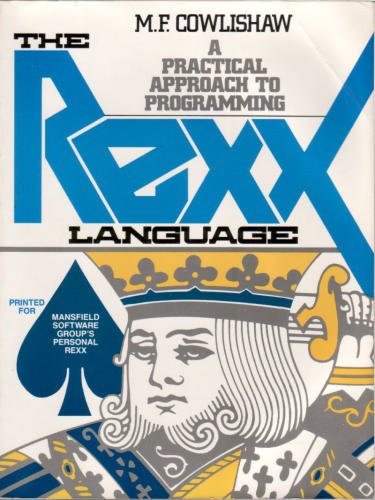
Image: Front cover of "The REXX Language: A Practical Approach to Programming" by M. F. Cowlishaw. The cover features the title in large blue letters and an illustration of a king from a deck of cards, with text indicating it's "Printed for Mansfield Software Group's Personal REXX."
Setup and Prerequisites
Before diving into REXX programming, ensure you have the necessary environment set up. This book primarily focuses on the language itself, but practical application requires a REXX interpreter.
1. Obtaining a REXX Interpreter
- Mainframe Environments: REXX is often pre-installed or readily available on IBM mainframe systems (e.g., z/OS, VM/CMS, TSO/E). Consult your system administrator or documentation for access.
- PC Environments: For personal computers, various REXX interpreters are available. Popular options include:
- Open Object REXX (ooRexx): A free, open-source interpreter available for Windows, Linux, and macOS. Visit the ooRexx official website for downloads and installation instructions.
- Regina REXX: Another cross-platform open-source interpreter.
- Personal REXX: Mentioned on the book cover, this was a commercial interpreter for DOS/Windows. While possibly outdated, its existence highlights REXX's historical presence on PCs.
2. Basic System Configuration
After installing an interpreter, ensure its executable path is included in your system's environment variables (e.g., PATH on Windows, or similar on Linux/macOS) to allow running REXX scripts from any directory.
Operating the REXX Language
This section outlines the fundamental principles and operational aspects of writing and executing REXX programs as detailed in the book.
1. Writing REXX Programs
REXX programs are plain text files. You can use any text editor (e.g., Notepad, VS Code, Sublime Text) to write your code. Save REXX files with a .rexx or .rx extension, though some systems might use .cmd or .bat for compatibility.
2. Executing REXX Programs
To run a REXX program:
- Command Line: Open a command prompt or terminal. Navigate to the directory where your REXX file is saved. Execute the script by typing the interpreter command followed by the filename:
rexx your_program.rexxNote: The exact command might vary depending on your interpreter installation (e.g.,
oorexx your_program.rexx). - Shebang Line (Unix/Linux): On Unix-like systems, you can add a "shebang" line as the first line of your script to specify the interpreter:
#!/usr/bin/env rexxMake the script executable using
chmod +x your_program.rexx, then run it directly:./your_program.rexx. - Mainframe Environments: Execution methods vary (e.g., TSO/E EXEC command, JCL). Refer to your mainframe system's documentation.
3. Key REXX Concepts Covered
- Variables and Data Types: REXX handles all data as strings, simplifying type management.
- Control Structures:
IF-THEN-ELSE,DO-ENDloops,SELECT-WHEN-OTHERWISE. - Functions and Procedures: Built-in functions and user-defined routines.
- Parsing and String Manipulation: Powerful capabilities for text processing.
- External Commands: Ability to execute system commands and interact with the operating environment.
Maintenance and Best Practices
Maintaining REXX code involves adhering to good programming practices to ensure readability, efficiency, and long-term viability.
- Code Readability: Use meaningful variable names, consistent indentation, and ample comments to explain complex logic.
- Modularity: Break down large programs into smaller, manageable functions or subroutines.
- Error Handling: Implement robust error checking using REXX's built-in error handling mechanisms (e.g.,
SIGNAL ON ERROR,CALL ON HALT). - Testing: Thoroughly test your REXX scripts with various inputs to ensure correct behavior and identify edge cases.
- Version Control: For larger projects, consider using version control systems (e.g., Git) to track changes and collaborate effectively.
Troubleshooting Common Issues
Encountering issues during REXX development is common. Here are some typical problems and their solutions:
| Problem | Possible Cause / Solution |
|---|---|
| "Bad address" or "File not found" error when running script. |
|
| Syntax errors (e.g., "Unmatched quote", "Invalid expression"). |
|
| Program hangs or enters an infinite loop. |
|
| Unexpected output or incorrect calculations. |
|
For more detailed debugging, consult the specific documentation for your REXX interpreter, as many provide debugging tools or options.
Specifications
This section provides key specifications related to the book itself.
- Title: The REXX language: A practical approach to programming
- Author: M. F Cowlishaw
- Publisher: Prentice Hall
- Publication Date: January 1, 1985
- Language: English
- Print Length: 176 pages
- ISBN-10: 013780685X
- ISBN-13: 978-0137807352
- Item Weight: 11.5 ounces
- Dimensions: 8.9 x 6.8 x 0.4 inches
Support and Further Resources
For ongoing support and to deepen your understanding of REXX, consider the following resources:
- Online Communities: Many forums and mailing lists exist for REXX programmers. Searching for "REXX programming forum" or "REXX community" can yield valuable results.
- Official Interpreter Documentation: The official websites for interpreters like Open Object REXX and Regina REXX provide extensive documentation, tutorials, and examples.
- Academic and Technical Libraries: Your local or university library may have additional REXX programming books and academic papers.
- Author's Work: M. F. Cowlishaw has contributed significantly to the REXX language. Exploring his other works or related publications can provide further insights.


