
1. انتهى المنتجview
The Philips 55MLED610/94 is a 55-inch 4K Ultra HD QLED Smart QD-Mini LED Google TV. It features advanced display technology, smart connectivity, and integrated audio solutions for an enhanced viewتجربة رائعة.

أمام view of the Philips 55MLED610/94 55-inch 4K QD-Mini LED Google TV.
المميزات الرئيسية:
- عرض: 4K QD-Mini LED Panel, Philips Halo Control Technology, Dolby Vision, Local Dimming, 120 Hz Motion Clarity HSR, HDR 10+, 178 Degree Wide Viewing Angle, MEMC, ALLM.
- التلفزيون الذكي: Google TV operating system, 2GB RAM, 32GB ROM, Quad Core Processor, Dual band WIFI 5, Hands-Free Voice Control, Screen Mirroring, Google Assistant compatibility.
- صوتي: 36 Watts Output, Dolby Atmos, Dolby Audio.
- الاتصال: 3 HDMI Ports (including HDMI 2.1), 2 USB Ports, 1 LAN Port, 1 Antenna Input, 1 Satellite Input, 1 Digital Audio Out (Optical), 1 AV-IN, 1 Earphone port.
2. الإعداد والتثبيت
2.1 فك العبوة والمحتويات
Carefully unpack the television and ensure all components are present.
- 1N TV Unit
- 2N Stand Bases
- دليل البدء السريع 1N
- بطاقة الضمان 1N
- 1N جهاز التحكم عن بعد
- 2N AAA Batteries (for remote)
- سلك طاقة 1N
- 4N Screws (for stand/mount)
- 1N AV Converting Cable

Illustration showing the TV unit and its included accessories for setup.
2.2 تركيب الحامل أو التثبيت على الحائط
The television supports both table-top stand installation and wall mounting.
- حامل الطاولة: Attach the provided stand bases to the bottom of the TV unit using the included screws. Ensure the stand is stable on a flat surface.
- جدار جبل: For wall mounting, use a compatible VESA wall mount (not included) and follow the instructions provided with the wall mount. Refer to the TV's back panel for mounting points.

مؤخرة view of the television, highlighting the mounting points and various input/output ports.
2.3 توصيل الأجهزة الطرفية
Connect your external devices such as set-top boxes, gaming consoles, and audio systems to the TV using the appropriate ports.
- HDMI: Use HDMI ports for high-definition video and audio from devices like Blu-ray players or gaming consoles. HDMI 2.1 supports advanced features.
- USB: Connect USB drives for media playback or external storage.
- LAN: للحصول على اتصال إنترنت سلكي مستقر.
- الهوائي/القمر الصناعي: Connect your antenna or satellite dish for broadcast TV.
- مخرج الصوت الرقمي (البصري): للتوصيل بأنظمة الصوت الخارجية.
- AV-IN: للأجهزة القديمة التي تستخدم الفيديو المركب والصوت الاستريو.
- سماعة الأذن: للاستماع الخاص.

مفصل view of the television's input and output ports, including HDMI, USB, LAN, and audio connections.
3. تعليمات التشغيل
3.1 التشغيل الأولي وإعداد Google TV
After connecting the power cord, press the power button on the remote control or TV. Follow the on-screen instructions to complete the initial setup, including language selection, network connection (Wi-Fi or LAN), and Google account sign-in.

The Google TV interface, showing various streaming applications and content recommendations.
3.2 وظائف التحكم عن بعد
The provided remote control uses both IR and Bluetooth technology. Insert the two AAA batteries as indicated.

The remote control for the Philips 55MLED610/94 TV, featuring dedicated buttons for streaming services and Google Assistant.
- زر الطاقة: تشغيل التلفزيون أو إيقاف تشغيله.
- لوحة التنقل: للتنقل في القائمة والاختيار.
- زر مساعد جوجل: يقوم بتنشيط التحكم الصوتي للأوامر والبحث.
- أزرار التحكم في مستوى الصوت/القناة: ضبط مستوى الصوت وتغيير القنوات.
- أزرار اختصار التطبيق: Direct access to popular streaming services like Netflix and Prime Video.
3.3 Smart TV Features and Applications
The Google TV platform provides access to a wide range of applications and services.
- التطبيقات المثبتة مسبقًا: Access popular streaming services such as Prime Video, Netflix, Hotstar, Zee5, YouTube, Eros Now, Hungama, JioCinema, and SonyLiv.
- مساعد جوجل: استخدم التحكم الصوتي بدون استخدام اليدين للبحث عن المحتوى، والتحكم في أجهزة المنزل الذكية، والحصول على المعلومات.
- انعكاس الشاشة (Miracast): Cast content from compatible mobile devices to the TV screen.
- Web المتصفح: تصفح الإنترنت مباشرة على التلفزيون الخاص بك.
3.4 إعدادات العرض والصوت
قم بضبط إعدادات الصورة والصوت لتحسين تجربتك viewجي والاستماع.
- أوضاع الصورة: Select from various picture modes (e.g., Standard, Vivid, Movie, Game) or customize settings like brightness, contrast, color, and sharpness.
- Dolby Vision و HDR10+: The TV automatically detects and optimizes content for Dolby Vision and HDR10+ for enhanced dynamic range and color.
- أوضاع الصوت: Choose sound modes (e.g., Standard, Music, Movie) or adjust equalizer settings. Dolby Atmos provides immersive audio.
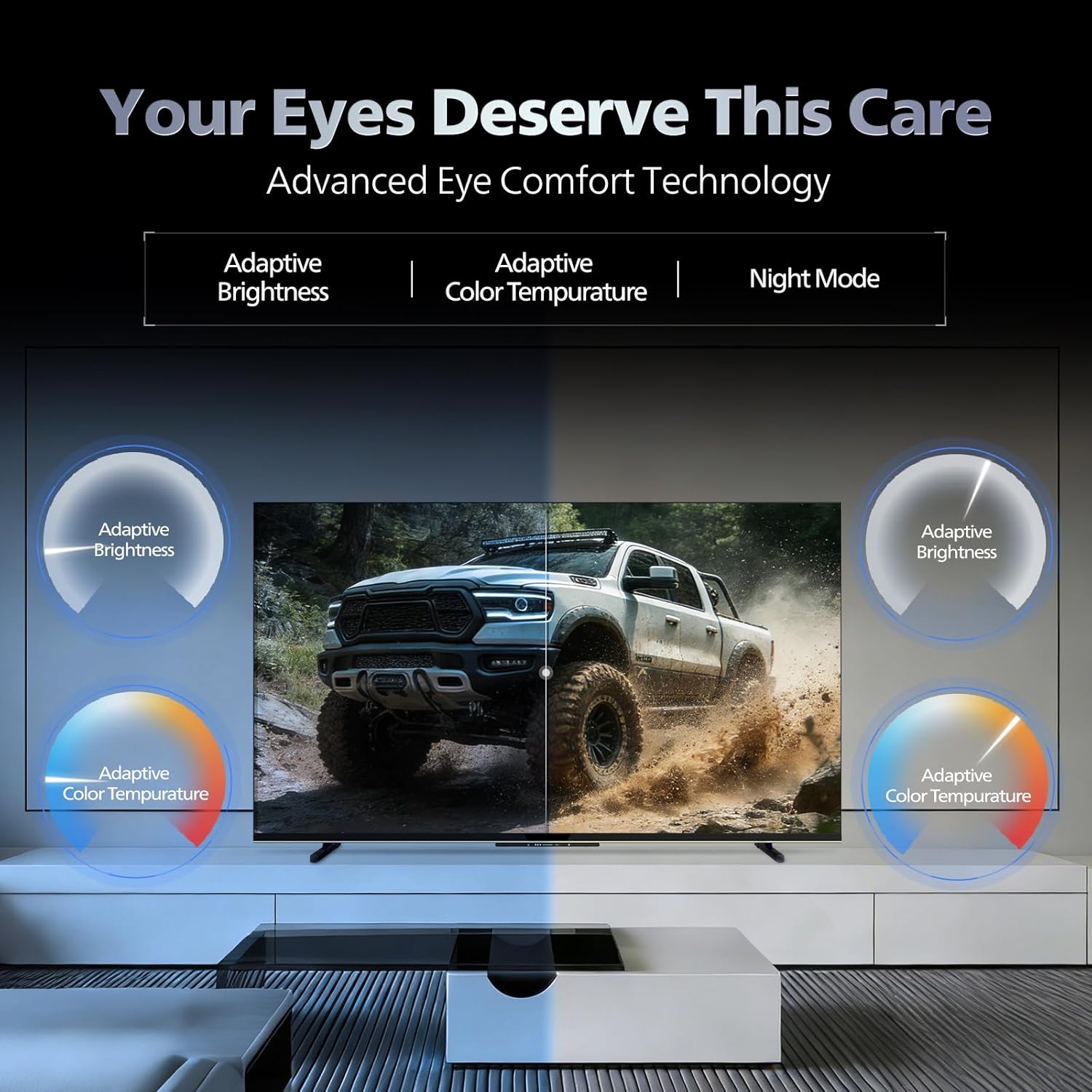
- تقنية راحة العين: Features like Adaptive Brightness, Adaptive Color Temperature, and Night Mode are available to reduce eye strain.

Visual representation of the TV's advanced eye comfort technology, including adaptive brightness and color temperature.

A visual demonstrating the immersive multi-dimensional audio experience provided by Dolby Atmos on the television.
4. الصيانة
4.1 تنظيف التلفزيون
To clean the screen and cabinet, first unplug the power cord. Use a soft, lint-free cloth. For stubborn marks, lightly dampبلّل قطعة القماش بالماء أو بمنظف شاشات لطيف وغير كاشط. لا ترش المنظف مباشرة على الشاشة.
مهم: The television is غير مقاوم للماء. Avoid exposing it to liquids.
4.2 تحديثات البرامج
Ensure your TV's software is up to date for optimal performance and security. The TV will typically prompt you for available updates. You can also manually check for updates in the settings menu.
5. استكشاف الأخطاء وإصلاحها
If you encounter issues with your television, try the following basic troubleshooting steps before contacting support.
- لا يوجد طاقة: تأكد من توصيل سلك الطاقة بإحكام بكل من التلفزيون ومأخذ كهربائي يعمل. جرب مأخذاً كهربائياً آخر.
- لا صورة/صوت: Check all cable connections (HDMI, AV, Antenna). Ensure the correct input source is selected on the TV.
- جهاز التحكم عن بعد لا يعمل: استبدل بطاريات جهاز التحكم عن بُعد. تأكد من عدم وجود أي عوائق بين جهاز التحكم عن بُعد ومستشعر الأشعة تحت الحمراء الخاص بالتلفزيون.
- مشاكل الاتصال بالإنترنت: Restart your Wi-Fi router. Check the TV's network settings and ensure it's connected to the correct network. Try a wired LAN connection if possible.
- مشاكل جودة الصورة: اضبط إعدادات الصورة (السطوع، التباين، الحدة). تأكد من جودة مصدر المحتوى.
The television displaying a fast-paced gaming scene, highlighting its 120Hz refresh rate and gaming optimization features.
6. المواصفات
| ميزة | التفاصيل |
|---|---|
| رقم الموديل | 55MLED610/94 |
| حجم الشاشة | 55 بوصة (138 سم) |
| تكنولوجيا العرض | QD-Mini LED |
| دقة | 4K Ultra HD (3840 × 2160) |
| معدل التحديث | 120 Hz HSR |
| يدعم تنسيق HDR | HDR10+، دولبي فيجن |
| Viewزاوية جي | 178 درجة |
| مخرج الصوت | 36 واط |
| ترميز الصوت | Dolby Atmos, Dolby Audio |
| نظام التشغيل | جوجل تي في |
| كبش | 2 جيجا بايت |
| ذاكرة للقراءة فقط | 32 جيجا بايت |
| الاتصال | Wi-Fi (Dual band WIFI 5), Bluetooth 5.1, 3 HDMI (1x HDMI 2.1 eARC), 2 USB, 1 LAN, 1 Antenna, 1 Satellite, 1 Digital Audio Out (Optical), 1 AV-IN, 1 Earphone |
| أبعاد المنتج (العمق × العرض × الارتفاع) | 8 عمق × 144.5 عرض × 84 ارتفاع سنتيمتر |
| Item Weight Without Stand | 9.4 كيلوغرام |
| استهلاك الطاقة | 130 واط |
| تصنيف الطاقة | 3 نجمة |
| الاستهلاك السنوي للطاقة | 182 كيلو واط ساعة / سنة |
| المكونات المضمنة | TV Unit, Stand Bases, Quick Start Guide, Warranty Card, Remote, Batteries, Power cord, Screws, AV Converting Cable |

Dimensional drawing of the Philips 55MLED610/94 TV, showing height, width, and depth measurements.
7. الضمان والدعم
7.1 معلومات الضمان
A 1-year warranty is provided by the manufacturer from the date of purchase. Warranty claims can be processed using your Amazon e-invoice.
The warranty covers manufacturing defects but does not cover spares.
7.2 دعم العملاء
For assistance, contact the brand's toll-free number: 18004256396. Please provide the product's model name (55MLED610/94) and seller's details from your invoice. The service center will schedule a convenient service slot.
الشركة المصنعة: Radiant Appliances And Electronics Private Limited
Survey No. 111, 112, S-2 A 1, Ecity, Fabcity, Maheshwaram Mandal Raviryala Village, Ranga Reddy, Telangana- 501141
المستورد: شركة تي بي في تكنولوجي الهندية الخاصة المحدودة
Unit No. 307-308 3rd Floor, SEWA Corporate Park MG Road Gurugram Haryana 122002