
1. معلومات هامة حول السلامة
يرجى قراءة جميع التعليمات بعناية قبل التركيب والاستخدام. احتفظ بهذا الدليل للرجوع إليه مستقبلًا.
- التثبيت لشخصين: Always use at least two people to lift and install the TV to prevent injury or damage.
- التثبيت على الحائط: Follow all wall mounting instructions precisely. Ensure the wall structure can support the TV's weight. If unsure, consult a professional.
- تجنب العوائق: Do not drill into walls where electrical wiring or piping may be present.
- وضع مستقر: If not wall-mounted, ensure the TV is placed on a stable, level surface to prevent tipping.
- تهوية: لا تسد فتحات التهوية. تأكد من وجود مساحة كافية حول التلفزيون لضمان تدفق الهواء بشكل صحيح.
- رُطُوبَة: Keep the TV away from water, moisture, and high humidity environments.
- سلك الطاقة: Protect the power cord from being walked on or pinched. Do not use a damaged power cord.
- تنظيف: افصل التلفزيون عن الكهرباء قبل التنظيف. استخدم قطعة قماش ناعمة وجافة. لا تستخدم المنظفات السائلة أو البخاخات.
2. ما هو المشمول
تأكد من وجود جميع المكونات في الصندوق:
- Amazon Ember Artline TV (55-inch)
- جهاز التحكم عن بعد الصوتي المحسّن من Alexa
- جدار جبل كيت
- سلك الطاقة
- بطاريتين AAA
- دليل البدء السريع
- Amazon Ember Artline 55” Frame (four pieces) - Note: Frames ship separately and may arrive at a different time.

Image: Amazon Ember Artline 55-inch Fire TV with Ash frame.
3. الإعداد والتثبيت
3.1. Preparing the TV for Wall Mount
Before mounting, ensure the TV is prepared correctly. You will need a number two Phillips screwdriver. Do not use an electric drill to prevent stripping the bolt holes.
- Lay the TV screen side down on a soft, clean surface to access the recessed cover on the back.
- Remove the recessed cover.
- Install the two mount bolts into the designated holes using a number two Phillips screwdriver.
Video: Instructions for wall mounting the Amazon Ember Artline TV. This video demonstrates the steps for preparing the TV and installing the wall mount hardware.
3.2. تركيب التثبيت على الحائط
You will need at least two people to complete this process. Ensure you have the included wall mounting template, bolts, screws, and anchors. Additionally, you will need an electric drill with a 3/16 inch drill bit, a #2 Phillips driver bit, a hammer, a pencil, and a level or level app. If mounting on wood studs, you'll need a 1/8 inch drill bit. If mounting on brick, you'll need a 5/16 inch drill bit and a stud finder for drywall.
- تخطيط الموقع:
- Consider the height of everyone using the TV. Place it at eye level for comfortable viewعمل.
- Find a mount location away from water or moisture.
- Avoid drilling holes over electrical wiring or piping.
- If installing on a brick wall, locate an area free of cracks.
- If your wall doesn't have proper stud spacing, contact a professional for installation.
- تركيب القوس:
- Plan the location of the wall mount using the wall mounting template.
- Locate two studs using a stud finder (for drywall). Mark the center of each stud with a pencil.
- Place the mount against the wall and mark at least four screw holes. Use a level or level app to ensure the mount is straight.
- Drill pilot holes on each mark using an electric drill with the appropriate bit (1/8" for drywall, 5/16" for brick).
- If on drywall, anchors are not needed. If on brick, use a hammer to install the mount anchors in the holes.
- Attach the mount to the wall using the mount screws, an electric drill, and a #2 Phillips bit.
- Installing Magnet Plates:
- Attach the template to the wall using double-sided tape.
- Mark the locations for the four magnet plates on the wall, then remove the template.
- Drill pilot holes on each mark using an electric drill with a 3/16 inch bit.
- Install the magnet plate anchors using a hammer.
- Install the magnet plates into the anchors using the magnet plate screws and an electric drill with a #2 Phillips bit.
- Attaching the TV to the Mount:
- While attaching the TV, avoid pressing against the screen.
- Fully extend the TV bracket away from the wall and gently release the bolt latches.
- Place the four alignment stickers above the mount bolts on the back of the TV and the bolt latches on the mount. Fold the stickers up to see them more clearly.
- Hang the mount bolts on the mount hooks. Use the alignment stickers to guide you.
- Close the bolt latches, then push the TV flush with the wall to connect the magnets and magnet plates.
4. Operating Your Amazon Ember Artline Fire TV
4.1. واجهة Fire TV
The Amazon Ember Artline features the new Fire TV experience (2026 release) with a modern design for fast access to entertainment. You can pin frequently used apps and browse dedicated content categories. Access hundreds of thousands of movies and TV episodes, including free, ad-supported content. Subscription fees may apply for certain services.

Image: The Fire TV interface displaying various streaming applications and content.
4.2. Alexa Voice Remote Enhanced
The included Alexa Voice Remote Enhanced allows for easy navigation and voice control. Talk naturally to find content, manage your smart home, or explore topics.
- التحكم الصوتي: Press and hold the voice button to use your voice commands.
- ملاحة: Use the directional pad to navigate menus and content.
- أزرار الوصول السريع: Dedicated buttons for popular streaming services (e.g., Prime Video, Netflix) provide instant access.
4.3. Ambient Experience and Art Mode
The Ember Artline functions as both an entertainment hub and a curated art gallery. It can display art, stream content, and manage your smart home. The matte screen reduces glare for an optimal viewتجربة رائعة.
- معرض الفنون: Access a gallery of over 2,000 free works of art.
- صور شخصية: Upload and display your own photos from the Amazon Photos App. Use Alexa to create slideshows or collages (e.g., "Play a slideshow of us biking in the mountains.").
- Match the Room: Upload photos of your space, and the TV will recommend art pieces that complement your decor.
- إطارات مخصصة: Choose from ten available frame colors. Frames are easy to install and change.

Image: The Amazon Ember Artline TV seamlessly integrated into a living room, displaying a vibrant piece of art.
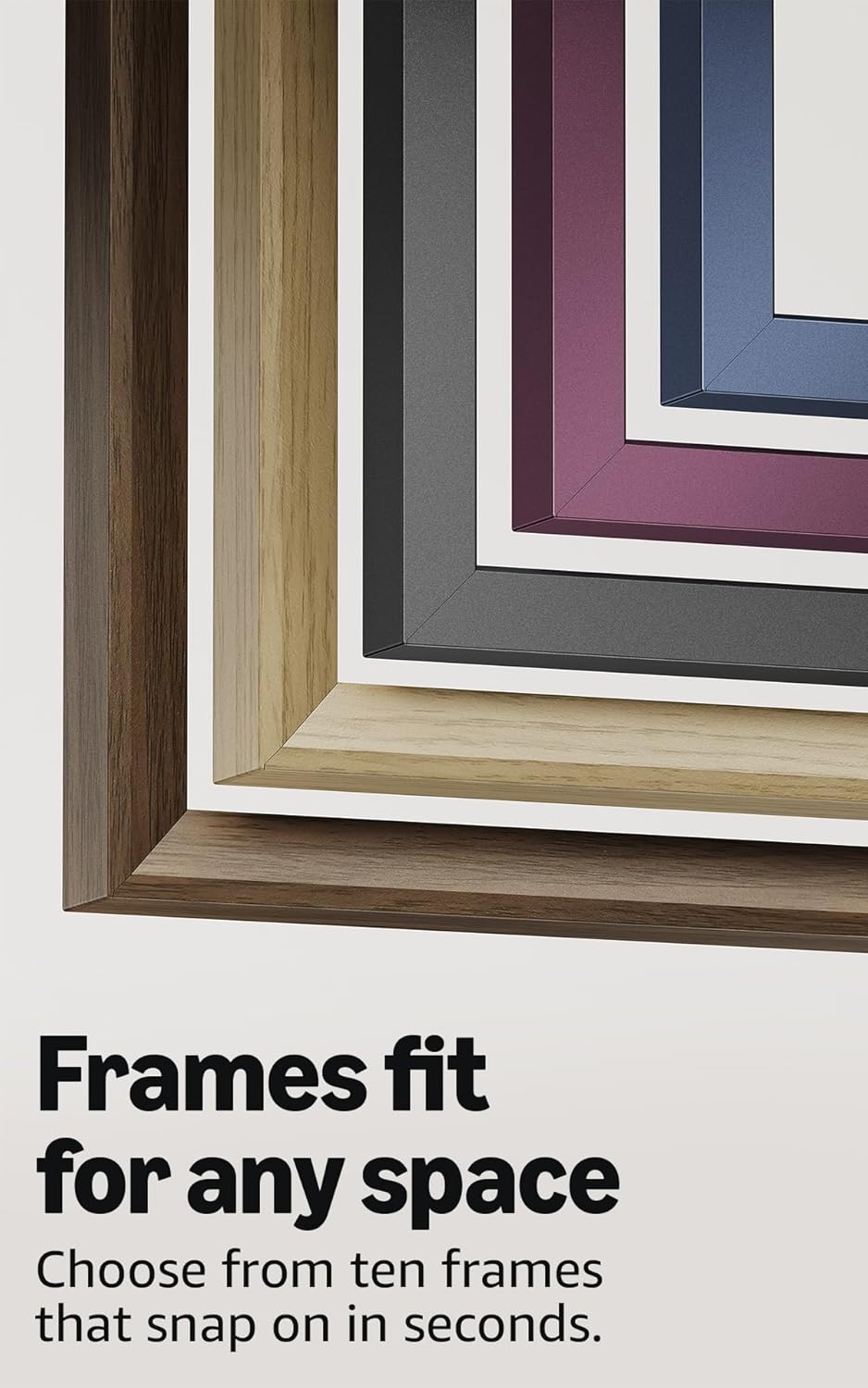
Image: A selection of different colored frames available for the Amazon Ember Artline TV, highlighting customization options.
4.4. Omnisense Technology (Motion Detection)
The custom Omnisense technology uses built-in sensors to detect your presence. The display will wake to show your favorite artwork or allow you to start watching content quickly. When you leave the area, the TV automatically turns off to save energy.

الصورة: تفصيلية view of the Omnisense sensor, which enables motion detection for automatic display activation and power saving.
فيديو: انتهىview of the Amazon Fire TV 4K TV with Alexa Voice Remote, demonstrating initial setup, interface navigation, and motion detection features.
5. المواصفات
| ميزة | التفاصيل |
|---|---|
| دقة | 3840 × 2160 (4K UHD) |
| تنسيق النطاق الديناميكي العالي (HDR) | HDR10, HLG, HDR10+ Adaptive, Dolby Vision |
| نوع الإضاءة الخلفية | قاد |
| معدل التحديث | 60 هرتز |
| Screen finish | Matte, anti-glare |
| حجم الشاشة | 55“ (Viewable display size: 54.6“) |
| منافذ HDMI | 3 منافذ HDMI 2.0 + منفذ HDMI 2.1 واحد مع تقنية eARC |
| Wifi & Ethernet connectivity | واي فاي 6 + منفذ إيثرنت واحد |
| USB | 1 USB 3.0 |
| إخراج الصوت الرقمي البصري | منفذ صوتي بصري رقمي واحد |
| دعم الصوت | Yes, hands-free with Alexa, press and ask Alexa with the Fire TV Alexa Voice Remote Enhanced or the free Fire TV app. |
| دعم الصوت | تقنية Dolby Digital Plus مع تمرير الصوت المشفر بتقنية Dolby |
| قوة الصوت | 10W + 10W |
| OS | نظام التشغيل فاير |
| Product size (without frame) | 48.3 بوصة × 28.3 بوصة × 1.54 بوصة |
| الوزن (بدون إطار) | 39.9 رطل |
| عدد سكو | QL55M800A |
| معيار VESA للتثبيت على الحائط | 300mm x 400mm (Note: Included wall mount is non-VESA; TV is VESA compatible for separately purchased mounts.) |
| TV size with frame | 49.1 بوصة × 28.7 بوصة × 1.8 بوصة |
| TV weight with frame | 42.5 رطل |
6. ميزات إمكانية الوصول
The Amazon Ember Artline Fire TV includes several accessibility features:
- صوتView قارئ الشاشة: يتيح الوصول إلى معظم ميزات Fire TV للمستخدمين المكفوفين أو ضعاف البصر.
- مكبر الشاشة: يتيح للمستخدمين التكبير والتصغير والتنقل حول الشاشة.
- شعار النص: Consolidates onscreen text into a compact, customizable banner.
- الترجمة المغلقة: Available for videos and TV shows where supported.
- الوصف الصوتي: Provides verbal descriptions of on-screen actions, facial expressions, and scene changes (not available for all content).
- دعم أجهزة السمع بتقنية البلوتوث: Supports audio streaming for select compatible Bluetooth hearing aids and devices for private listening. Compatible Bluetooth headphones are also supported.
7. تحديثات البرامج والأمان
يتلقى هذا الجهاز تحديثات أمان البرامج المضمونة حتى أربع سنوات على الأقل بعد توفر الجهاز للشراء كوحدة جديدة على موقعنا webالمواقع. للحصول على معلومات خاصة بجهازك، تفضل بزيارة إدارة المحتوى والأجهزة.
8. الضمان والخدمة
A 1-Year limited warranty and service are included with the Amazon Ember Artline TV. Optional 3-Year and 4-Year Extended Warranties are available for U.S. customers and are sold separately. Extended warranty excludes frame accessories. Use of Fire TV is subject to the terms found on the Amazon webموقع.
The Amazon Ember Artline 55” Frame includes a 90-day limited warranty and service.
9. استكشاف الأخطاء وإصلاحها
If you encounter issues with your Amazon Ember Artline Fire TV, consider the following common troubleshooting steps:
- لا يوجد طاقة: تأكد من توصيل سلك الطاقة بشكل آمن بكل من التلفزيون ومأخذ كهربائي يعمل.
- لا صورة/صوت:
- Check all cable connections (HDMI, optical audio).
- تأكد من تحديد مصدر الإدخال الصحيح على التلفزيون.
- أعد تشغيل التلفزيون عن طريق فصله عن مأخذ الطاقة لمدة 60 ثانية، ثم توصيله مرة أخرى.
- جهاز التحكم عن بعد لا يستجيب:
- استبدل بطاريات AAA في جهاز التحكم عن بعد Alexa Voice.
- أعد إقران جهاز التحكم عن بعد بالضغط مع الاستمرار على زر الصفحة الرئيسية لمدة 10 ثوانٍ.
- مشاكل الاتصال بالشبكة:
- تحقق من جهاز توجيه الواي فاي والمودم للتأكد من أنهما يعملان بشكل صحيح.
- أعد تشغيل جهاز التوجيه والمودم.
- Go to the TV's Network settings to re-connect to your Wi-Fi network or try a wired Ethernet connection.
- Ambient Experience Not Activating:
- Ensure Omnisense technology is enabled in the TV settings.
- Check for any physical obstructions blocking the motion sensors.
- أداء البرمجيات: If the TV is slow or unresponsive, try restarting it. Ensure the TV's software is up to date.
For further assistance, refer to the online support resources or contact Amazon customer service.