
1. المقدمة
Thank you for choosing the DEWENWILS Wireless Remote Control Electrical Outlet Switch. This device provides convenient remote operation for various electrical appliances, both indoors and outdoors. Designed for ease of use, it features a 100-foot control range and a durable, waterproof construction. Please read this manual thoroughly before installation and operation to ensure proper use and safety.

Image 1.1: The DEWENWILS Wireless Remote Control Electrical Outlet Switch and its accompanying remote control.
2. معلومات السلامة
- المخاطر الكهربائية: Always ensure the outlet is unplugged before handling or attempting any maintenance.
- قدرة التحميل: لا تتجاوز الحد الأقصى للحمل وهو 15 Amps / 1875 Watts / 1/2 HP. Overloading can cause overheating and fire.
- الاستخدام الخارجي: When used outdoors, ensure the outlet is installed vertically at least 2 feet above the ground to prevent water accumulation and ensure proper drainage.
- حماية المياه: The waterproof cap must be securely closed when not in use to protect against dirt and water.
- الأطفال والحيوانات الأليفة: Keep the device and remote out of reach of children and pets.
- Damaged Units: Do not use if the product or cord is damaged. Contact customer support for assistance.
3. انتهى المنتجview
The DEWENWILS Wireless Remote Control Electrical Outlet Switch system consists of two main components: the outdoor/indoor electrical outlet and the remote control.
3.1. المكونات
- جهاز التحكم عن بعد اللاسلكي: Features ON/OFF buttons and a keychain for portability. Operates on a CR2032 3V battery (included).
- Electrical Outlet Switch: A heavy-duty, 3-prong plug-in outlet with a manual ON/OFF button and an indicator light. Designed for both indoor and outdoor use with waterproof features.

Image 3.1: Key features of the DEWENWILS electrical outlet, including its 3-prong design, manual on/off button, waterproof rating, plug-and-play functionality, and ETL listing.

Image 3.2: Detailed dimensions of the remote control and the electrical outlet, highlighting the flat plug, mounting hole, and the CR2032 3V battery for the remote.
4. الإعداد
4.1. Initial Setup (Plug and Play)
- أفرغ: Remove the outlet switch and remote control from the packaging.
- تفعيل البطارية: The remote control comes with a pre-installed CR2032 3V battery. Ensure any protective tab is removed to activate the battery.
- قم بالتوصيل: Connect the DEWENWILS outlet switch to a standard 3-prong electrical wall outlet.
- توصيل الجهاز: Plug your desired appliance (e.g., lights, fountain, pump) into the DEWENWILS outlet switch.
- امتحان: The unit is pre-programmed for immediate use. Press the 'ON' or 'OFF' button on the remote to test functionality.
4.2. Outdoor Installation Guidelines
For outdoor applications, follow these recommendations:
- Mount the outlet vertically with the receptacle facing downwards.
- Ensure the outlet is positioned at least 2 feet (0.6 meters) above ground level to minimize exposure to standing water.
- Always keep the waterproof cap securely closed when the outlet is not in use or when no appliance is plugged in.
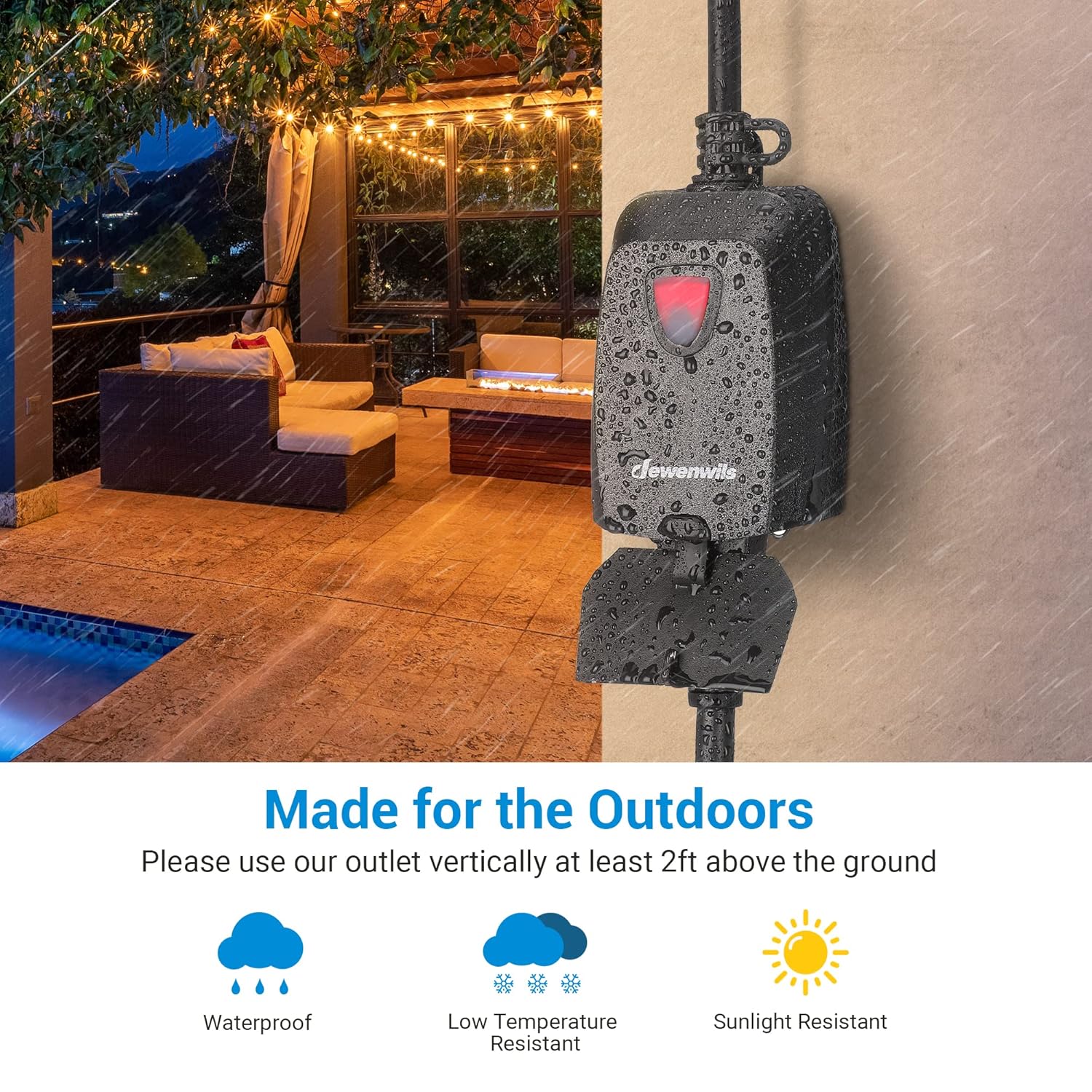
Image 4.1: The DEWENWILS outdoor outlet demonstrating its waterproof design and suitability for various weather conditions, including low temperatures and sunlight exposure.
5. التشغيل
5.1. استخدام جهاز التحكم عن بعد
- اضغط على ON button to turn on the connected appliance.
- اضغط على عن button to turn off the connected appliance.

Image 5.1: A hand holding the DEWENWILS remote control, illustrating its ability to operate devices up to 100 feet away, even through walls, without requiring a direct line of sight.
5.2. التشغيل اليدوي
The outlet switch also features a manual ON/OFF button located on the unit itself. Press this button to toggle power to the connected appliance directly at the outlet.
5.3. Control Range and Non-Interference
The strong RF signal allows control up to 100 feet in open areas. It can transmit through walls and doors without interference. Advanced technology ensures that this system will not interfere with other existing RF remote control systems, preventing duplicate frequency issues or affecting neighboring devices.

Image 5.2: A diagram showing the 100-foot control range of the DEWENWILS remote, capable of operating devices around a house and pool area.
5.4. Programmable and Expandable System
While pre-programmed, the system is expandable. You can add extra DEWENWILS remotes and remote control switches (of the same model) to customize your control combinations. Refer to the programming section for detailed instructions on pairing additional units.

Image 5.3: A visual guide demonstrating the process of pairing additional DEWENWILS outlets and remotes to expand your control system.
6. الصيانة
6.1. التنظيف
To clean the outlet switch, ensure it is unplugged from the wall outlet. Wipe the exterior with a soft, damp cloth. Do not use harsh chemicals or abrasive cleaners. Ensure the unit is completely dry before plugging it back in.
6.2. استبدال بطارية جهاز التحكم عن بعد
The remote control uses one CR2032 3V Lithium Metal battery. If the remote's range decreases significantly or it stops responding, the battery may need replacement.
- حدد موقع حجرة البطارية في الجزء الخلفي من جهاز التحكم عن بعد.
- Use a small screwdriver or coin to open the compartment.
- Remove the old battery and insert a new CR2032 3V battery, ensuring the positive (+) pole is facing upwards.
- أغلق حجرة البطارية بشكل محكم.
7. استكشاف الأخطاء وإصلاحها
- Appliance does not turn ON/OFF:
- Check if the DEWENWILS outlet switch is securely plugged into the wall outlet.
- Ensure the appliance is properly plugged into the DEWENWILS outlet switch.
- Verify the appliance itself is functioning correctly by plugging it directly into a wall outlet.
- Replace the remote control battery (CR2032 3V).
- Try operating the outlet using its manual ON/OFF button.
- نطاق تحكم عن بعد محدود:
- Replace the remote control battery. A weak battery is the most common cause of reduced range.
- Ensure there are no major obstructions (e.g., thick concrete walls, large metal objects) directly between the remote and the outlet that could significantly attenuate the RF signal.
- Interference with other devices:
- The DEWENWILS system is designed to be non-interfering. If you experience issues, ensure no other RF devices are operating on the exact same frequency in close proximity. This is rare but possible with older, non-coded systems.
8. المواصفات
| ميزة | مواصفة |
|---|---|
| أبعاد المنتج | 5.5 × 4.1 × 2.4 بوصة؛ 7.05 أونصة |
| رقم موديل العنصر | HRFR01H+IT101 |
| البطاريات | 1 بطارية ليثيوم معدنية مطلوبة (متضمنة) |
| وضع التشغيل | تشغيل-إيقاف-تشغيل |
| التقييم الحالي | 15 Amps |
| حجم التشغيلtage | 125 فولت |
| نوع الاتصال | مغلق عادة |
| نوع الموصل | Plug-in, Wireless |
| ماركة | ديونويلز |
| صالة | زر |
| أبعاد المنتج الطول × العرض × الارتفاع | 5.5 × 4.1 × 2.4 بوصة |
| نوع الدائرة | 2-الطريق |
| نوع المحرك | زر |
9. الضمان والدعم
DEWENWILS products are designed for reliability and performance. For any questions, technical support, or warranty claims, please contact DEWENWILS customer service. Refer to the product packaging or the DEWENWILS official webالموقع للحصول على أحدث معلومات الاتصال.