
1. المقدمة
Welcome to the HONOR Choice Watch 2i user manual. This guide provides detailed instructions on how to set up, operate, and maintain your smartwatch, ensuring you get the most out of its features. The HONOR Choice Watch 2i is designed to enhance your daily life with smart notifications, health monitoring, and fitness tracking capabilities.
2. انتهى المنتجview
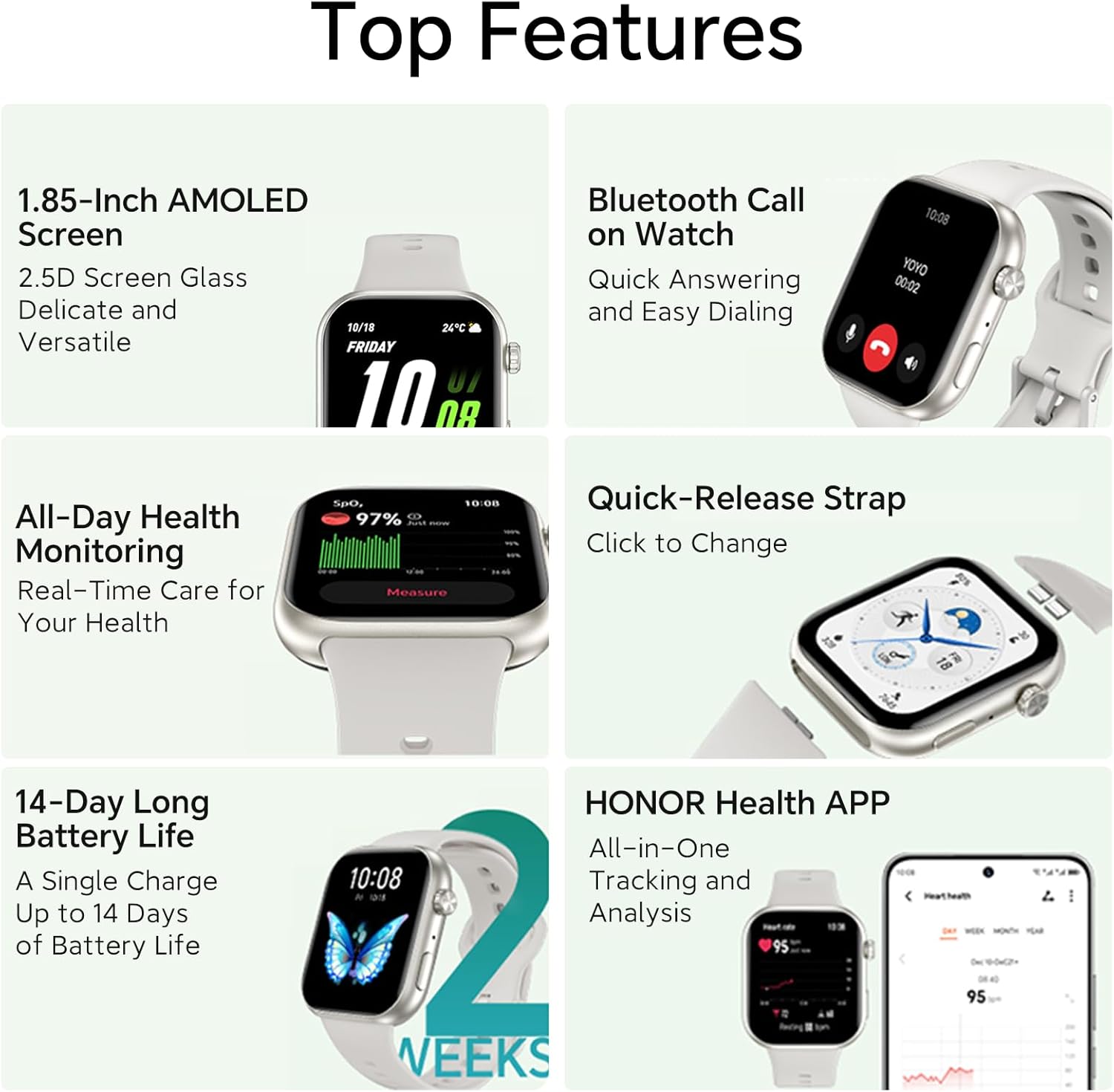
The HONOR Choice Watch 2i features a vibrant 1.85-inch AMOLED display, Bluetooth calling functionality, and robust health tracking. It boasts an impressive battery life of up to 14 days on a single charge, is water-resistant up to 1 ATM, and has an IP68 rating for dust and water resistance.
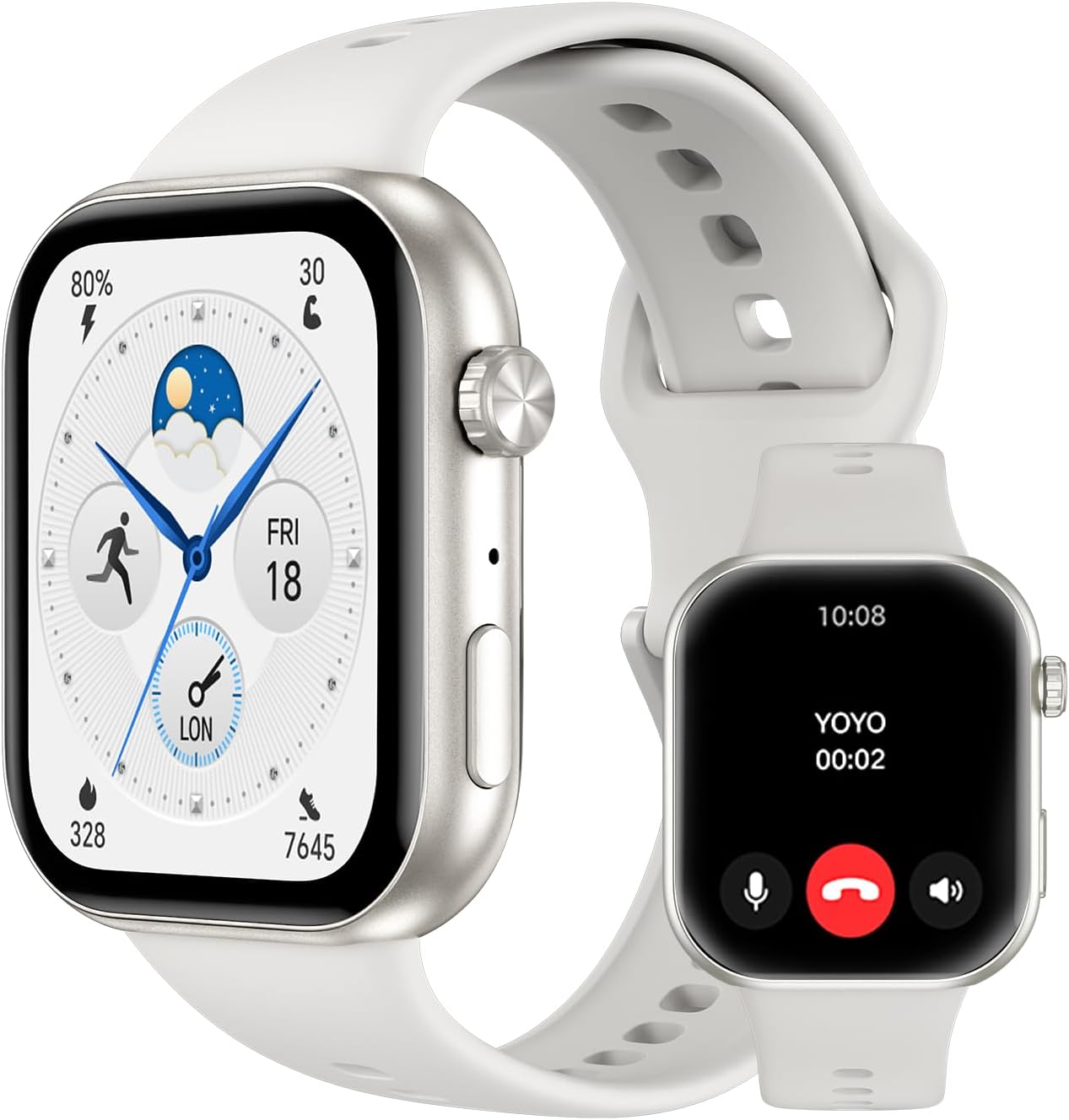
الشكل 2.1: الجبهة view of the HONOR Choice Watch 2i, showcasing its sleek design and bright display.
المميزات الرئيسية:
- شاشة أموليد بحجم 1.85 بوصة: Provides clear and vibrant visuals.
- الاتصال عبر البلوتوث: قم بإجراء واستقبال المكالمات مباشرة من معصمك.
- عمر البطارية 14 أيام: استخدام ممتد بشحنة واحدة.
- مراقبة SpO2: Track your blood oxygen saturation levels.
- 1 ATM Water Resistance & IP68 Rating: Suitable for daily use and light water exposure.
3. الإعداد
To begin using your HONOR Choice Watch 2i, follow these steps to pair it with your smartphone and set up the necessary application.
- شحن الساعة: Before first use, fully charge your smartwatch using the provided charging cable. Connect the magnetic end of the cable to the charging contacts on the back of the watch and the USB end to a power adapter (not included).
- Download the HONOR Health App: بحث عن "HONOR Health" in your smartphone's app store (Google Play Store for Android or Apple App Store for iOS) and install it.
- إقران الساعة:
- Open the HONOR Health app on your smartphone.
- اتبع التعليمات التي تظهر على الشاشة لإنشاء حساب أو تسجيل الدخول.
- Navigate to the "Devices" section and select "Add Device".
- Select "HONOR Choice Watch 2i" from the list of available devices.
- قم بتأكيد طلب الاقتران على كل من ساعتك والهاتف الذكي.
- الإعداد الكامل: Once paired, the app will guide you through initial settings, such as personal information and notification preferences.
4. تعليمات التشغيل
4.1. مكالمات البلوتوث
The HONOR Choice Watch 2i allows you to make and receive calls directly from your wrist when connected to your smartphone via Bluetooth. This feature provides convenience, especially when your phone is not immediately accessible.
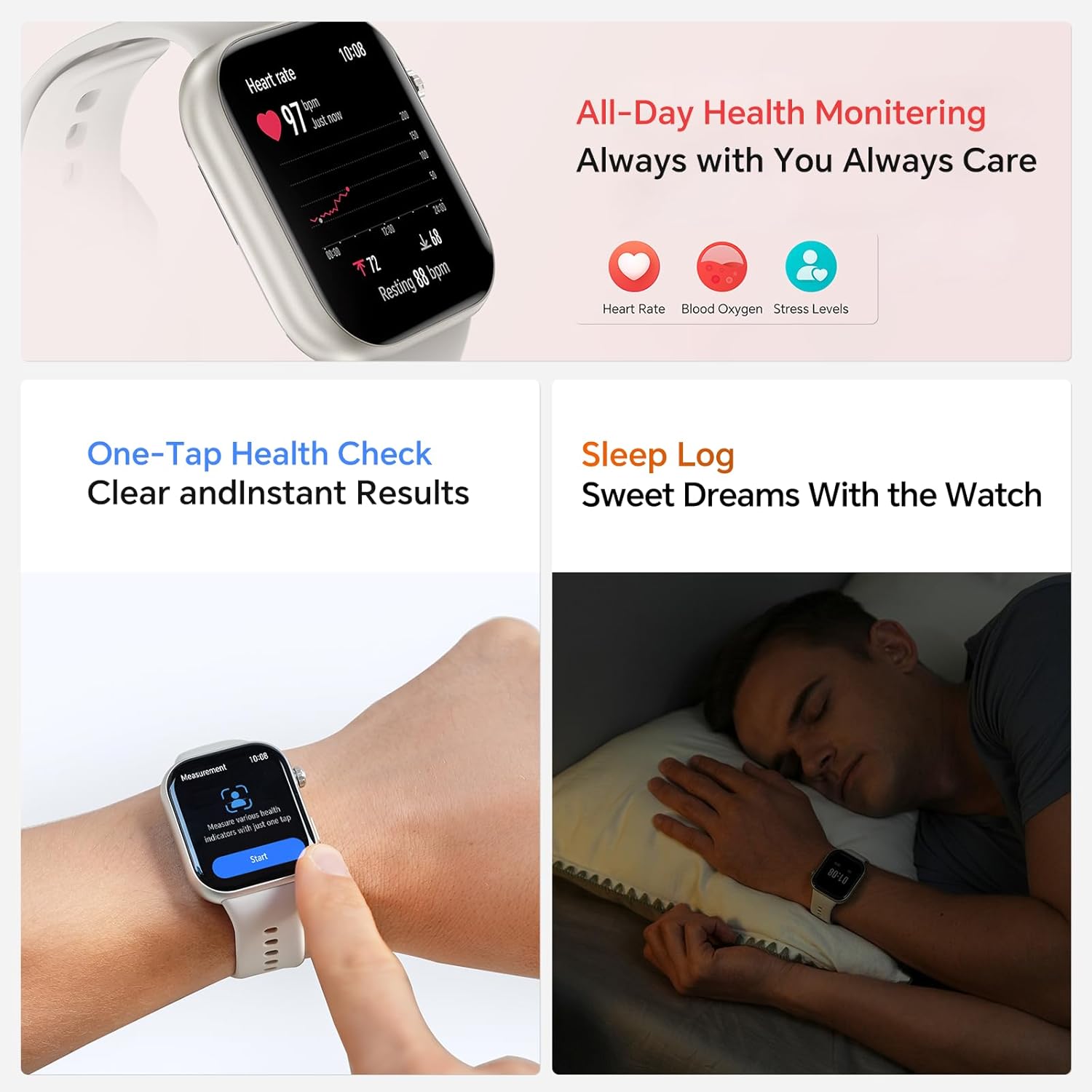
Figure 4.1: Bluetooth Call interface on the HONOR Choice Watch 2i, showing quick answering and dialing options.
- الرد على المكالمات: When a call comes in, tap the green phone icon on your watch screen to answer.
- اجراء اتصالات: يمكنك الوصول إلى لوحة الاتصال أو قائمة جهات الاتصال على ساعتك لبدء مكالمة.
- إدارة المكالمات: During a call, you can adjust volume, mute, or transfer the call back to your phone.
4.2. Quick Message Reply
For incoming calls you cannot answer immediately, the watch offers quick message reply options. This allows you to send a pre-set text message directly from your wrist.
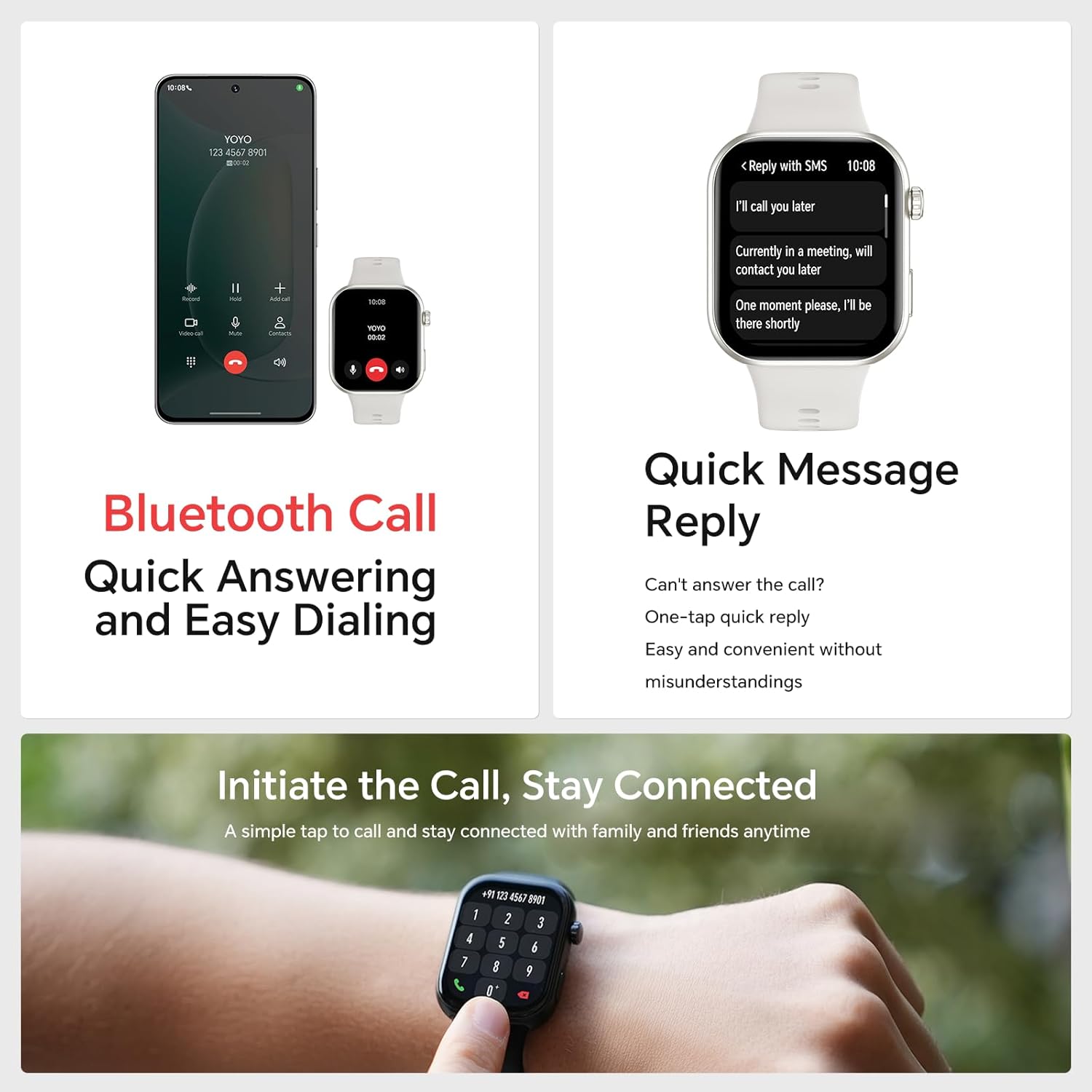
Figure 4.2: Quick Message Reply feature, providing convenient one-tap responses.
- When an incoming call is displayed, tap the message icon.
- Select from a list of pre-defined quick replies (e.g., "I'll call you later", "Currently in a meeting").
- These messages can be customized within the HONOR Health app.
5. ميزات مراقبة الصحة
The HONOR Choice Watch 2i provides comprehensive health monitoring to help you stay informed about your well-being.
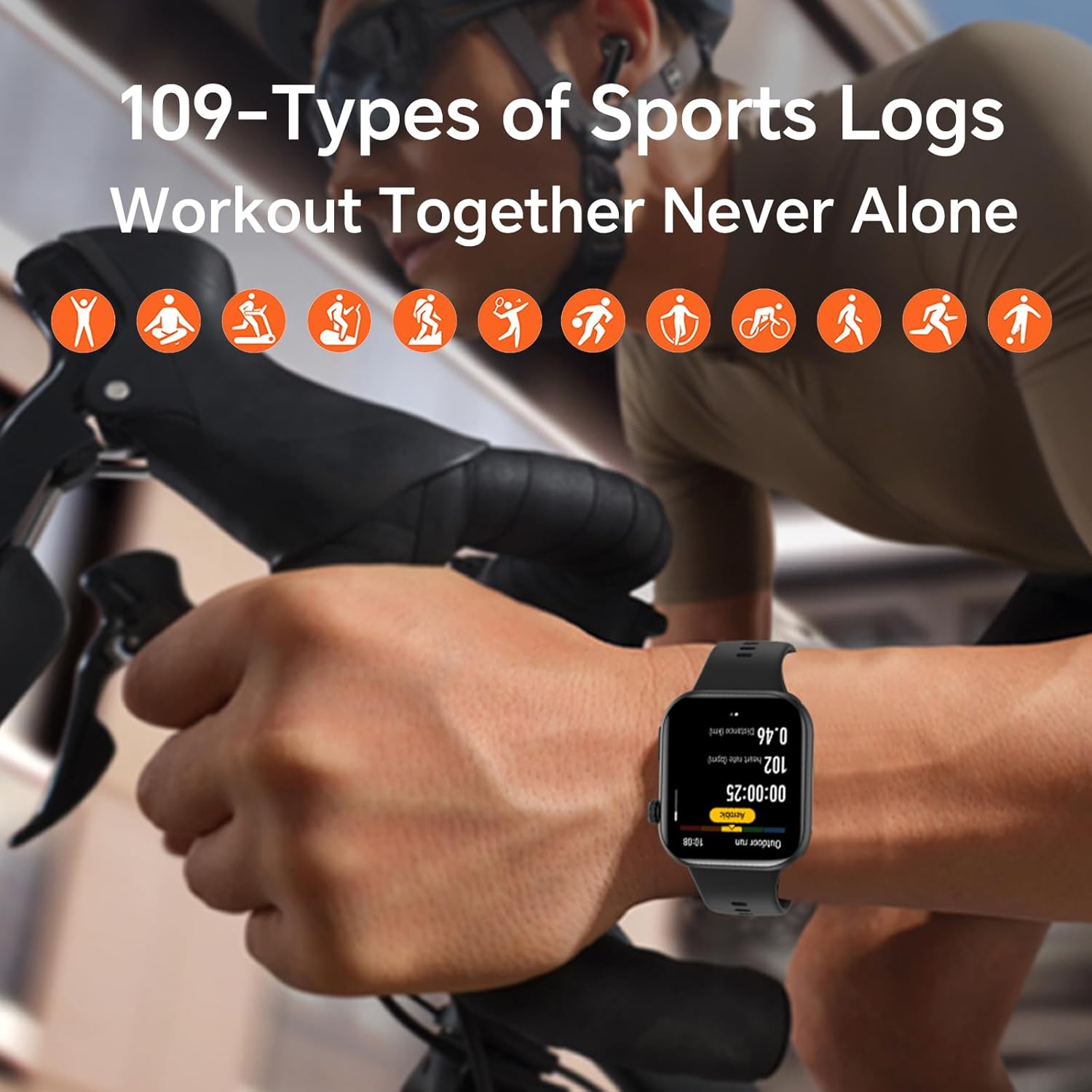
Figure 5.1: All-Day Health Monitoring interface, showing real-time health data.
- رصد معدل ضربات القلب: يتتبع معدل ضربات قلبك بشكل مستمر طوال اليوم. View بيانات في الوقت الفعلي واتجاهات تاريخية في التطبيق.
- مراقبة الأكسجين في الدم (SpO2): Measures your blood oxygen saturation levels, providing insights into your respiratory health.
- مراقبة مستوى التوتر: Analyzes heart rate variability to estimate your stress levels.
- تتبع النوم: Monitors your sleep patterns, including deep sleep, light sleep, and REM sleep, to help you understand and improve your sleep quality.
- فحص صحي بنقرة واحدة: Provides quick and instant results for various health metrics.
6. أوضاع الرياضة
The HONOR Choice Watch 2i supports over 100 types of sports modes, allowing you to accurately track your workouts and progress.
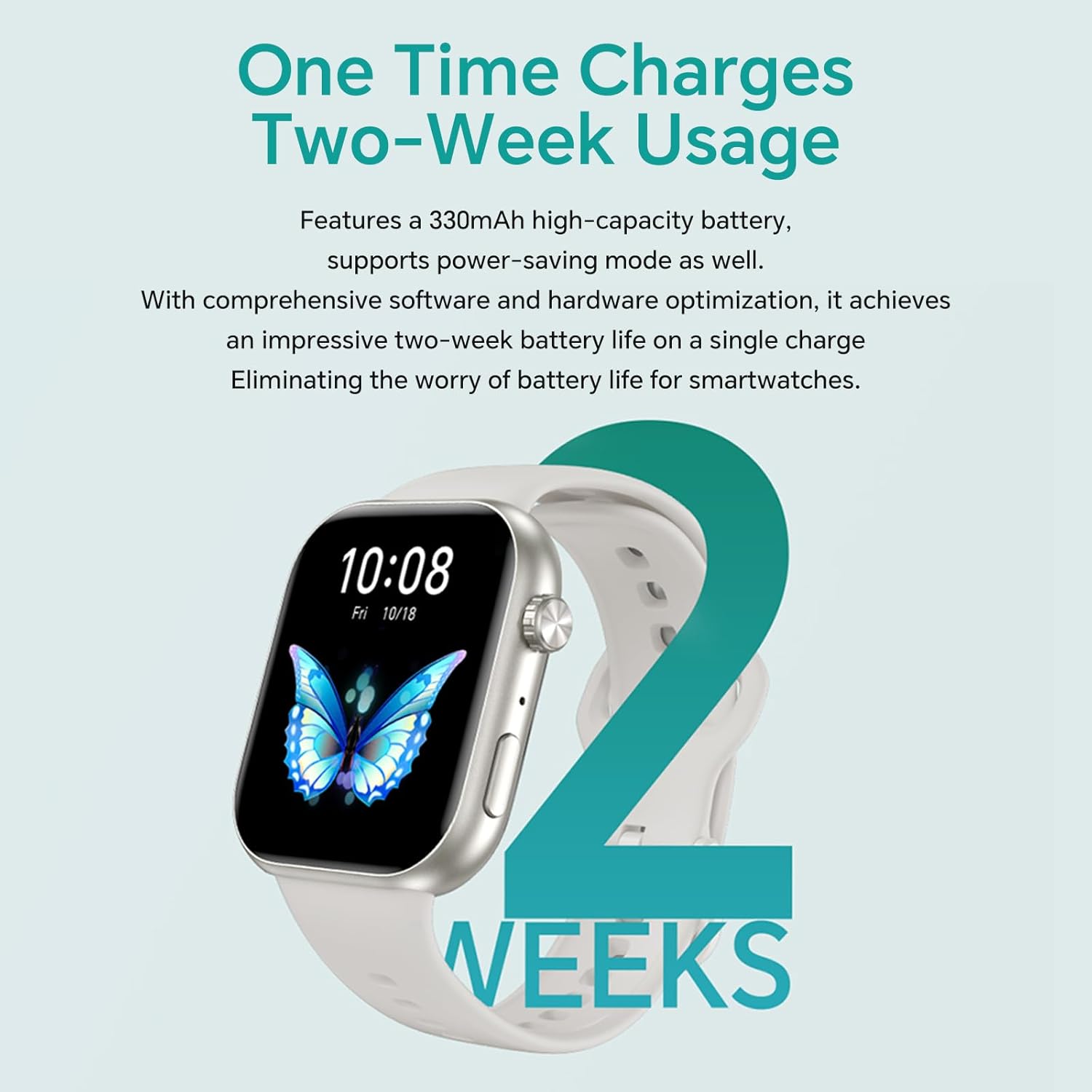
Figure 6.1: The watch tracking a cycling workout, demonstrating its multi-sport capabilities.
- Extensive Sport Modes: Choose from a wide range of activities including running, cycling, swimming, yoga, and more.
- البيانات في الوقت الحقيقي: During workouts, the watch displays real-time metrics such as duration, distance, calories burned, and heart rate.
- سجلات التمرين: All your workout data is logged and synchronized with the HONOR Health app for detailed analysis and progress tracking.
7. عمر البطارية
The HONOR Choice Watch 2i is equipped with a 330mAh high-capacity battery, optimized for extended usage. With comprehensive software and hardware optimization, it achieves an impressive two-week battery life on a single charge, minimizing the need for frequent recharging.
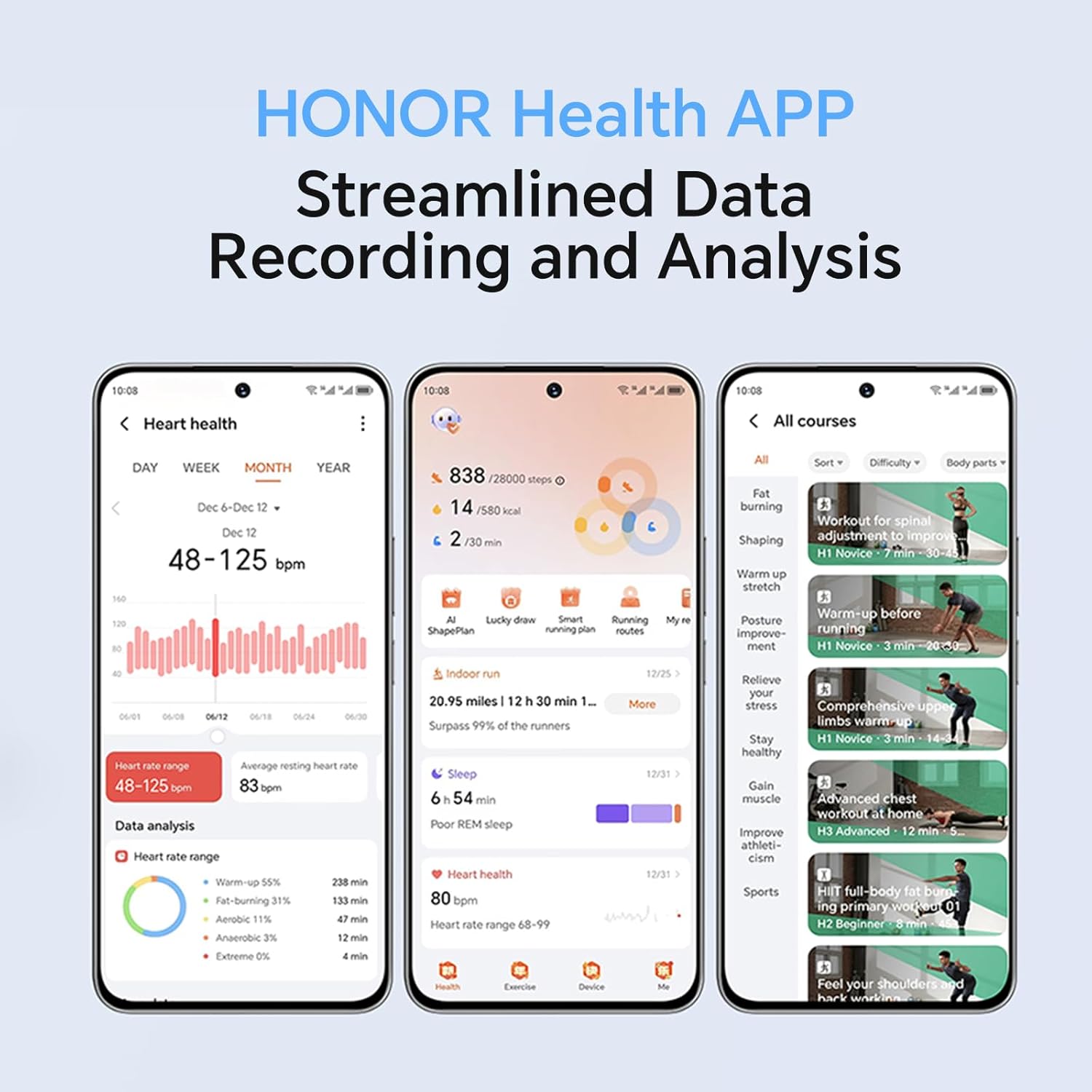
Figure 7.1: Visual representation of the watch's long-lasting battery, offering up to two weeks of usage.
- الاستخدام النموذجي: حتى 14 يومًا.
- الاستخدام الكثيف: Battery life may vary depending on features used, such as continuous heart rate monitoring, frequent calls, and GPS usage (if connected to phone GPS).
- الشحن: Use the provided magnetic charging cable. A full charge typically takes approximately 40 minutes.
8. HONOR Health App
The HONOR Health app is your central hub for all data collected by your HONOR Choice Watch 2i. It provides streamlined data recording and analysis, offering a comprehensive overview of your health and fitness.
الشكل 8.1: انتهىview of the HONOR Health App interface, demonstrating its data tracking and analysis capabilities.
- لوحة القيادة: View daily summaries of steps, calories, distance, and active minutes.
- البيانات الصحية: Detailed graphs and historical data for heart rate, SpO2, stress, and sleep.
- سجلات التمرين: Access detailed reports of your past workouts, including maps (if GPS connected), pace, and performance metrics.
- إدارة الأجهزة: Customize watch faces, manage notifications, set alarms, and update firmware.
- Personal Goals: Set and track personal fitness and health goals.
9. الصيانة
Proper maintenance ensures the longevity and optimal performance of your HONOR Choice Watch 2i.
- تنظيف: نظف الساعة وحزامها بانتظام بقطعة قماش ناعمة.amp قماش. تجنب استخدام الكيماويات القاسية أو المواد الكاشطة.
- مقاومة الماء: While the watch is 1 ATM water-resistant and IP68 rated, it is not suitable for diving or high-pressure water activities. Dry the watch thoroughly after exposure to water.
- شحن جهات الاتصال: Keep the charging contacts on the back of the watch clean and dry to ensure proper charging.
- العناية بالحزام: The quick-release strap can be easily changed. Clean the strap regularly, especially if it's exposed to sweat or dirt.
10. استكشاف الأخطاء وإصلاحها
If you encounter issues with your HONOR Choice Watch 2i, refer to the following common troubleshooting tips:
| مشكلة | الحل المحتمل |
|---|---|
| الساعة لا تعمل/لا تشحن |
|
| لا يمكن الاقتران بالهاتف الذكي |
|
| بيانات صحية غير دقيقة |
|
| عدم ظهور الإشعارات |
|
For further assistance, please refer to the full instruction manual included with your product or contact HONOR customer support.
11. المواصفات
| ميزة | التفاصيل |
|---|---|
| اسم الموديل | HONOR Choice Watch 2i |
| عرض | شاشة AMOLED مقاس 1.85 بوصة |
| الاتصال | بلوتوث |
| نظام التشغيل | Android 9.0 (as listed in specifications, likely referring to compatibility) |
| مقاومة الماء | 1 ضغط جوي، IP68 |
| عمر البطارية | حتى 14 أيام (الاستخدام النموذجي) |
| أبعاد | 4.56 x 3.94 x 1.1 cm ؛ 100 ز |
| الملحقات المتضمنة | HONOR CHOICE Watch 2i *1, Manual de instrucciones*1, 1 cable de coche (Note: 'cable de coche' might be a translation error, likely refers to charging cable) |
12. الضمان والدعم
Your HONOR Choice Watch 2i comes with a standard manufacturer's warranty. Please refer to the warranty card included in the product packaging for specific terms and conditions.
- فترة الضمان: As per local consumer laws and the manufacturer's policy.
- دعم العملاء: For technical assistance, warranty claims, or service inquiries, please visit the official HONOR support webالموقع أو الاتصال بخط خدمة العملاء الخاص بهم.
- الإرجاعات: Products purchased from Amazon.com.mx typically have a 30-day return policy. Please check your purchase details for specific return eligibility.
احتفظ دائمًا بإثبات الشراء لأغراض الضمان.