
1. المقدمة
Thank you for choosing the MECHEN H1-Pro Bluetooth MP3 Player with WiFi. This device is designed to provide a versatile and enjoyable audio and video experience. Featuring a 4-inch touchscreen and running on Android 9.0, it supports various applications and connectivity options. This manual provides essential information for setting up, operating, and maintaining your device.
2. محتويات العبوة
تأكد من تضمين جميع العناصر المذكورة أدناه في طردك. في حال وجود أيٍّ منها مفقودًا أو تالفًا، يُرجى التواصل مع خدمة العملاء.
- MECHEN H1-Pro MP3 Player
- كابل يو اس بي
- سماعات الرأس
- فيلم الحماية
- حافظة حماية
- دليل المستخدم

Image: The MECHEN H1-Pro MP3 Player displayed with its accessories, including a USB cable, headphones, protective film, and a clear protective case.
3. انتهى الجهازview
Familiarize yourself with the physical components and controls of your MECHEN H1-Pro MP3 Player.
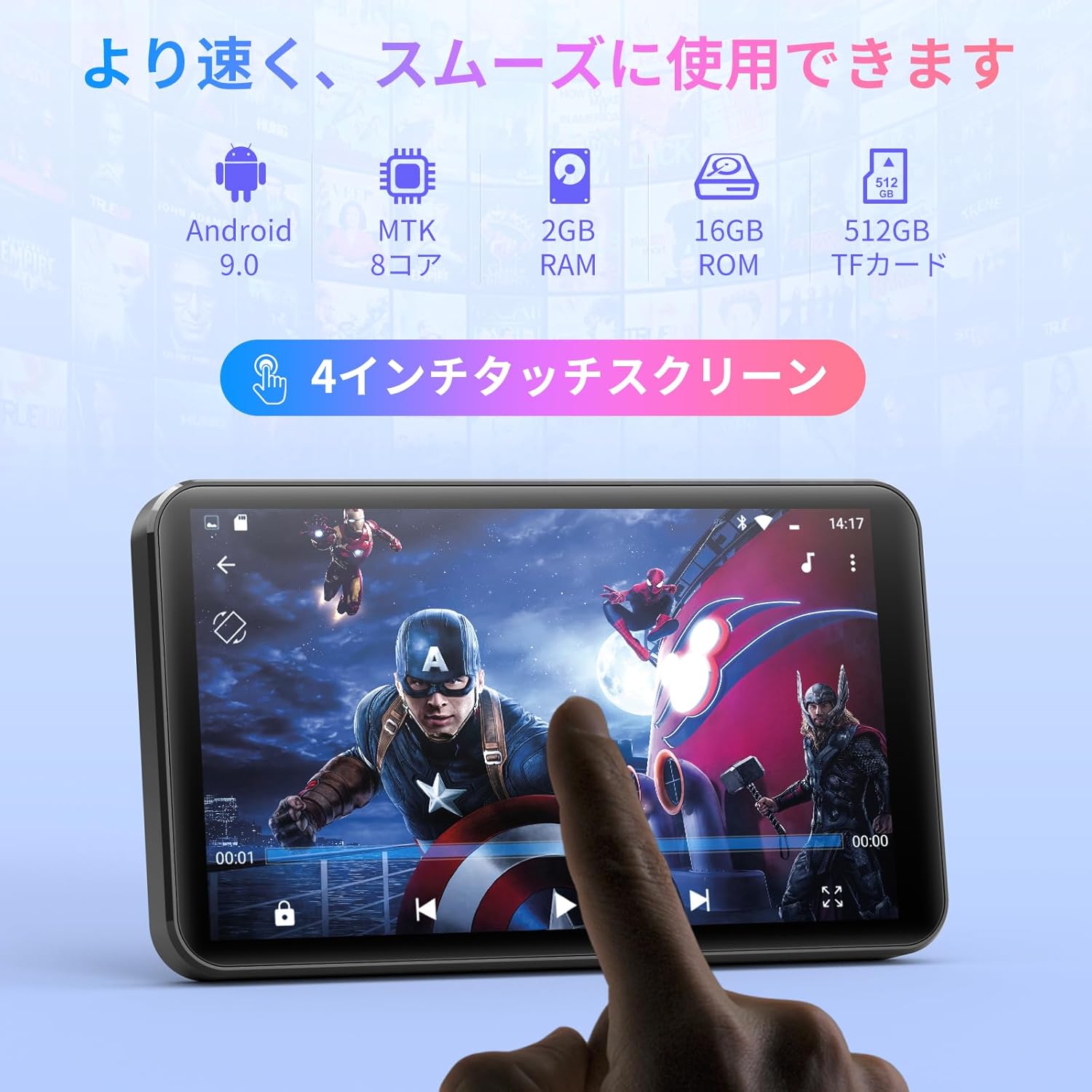
الصورة: الجبهة view of the MECHEN H1-Pro MP3 Player, showcasinشاشة اللمس الخاصة بها مقاس 4 بوصات.

الصورة: الجانب view of the MECHEN H1-Pro MP3 Player, highlighting the power button and volume controls.

الصورة: أعلى وأسفل views of the MECHEN H1-Pro MP3 Player, illustrating the USB-C charging port, headphone jack, and Micro SD card slot.
4. الإعداد
4.1 الشحن الأولي
Before first use, fully charge the device. Connect the provided USB cable to the player's USB-C port and the other end to a USB power adapter (not included) or a computer's USB port. The charging indicator will show the charging status.
4.2 تشغيل/إيقاف التشغيل
- لتشغيل: اضغط مع الاستمرار على زر الطاقة الموجود على جانب الجهاز حتى تضيء الشاشة.
- لإيقاف التشغيل: Press and hold the Power button until a power-off menu appears on the screen. Select 'Power Off' to shut down the device.
4.3 الاتصال بشبكة Wi-Fi
To access online features and download apps, connect your device to a Wi-Fi network.
- اذهب الى إعدادات > الشبكات والانترنت > واي فاي.
- تبديل Wi-Fi On.
- حدد شبكة Wi-Fi المطلوبة من القائمة.
- أدخل كلمة المرور إذا طُلب منك ذلك ثم انقر فوق يتصل.

Image: The MECHEN H1-Pro MP3 Player screen showing Wi-Fi settings and available networks.
4.4 إدخال بطاقة Micro SD
The device supports Micro SD cards for expanded storage. Locate the Micro SD card slot on the side of the device. Gently insert the card with the gold contacts facing down until it clicks into place.
5. تعليمات التشغيل
5.1 Basic Navigation (Touchscreen)
The MECHEN H1-Pro features a responsive 4-inch touchscreen. Use standard touch gestures:
- مقبض: لتحديد عنصر أو فتح تطبيق.
- انتقاد: للتنقل بين القوائم أو التبديل بين الشاشات.
- قرصة: To zoom in or out (in supported applications).
5.2 تشغيل الموسيقى
The device supports various audio formats including MP3, WAV, WMA, APE, OGG, and FLAC for high-fidelity music playback.
- افتح موسيقى طلب.
- Browse your music library by artist, album, song, or playlist.
- انقر على أغنية لبدء تشغيلها.
- Use the on-screen controls for play/pause, skip tracks, and volume adjustment.

Image: The MECHEN H1-Pro MP3 Player screen showing a music playback interface with album art and controls.
5.3 تشغيل الفيديو
Enjoy 720P/1080P full-format HD video playback without conversion. Supported formats include RM, RMVB, FLV, MP4, DAT, MKV, MPG, MOV, TS, etc.
- افتح مشغل الفيديو طلب.
- اختر فيديو file from your storage.
- Tap to play. Use on-screen controls for playback options.

Image: The MECHEN H1-Pro MP3 Player screen showing a video playing in full-screen mode.
5.4 اتصال البلوتوث
Connect to Bluetooth headphones, speakers, or other compatible devices.
- اذهب الى إعدادات > الأجهزة المتصلة > بلوتوث.
- تبديل البلوتوث On.
- تأكد من أن ملحق البلوتوث الخاص بك في وضع الاقتران.
- حدد الملحق من قائمة الأجهزة المتاحة لإقرانه.

Image: The MECHEN H1-Pro MP3 Player shown alongside a pair of wireless headphones, indicating Bluetooth connectivity.
5.5 Wi-Fi Connectivity & App Downloads
With Android 9.0 and Wi-Fi, you can download and install various applications from the Google Play Store.
- Ensure the device is connected to Wi-Fi (see Section 4.3).
- افتح متجر بلاي طلب.
- قم بتسجيل الدخول باستخدام حساب Google الخاص بك.
- بحث عن and download desired applications (e.g., Spotify, Amazon Music, Audible).

Image: The MECHEN H1-Pro MP3 Player screen showing a variety of installed applications, including music streaming services and web المتصفحات.
5.6 راديو FM
استمع إلى محطات الراديو المفضلة لديك على موجة FM.
- Connect wired headphones to the 3.5mm audio jack; they act as the antenna.
- افتح راديو اف ام طلب.
- Use the on-screen controls to scan for stations or tune manually.
5.7 File إدارة
استخدم المدمج file مدير لتنظيم الخاص بك files on internal storage and the Micro SD card.
- افتح File مدير طلب.
- Navigate through folders to view, copy, move, or delete files.
6. الصيانة
6.1 التنظيف
Wipe the device with a soft, dry, lint-free cloth. Do not use liquid cleaners or abrasive materials.
6.2 التخزين
خزّن الجهاز في مكان بارد وجاف بعيدًا عن أشعة الشمس المباشرة ودرجات الحرارة القصوى. عند تخزينه لفترة طويلة، تأكد من شحن البطارية جزئيًا (حوالي 50%) لإطالة عمرها.
6.3 العناية بالبطارية
To maximize battery life, avoid fully discharging the battery frequently. Use the original charging cable for optimal performance.
7. استكشاف الأخطاء وإصلاحها
| مشكلة | الحل المحتمل |
|---|---|
| الجهاز لا يعمل. | Ensure the battery is charged. Connect to a charger for at least 30 minutes. If unresponsive, perform a hard reset by holding the power button for 10-15 seconds. |
| لا يمكن الاتصال بشبكة Wi-Fi. | Check if Wi-Fi is enabled. Verify the Wi-Fi password. Restart your router and the MP3 player. |
| جهاز البلوتوث لا يقترن. | Ensure Bluetooth is enabled on both devices and the accessory is in pairing mode. Move devices closer together. |
| التطبيقات بطيئة أو تتعطل. | Close unnecessary background apps. Clear app cache (Settings > Apps > [App Name] > Storage > Clear Cache). Restart the device. Too many apps can lead to slowdowns. |
| لا يوجد صوت من سماعات الرأس. | تأكد من توصيل سماعات الرأس. تأكد من أن مستوى الصوت ليس منخفضًا جدًا أو مكتومًا. جرب استخدام سماعات رأس مختلفة. |
8. المواصفات
| ميزة | التفاصيل |
|---|---|
| ماركة | ميشين |
| اسم الموديل | H1-Pro (EU-H11) |
| نظام التشغيل | أندرويد 9.0 |
| المعالج | MTK 8-core |
| كبش | 2 جيجا بايت |
| التخزين الداخلي | 16 جيجا بايت |
| تخزين قابل للتوسيع | مايكرو اس دي (حتى 512 جيجابايت) |
| حجم الشاشة | 4 بوصة |
| تكنولوجيا الشاشة | شاشة الكريستال السائل |
| الاتصال | بلوتوث، يو اس بي، واي فاي |
| المميزات الخاصة | FM Radio, Equalizer, Video Playback |
| تنسيقات الصوت المدعومة | MP3, WAV, WMA, APE, OGG, FLAC |
| تنسيقات الفيديو المدعومة | RM, RMVB, FLV, MP4, DAT, MKV, MPG, MOV, TS, etc. |
| سعة البطارية | 2000 مللي أمبير |
| عمر البطارية (الموسيقى) | تصل إلى 50 ساعة |
| عمر البطارية (فيديو) | تصل إلى 8 ساعة |
| الأبعاد (D x W x H) | 10.5 x 6.2 x 1.2 cm (4.14 x 2.44 x 0.46 inches) |
| وزن العنصر | 97.5 جرام (3.45 أونصة) |

Image: The MECHEN H1-Pro MP3 Player shown with its physical dimensions and weight specifications.
9. الضمان والدعم
For warranty information and technical support, please refer to the warranty card included in your package or visit the official MECHEN webالموقع. احتفظ بإيصال الشراء الخاص بك كإثبات للشراء في حالة مطالبات الضمان.