مقدمة
This manual provides essential information for the setup, operation, and maintenance of your ONN 10.1" Tablet Pro. Designed for versatility and performance, this tablet features a 10.1-inch FHD display, a 2GHz Octa-Core Processor, 3GB RAM, and 32GB of internal storage, running on Android 10. Please read this manual thoroughly to ensure proper use and to maximize your tablet's capabilities.

Image: The ONN 10.1" Tablet Pro, showcasing its vibrant Full HD display and user interface.
ماذا يوجد في الصندوق
تأكد من وجود جميع العناصر عند فتح العلبة:
- 1 x ONN 10.1" Tablet Pro
- 1 × كابل شحن USB
- 1 × محول الطاقة
- دليل البدء السريع (إذا كان متضمنًا)
يثبت
1. شحن الجهاز اللوحي
Before first use, fully charge your tablet. Connect the USB charging cable to the tablet's charging port and the other end to the power adapter. Plug the adapter into a wall outlet. The battery indicator on the screen will show charging status.
2. تشغيل / إيقاف التشغيل
- لتشغيل: Press and hold the Power button (usually located on the side or top edge) for a few seconds until the ONN logo appears.
- لإيقاف التشغيل: اضغط باستمرار على زر التشغيل حتى تظهر قائمة خيارات الطاقة. اختر "إيقاف التشغيل" ثم أكد.
3. الإعداد الأولي
عند تشغيل الجهاز اللوحي لأول مرة، سيرشدك خلال عملية الإعداد الأولية:
- اختيار اللغة: اختر لغتك المفضلة.
- اتصال واي فاي: Select your Wi-Fi network from the list and enter the password. A stable internet connection is required for updates and Google account setup.
- حساب جوجل: Sign in with an existing Google account or create a new one. This is necessary to access the Google Play Store and other Google services.
- التاريخ والوقت: Set your time zone and confirm date and time settings.
- حماية: قم بإعداد قفل للشاشة (رمز PIN أو نمط أو كلمة مرور) لأغراض الأمان.
تشغيل التابلت
1. التنقل الأساسي
The ONN Tablet Pro uses touch gestures for navigation:
- مقبض: لتحديد عنصر أو فتح تطبيق.
- انتقاد: للتنقل بين الصفحات أو القوائم.
- التكبير والتصغير: لتكبير أو تصغير الصور أو web الصفحات.
- ضغطة طويلة: للوصول إلى القوائم السياقية أو نقل أيقونات التطبيق.

Image: The tablet's 10.1-inch screen provides ample space for content viewعمل.
2. الاتصال بشبكة Wi-Fi
To connect or change Wi-Fi networks:
- اذهب الى إعدادات > الشبكات والانترنت > واي فاي.
- قم بتشغيل الواي فاي.
- حدد الشبكة المطلوبة من القائمة وأدخل كلمة المرور إذا طُلب منك ذلك.
3. استخدام الكاميرا
The tablet is equipped with a 5 MP rear camera for capturing photos and videos. Open the Camera app from your home screen or app drawer. Tap the shutter button to take a photo or switch to video mode to record.

Image: The tablet's camera is suitable for video calls and capturing moments.
4. إدارة التخزين
Your tablet comes with 32GB of internal storage. You can expand this storage using a microSD card (sold separately). To manage storage, go to إعدادات > تخزين. Here you can see storage usage and free up space.

Image: Key features of the tablet, including its Android 10 operating system, battery life, storage, and processor.
5. عمر البطارية
The tablet offers an average battery life of 12 hours under typical usage conditions. Battery life may vary based on usage patterns, screen brightness, and running applications.
6. Google Space Kids
For families, the tablet supports Google Space Kids, providing a safe and curated environment for children to explore apps, books, and videos. This feature helps manage content access and screen time for younger users.
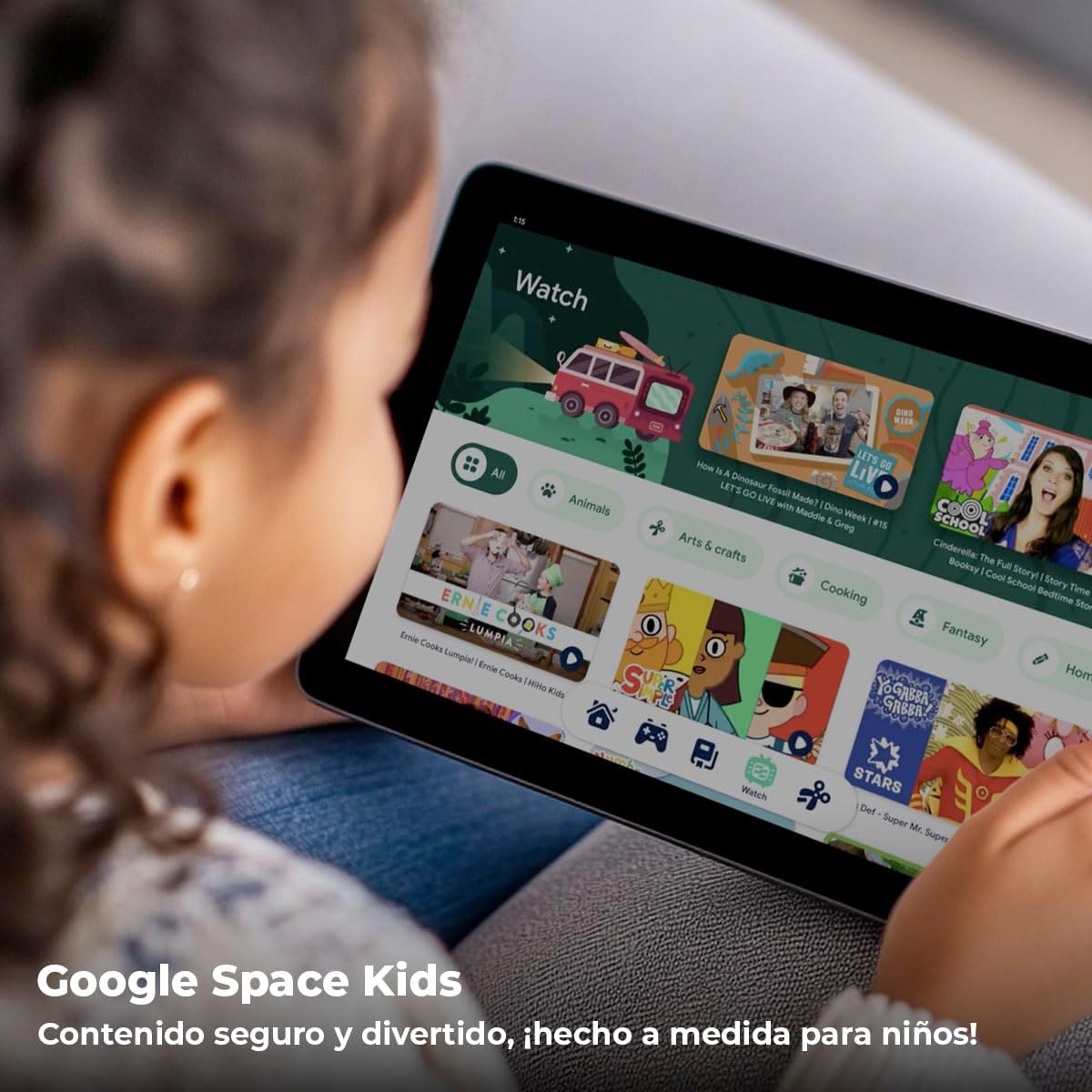
Image: Google Space Kids offers a child-friendly interface for safe content consumption.
صيانة
1. التنظيف
لتنظيف جهازك اللوحي، استخدم قطعة قماش ناعمة وخالية من الوبر. لإزالة البقع الصعبة، افركها برفق.ampen the cloth with water. Avoid using harsh chemicals, abrasive cleaners, or excessive moisture, as these can damage the screen or internal components.
2. تحديثات البرامج
Regularly check for software updates to ensure your tablet has the latest features, security patches, and performance improvements. Go to إعدادات > نظام > تحديث النظام للتحقق من التحديثات المتوفرة وتثبيتها.
3. تحسين التخزين
للحفاظ على الأداء الأمثل، قم بإدارة مساحة تخزين جهازك اللوحي بشكل دوري:
- إلغاء تثبيت التطبيقات غير المستخدمة.
- Clear cached data for apps (إعدادات > التطبيقات والإشعارات > حدد التطبيق > التخزين والذاكرة المؤقتة > مسح ذاكرة التخزين المؤقت).
- نقل كبير files (photos, videos) to cloud storage or an external microSD card.
استكشاف الأخطاء وإصلاحها
Tablet Won't Turn On
- Ensure the tablet is charged. Connect it to the charger and wait a few minutes before attempting to power on.
- اضغط مع الاستمرار على زر الطاقة لمدة 10-15 ثانية على الأقل لإجراء إعادة تشغيل قسرية.
الأداء البطيء
- أغلق التطبيقات الخلفية غير الضرورية.
- Clear app caches and free up storage space.
- أعد تشغيل الجهاز اللوحي.
- التحقق من تحديثات النظام.
مشكلات الاتصال بالواي فاي
- تأكد من تفعيل شبكة الواي فاي على الجهاز اللوحي.
- أعد تشغيل جهاز توجيه Wi-Fi الخاص بك.
- Forget the network and reconnect (إعدادات > الشبكات والانترنت > واي فاي > tap network > ينسى).
Battery Draining Fast
- تقليل سطوع الشاشة.
- قم بتعطيل Wi-Fi وBluetooth وGPS عند عدم استخدامها.
- إغلاق التطبيقات الخلفية.
- تحقق من استخدام البطارية في إعدادات > بطارية لتحديد التطبيقات التي تستهلك الكثير من الطاقة.
تحديد

الصورة: الخلفية view of the ONN Tablet Pro, displaying its brand and model details.
| ميزة | مواصفة |
|---|---|
| ماركة | أون |
| اسم الموديل | ONN 10.1" Tablet Pro |
| رقم موديل العنصر | 796575180925 |
| حجم الشاشة | 10.1 بوصة |
| دقة الشاشة | 1920 × 1200 بكسل (FHD) |
| المعالج | 2 GHz Octa-Core Processor (MediaTek Chipset) |
| كبش | 3 جيجا بايت |
| القرص الصلب / وحدة التخزين | 32 GB (Flash Memory Size) |
| نظام التشغيل | أندرويد 10 |
| مؤخرة Webقرار الكاميرا | 5 ميجا بكسل |
| متوسط عمر البطارية | 12 ساعة |
| وزن العنصر | 1.52 رطل |
| أبعاد الحزمة | 11.77 × 8.82 × 2.24 بوصة |
الضمان والدعم
As an Amazon Renewed product, this ONN 10.1" Tablet Pro is backed by the Amazon Renewed Guarantee. This typically provides a 90-day refund or replacement policy if the product does not work as expected. For specific details regarding your purchase's warranty and return policy, please refer to your order details on Amazon.com or contact Amazon customer support directly.
For technical support or further assistance, please visit the Amazon Renewed support page or contact Amazon customer service.