
Vandlion V22-64GB
Vandlion V22-64GB Voice Recorder User Manual
Model: V22-64GB
1. المقدمة
Thank you for choosing the Vandlion V22-64GB Voice Recorder. This manual provides detailed instructions on how to set up, operate, and maintain your device to ensure optimal performance. Please read this manual thoroughly before using the product.
The Vandlion V22-64GB is a compact and powerful digital voice recorder designed for clear audio capture in various environments. Key features include:
- سعة التخزين: 64GB of internal storage for extended recording sessions.
- نظام تقليل الضوضاء على مستويين: Enhances audio clarity by minimizing background noise.
- التسجيل الصوتي المُفعّل (VAR): Automatically starts recording when sound is detected, conserving memory and battery.
- التشغيل بمفتاح واحد: Simple and quick recording activation.
- توقيتamped Recordings: Easy organization and retrieval of audio files.
2. محتويات العبوة
يرجى التحقق من الحزمة للعناصر التالية:
- Vandlion V22-64GB Voice Recorder
- كابل البيانات
- سماعات الرأس
- OTG adapters
- دليل المستخدم (هذا المستند)
3. انتهى المنتجview
The Vandlion V22-64GB Voice Recorder is designed for portability and ease of use. Its compact metal casing ensures durability while providing a sleek appearance.

Image 3.1: Vandlion V22-64GB Voice Recorder in use. This image shows the compact size of the recorder, suitable for various recording environments like meetings or lectures.
The device features a simple ON/OFF/SAVE toggle switch for intuitive operation and a built-in microphone for 360-degree panoramic sound capture.

Image 3.2: The ON/REC and OFF/SAVE switch on the Vandlion V22-64GB Voice Recorder. This switch allows for quick initiation and saving of recordings.
4. الإعداد
4.1 شحن الجهاز
Before first use, fully charge the voice recorder. Connect the device to a computer's USB port or a USB wall adapter (not included) using the provided data cable. The indicator light will show charging status and turn off when fully charged.
- Connect the small end of the data cable to the recorder's charging port.
- Connect the standard USB end to a power source.
- يستغرق الشحن عادة ما يقرب من 2-3 ساعة.
4.2 التشغيل المبدئي
To power on the device, slide the ON/REC switch to the 'ON' position. The device will vibrate briefly or an indicator light will illuminate, indicating it is ready for operation.
5. تعليمات التشغيل
5.1 التسجيل الأساسي
The Vandlion V22-64GB features a simple one-key recording function:
- لبدء التسجيل، حرك المفتاح إلى 'ON/REC' position. The device will begin recording within approximately 5 seconds.
- لإيقاف التسجيل وحفظه fileحرك المفتاح إلى 'OFF/SAVE' الوضع. سيتم حفظ التسجيل تلقائياً.
كل صوت file is automatically timestamped for easy organization and retrieval when connected to a computer.
5.2 التسجيل الصوتي المُفعّل (VAR)
The voice-activated recording feature helps conserve battery life and memory by only recording when sound is detected. To enable and adjust VAR:
- قم بتوصيل جهاز التسجيل بجهاز الكمبيوتر.
- Access the device's settings file (usually a configuration file or through dedicated software, refer to device's internal documentation if available).
- Adjust the sensitivity level for voice activation (typically 7 levels available). A higher sensitivity will trigger recording with softer sounds, while lower sensitivity requires louder sounds.
- Save the settings and disconnect the device. The VAR function will now be active.
5.3 تقليل الضوضاء
The recorder features 7-level noise reduction to improve audio clarity. This function is typically automatic, but its effectiveness can be influenced by recording environment and microphone placement.

Image 5.1: Illustration of the noise reduction capability of the Vandlion V22-64GB Voice Recorder. The image depicts how unwanted noise (red waves) is reduced, resulting in clearer audio (blue waves).
5.4 التشغيل
You can play back recordings directly from the device using the included headphones:
- تأكد من تشغيل الجهاز.
- Connect the included headphones to the recorder's headphone jack.
- Use the controls on the headphone cable (if available) or the device's internal controls (if applicable, refer to specific model's internal documentation) to navigate and play audio files.

Image 5.2: The Vandlion V22-64GB Voice Recorder connected to earphones for direct audio playback. This feature allows listening to recordings without needing a computer.
Alternatively, connect the recorder to a computer to play back files using your computer's media player.
5.5 File إدارة
To manage your recorded files:
- Connect the voice recorder to your computer using the provided data cable.
- سيظهر الجهاز كقرص قابل للإزالة.
- Open the drive to access your recorded audio files (typically in a folder like 'RECORD' or 'VOICE').
- You can copy, move, delete, or rename files as you would with any other fileعلى جهاز الكمبيوتر الخاص بك.
- قم دائمًا بإخراج الجهاز من جهاز الكمبيوتر الخاص بك بأمان قبل فصله.
The included OTG adapters allow you to connect the recorder to compatible Android smartphones for file إدارة.
6. الصيانة
- تنظيف: استخدم قطعة قماش ناعمة وجافة لتنظيف الجهاز. لا تستخدم المنظفات السائلة أو المذيبات.
- تخزين: قم بتخزين جهاز التسجيل في مكان بارد وجاف بعيدًا عن أشعة الشمس المباشرة ودرجات الحرارة القصوى والرطوبة.
- العناية بالبطارية: لإطالة عمر البطارية، تجنب تفريغها بالكامل بشكل متكرر. اشحن الجهاز بانتظام، حتى في حال عدم استخدامه لفترات طويلة.
- النسخ الاحتياطي للبيانات: قم بعمل نسخة احتياطية منتظمة للتسجيلات المهمة على جهاز الكمبيوتر الخاص بك لمنع فقدان البيانات.
7. استكشاف الأخطاء وإصلاحها
| مشكلة | السبب المحتمل | حل |
|---|---|---|
| الجهاز لا يعمل. | انخفاض مستوى البطارية أو أن الجهاز مطفأ. | Charge the device fully. Ensure the ON/REC switch is in the 'ON' position. |
| لا يمكن التسجيل. | Insufficient storage space or device not in recording mode. | Check available memory and delete unnecessary files. Ensure the switch is in the 'ON/REC' position. |
| Poor sound quality during recording. | Microphone obstructed, noisy environment, or incorrect VAR sensitivity. | Ensure the microphone is clear. Record in a quieter environment. Adjust VAR sensitivity if enabled. |
| لم يتم التعرف على الجهاز بواسطة الكمبيوتر. | كابل USB معيب، أو منفذ غير صحيح، أو مشكلة في برنامج التشغيل. | Try a different USB cable or port. Restart your computer. Ensure the device is powered on when connecting. |
| Cannot hear playback through headphones. | Headphones not properly connected, volume too low, or corrupted file. | Ensure headphones are fully plugged in. Adjust volume. Try playing the file على جهاز كمبيوتر. |
8. المواصفات
| ماركة | فاندليون |
| نموذج | V22-64 جيجابايت |
| سعة تخزين الذاكرة | 64 جيجا بايت |
| أبعاد المنتج | 0.76 x 2.21 x 7.37 cm; 150 g (or 8 x 22 x 74 Millimeters) |
| واجهة الأجهزة | يو اس بي 2.0 |
| الأجهزة المتوافقة | سماعة |
| عامل شكل الميكروفون | مدمج |
| مقبس سماعات الرأس | 3.5 ملم |
| البطاريات المتضمنة | نعم (بوليمر الليثيوم) |
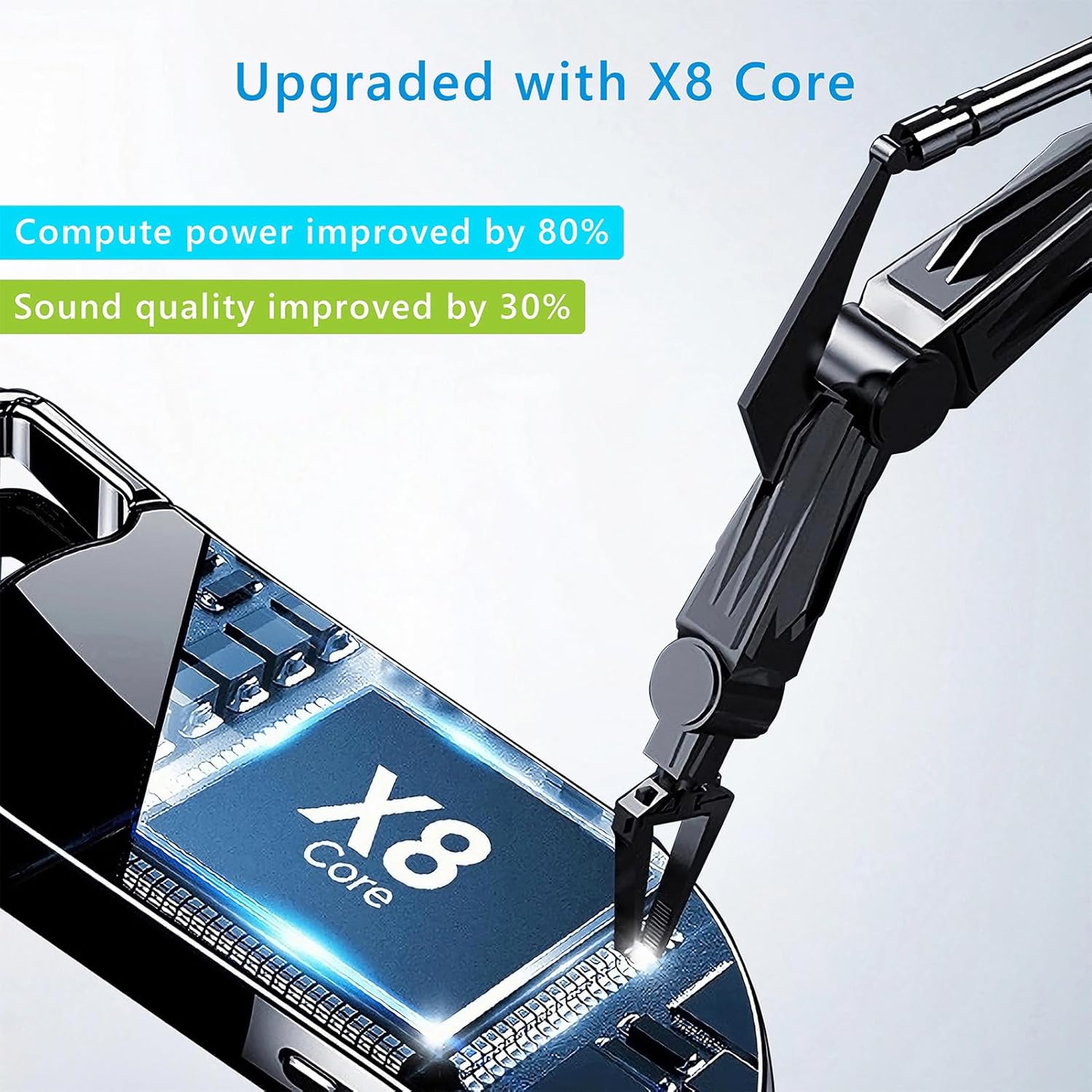
Image 8.1: Internal component view of the Vandlion V22-64GB Voice Recorder, showcasing the X8 Core. This illustrates the advanced processing unit within the device.
9. الضمان والدعم
For warranty information and technical support, please refer to the documentation provided with your purchase or contact Vandlion customer service through their official webالموقع أو بائع التجزئة الذي اشتريت منه المنتج.
احتفظ بإيصال الشراء الخاص بك كدليل على الشراء في حالة مطالبات الضمان.
Ask a question about this manual
Ask about setup, troubleshooting, compatibility, parts, safety, or missing instructions. Manuals+ will review the question and use this page’s manual context to help answer it.