
AUSEK TX3
AUSEK TX3 Android Mini PC Box User Manual
1. المقدمة
This manual provides detailed instructions for the setup, operation, and maintenance of your AUSEK TX3 Android Mini PC Box. Please read this manual thoroughly before using the device to ensure proper functionality and to maximize your user experience. The AUSEK TX3 is designed to transform your television into a smart entertainment hub, offering access to a wide range of applications and media content.
2. محتويات العبوة
عند فتح العبوة، يرجى التأكد من أن جميع العناصر التالية موجودة في طردك:
- AUSEK TX3 Android Mini PC Box
- جهاز التحكم (البطاريات غير متضمنة)
- محول التيار الكهربائي
- HD Data Cable (HDMI Cable)
- دليل المستخدم

3. انتهى المنتجview
The AUSEK TX3 Android Mini PC Box is a compact device designed for high-definition media streaming and smart TV functionalities. It features a robust AMLOGIC S905X3 processor, 4GB RAM, and 64GB ROM, ensuring smooth performance for various applications and 4K content playback.

3.1. ميزات الجهاز
- نظام التشغيل: أندرويد 10
- المعالج: AMLOGIC S905X3 Quad Core Cortex-A53
- ذاكرة: 4GB RAM, 64GB Internal Storage
- الاتصال: Dual-band Wi-Fi (2.4G/5.8G), Bluetooth 5.0, Ethernet
- إخراج الفيديو: 4K HDR support

3.2. المنافذ والوصلات
Familiarize yourself with the various ports on your AUSEK TX3 device:

- فتحة بطاقة TF: For expanding storage with a MicroSD card.
- منافذ USB 2.0: Connect external devices such as USB drives, keyboards, or mice.
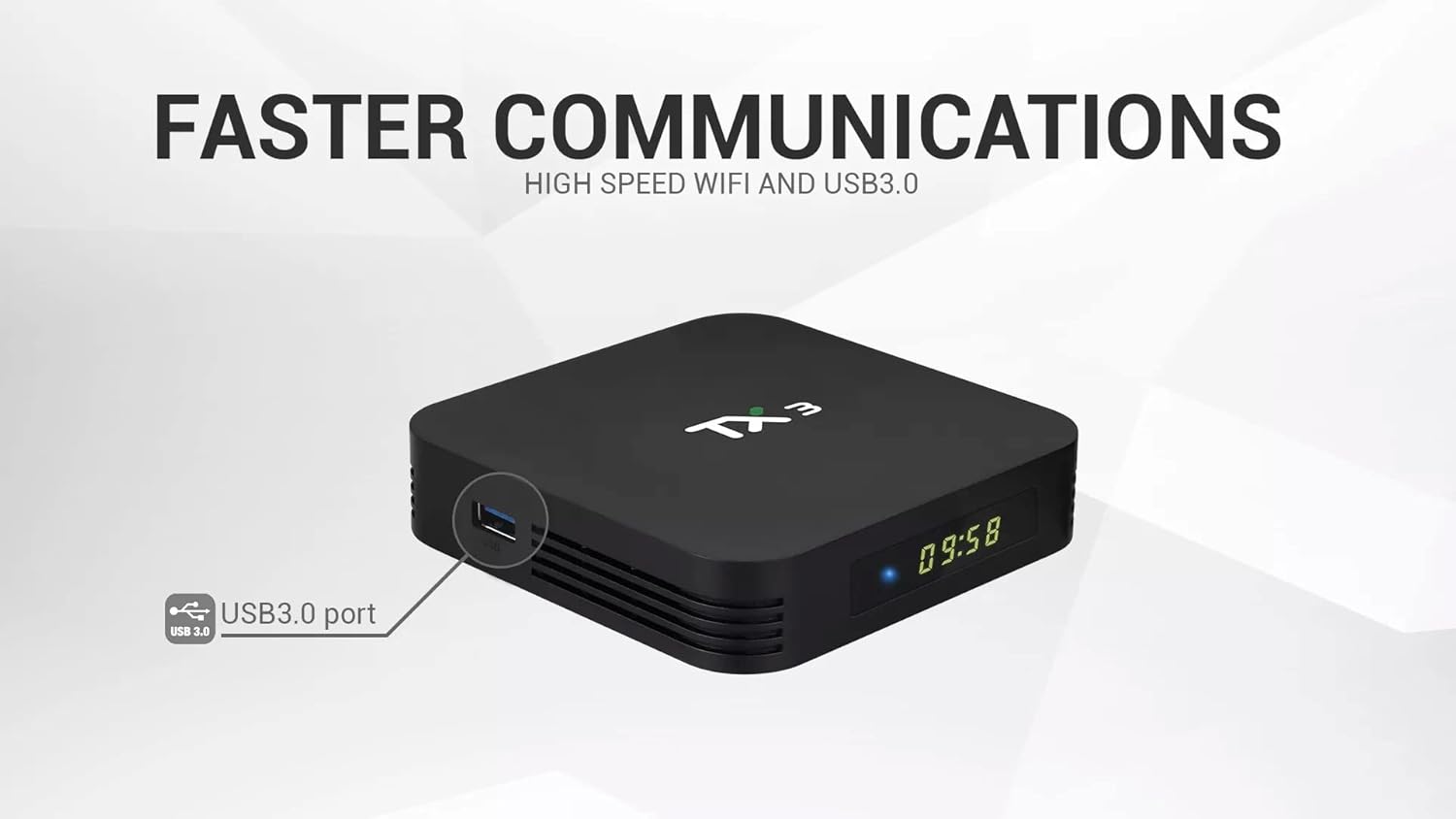
- منفذ USB 3.0: Offers faster data transfer speeds for compatible external storage devices.
- HD Output (HDMI): يتصل بجهاز التلفزيون أو الشاشة لإخراج الفيديو والصوت.
- مدخل الطاقة (تيار مستمر 5 فولت): قم بتوصيل محول الطاقة المرفق.
- منفذ إيثرنت (LAN): للاتصال بالإنترنت السلكي.
- خرج SPDIF: For digital audio output to compatible sound systems.
4. دليل الإعداد
Follow these steps to set up your AUSEK TX3 Android Mini PC Box:
- الاتصال بالتلفزيون: Connect one end of the provided HDMI cable to the HD Output port on the AUSEK TX3 and the other end to an available HDMI input on your television.
- توصيل الطاقة: Plug the power adapter into the DC 5V Power Input port on the AUSEK TX3, then plug the adapter into a wall outlet.
- الاتصال بالإنترنت (اختياري):
- الاتصال السلكي: Connect an Ethernet cable from your router to the Ethernet Port on the AUSEK TX3.
- الاتصال اللاسلكي: You will configure Wi-Fi during the initial software setup.
- تشغيل الطاقة: Turn on your television and select the correct HDMI input source. The AUSEK TX3 should automatically power on and display the boot-up screen.
- معالج الإعداد الأولي: Follow the on-screen instructions to complete the initial setup, which typically includes language selection, Wi-Fi network connection, and Google account login.
5. تعليمات التشغيل
5.1. التنقل الأساسي
Use the provided remote control to navigate the Android interface. The directional buttons (up, down, left, right) move the cursor, and the 'OK' button confirms selections. The 'Back' button returns to the previous screen, and the 'Home' button takes you to the main home screen.
5.2. اتصال الشبكة
If you did not connect to Wi-Fi during the initial setup, navigate to الإعدادات> الشبكة والإنترنت to select your Wi-Fi network and enter the password. For wired connections, ensure the Ethernet cable is securely connected.
5.3. تثبيت التطبيقات
The AUSEK TX3 comes with the Google Play Store pre-installed. You can download and install a wide variety of applications, including streaming services, games, and utility apps. Navigate to the Play Store icon on your home screen, sign in with your Google account, and browse or search for desired applications.

5.4. اتصال البلوتوث
To connect Bluetooth devices such as headphones, speakers, or game controllers, go to الإعدادات > الأجهزة المتصلة > إقران جهاز جديد. Ensure your Bluetooth device is in pairing mode.
5.5. 4K HDR Playback
The AUSEK TX3 supports 4K HDR video playback. For optimal viewing, ensure your television is 4K HDR compatible and that you are playing 4K HDR content. Adjust display settings in الإعدادات > العرض إذا لزم الأمر.
6. الصيانة
To ensure the longevity and optimal performance of your AUSEK TX3 Android Mini PC Box, follow these maintenance guidelines:
- تنظيف: استخدم قطعة قماش ناعمة وجافة لتنظيف الجهاز. لا تستخدم المنظفات السائلة أو المواد الكاشطة.
- تهوية: تأكد من وضع الجهاز في مكان جيد التهوية لتجنب ارتفاع درجة حرارته. لا تسد فتحات التهوية.
- إيقاف التشغيل بشكل صحيح: Always power off the device using the remote control or by navigating to the power options in the system menu before unplugging it.
- تحديثات البرامج: Periodically check for system updates in الإعدادات > تفضيلات الجهاز > حول > تحديث النظام to ensure you have the latest features and security patches.
7. استكشاف الأخطاء وإصلاحها
If you encounter issues with your AUSEK TX3, refer to the following common problems and solutions:
| مشكلة | السبب المحتمل | حل |
|---|---|---|
| لا يوجد طاقة | Power adapter not connected; power outlet issue | تأكد من توصيل محول الطاقة بالجهاز بشكل آمن وبمأخذ كهربائي يعمل. |
| لا يوجد عرض على التلفزيون | Incorrect HDMI input selected; loose HDMI cable | Select the correct HDMI input on your TV. Check HDMI cable connections. Try a different HDMI port or cable. |
| جهاز التحكم عن بعد لا يعمل | Dead batteries; line of sight blocked | Replace batteries in the remote. Ensure no obstructions between the remote and the device. |
| لا يمكن الاتصال بشبكة Wi-Fi | Incorrect password; router issue; device too far from router | Verify Wi-Fi password. Restart your router. Move the device closer to the router or use a wired Ethernet connection. |
| التطبيقات بطيئة أو تتعطل | Too many apps running; low storage; outdated app version | Close unused applications. Clear cache for problematic apps (Settings > Apps). Update apps from Google Play Store. Restart the device. |
8. المواصفات
Detailed technical specifications for the AUSEK TX3 Android Mini PC Box:
| ميزة | التفاصيل |
|---|---|
| ماركة | أوسك |
| نموذج | تكس3 |
| نظام التشغيل | أندرويد 10 |
| المعالج | AMLOGIC S905X3 Quad Core Cortex-A53, 1.5 GHz |
| كبش | 4 جيجا بايت DDR3 SDRAM |
| التخزين الداخلي (ROM) | 64 جيجا بايت |
| Hard Drive Size (Internal) | 32 GB (Note: This may refer to a partition or specific storage type) |
| دقة | 4K |
| واي فاي | نطاق مزدوج (2.4 جيجا هرتز/5.8 جيجا هرتز) |
| بلوتوث | بلوتوث 5.0 |
| الموانئ | USB 2.0, USB 3.0, HD Output (HDMI), Ethernet, SPDIF, TF Card Slot, DC Power Input |
| الأبعاد (الطول × العرض × الارتفاع) | 10 × 10 × 10 سنتيمتر |
| وزن العنصر | 400 جرام |
| الأجهزة المتوافقة | Personal Computer (as a mini PC), Televisions |
| خدمات الإنترنت المدعومة | Netflix (and others via Play Store) |

9. الضمان والدعم
For warranty information and customer support regarding your AUSEK TX3 Android Mini PC Box, please contact the manufacturer directly:
الشركة المصنعة: AUSHA EXPORTS P LTD
عنوان: 140, Sector 27, Gurugram-122009, India
دعم العملاء: 08048977694
يرجى الاحتفاظ بإثبات الشراء الخاص بك لمطالبات الضمان.
Ask a question about this manual
Ask about setup, troubleshooting, compatibility, parts, safety, or missing instructions. Manuals+ will review the question and use this page’s manual context to help answer it.