
1. المقدمة
This manual provides detailed instructions for the setup, operation, and maintenance of your DEERFAMY A89 Mini Projector. Please read this manual thoroughly before using the product to ensure optimal performance and safety.
2. ماذا يوجد في الصندوق
تأكد من وجود جميع العناصر عند فتح العلبة:
- DEERFAMY A89 Mini Projector
- سلك الطاقة
- جهاز التحكم عن بعد
- كابل HDMI
- بطاقة الضمان
- مجموعة التنظيف
3. انتهى المنتجview
The DEERFAMY A89 is a portable mini projector designed for versatile use. It features electric focus, digital keystone correction, and dual-band WiFi for seamless connectivity.
3.1 الجبهة View

الصورة: الجبهة view of the DEERFAMY A89 Mini Projector, showing the projection lens and a sleek black design.
3.2 خلفي View & Ports
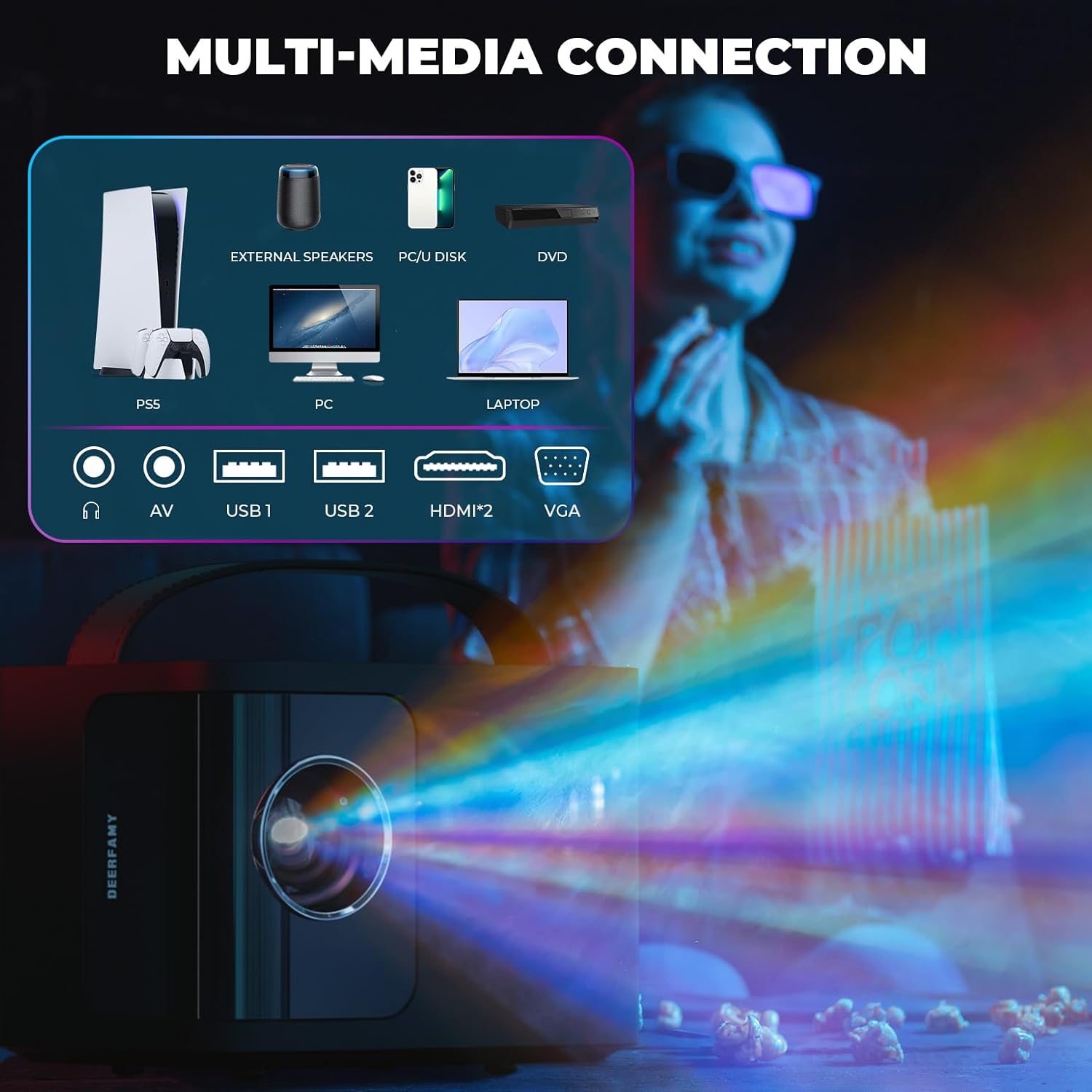
الصورة: الخلفية view of the DEERFAMY A89 Mini Projector, highlighting the various connectivity ports including HDMI, USB, and audio jacks.
- منفذ HDMI: For connecting devices like laptops, gaming consoles, or TV boxes.
- منافذ USB (x2): For connecting USB drives or other compatible accessories.
- مقبس صوت 3.5 ملم: لتوصيل مكبرات الصوت الخارجية أو سماعات الرأس.
- استقبال الأشعة تحت الحمراء: لإشارات التحكم عن بعد.
3.3 Top Controls & Portability
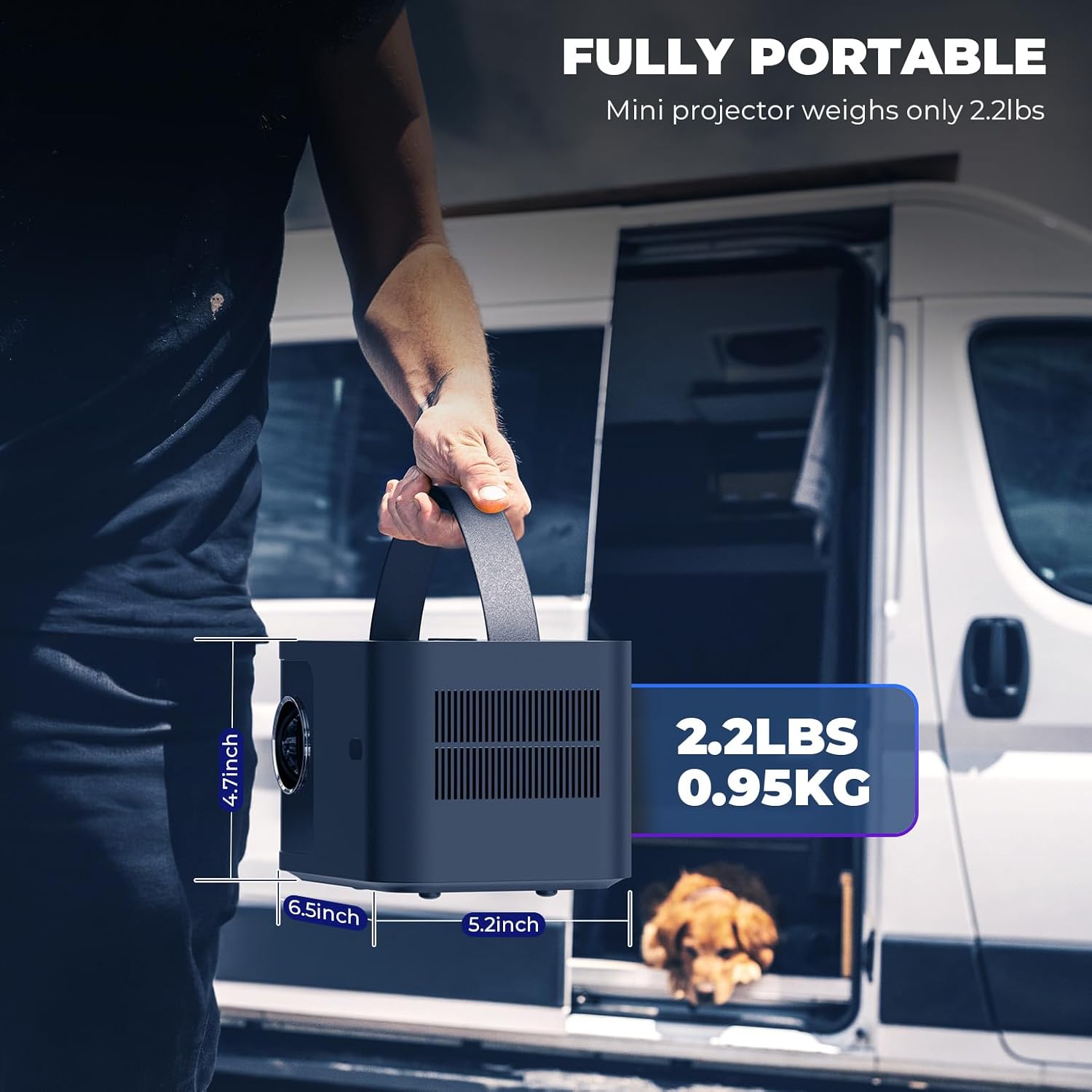
Image: The DEERFAMY A89 Mini Projector being carried by its integrated handle, demonstrating its portability. Dimensions are shown as 4.7 inches height, 6.5 inches width, and 5.2 inches depth, with a weight of 2.2 lbs (0.95 kg).
- زر الطاقة: لتشغيل/إيقاف جهاز العرض.
- أزرار التركيز: For electric focus adjustment.
- مقبض متكامل: لسهولة الحمل.
4. الإعداد
4.1 التشغيل المبدئي
- قم بتوصيل سلك الطاقة بجهاز العرض ومأخذ الطاقة.
- اضغط على زر الطاقة الموجود على جهاز العرض أو جهاز التحكم عن بعد لتشغيله.
- The projector will display the main interface.
Video: Demonstrates the initial power-on sequence and electric focus adjustment using the remote control and top buttons.
4.2 ضبط تركيز الصورة
The DEERFAMY A89 features electric focus for convenient image clarity adjustment.
- Use the dedicated focus buttons on the top of the projector or the remote control (F+ / F-) to sharpen the image.
- Adjust until the projected image is clear and crisp.
4.3 تصحيح الانحراف
يدعم جهاز العرض تصحيح الانحراف الرأسي ±40 درجة لضبط الصور المشوهة عندما لا يكون جهاز العرض عموديًا تمامًا على الشاشة.
- انتقل إلى جلسة menu on the home screen.
- يختار خيار وثم تصحيح الانحراف.
- Use the arrow keys on the remote to adjust the vertical keystone until the image is rectangular.
Video: Illustrates the process of connecting the projector, adjusting focus, and performing keystone correction for a clear, rectangular image.
5. تعليمات التشغيل
5.1 الاتصال بشبكة Wi-Fi
The projector supports 2.4G/5G dual-band Wi-Fi for stable and fast wireless connections.
- من الشاشة الرئيسية، حدد جلسة.
- يختار شبكة and then select your desired Wi-Fi network.
- Enter the password using the on-screen keyboard and select يتصل.
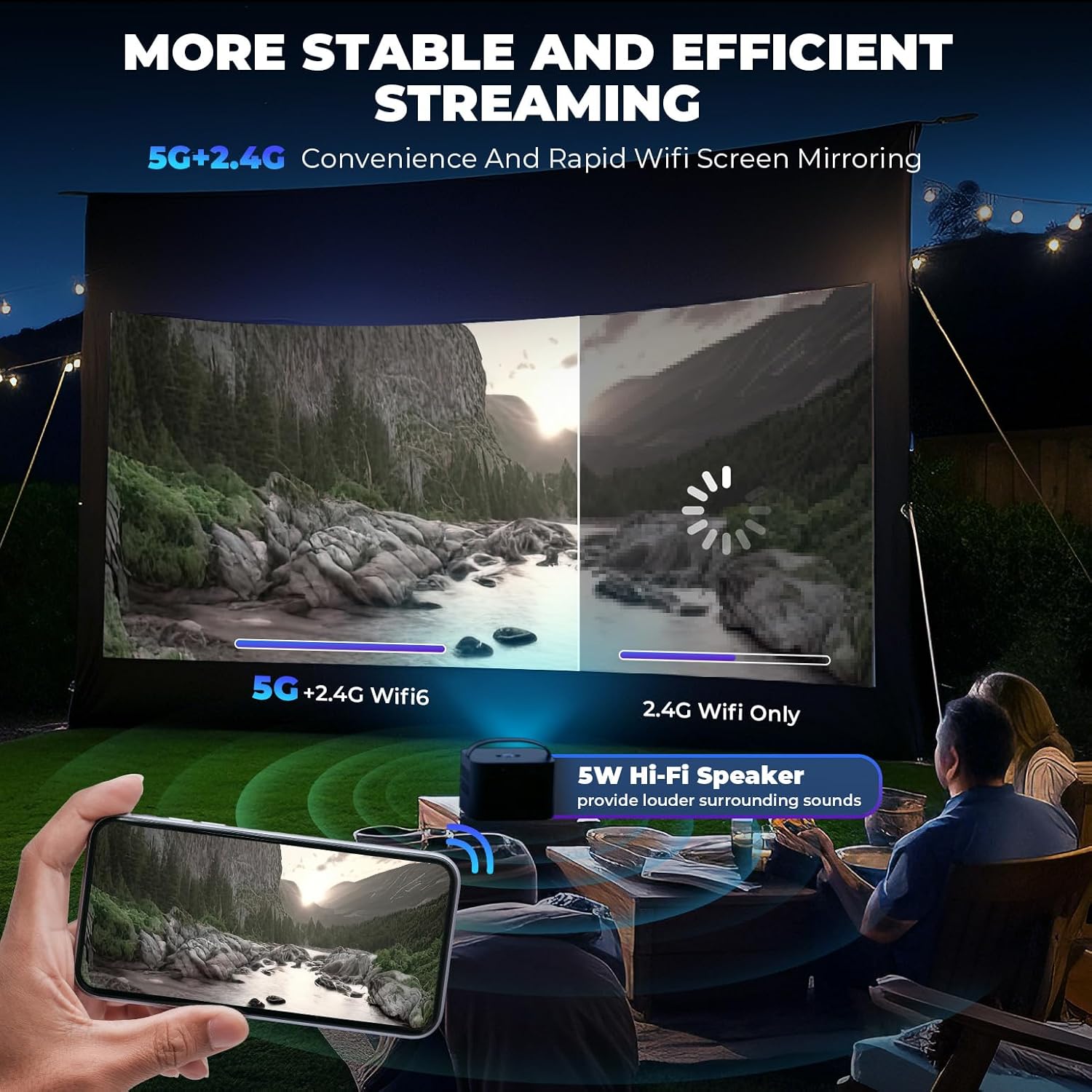
Image: A visual comparison showing the stability and speed of 5G+2.4G dual-band WiFi versus 2.4G WiFi only, emphasizing efficient streaming.
5.2 Screen Mirroring (iOS/Android)
Wirelessly mirror your smartphone or tablet screen to the projector.
- لأجهزة iOS (Airplay):
- Ensure your iOS device and projector are connected to the same Wi-Fi network.
- On your iOS device, open Control Center and tap انعكاس الشاشة.
- Select the projector from the list (e.g., "A89-AirPlay-XXXX").
- لأجهزة أندرويد (ميراكاست):
- Ensure your Android device and projector are connected to the same Wi-Fi network.
- On your Android device, open the settings menu and find إعدادات العرض or انعكاس الشاشة (names may vary by device).
- Select the projector from the list (e.g., "A89-Miracast-XXXX").
Note: Due to copyright protection, some streaming services like Netflix, Amazon Prime Video, and Hulu do not support direct screen mirroring.
5.3 التوصيلات السلكية (HDMI، USB)
قم بتوصيل الأجهزة المختلفة باستخدام المنافذ المتاحة:
- HDMI: Connect gaming consoles (PS4/PS5, X-Box), laptops, DVD players, or TV boxes using an HDMI cable. Select the HDMI input from the home screen.
- USB: أدخل محرك أقراص USB لتشغيل الوسائط files directly. Select وسائط من الشاشة الرئيسية.

Image: The DEERFAMY A89 projector connected to various devices like a PS5, external speakers, PC, U disk, DVD, and laptop, illustrating its multi-media connectivity options.
5.4 تكبير العرض
Adjust the projection size from 75% to 100% without moving the projector.
- انتقل إلى جلسة قائمة طعام.
- يختار خيار وثم تكبير الإسقاط.
- Use the arrow keys to adjust the zoom level.
Video: Demonstrates how to enlarge and reduce the projected image size using the zoom function in the settings menu.
6. إعدادات الصورة والصوت
6.1 وضع الصورة
ضبط إعدادات الصورة للحصول على أفضل جودة viewالخبرة:
- اذهب الى جلسة وحدد صورة.
- اختر من بين مختلف أوضاع الصورة (e.g., Standard, Dynamic, Mild, User) or adjust individual settings like Contrast, Brightness, Color, Sharpness, and Tint.
- You can also adjust درجة حرارة اللون و تقليل الضوضاء.

Image: A visual representation of the DEERFAMY A89's high-definition image quality, supporting Full HD 1080P and 4K, with an optical coating glass lens for less visual fatigue.
6.2 Sound Mode & Bluetooth Audio
The projector has a built-in 5W Hi-Fi speaker. For enhanced audio, connect external Bluetooth speakers or headphones.
- اذهب الى جلسة وحدد صوت لتعديل وضع الصوت or ضبط مستوى الصوت تلقائيًا.
- To connect Bluetooth devices, select بلوتوث from the settings menu, turn وضع بلوتوث ل On, and search for devices.
- Select your desired Bluetooth device to pair.
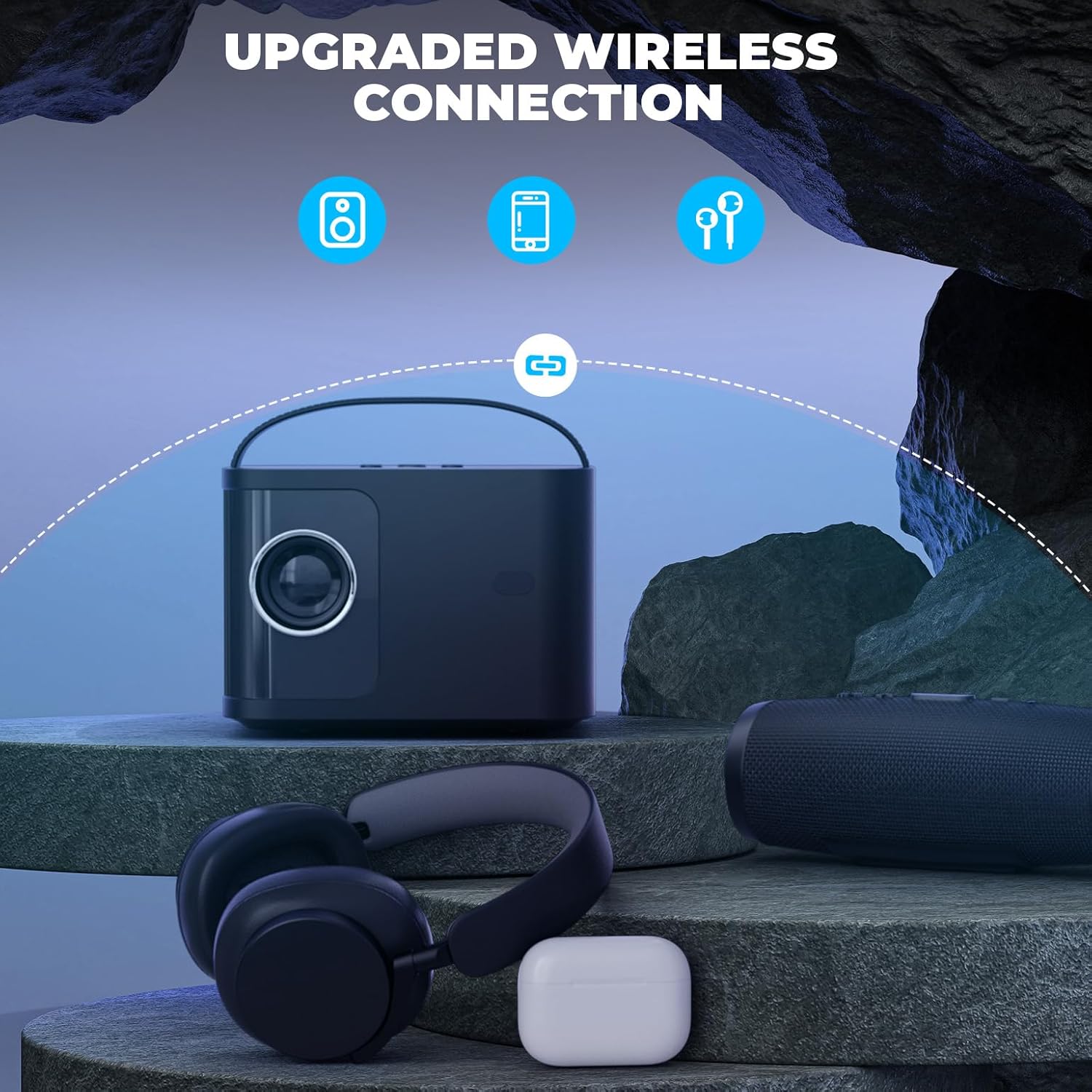
Image: The DEERFAMY A89 projector wirelessly connected to headphones and a portable speaker via Bluetooth, showcasing its upgraded wireless audio capabilities.
7. سيناريوهات الاستخدام
The DEERFAMY A89 is suitable for various environments and activities:
- الترفيه المنزلي: Enjoy movies, TV shows, and gaming on a large screen (60''-120'' recommended).
- ليالي الأفلام في الهواء الطلق: Its portable design makes it ideal for outdoor use.
- العروض التقديمية: Connect to laptops or other devices for clear and sharp presentations.

Image: Illustrates the DEERFAMY A89 projecting a 120-inch screen, showing different mounting options like ceiling mount, tripod, and table mount for a cinema-like viewتجربة رائعة.
Image: Depicts the DEERFAMY A89 being used for an outdoor movie night and for enjoying family time indoors, highlighting its versatility.
8. المواصفات
| ماركة | ديرفامي |
| اسم الموديل | DF A89 |
| دقة العرض | 1920 x 1080 (Supports 1080P Full HD) |
| سطوع | 10000 لومن |
| نسبة التباين | 10000:1 |
| تكنولوجيا الاتصال | Wireless (2.4G/5G WiFi, Bluetooth), HDMI, USB, 3.5mm Jack |
| تصحيح الانحراف | ±40° Vertical Electric Keystone Correction |
| تكبير الإسقاط | 75%-100% |
| مسافة الإسقاط | 1.3M-3.5M (60''-120'' screen) |
| عمر تشغيل مصدر الضوء | 50000 ساعة |
| مكبر صوت مدمج | 5W Hi-Fi Speaker |
| الأبعاد (الطول × العرض × الارتفاع) | 7.87 بوصة طول × 7.48 بوصة عرض × 7.09 بوصة ارتفاع |
| وزن | 2.2 رطل (0.95 كجم) |
9. الصيانة
تضمن الصيانة الدورية طول عمر جهاز العرض الخاص بك وأداءه الأمثل.
- تنظيف العدسات: Use the provided cleaning kit to gently clean the projector lens. Avoid abrasive materials that could scratch the lens.
- فلتر الغبار: The projector features a detachable dust filter. Regularly clean or replace the filter to prevent dust buildup, which can affect image quality and internal components.
- تخزين: When not in use, store the projector in a cool, dry place, away from direct sunlight and extreme temperatures. Use the lens cap to protect the lens.
10. استكشاف الأخطاء وإصلاحها
If you encounter issues with your DEERFAMY A89 projector, refer to the following common solutions:
- لا يوجد طاقة:
- تأكد من توصيل سلك الطاقة بشكل آمن بكل من جهاز العرض ومأخذ كهربائي يعمل.
- تحقق مما إذا كان محول الطاقة يعمل بشكل صحيح.
- لا توجد صورة/إشارة:
- Verify that the correct input source (HDMI, Media, Airplay, Miracast) is selected on the projector.
- تحقق من جميع توصيلات الكابلات (HDMI، USB) للتأكد من عدم وجود ارتخاء أو تلف.
- For wireless connections, ensure both the device and projector are on the same Wi-Fi network and screen mirroring is activated.
- صورة غير واضحة:
- Adjust the electric focus using the projector's buttons or remote control.
- Perform keystone correction to ensure the image is rectangular.
- Ensure the projection surface is flat and the projector is placed at an appropriate distance.
- لا يوجد صوت:
- تحقق من إعدادات مستوى الصوت على كل من جهاز العرض والجهاز المتصل.
- في حالة استخدام مكبرات صوت خارجية، تأكد من توصيلها بشكل صحيح عبر البلوتوث أو مقبس الصوت 3.5 ملم.
- مشاكل الاتصال بشبكة الواي فاي/البلوتوث:
- أعد تشغيل جهاز العرض وجهاز توجيه الواي فاي/جهاز البلوتوث.
- Ensure the projector is within range of your Wi-Fi network or Bluetooth device.
- Re-enter Wi-Fi passwords carefully.
11. الضمان والدعم
DEERFAMY provides a سياسة الضمان لمدة 2 سنوات and lifelong professional technical support for the A89 Mini Projector.
For technical assistance or warranty claims, please contact DEERFAMY customer support through their official channels or the retailer where the product was purchased.
قم بزيارة DEERFAMY Store on Amazon لمزيد من المعلومات وموارد الدعم.