
TEYES CC3 2K
TEYES CC3 2K Car Radio Multimedia System User Manual
Model: CC3 2K
مقدمة
This manual provides comprehensive instructions for the installation, operation, and maintenance of your TEYES CC3 2K Car Radio Multimedia Video Player Navigation Stereo GPS Headunit. Please read this manual thoroughly before using the device to ensure proper functionality and safety.
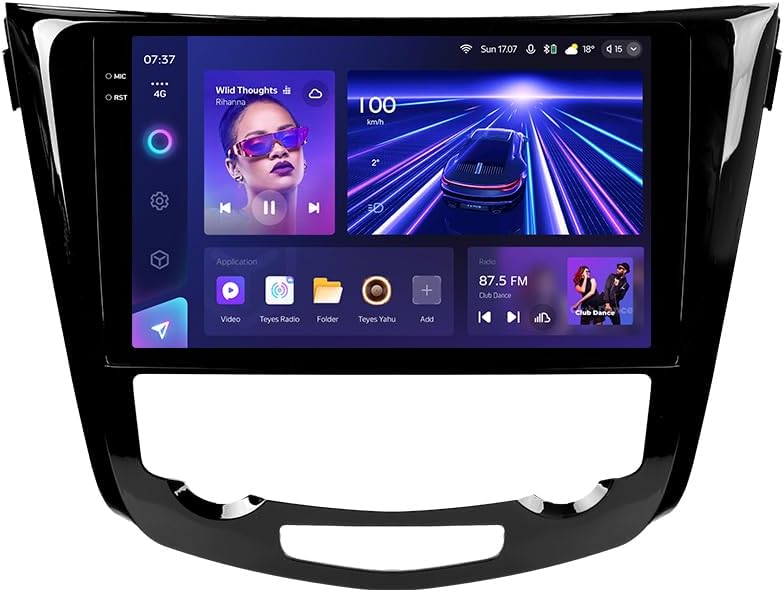
الصورة: الجبهة view of the TEYES CC3 2K Car Radio Multimedia System, showcasinبفضل شاشته الكبيرة وتصميمه الأنيق.
محتويات الحزمة
تأكد من تضمين جميع العناصر المذكورة أدناه في طردك. في حال وجود أيٍّ منها مفقودًا أو تالفًا، يُرجى التواصل مع خدمة العملاء.
- 1x TEYES CC3 2K Head Unit
- 1x OEM Panel (Frame)
- 1 × كابل الطاقة
- 1 × كابل يو اس بي
- 1x هوائي GPS
- 1x AUX Cable
- 1x 4G WiFi Antenna
- 1x AHD 1080p Rear Camera
- 1x E-book (Digital Manual)
- 1x Wiring Diagram
- 1 × قطعة قماش تنظيف
الإعداد والتثبيت
Professional installation is recommended for this device. Ensure the vehicle's battery is disconnected before beginning installation.
التوافق
This unit is designed for Nissan X-Trail 3 (T32) 2013-2022 and Qashqai 2 (J11) models. Please verify your vehicle's compatibility before installation.
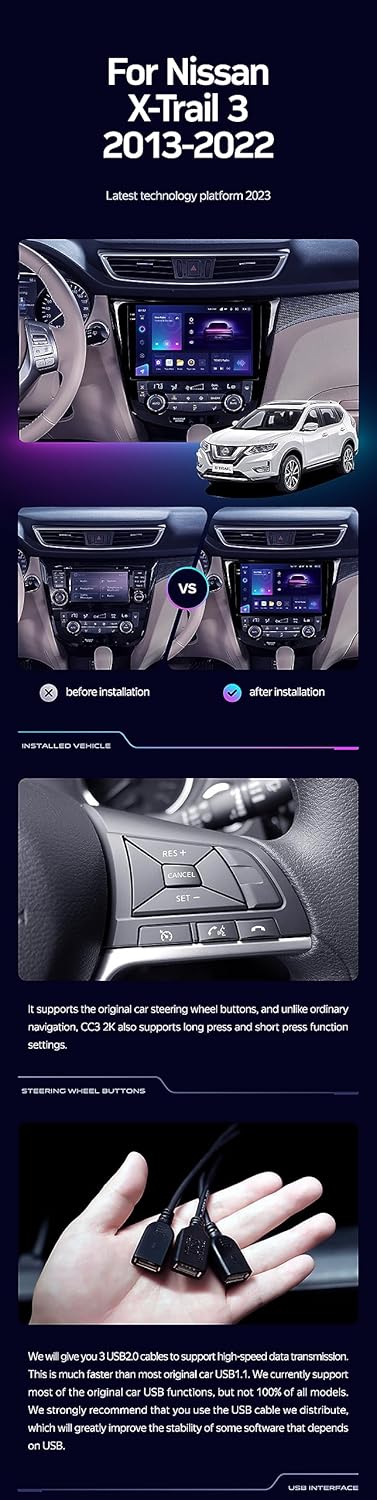
Image: A side-by-side comparison showing a car's dashboard before and after the installation of the TEYES CC3 2K unit, highlighting the integrated look.
خطوات التثبيت (عامة)
- افصل البطارية: قبل البدء، افصل الطرف السالب لبطارية سيارتك لمنع حدوث ماس كهربائي.
- إزالة وحدة الرأس القديمة: قم بإزالة راديو السيارة وألواح الزينة الموجودة بعناية. راجع دليل صيانة سيارتك للحصول على تعليمات محددة.
- ربط حزمة الأسلاك: Connect the provided power cable, USB cable, GPS antenna, AUX cable, and 4G WiFi antenna to the TEYES CC3 2K head unit. Ensure all connections are secure.
- تثبيت الكاميرا الخلفية: If installing the AHD 1080p rear camera, route its cable to the desired mounting location (typically near the license plate) and connect it to the head unit.
- وحدة رأسية مثبتة: Secure the TEYES CC3 2K head unit into the dashboard using the provided OEM panel (frame) and mounting hardware.
- إعادة توصيل البطارية: Once all connections are made and the unit is securely mounted, reconnect the vehicle's battery.
- وظيفة الاختبار: Turn on the vehicle and test all functions of the new head unit, including audio, navigation, camera, and connectivity.
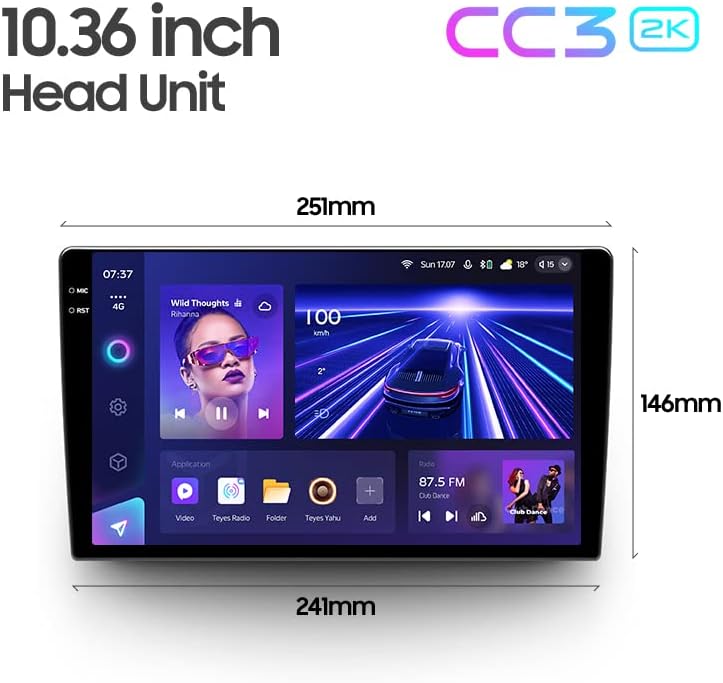
Image: The OEM panel (frame) included with the TEYES CC3 2K, designed for seamless integration into compatible vehicle dashboards.
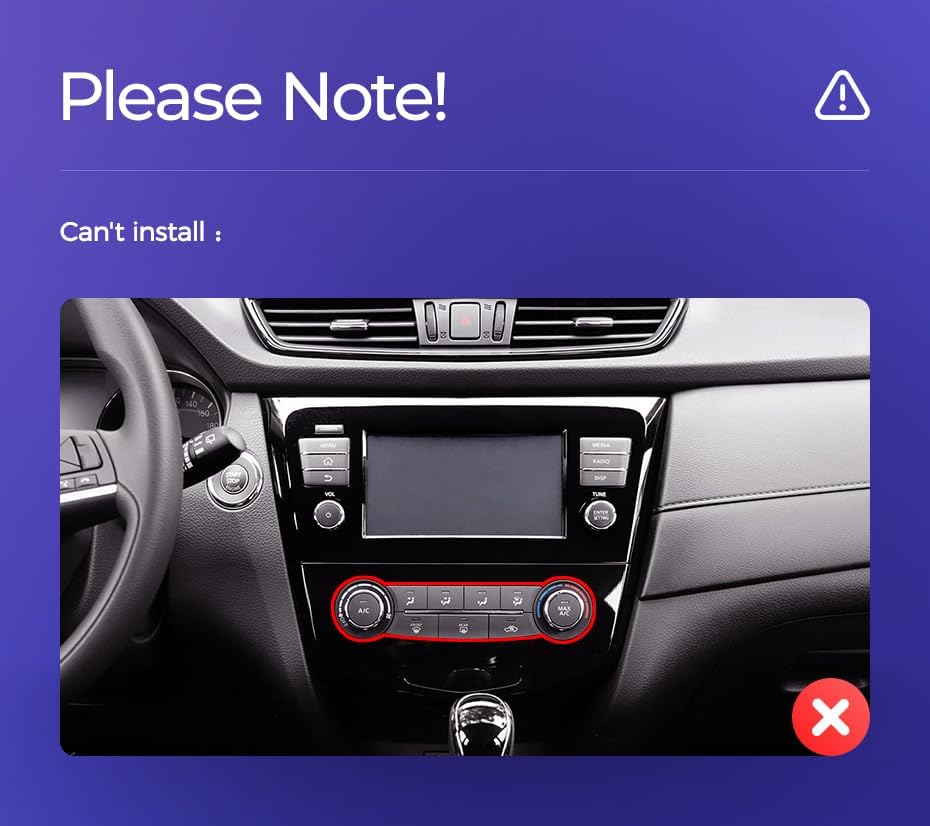
Image: Technical drawing showing the dimensions of the TEYES CC3 2K head unit, including its 10.36-inch screen size.
ملاحظة التثبيت الهامة
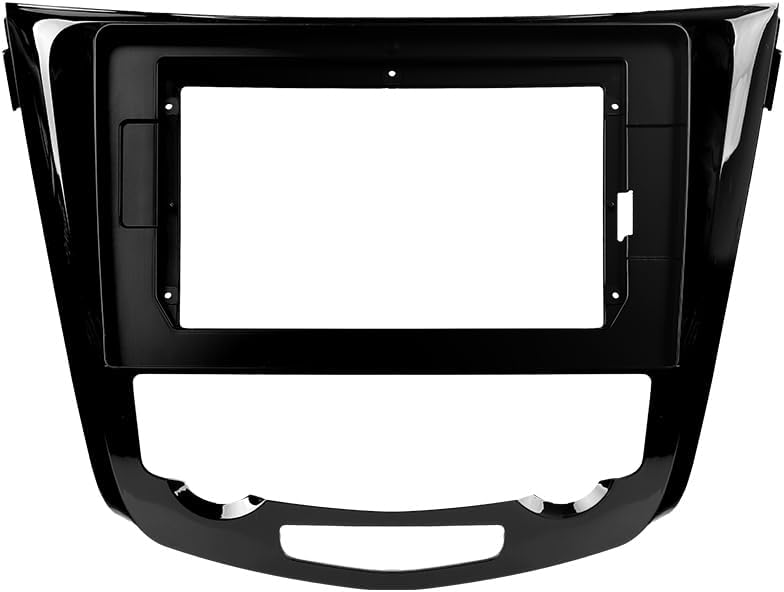
Image: Three USB output cables provided with the TEYES CC3 2K for data transfer and connectivity.
The unit provides multiple USB outputs for data transfer. While designed for broad compatibility, some original car USB functions may not be fully supported across all vehicle models. An included USB adapter cable can be used to ensure compatibility where needed.
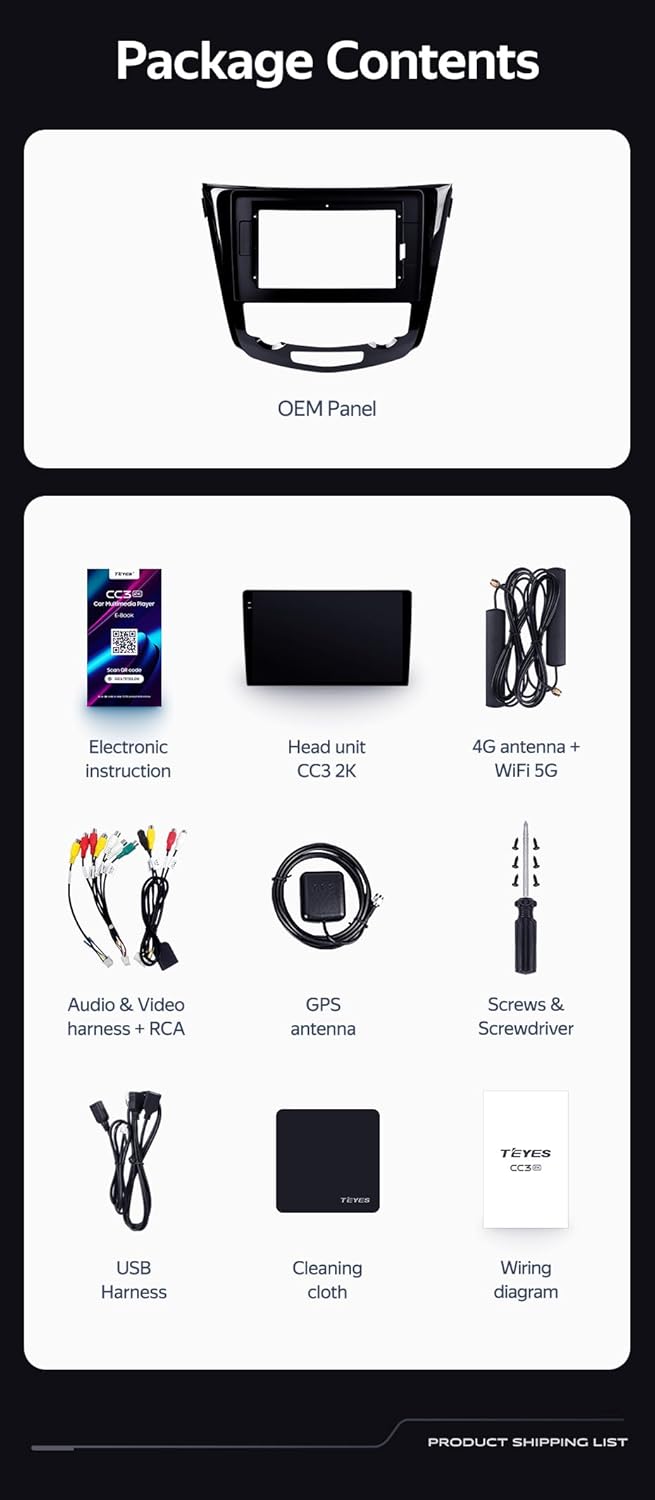
Image: A close-up of a car's steering wheel with controls, indicating support for steering wheel button integration with the TEYES CC3 2K.
The unit supports original car steering wheel buttons. Basic functions like volume and track control are supported. Advanced functions may require additional configuration or may not be fully compatible with all vehicle models.
تعليمات التشغيل
العرض والواجهة
The TEYES CC3 2K features a 10.36-inch 2K In-cell display, offering vivid colors and accurate touch response. The Android 10 operating system provides a user-friendly interface.
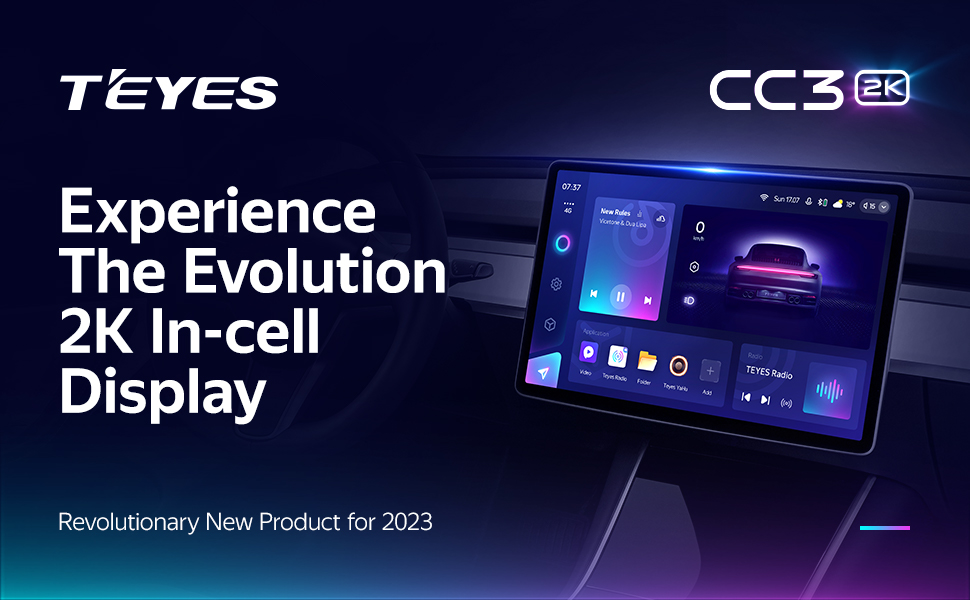
Image: A promotional image highlighting the TEYES CC3 2K's 2K In-cell display, showing a vibrant user interface.
الاتصال
- بلوتوث: Connect your smartphone via the upgraded Qualcomm QCC3031QFN Bluetooth module for hands-free calling and audio streaming.
- Wi-Fi/4G Internet: The unit supports 4G internet connectivity (SIM card not included) and Wi-Fi for online navigation, app downloads, and streaming.
- USB: Use the USB ports for media playback, data transfer, and connecting external devices.
الملاحة والوسائط المتعددة
- نظام تحديد المواقع العالمي (GPS): Built-in GPS with North America map type support for accurate navigation.
- CarPlay و Android Auto: Enjoy seamless integration with your smartphone via built-in wireless Apple CarPlay and Android Auto.
- راديو: Access local radio stations with the premium local radio feature.
- وضع تقسيم الشاشة: Utilize the freestyle combination split screen mode to run two applications simultaneously, such as navigation and media playback.
Image: The TEYES CC3 2K display showing split-screen functionality, with navigation on one side and video playback on the other.

Image: The TEYES CC3 2K display showing the premium local radio interface with various station icons.
ميزات الصوت
The unit is equipped with dual DSP (ADAU1701 + ROHM32107) for enhanced audio processing, offering optical and coaxial digital audio output.
- 27-Segment EQ: Fine-tune your audio experience with the comprehensive 27-segment equalizer.
- Sound Filtering: Advanced sound filtering options are available to optimize audio output.

Image: The TEYES CC3 2K display showing the DSP audio settings interface, indicating dual DSP processors.
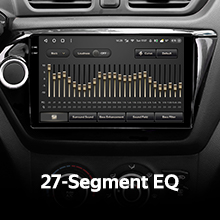
Image: The TEYES CC3 2K display showing the 27-segment equalizer interface for detailed audio customization.

Image: The TEYES CC3 2K display showing audio output settings, indicating support for optical and coaxial digital audio output.
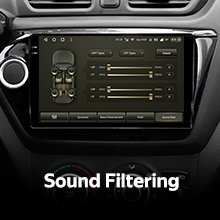
Image: The TEYES CC3 2K display showing sound filtering options, allowing users to refine audio quality.
Camera and Recording
The unit supports real-time viewing of the vehicle's rear view and video recording with the included AHD 1080p rear camera.
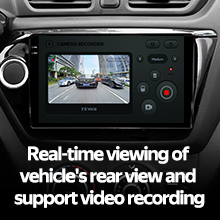
Image: The TEYES CC3 2K display showing the real-time feed from the rear view camera, with recording options.
صيانة
- تنظيف الشاشة: Use the provided cleaning cloth or a soft, lint-free cloth to gently wipe the screen. Avoid abrasive cleaners or solvents.
- تحديثات البرامج: Periodically check for software updates from TEYES to ensure optimal performance and access to new features.
- الظروف البيئية: تجنب تعريض الوحدة لدرجات حرارة عالية، أو أشعة الشمس المباشرة لفترات طويلة، أو الرطوبة الزائدة.
استكشاف الأخطاء وإصلاحها
If you encounter issues with your TEYES CC3 2K, refer to the following common problems and solutions:
| مشكلة | السبب المحتمل | حل |
|---|---|---|
| الوحدة لا تعمل بالطاقة. | وصلة كهربائية غير محكمة، فيوز محترق، مشكلة في بطارية السيارة. | افحص توصيلات كابلات الطاقة. افحص فيوزات السيارة. تأكد من شحن بطارية السيارة. |
| لا يوجد إخراج صوتي. | Volume too low, incorrect audio source selected, speaker wiring issue. | ارفع مستوى الصوت. اختر مصدر الصوت الصحيح. تحقق من توصيلات السماعات. |
| إشارة GPS مفقودة أو غير دقيقة. | هوائي نظام تحديد المواقع العالمي (GPS) محجوب أو مثبت بشكل غير صحيح. | تأكد من أن هوائي GPS لديه إشارة واضحة view من السماء ومتصلة بشكل آمن. |
| شاشة اللمس لا تستجيب. | خلل برمجي مؤقت، تداخل مع واقي الشاشة. | Restart the unit. Remove any screen protectors to test. |
| مشاكل الاتصال بالبلوتوث. | Device not in pairing mode, interference, outdated firmware. | Ensure device is in pairing mode. Move closer to the unit. Check for firmware updates. |

Image: An icon representing Frequently Asked Questions, indicating further support resources.
تحديد
| ميزة | التفاصيل |
|---|---|
| رقم الموديل | CC3 2K |
| نظام التشغيل | أندرويد 10 |
| المعالج | 8 النوى 2.0 جيجا هرتز |
| كبش | 6 جيجا بايت |
| ذاكرة للقراءة فقط | 128 جيجا بايت |
| حجم العرض | 10.36 بوصة |
| نوع العرض | 2K In-cell Display |
| الاتصال | Bluetooth (QCC3031QFN Qualcomm), USB, Wi-Fi, Hotspot, 4G Internet |
| وضع إخراج الصوت | ستيريو |
| معالج الإشارة الرقمية | 2*DSP ADAU1701 + ROHM32107 |
| مخرج الصوت | Optical and Coaxial Digital Audio Output |
| ملاحة | Built-in GPS, North America Map Type |
| المميزات الخاصة | Touchscreen, Bluetooth, Wireless CarPlay, Android Auto, RDS, Real-time Rear View, Video Recording, TEYES Vision & TEYES Yahu software. |
| نوع خدمة المركبة | سيارة |
الضمان والدعم
The TEYES CC3 2K comes with a ضمان لمدة 1 سنوات من تاريخ الشراء. يغطي هذا الضمان عيوب التصنيع والأعطال في ظل الاستخدام العادي.
For technical support, troubleshooting assistance, or warranty claims, please contact TEYES customer service through the official TEYES store on Amazon or their official webموقع.
قم بزيارة TEYES Store on Amazon لمزيد من المعلومات وموارد الدعم.
Ask a question about this manual
Ask about setup, troubleshooting, compatibility, parts, safety, or missing instructions. Manuals+ will review the question and use this page’s manual context to help answer it.