
1. المقدمة
This manual provides comprehensive instructions for the Poly Voyager 5200 Bluetooth headset. It covers essential information for setup, operation, maintenance, and troubleshooting, enabling users to maximize the headset's performance and utilize its advanced features effectively.
2. انتهى المنتجview
The Poly Voyager 5200 is a professional-grade Bluetooth headset designed for clear communication in various environments. It features advanced noise-canceling technology and voice control capabilities, making it ideal for mobile professionals.
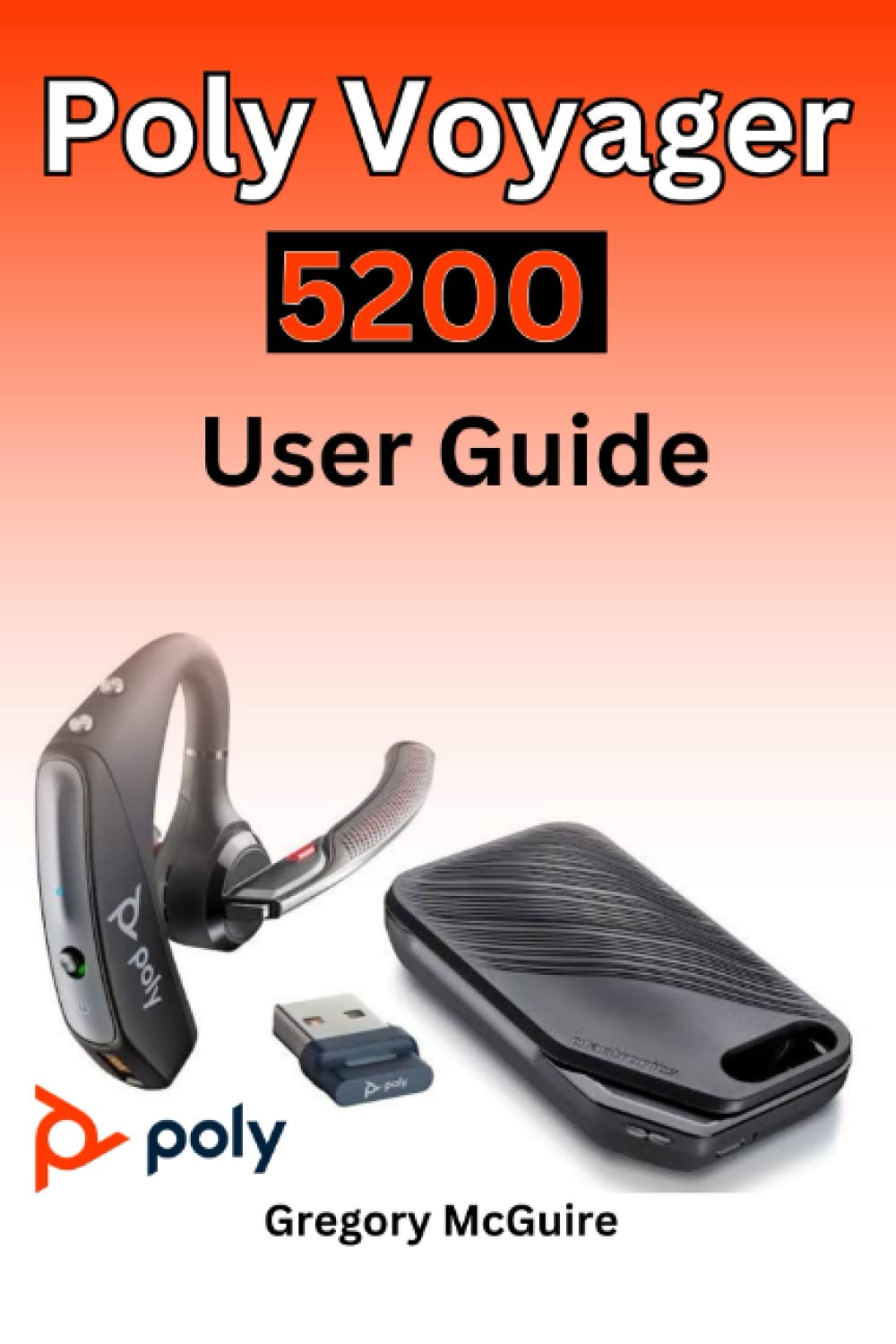
Figure 2.1: Front cover of the Poly Voyager 5200 User Guide book, featuring a red and orange gradient design with 'Copyrighted Material' text.

Figure 2.2: Back cover of the Poly Voyager 5200 User Guide book, displaying the ISBN 9798387380280 barcode and 'Copyrighted Material' text.
3. الإعداد
3.1 شحن سماعة الرأس
Before first use, fully charge your Poly Voyager 5200 headset.
- Connect the provided USB charging cable to the headset's charging port.
- Plug the other end of the USB cable into a USB wall charger or a powered USB port on your computer.
- The indicator light on the headset will illuminate to show charging status. It will typically turn off or change color when fully charged.
3.2 الاقتران بجهاز
To use your headset, you must pair it with your Bluetooth-enabled device (e.g., smartphone, tablet, computer).
- تشغيل الطاقة: Turn on your Poly Voyager 5200 headset by pressing and holding the Power button until you hear a voice prompt or see the indicator light flash.
- تنشيط وضع الاقتران: Press and hold the Call button on the headset until the indicator light flashes red and blue, indicating it is in pairing mode.
- تمكين البلوتوث: على جهازك، انتقل إلى إعدادات البلوتوث وتأكد من تفعيل البلوتوث.
- اختر سماعة الرأس: From the list of available devices, select "Poly V5200" or "Plantronics V5200". If prompted for a passcode, enter "0000" (four zeros).
- تأكيد: Once successfully paired, the headset's indicator light will stop flashing red and blue, and you will hear a voice prompt confirming the connection.
4. تعليمات التشغيل
4.1 الضوابط الأساسية
- تشغيل/إيقاف التشغيل: اضغط مع الاستمرار على زر الطاقة لمدة 2 ثوانٍ تقريبًا.
- الرد/إنهاء المكالمة: اضغط على زر الاتصال مرة واحدة.
- رفض المكالمة: Press and hold the Call button for approximately 2 seconds.
- التحكم في مستوى الصوت: Use the Volume Up (+) or Volume Down (-) buttons located on the headset to adjust audio levels.
- كتم الصوت/إلغاء كتم الصوت: اضغط على زر كتم الصوت أثناء إجراء مكالمة نشطة.
- Voice Commands/Assistant: Press the Voice button to activate your device's voice assistant (e.g., Siri, Google Assistant).
4.2 ارتداء سماعة الرأس
For optimal comfort and sound clarity, adjust the headset as follows:
- Gently place the ear tip into your ear.
- Rotate the microphone boom until it points towards your mouth.
- Ensure the headset is secure and comfortable for extended wear.
5. الصيانة
5.1 التنظيف
يساعد التنظيف المنتظم في الحفاظ على أداء سماعة الرأس ونظافتها.
- Wipe the headset with a dry, soft, lint-free cloth.
- Avoid using harsh chemicals, cleaning solvents, or abrasive materials, as these can damage the headset.
- لا تغمر سماعة الرأس في الماء أو أي سائل آخر.
5.2 التخزين
Proper storage extends the life of your headset.
- قم بتخزين سماعة الرأس في مكان بارد وجاف بعيدًا عن أشعة الشمس المباشرة ودرجات الحرارة القصوى.
- When not in use for extended periods, ensure the headset is partially charged to prevent deep discharge.
6. استكشاف الأخطاء وإصلاحها
If you encounter issues with your Poly Voyager 5200 headset, refer to the following common troubleshooting steps:
- لا يوجد طاقة: Ensure the headset is fully charged. Verify that the charging cable and power source are functioning correctly.
- لا يمكن الاقتران: Confirm the headset is in pairing mode (indicator flashing red and blue). Ensure Bluetooth is enabled on your device and the headset is within range. Try deleting previous pairings on your device and re-pairing.
- ضعف جودة الصوت: Check the headset's placement and ensure the microphone boom is positioned correctly towards your mouth. Move closer to your connected device to minimize interference. Ensure there are no physical obstructions between the headset and the device.
- لا يوجد صوت: Verify that the volume levels on both the headset and your connected device are turned up. Confirm that the Poly Voyager 5200 is selected as the audio output device on your phone or computer.
- سماعة الرأس لا تستجيب: Try resetting the headset by turning it off and then on again. If the issue persists, consult the official Poly support resources.
7. المواصفات
| ميزة | التفاصيل |
|---|---|
| ASIN | B0BYR893FQ |
| الناشر | نُشرت بشكل مستقل |
| تاريخ النشر | 17 مارس 2023 |
| لغة | إنجليزي |
| طباعة طول | 35 صفحة |
| رقم الكتاب الدولي المعياري 13 | 979-8387380280 |
| وزن العنصر | 3.68 أونصات |
| أبعاد | 6 × 0.08 × 9 بوصة |
8. معلومات السلامة
Please read and follow these safety guidelines to ensure safe operation and prevent damage to your headset:
- Avoid exposing the headset to extreme temperatures, direct sunlight, moisture, or corrosive substances.
- Do not attempt to disassemble, modify, or repair the headset yourself. Refer all servicing to qualified personnel.
- Use only manufacturer-approved charging cables and accessories.
- أبقِ سماعة الرأس وملحقاتها بعيداً عن متناول الأطفال والحيوانات الأليفة.
- قد يؤدي التعرض المطول لمستويات صوت عالية إلى تلف السمع. استمع بمستويات صوت معتدلة.
9. الضمان والدعم
Specific warranty details and support contact information for the Poly Voyager 5200 headset are not provided within this manual. For warranty claims, technical support, or further assistance, please refer to the official Poly (formerly Plantronics) webالموقع أو اتصل بخدمة العملاء الخاصة بهم مباشرة.