1. المقدمة
Thank you for choosing the CLIKBUTM BYJ76-G Rechargeable Green Laser Pointer Presentation Clicker. This device is designed to enhance your presentations with its wireless control capabilities and bright green laser pointer. It offers seamless navigation through slides and is compatible with various operating systems and presentation software.

Image 1.1: The CLIKBUTM BYJ76-G Presentation Clicker, showcasinتصميمها الأنيق.
2. انتهى المنتجview
Familiarize yourself with the components and controls of your presentation clicker.
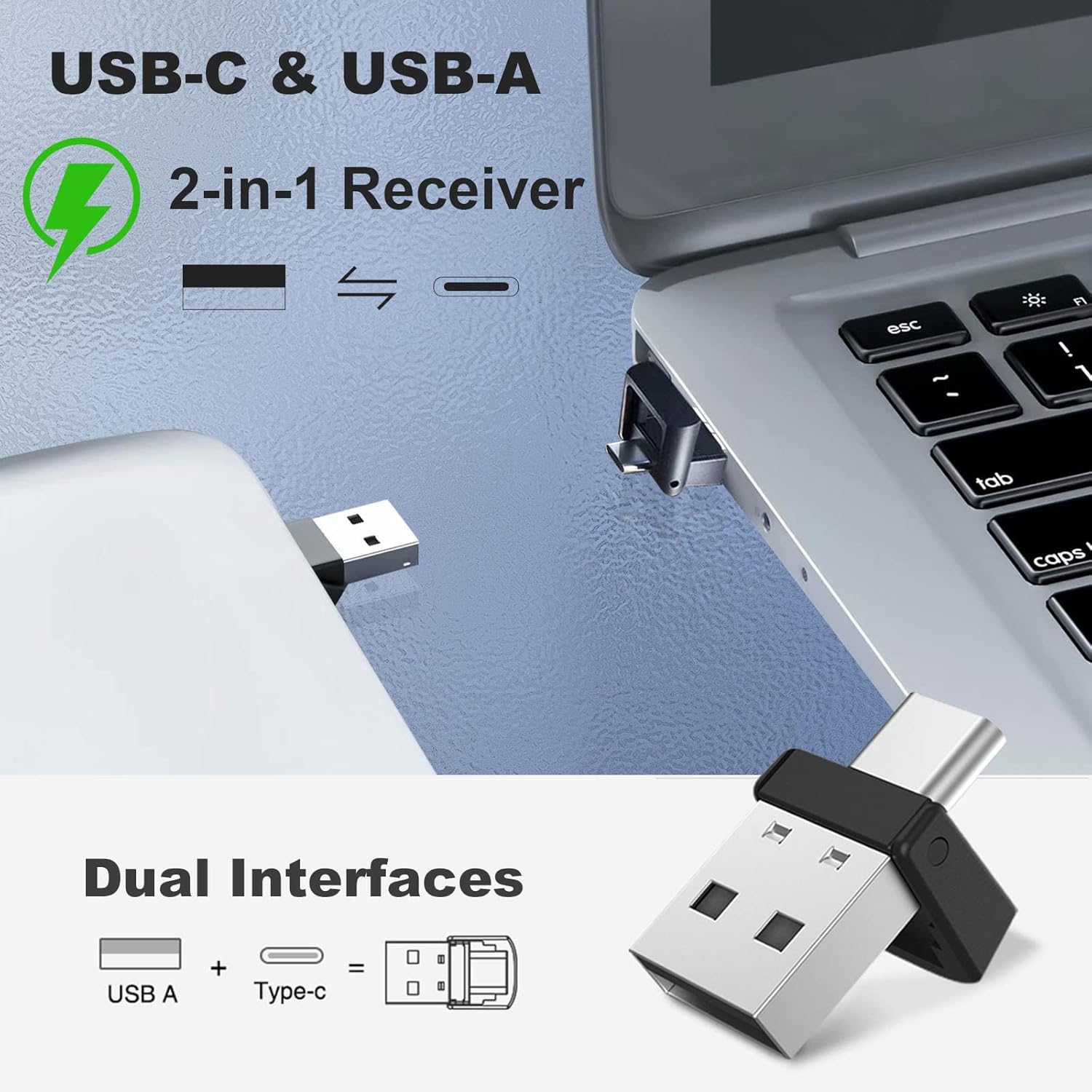
Image 2.1: Detailed diagram of the presentation clicker with key features labeled.
- مؤشر الليزر: Emits a green laser beam for highlighting.
- زر الصفحة لأعلى: Advances to the next slide or scrolls up. Also functions as Full Screen/Exit Full Screen.
- زر الصفحة لأسفل: Returns to the previous slide or scrolls down. Also functions as Black Screen.
- زر الليزر: Activates the green laser pointer.
- مفتاح التشغيل: Turns the device ON or OFF.
- منفذ الشحن: منفذ USB-C لإعادة شحن البطارية الداخلية.
- مؤشر الضوء: Displays connection status and battery level.
- أزرار رفع / خفض الصوت: Controls system volume.
- مستقبل USB: Wireless dongle for connecting to your computer.

Image 2.2: The magnetic design allows for secure storage of the USB receiver within the clicker body.
3. الإعداد
The CLIKBUTM BYJ76-G is a plug-and-play device, requiring no software installation.
- Retrieve the USB Receiver: Gently pull the USB receiver from its magnetic storage slot at the bottom of the presentation clicker.
- الاتصال بجهاز الكمبيوتر: Insert the 2-in-1 USB-A/USB-C receiver into an available USB-A or USB-C port on your computer. The system will automatically detect and install the necessary drivers.
- تشغيل الطاقة: Slide the power switch on the side of the presentation clicker to the 'ON' position. The indicator light will illuminate, signifying a successful connection.

Image 3.1: The versatile 2-in-1 USB-A and USB-C receiver for broad compatibility.
4. تعليمات التشغيل
Once connected, the presentation clicker provides intuitive control over your slides and media.
- الصفحة لأعلى: اضغط على Page Up (▲) button to move to the next slide in your presentation or scroll up in documents.
- اسفل الصفحة: اضغط على Page Down (▼) button to move to the previous slide or scroll down in documents.
- Green Laser Pointer: اضغط مع الاستمرار على Laser Button (💡) to activate the green laser pointer. Release the button to turn off the laser. The laser has a range of up to 328 feet (100 meters).
- Full Screen/Exit Full Screen: In presentation software, a quick double-press of the Page Up (▲) button may toggle full-screen mode.
- شاشة سوداء: In presentation software, a quick double-press of the Page Down (▼) button may toggle a black screen.
- التحكم في مستوى الصوت: Use the dedicated Volume Up and Volume Down buttons on the side of the clicker to adjust your computer's audio output.
- نطاق التحكم اللاسلكي: The wireless control distance is up to 100 feet.
5. الشحن
The CLIKBUTM BYJ76-G features a built-in rechargeable Lithium Ion battery.
- مؤشر الطاقة المنخفضة: The indicator light will turn red when the battery level is low.
- توصيل الشاحن: Connect the included USB-C charging cable to the charging port on the clicker and the other end to a USB power source (e.g., computer USB port, wall adapter).
- حالة الشحن: The indicator light will show charging status (e.g., solid red while charging, turning off or blue when fully charged).
- وقت الشحن: A full charge typically takes less than 1 hour.
- عمر البطارية: A single charge provides over two months of worktime or up to 200 days of standby time.
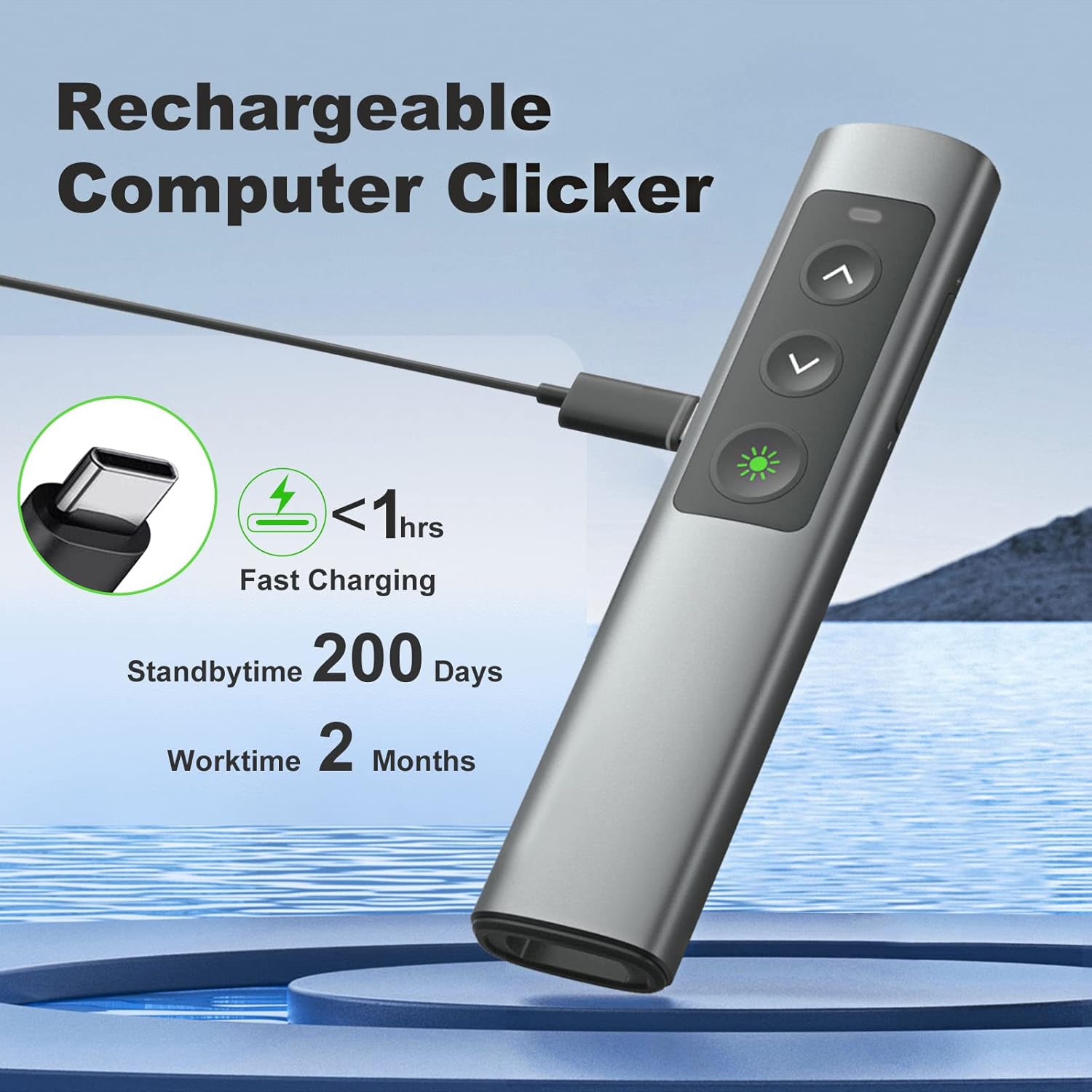
Image 5.1: The presentation clicker being charged via its USB-C port.
6. التوافق
The CLIKBUTM BYJ76-G is designed for broad compatibility with various operating systems and presentation software.
أنظمة التشغيل المدعومة:
- ويندوز 2003/XP/Vista/7/8/10
- نظام التشغيل ماك
- لينكس
البرامج المدعومة:
- عرض تقديمي
- الكلمة الرئيسية
- بريزي
- كلمة
- إكسل
- حوار التعاون الآسيوي انظر
- iWork
- شرائح جوجل

Image 6.1: Visual representation of the clicker's compatibility with various systems and applications.
7. الصيانة
To ensure the longevity and optimal performance of your presentation clicker, follow these maintenance guidelines:
- تنظيف: امسح الجهاز بقطعة قماش ناعمة وجافة. تجنب استخدام المواد الكيميائية القاسية أو المواد الكاشطة.
- تخزين: When not in use, store the clicker and its USB receiver in a cool, dry place. The magnetic storage for the receiver helps prevent loss.
- العناية بالبطارية: Avoid fully discharging the battery frequently. Recharge the device when the low power indicator appears.
- تجنب القطرات: While designed with a durable metal casing, excessive drops or impacts can damage internal components.
8. استكشاف الأخطاء وإصلاحها
If you encounter issues with your presentation clicker, refer to the following common solutions:
- الجهاز لا يستجيب:
- Ensure the clicker is powered ON.
- تأكد من توصيل جهاز استقبال USB بشكل آمن بمنفذ USB يعمل على جهاز الكمبيوتر الخاص بك.
- Verify the battery level of the clicker and recharge if necessary.
- حاول توصيل مستقبل USB بمنفذ USB مختلف.
- أعد تشغيل الكمبيوتر الخاص بك.
- مؤشر الليزر لا يعمل:
- Ensure the clicker is powered ON and connected.
- Press and hold the laser button firmly.
- تحقق من مستوى البطارية.
- الأزرار لا تعمل بشكل صحيح:
- Ensure the clicker is connected and has sufficient battery.
- Test the clicker with different presentation software or documents to isolate the issue.
- تأكد من عدم وجود أجهزة لاسلكية أخرى تسبب تداخلاً.
- نطاق لاسلكي قصير:
- Ensure there are no large metallic objects or other electronic devices obstructing the signal path between the clicker and the receiver.
- اقترب من الكمبيوتر.
9. المواصفات
| ميزة | مواصفة |
|---|---|
| رقم الموديل | BYJ76-G |
| وزن العنصر | 2.89 أونصة (82 جرام) |
| أبعاد الحزمة | 5.79 × 2.2 × 0.75 بوصة (14.7 × 5.6 × 1.9 سم) |
| ليزر ملون | أخضر |
| نطاق الليزر | حتى 328 قدم (100 أمتار) |
| نطاق التحكم اللاسلكي | حتى 100 قدم |
| الاتصال | 2.4GHz Wireless (USB-A & USB-C 2-in-1 Receiver) |
| نوع البطارية | 1 بطارية ليثيوم أيون (مضمنة) |
| منفذ الشحن | يو اس بي-سي |
| وقت الشحن | أقل من ساعة |
| وقت العمل | Over 2 months per charge |
| وقت الاستعداد | حتى 200 يوما |

Image 9.1: Physical dimensions of the presentation clicker for size reference.
10. معلومات السلامة
Please observe the following safety precautions when using the laser pointer:
- لا point the laser beam at people or animals.
- لا look directly into the laser beam.
- لا point the laser beam at reflective surfaces.
- لا allow children to use the laser pointer unsupervised.
- هذا المنتج ليس لعبة.
11. الضمان والدعم
For warranty information or technical support, please refer to the product packaging or contact CLIKBUTM customer service through the retailer where the product was purchased. Keep your purchase receipt for warranty claims.