
مقدمة
This manual provides detailed instructions for the installation, operation, and maintenance of your SAMA IM02 Micro ATX Tower Computer Case. The IM02 case is designed for versatility, supporting both Micro-ATX and ITX motherboard configurations, and offering flexible component installation options. Please read these instructions carefully before beginning assembly to ensure proper setup and optimal performance.
الإعداد والتثبيت
1. إعداد القضية
The SAMA IM02 features an easy-to-remove structure. The front, top, and side panels are secured with a special buckle design, allowing for removal without complicated screws. Gently pull or unlatch the panels to access the interior for component installation.
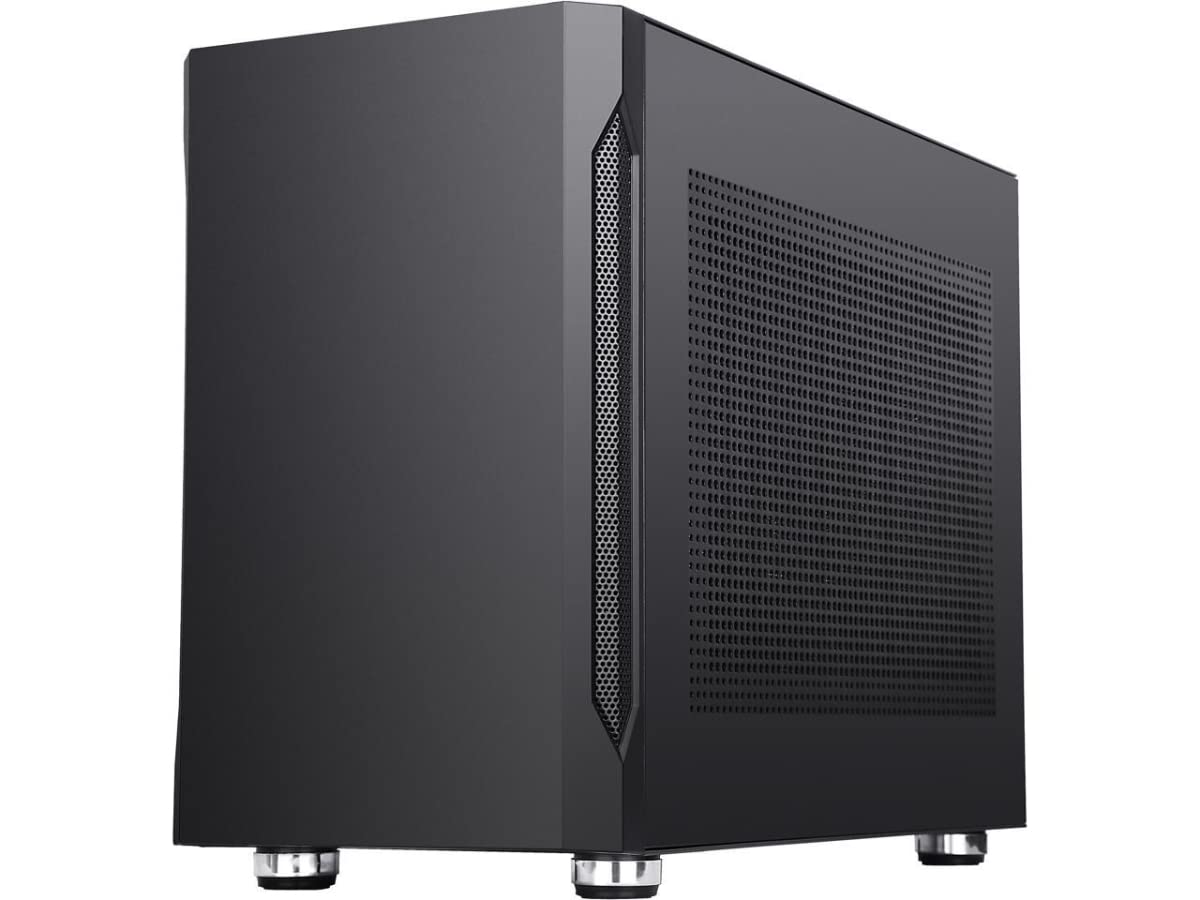
Image: SAMA IM02 Micro ATX Tower Computer Case with internal components.
2. تركيب اللوحة الأم
The IM02 case supports both Micro-ATX and ITX motherboards. Choose the appropriate standoffs and mounting points for your specific motherboard form factor. Secure the motherboard using the provided screws.
3. تركيب وحدة إمداد الطاقة (PSU)
The case supports both SFX and ATX power supplies, with a bottom mount design. When installing an ATX power supply, consider its length as it directly impacts graphics card clearance. For larger graphics cards, a shorter PSU (e.g., 150mm or less) is recommended to allow for proper cable routing and component fitment.
4. تثبيت بطاقة الرسومات (GPU)
The IM02 offers flexible GPU installation with 4+2 PCIe slots, allowing for either horizontal or vertical mounting. Refer to the following clearance guidelines:
- Vertical GPU Installation (with ATX PSU): Maximum GPU length of 245mm. Maximum CPU cooler height of 88mm.
- Horizontal GPU Installation: Maximum GPU length of 335mm. Maximum CPU cooler height of 155mm.
Ensure adequate space for cable management, especially with larger PSUs and GPUs.
5. تركيب جهاز التخزين
توضح القضية ample space for storage, supporting up to 5 x 3.5-inch HDDs and 7 x 2.5-inch SSDs. Mount your storage devices in the designated bays and connect them to the motherboard and PSU.
6. تركيب المروحة ونظام التبريد
The IM02 case features 7 fan spaces to maximize system ventilation. Top, bottom, side cover, and front panel sides include ventilation holes for efficient heat dissipation. Install fans in desired locations to optimize airflow. The case also supports water cooling solutions.
7. توصيلات اللوحة الأمامية
Connect the front panel I/O cables to your motherboard. The case includes 2 x USB 3.0 ports for high-speed data transmission, along with standard audio and power/reset connections.
إرشادات التشغيل
Once all components are installed and secured, close the side panels. Ensure all external cables (power, monitor, peripherals) are connected correctly. Power on your system. The case's design promotes efficient airflow, but regular monitoring of component temperatures is recommended, especially under heavy load.
صيانة
To maintain optimal performance and longevity of your SAMA IM02 case and its components:
- إزالة الغبار: Regularly clean dust filters and internal components using compressed air or a soft brush. Dust accumulation can impede airflow and lead to overheating.
- إدارة الكابلات: Periodically check cable routing to ensure it does not obstruct airflow or interfere with fan operation.
- أمان اللوحة: Ensure all panels are securely fastened after maintenance to prevent dust ingress and maintain structural integrity.
استكشاف الأخطاء وإصلاحها
إذا واجهت مشكلات أثناء التثبيت أو بعده، ففكر فيما يلي:
- خلوص المكونات: If a large graphics card does not fit, verify the length of your power supply. A PSU longer than 150mm may restrict space for longer GPUs, especially in horizontal mounting configurations.
- توجيه الكابلات: Ensure all power and data cables are properly connected and not interfering with fans or other components. Poor cable management can hinder airflow.
- قضايا الطاقة: Double-check all power connections, including the 24-pin ATX, 8-pin CPU, and PCIe power cables.
- تهوية: Confirm that all installed fans are spinning and that ventilation holes are not obstructed.
For persistent issues, consult the documentation for your individual components (motherboard, GPU, PSU) or contact SAMA customer support.
تحديد
| ميزة | مواصفة |
|---|---|
| ماركة | ساما |
| اسم الموديل | IM02 |
| نوع الحالة | برج |
| التوافق مع اللوحة الأم | Micro ATX, ITX |
| مادة | فولاذ سبيكي، زجاج مقسّى |
| لون | أسود |
| نوع تركيب مصدر الطاقة | Bottom Mount (Supports SFX/ATX PSUs) |
| Max GPU Length (Vertical) | 245 ملم |
| Max GPU Length (Horizontal) | 335 ملم |
| Max CPU Cooler Height (Vertical) | 88 ملم |
| Max CPU Cooler Height (Horizontal) | 155 ملم |
| عدد فتحات التوسعة | 6 |
| حجرات التخزين | Up to 5 x 3.5'' HDD, 7 x 2.5'' SSD |
| Fan Capability | 7 fan spaces |
| منافذ الإدخال / الإخراج الأمامية | 2 X USB 3.0، 2 X USB 2.0 |
| طريقة التبريد | Air / Water (User Configurable) |
الضمان والدعم
For warranty information and technical support, please refer to the official SAMA webالموقع الإلكتروني أو الوثائق المرفقة مع عملية الشراء. احتفظ بإثبات الشراء لتقديم مطالبات الضمان.