
ترتل بيتش TBS-2372-01
سماعات Turtle Beach Stealth 600 Gen 2 اللاسلكية بمنفذ USB Amplified Gaming Headset User Manual
Model: TBS-2372-01
1. المقدمة
Thank you for choosing the Turtle Beach Stealth 600 Gen 2 USB Wireless Amplified Gaming Headset. This headset is officially licensed for Xbox and designed to deliver high-quality audio and clear chat for Xbox Series X, Xbox Series S, Xbox One X, and Xbox One S. This manual provides essential information for setting up, operating, and maintaining your headset to ensure the best possible gaming experience.
2. ماذا يوجد في الصندوق
- Stealth 600 Gen 2 USB Wireless Ampسماعة الألعاب lified
- الارسال اللاسلكي USB
- كابل شحن USB-C
- دليل المستخدم (هذا المستند)
- ملصق تيرتل بيتش

الشكل 2.1: محتويات العبوة
3. انتهى المنتجview
Familiarize yourself with the key components and controls of your Stealth 600 Gen 2 USB headset.

Figure 3.1: Headset Front View

Figure 3.2: Earcup Controls
- Flip-to-Mute Mic: The Gen 2 mic improves chat clarity and seamlessly integrates into the headset design when muted by flipping it up.
- ضوابط الصوت: Independently control game and chat audio to find the perfect balance for your gaming preference using the easy-access dials on the headset.
- وسائد الأذن: Uniquely shaped ear cushions with soft, breathable material improve comfort for long gameplay sessions and allow for a wider audio soundstage. Features Turtle Beach’s exclusive, patented ProSpecs glasses relief system for comfort with eyewear.
- عصابة الرأس: Strengthened headband and hinge design ensures added durability and proper functionality over long-term use.
4. الإعداد
Follow these steps for initial setup of your headset with your Xbox console.
4.1 الاتصال بجهاز Xbox
- Plug the Wireless USB Transmitter into an available USB port on your Xbox Series X, Xbox Series S, or Xbox One console.
- Power on your Stealth 600 Gen 2 USB headset by pressing and holding the Power button until you hear an audible tone.
- The headset and transmitter will automatically pair, indicated by a solid light on both devices.
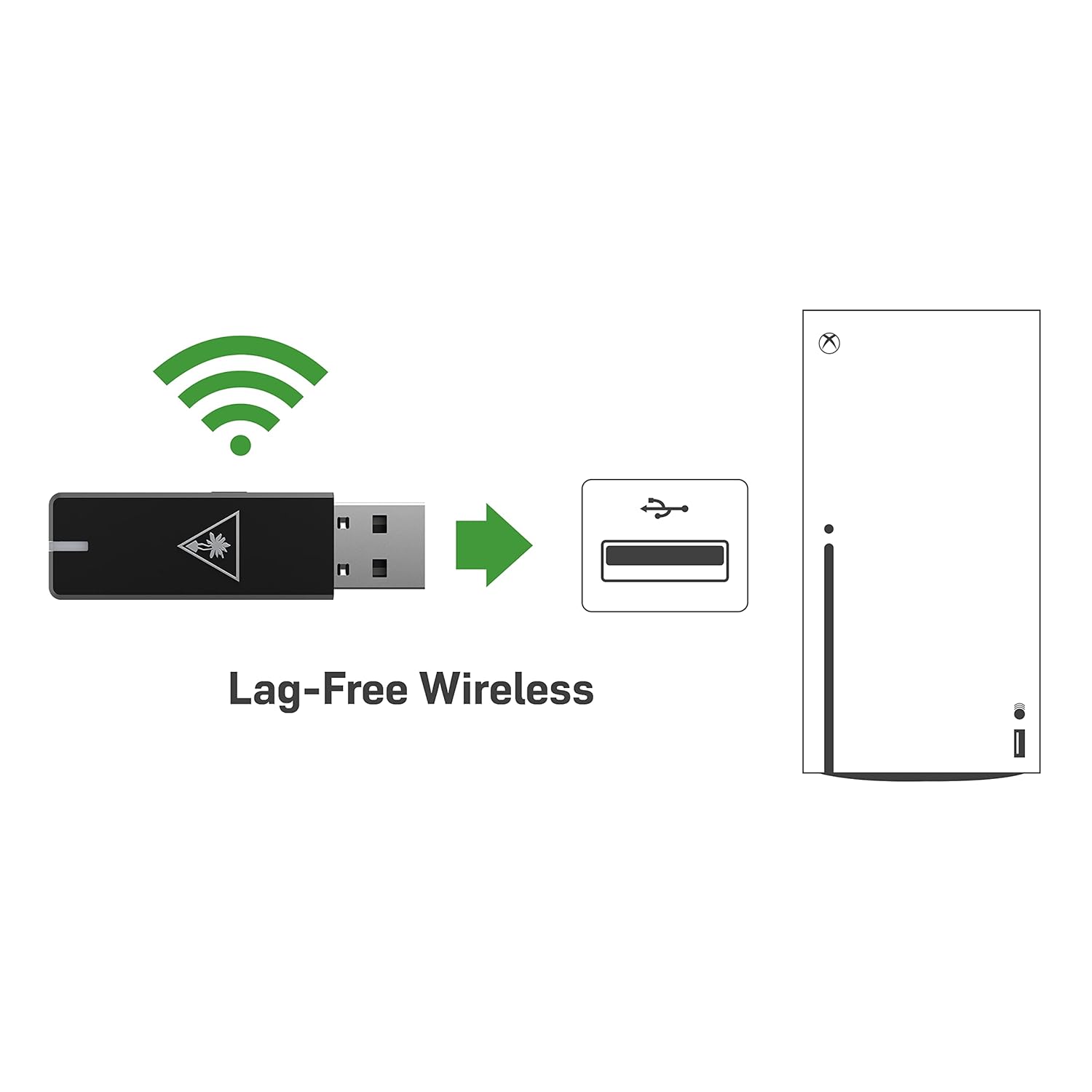
Figure 4.1: Lag-Free Wireless Connection
4.2 شحن سماعة الرأس
The headset features an upgraded battery providing 24+ hours of gaming per charge. Use the included USB-C cable for charging.
- قم بتوصيل طرف USB-C الخاص بكابل الشحن بمنفذ USB-C الخاص بسماعة الرأس.
- Connect the USB-A end to a powered USB port (e.g., on your console, PC, or a USB wall adapter).
- A quick charge feature allows for 8.5 hours of battery life on just 15 minutes of charge.

الشكل 4.2: عمر البطارية الممتد
5. تشغيل سماعة الرأس
Maximize your gaming audio experience with these features.
5.1 Mic Monitoring
Avoid shouting thanks to built-in mic monitoring, which allows you to hear your voice through the headset while you chat. This feature helps you regulate your speaking volume.

Figure 5.1: Mic Monitoring Feature
5.2 Superhuman Hearing Sound Setting
Turtle Beach's exclusive Superhuman Hearing sound setting lets you hear subtle, game-changing sounds so you can live longer and win more. Hear vital game details like enemy footsteps and weapon reloads to elevate your game above the rest.

Figure 5.2: Superhuman Hearing Advantage
5.3 Audio Presets
Enhance your gameplay experience at the touch of a button with four signature Turtle Beach audio presets:
- تعزيز الجهير
- صوت مميز
- تعزيز الترددات العالية
- تعزيز صوتي
6. الصيانة
To ensure the longevity and optimal performance of your Turtle Beach Stealth 600 Gen 2 USB headset, follow these maintenance guidelines:
- تنظيف: Use a soft, dry cloth to clean the headset. For ear cushions, gently wipe with a damp cloth and mild soap if necessary, then allow to air dry completely before use. Avoid harsh chemicals or abrasive materials.
- تخزين: احفظ سماعة الرأس في مكان بارد وجاف بعيدًا عن أشعة الشمس المباشرة ودرجات الحرارة القصوى. عند عدم استخدامها، يُنصح بحفظها في علبة واقية لمنع تراكم الغبار والتلف المادي.
- العناية بالكابلات: Avoid sharp bends or kinks in the USB-C charging cable. Always grasp the plug, not the cable, when disconnecting.
7. استكشاف الأخطاء وإصلاحها
إذا واجهت مشكلات مع سماعة الرأس الخاصة بك، فجرب الحلول التالية:
- No Audio/Mic Issues: Ensure the USB Wireless Transmitter is securely plugged into the console and the headset is powered on and paired. Check the headset's volume dials and your console's audio settings.
- مشاكل الاتصال: If the headset is not pairing, try re-pairing by following the setup instructions. Ensure there are no major obstructions between the headset and the transmitter.
- تحديث البرامج الثابتة: Be sure to update your firmware using the Turtle Beach Audio Hub desktop app for best performance. Visit the official Turtle Beach webموقع لأحدث البرامج والتعليمات.
- البطارية لا تشحن: Verify the USB-C charging cable is properly connected to both the headset and a working power source. Try a different USB port or charging adapter.
8. المواصفات
| ميزة | مواصفة |
|---|---|
| اسم الموديل | Stealth 600 USB |
| تكنولوجيا الاتصال | USB, 2.4GHz Wireless |
| مقبس سماعات الرأس | USB |
| الأجهزة المتوافقة | Mac, PC, Windows, Xbox One, Xbox Series X |
| عمر البطارية | 24+ ساعات |
| وقت الشحن | 15 minutes for 8.5 hours of play (quick charge) |
| نوع برنامج تشغيل الصوت | سائق ديناميكي |
| نطاق التردد | 20 هرتز - 20,000 هرتز |
| شكل سماعة الأذن | فوق الأذن |
| وزن العنصر | 10.6 أونصة (0.66 رطل) |
| أبعاد المنتج | 7.48 × 3.54 × 7.67 بوصة |
| الشركة المصنعة | شاطئ السلاحف |
9. الضمان والدعم
For detailed warranty information and technical support, please refer to the official Turtle Beach webالموقع الإلكتروني أو دليل المستخدم بصيغة PDF المرفق مع منتجك.
يمكنك الوصول إلى دليل المستخدم الرسمي بصيغة PDF هنا.
For further assistance, contact Turtle Beach Customer Support through their official channels.