
Bluedio S6
دليل مستخدم سماعات الأذن اللاسلكية بلوديو S6
الموديل: S6
1. انتهى المنتجview
The Bluedio S6 Wireless Earbuds are designed for an immersive audio experience, featuring advanced Bluetooth 5.1 technology, extended battery life, and a secure fit ideal for sports and active lifestyles. The included charging case with dual LED displays provides convenient power management.

Image: Bluedio S6 Wireless Earbuds and their charging case, showcasing the LED battery display.
2. محتويات العبوة
يرجى التأكد من وجود جميع العناصر في الحزمة الخاصة بك:
- Bluedio S6 Wireless Earbuds (Left and Right)
- علبة شحن مزودة بشاشة LED
- كابل شحن USB من النوع C
- تتوفر أطراف الأذن بأحجام متعددة (صغير، متوسط، كبير)
- دليل المستخدم (هذا المستند)

Image: The complete package contents of the Bluedio S6 earbuds.
3. دليل الإعداد
3.1 الشحن الأولي
Before first use, fully charge the earbuds and the charging case. Connect the provided USB Type-C cable to the charging case and a compatible USB power source. The LED display on the case will indicate the charging status and battery level.

Image: Visual representation of the Bluedio S6 earbuds and charging case, highlighting battery life and charging duration.
3.2 الاقتران بجهازك
- التشغيل التلقائي والاقتران: Open the charging case and remove both S6 earbuds. They will automatically power on and attempt to pair with each other.
- تفعيل البلوتوث: On your mobile phone or other Bluetooth-enabled device, go to the Bluetooth settings and turn on Bluetooth.
- Select "S6": In the list of available Bluetooth devices, search for and select "S6" to connect.
- تأكيد: بمجرد الاتصال، ستسمع تأكيدًا صوتيًا، وستكون سماعات الأذن جاهزة للاستخدام.
- إعادة الاتصال التلقائي: After the initial successful connection, the S6 earbuds will automatically connect to the last paired device when removed from the charging case.

Image: The Bluedio S6 earbuds automatically pairing with a mobile device upon removal from the charging case.

Image: An earbud illustrating the advanced Bluetooth 5.1 chip for stable signal transmission.
4. تعليمات التشغيل
4.1 ارتداء سماعات الأذن
The Bluedio S6 earbuds feature earhooks for a secure and comfortable fit, especially during physical activities. Gently place the earbud into your ear canal and adjust the earhook over your ear until it feels stable and comfortable.

Image: A user wearing the Bluedio S6 earbuds, highlighting their design for sports and secure fit.
4.2 الضوابط التي تعمل باللمس
The S6 earbuds are equipped with smart touch controls on each earbud for easy management of music and calls. Refer to the following table for common operations:
| فعل | وظيفة |
|---|---|
| صنبور واحد (يسار/يمين) | تشغيل/إيقاف الموسيقى مؤقتًا، الرد على المكالمة/إنهائها |
| الضغط مرتين على سماعة الأذن اليمنى | رفع الصوت |
| الضغط مرتين على سماعة الأذن اليسرى | خفض الصوت |
| الضغط الثلاثي (سماعة الأذن اليمنى) | المسار التالي |
| الضغط الثلاثي (سماعة الأذن اليسرى) | المسار السابق |
| اضغط مع الاستمرار (2 ثواني) | رفض المكالمة |
| اضغط مع الاستمرار (5 ثواني) | تشغيل/إيقاف الطاقة |
| اضغط مع الاستمرار (لمدة ثانية واحدة) | تفعيل المساعد الصوتي |

Image: Visual guide to the touch control functions on the Bluedio S6 earbuds.
4.3 إدارة المكالمات
With the built-in microphone, you can easily manage calls directly from your earbuds without needing to access your phone.
- الرد على المكالمة: اضغط مرة واحدة على أي سماعة أذن.
- إنهاء المكالمة: اضغط مرة واحدة على أي سماعة أذن أثناء المكالمة.
- رفض المكالمة: اضغط مع الاستمرار على أي من سماعات الأذن لمدة ثانيتين.

Image: A user demonstrating the convenience of answering calls directly with the Bluedio S6 earbuds.
5. الصيانة
5.1 شحن سماعات الأذن والعلبة
To charge the earbuds, place them back into the charging case. The earbuds will automatically begin charging. The LED display on the case shows the individual battery levels of the left and right earbuds, as well as the case's remaining power. To charge the case, connect it to a USB power source using the provided Type-C cable.
- Earbuds playtime on a single charge: Approximately 9 hours.
- إجمالي وقت التشغيل مع علبة الشحن: يصل إلى 42 ساعة.
- Charging time for case: Approximately 2 hours.


Image: Icons illustrating key features: LED battery display, 600mAh charging case, and Type-C charging port.
5.2 التنظيف والتخزين
To ensure longevity and optimal performance, regularly clean your earbuds and charging case. Use a soft, dry, lint-free cloth to wipe down the surfaces. For the eartips, you may remove them and clean with a damp cloth, ensuring they are completely dry before reattaching. Store the earbuds in their charging case when not in use to protect them from dust and damage.
- تجنب استخدام المنظفات الكاشطة أو المذيبات.
- Do not submerge the earbuds or case in water. While water-resistant, they are not designed for submersion.
- يحفظ بعيدا عن درجات الحرارة العالية.
6. استكشاف الأخطاء وإصلاحها
If you encounter any issues with your Bluedio S6 earbuds, please refer to the following common solutions:
6.1 سماعات الأذن لا تقترن ببعضها البعض أو بالجهاز
- تأكد من شحن سماعتي الأذن بالكامل.
- Place both earbuds back into the charging case, close the lid, wait a few seconds, then open the lid and remove them again. This often resets the pairing.
- On your device, forget or delete "S6" from your Bluetooth device list. Then, repeat the pairing process from Section 3.2.
- تأكد من تفعيل خاصية البلوتوث في جهازك وأن يكون ضمن النطاق (عادةً 10 أمتار/33 قدمًا).
6.2 لا يوجد صوت أو مستوى الصوت منخفض
- Check the volume level on both your earbuds (using touch controls) and your connected device.
- Ensure the earbuds are properly seated in your ears and the eartips provide a good seal.
- Try playing different audio sources to rule out an issue with the specific media.
- Reconnect the earbuds by placing them in the case and taking them out again.
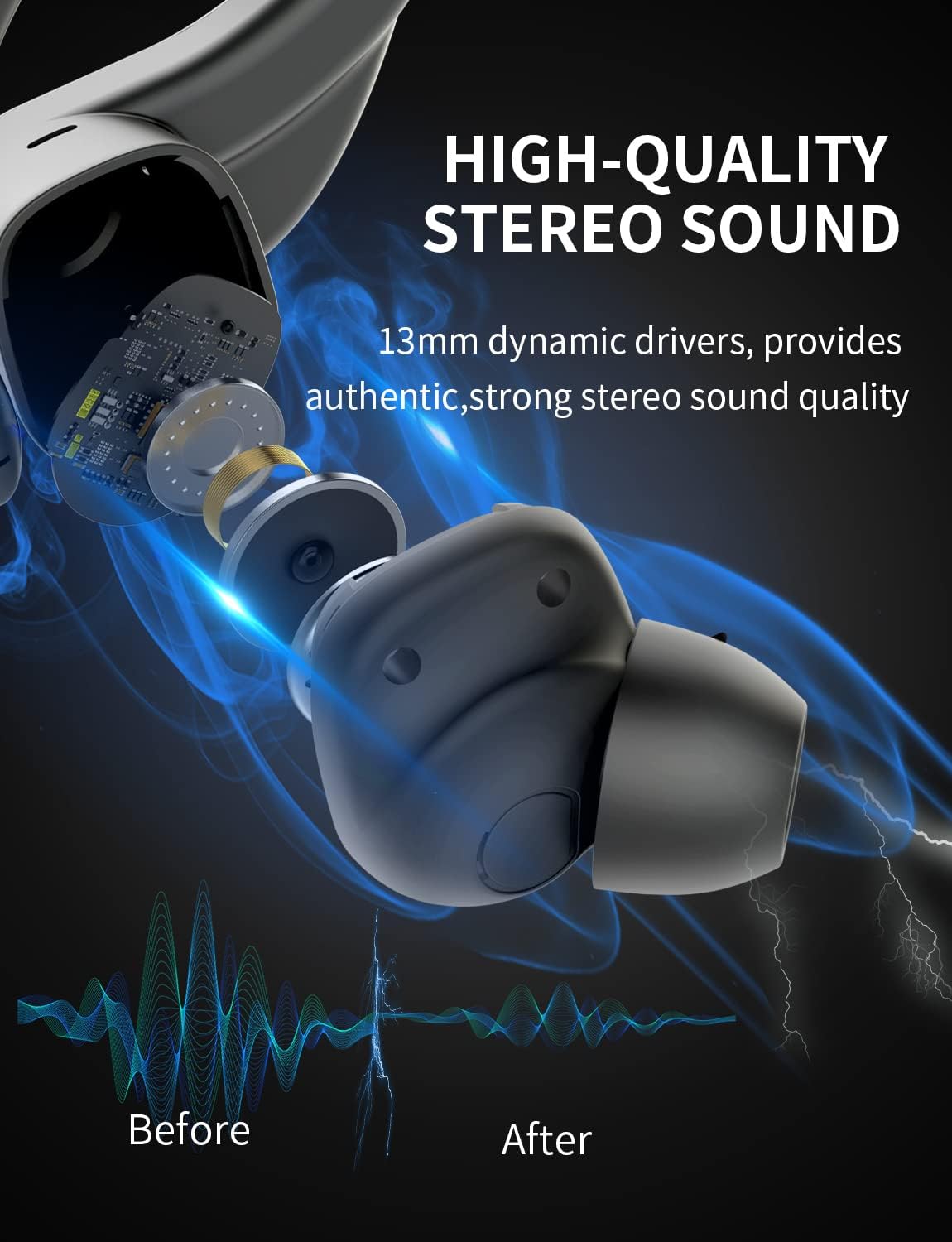
الصورة: داخلية view of the earbud, highlighting the 13mm dynamic drivers responsible for high-quality stereo sound.
6.3 علبة الشحن لا تشحن
- تأكد من توصيل كابل USB Type-C بشكل آمن بكل من الهيكل ومصدر الطاقة.
- جرب منفذ USB أو محول طاقة مختلفًا.
- تأكد من عدم تلف كابل الشحن.
7. المواصفات
Detailed technical specifications for the Bluedio S6 Wireless Earbuds:
| ميزة | التفاصيل |
|---|---|
| اسم الموديل | S6 |
| تكنولوجيا الاتصال | لاسلكي (بلوتوث 5.1) |
| تكنولوجيا الاتصالات اللاسلكية | بلوتوث |
| المكونات المضمنة | حافظة الشحن اللاسلكي |
| مادة | بلاستيك |
| استخدامات محددة للمنتج | رياضة |
| الأجهزة المتوافقة | الهواتف المحمولة، والأجهزة اللوحية، وأجهزة الكمبيوتر المحمولة |
| وزن العنصر | 117 جرام |
| مستوى مقاومة الماء | Waterproof (Note: typically means splash/sweat resistant, not submersible) |
| نطاق التردد | 20 هرتز-20000 هرتز |
| تنسيق الميكروفون | مدمج |
| متوسط عمر البطارية (سماعات الأذن) | 9 ساعات (شحنة واحدة) |
| إجمالي وقت اللعب مع الحقيبة | حتى ساعتين |
| سعة بطارية علبة الشحن | 600mAh (from A+ content image) |
| وضع الأذن | In Ear (with earhooks) |
| لون | أسود |
8. الضمان والدعم
Bluedio products are manufactured to high quality standards. For warranty information and customer support, please refer to the warranty card included in your product packaging or visit the official Bluedio webالموقع. احتفظ بإيصال الشراء الخاص بك كإثبات للشراء في حالة وجود أي مطالبات بالضمان.
For further assistance, you may also contact Bluedio customer service through their official channels.