
1. المقدمة
Thank you for choosing the Cecotec ForceClima 7450 Touch Connected Portable Air Conditioner. This manual provides essential information for the safe and efficient operation, maintenance, and troubleshooting of your new appliance. Please read it thoroughly before use and keep it for future reference.

Figure 1.1: Cecotec ForceClima 7450 Touch Connected Portable Air Conditioner
The ForceClima 7450 Touch Connected is designed to provide effective cooling, ventilation, and dehumidification for spaces up to 15 m². It features a powerful 7000 BTU cooling capacity, a user-friendly touch control panel, a remote control, and Wi-Fi connectivity for convenient operation via your smartphone.
2. تعليمات السلامة
لتقليل مخاطر نشوب حريق أو صدمة كهربائية أو إصابة عند استخدام مكيف الهواء ، اتبع هذه الاحتياطات الأساسية:
- قم دائمًا بتوصيل الجهاز بمأخذ طاقة مؤرض بالجهد الصحيحtagهـ (230 فولت).
- لا تقم بتشغيل مكيف الهواء إذا كان السلك أو القابس تالفًا.
- تأكد من التهوية الجيدة حول الوحدة. لا تسد منافذ الهواء.
- لا تقم بإدخال أصابعك أو أي أجسام غريبة في فتحات التهوية.
- Keep the unit away from water and other liquids. Do not use it in bathrooms or very humid environments.
- افصل الجهاز قبل التنظيف أو إجراء أي صيانة.
- لا تحاول إصلاح الوحدة أو تعديلها بنفسك. اتصل بفنيي الصيانة المؤهلين لإجراء الإصلاحات.
- Ensure the exhaust hose is properly installed to expel hot air outside.
- قم بالإشراف على الأطفال للتأكد من أنهم لا يلعبون بالجهاز.
3. محتويات العبوة
Carefully unpack your air conditioner and check that all items are present and in good condition:
- Cecotec ForceClima 7450 Touch Connected Portable Air Conditioner Unit
- جهاز التحكم عن بعد
- خرطوم العادم
- مجموعة ختم النوافذ
- خرطوم الصرف
- دليل المستخدم
4. مواصفات المنتج
The Cecotec ForceClima 7450 Touch Connected offers a range of features for optimal comfort:
- قدرة التبريد: 7000 BTU, suitable for rooms up to 15 m².
- قوة: ١٣٨٠ واط.
- خيارات التحكم: Intuitive touch control panel, remote control, and Wi-Fi connectivity via smartphone app.
- عرض: Clear LED screen showing current settings.
- أوضاع التشغيل:
- وضع التبريد: For effective temperature reduction.
- وضع المروحة: يدور الهواء دون تبريد.
- وضع التجفيف: يزيل ما يصل إلى 20 لترًا من الرطوبة يوميًا، مما يحسن جودة الهواء.
- الوضع الليلي: Operates quietly for undisturbed sleep.
- سرعات المروحة: Two adjustable speeds (Low and High).
- وظيفة المؤقت: Programmable for up to 24 hours.
- قابلية النقل: مزودة بعجلات لسهولة الحركة.
5. الإعداد
اتبع هذه الخطوات لإعداد مكيف الهواء المحمول الخاص بك:
5.1 وضع الوحدة
Place the air conditioner on a flat, stable surface, ensuring there is at least 30 cm of clear space around the unit for proper airflow. Position it near a window or opening for exhaust hose installation.
5.2 Installing the Exhaust Hose
- قم بتوصيل أحد طرفي خرطوم العادم بمخرج الهواء الموجود في الجزء الخلفي من الوحدة.
- Extend the exhaust hose and attach the window adapter to the other end.
- Open the window and install the window sealing kit. Secure the window adapter into the opening of the sealing kit to ensure hot air is expelled outside and warm air does not re-enter the room.
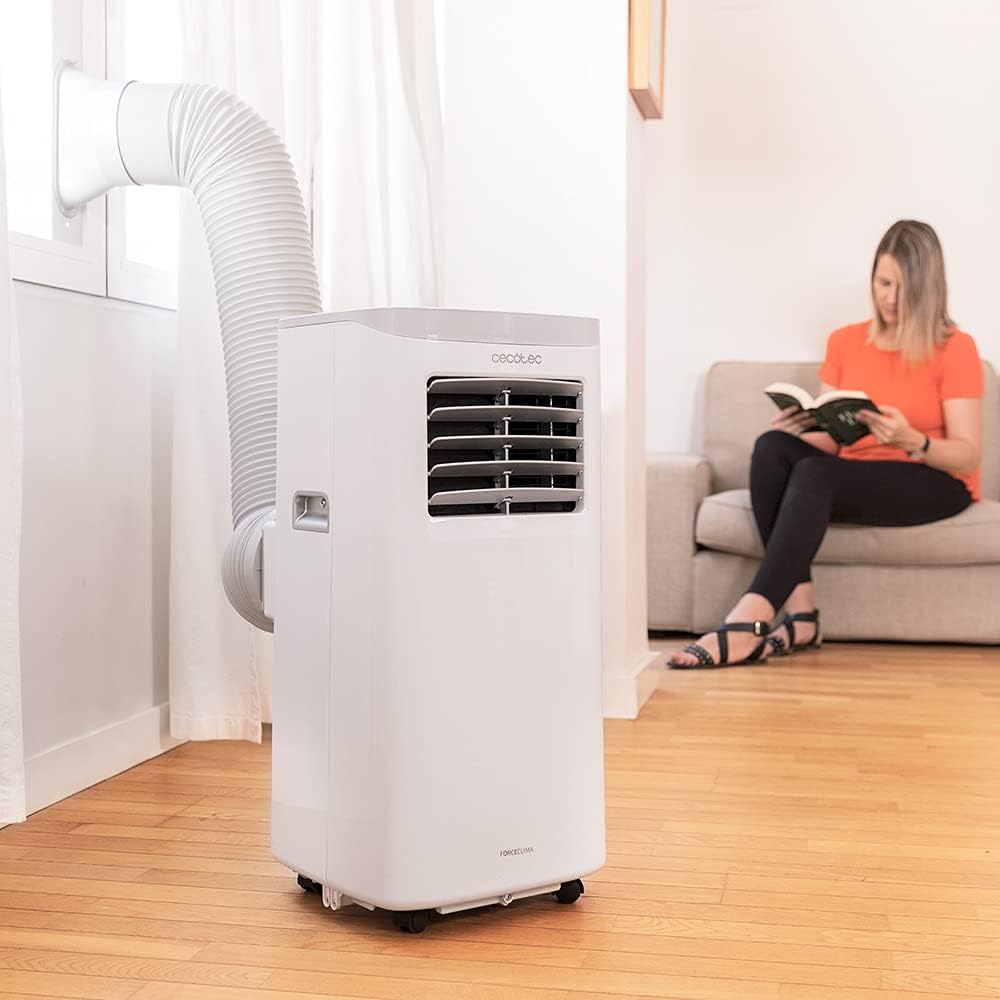
Figure 5.1: Proper installation of the exhaust hose in a window
5.3 توصيل الطاقة
Plug the power cord into a standard 230V grounded electrical outlet. Ensure the outlet is suitable for the appliance's power requirements.
6. تعليمات التشغيل
Your Cecotec ForceClima 7450 Touch Connected can be operated using the touch control panel, the remote control, or the dedicated smartphone app.
6.1 تشغيل لوحة التحكم

Figure 6.1: Touch Control Panel

Figure 6.2: Interacting with the Control Panel
- زر الطاقة: اضغط لتشغيل أو إيقاف تشغيل الوحدة.
- زر الوضع: Cycle through Cooling, Fan, Dehumidification, and Night modes. The selected mode will be indicated on the LED display.
- أزرار ضبط درجة الحرارة (لأعلى/لأسفل): اضبط درجة الحرارة المطلوبة في وضع التبريد.
- زر سرعة المروحة: قم بالتبديل بين سرعات المروحة المنخفضة والعالية.
- زر المؤقت: Set the auto-off timer (up to 24 hours).
6.2 تشغيل جهاز التحكم عن بعد
The remote control allows you to operate all functions of the air conditioner from a distance. Ensure there are no obstructions between the remote control and the unit's receiver.
- تتوافق الأزرار الموجودة بجهاز التحكم عن بُعد مع الوظائف الموجودة على لوحة التحكم.
- Insert 2x AAA batteries (not included) into the remote control before first use.
6.3 التحكم عبر الواي فاي (تطبيق الهاتف الذكي)
The Cecotec ForceClima 7450 Touch Connected can be controlled remotely via a smartphone app. This allows you to manage settings from anywhere with an internet connection.
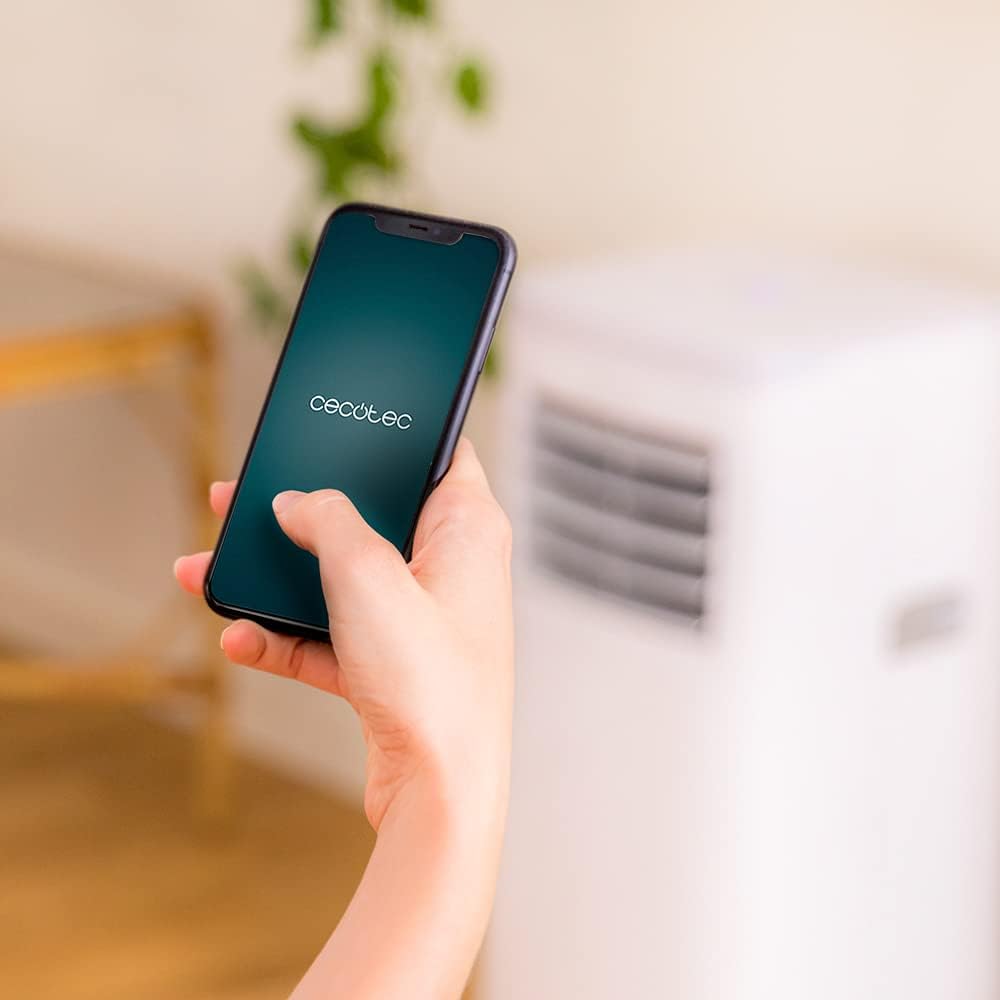
Figure 6.3: Controlling the unit via the Cecotec App
- قم بتنزيل تطبيق Cecotec الرسمي من متجر تطبيقات هاتفك الذكي (iOS أو Android).
- أنشئ حسابًا أو سجّل الدخول.
- Follow the in-app instructions to add your ForceClima 7450 Touch Connected unit. This typically involves putting the unit into pairing mode and connecting it to your home Wi-Fi network.
- Once connected, you can control all functions, including power, mode, temperature, fan speed, and timer, directly from your smartphone.
7. الصيانة
تضمن الصيانة المنتظمة الأداء الأمثل وتطيل عمر مكيف الهواء الخاص بك.
7.1 تنظيف مرشح الهواء
The air filter should be cleaned every two weeks or more frequently depending on usage and air quality. A dirty filter can reduce cooling efficiency and airflow.
- افصل مكيف الهواء عن مأخذ الطاقة.
- Locate and remove the air filter from the back or side of the unit (refer to the diagram in your quick start guide if unsure).
- Clean the filter using a vacuum cleaner to remove dust. For stubborn dirt, wash it gently with lukewarm water and a mild detergent.
- Allow the filter to dry completely before reinserting it into the unit. Do not expose it to direct sunlight.
7.2 Draining Accumulated Water
During cooling and dehumidification, water will accumulate inside the unit. The unit has an internal water tank, but for continuous operation or high humidity, manual drainage may be required.
- When the internal tank is full, the unit may stop operating and display an indicator.
- افصل الوحدة عن التيار الكهربائي.
- ضع وعاءً ضحلاً أو دلوًا أسفل فتحة التصريف في الجزء الخلفي السفلي من الوحدة.
- قم بإزالة سدادة التصريف واترك الماء يتسرب بالكامل.
- For continuous drainage, attach the provided drainage hose to the outlet and direct it to a floor drain or suitable container.
- أعد تركيب سدادة التصريف بإحكام بعد الانتهاء من عملية التصريف.
7.3 تنظيف الجزء الخارجي للوحدة
امسح الجزء الخارجي من الوحدة بقطعة قماش ناعمة دamp لا تستخدم مواد كيميائية قاسية أو منظفات كاشطة أو مذيبات، لأنها قد تتلف السطح.
8. استكشاف الأخطاء وإصلاحها
قبل الاتصال بخدمة العملاء، يرجى الرجوع إلى المشكلات والحلول الشائعة التالية:
| مشكلة | السبب المحتمل | حل |
|---|---|---|
| الوحدة لا تعمل | لا يوجد كهرباء؛ سلك الطاقة غير موصول بالكهرباء؛ خزان المياه ممتلئ | Check power supply; Plug in power cord; Drain water tank |
| الوحدة لا تبرد بشكل فعال | Dirty air filter; Exhaust hose not properly installed; Room too large; Doors/windows open | Clean air filter; Ensure proper hose installation; Close doors/windows; Check room size (max 15 m²) |
| الوحدة صاخبة | Unit not on a flat surface; Obstruction in fan; Normal operating sound (65 dB) | Place on flat surface; Check for obstructions; Note that some noise is normal for portable ACs |
| فشل اتصال Wi-Fi | كلمة مرور Wi-Fi غير صحيحة؛ جهاز التوجيه بعيد جدًا؛ مشاكل في التطبيق | Verify password; Move unit closer to router; Restart app/unit; Consult app's troubleshooting guide |
| تسرب المياه | Drain plug loose; Drainage hose not properly connected | Secure drain plug; Ensure drainage hose is tightly connected |
9. المواصفات
| ميزة | مواصفة |
|---|---|
| رقم الموديل | 05957 |
| سعة التبريد | 7000 وحدة حرارية بريطانية |
| استهلاك الطاقة | 790 واط |
| المجلدtage | 230 فولت |
| مستوى الضوضاء | 65 ديسيبل |
| منطقة التغطية | حوالي 15 متر مربع |
| قدرة إزالة الرطوبة | ما يصل إلى 20 لترًا في اليوم |
| الأبعاد (D x W x H) | 30.5 × 32.8 × 67.8 سم |
| وزن | 20 كجم |
10. الضمان والدعم
Cecotec products are manufactured to high-quality standards. This product is covered by a manufacturer's warranty against defects in materials and workmanship from the date of purchase. Please retain your proof of purchase for warranty claims.
For technical support, spare parts, or warranty service, please contact Cecotec customer service through their official website or the contact information provided in your product's packaging. Do not attempt to repair the unit yourself, as this may void the warranty.