
مقدمة
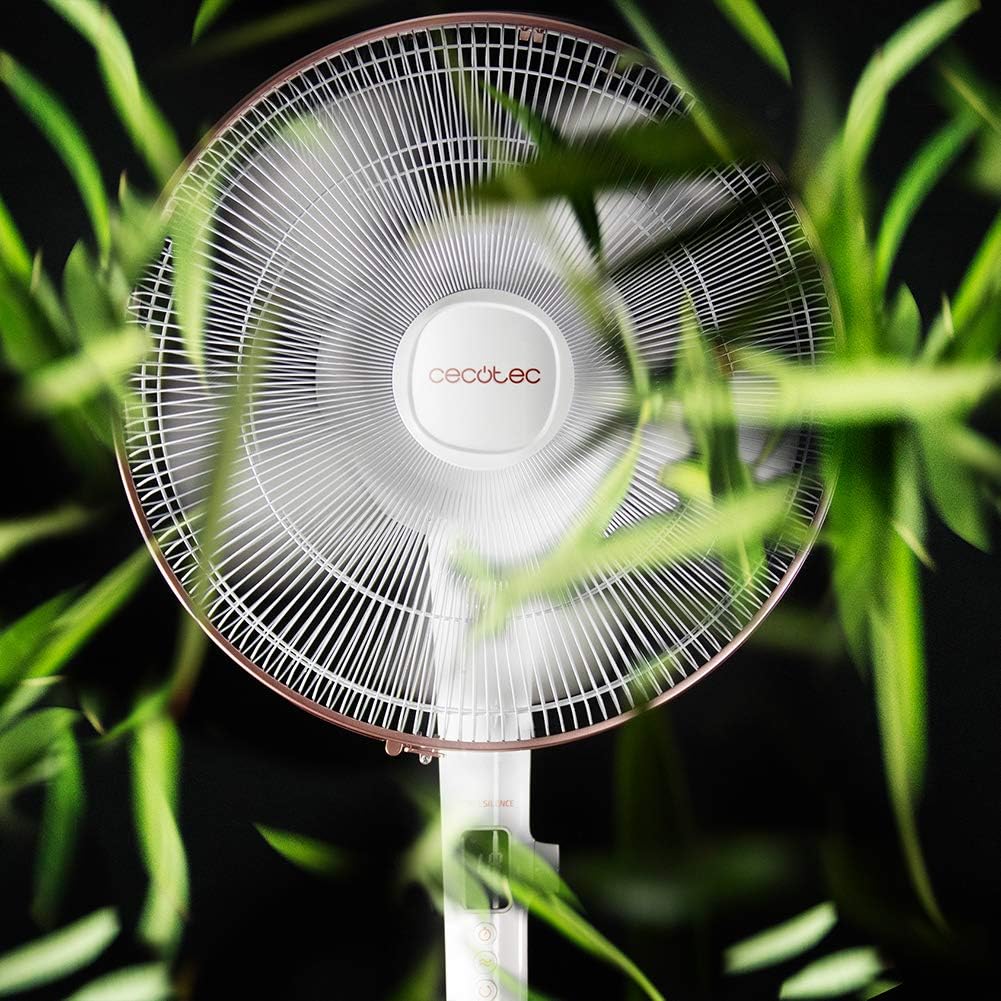
Thank you for choosing the Cecotec EnergySilence 1030 SmartExtreme Pedestal Fan. This fan is designed to provide powerful yet quiet air circulation with advanced features for enhanced comfort. It incorporates a highly efficient DC motor, offering 24 speed settings and 3 operational modes to suit various needs. Please read this manual carefully before use to ensure proper operation, maintenance, and safety.
ماذا يوجد في الصندوق
- جسم المعجبين
- جهاز التحكم عن بعد
- دليل المستخدم
تعليمات السلامة
- افصل المروحة دائمًا عن مأخذ الطاقة قبل التنظيف أو إجراء أي صيانة.
- لا تدخل أصابعك أو أي أجسام أخرى في شبكة المروحة أثناء تشغيلها.
- أبقِ المروحة بعيدة عن الماء أو السوائل الأخرى. لا تستخدمها فيamp البيئات.
- تأكد من عدم تلف سلك الطاقة أو انثناءه. لا تقم بتشغيل المروحة إذا كان السلك أو القابس تالفًا.
- لا يُقصد استخدام هذا الجهاز من قبل الأشخاص (بما في ذلك الأطفال) ذوي القدرات البدنية أو الحسية أو العقلية المحدودة، أو الذين يفتقرون إلى الخبرة والمعرفة، ما لم يتم الإشراف عليهم أو إعطائهم تعليمات فيما يتعلق باستخدام الجهاز من قبل شخص مسؤول عن سلامتهم.
- ضع المروحة على سطح مستوٍ وثابت لمنعها من الانقلاب.
- لا تقم بتغطية المروحة أثناء التشغيل.
التجميع والإعداد
The Cecotec EnergySilence 1030 SmartExtreme fan requires minimal assembly. Carefully unpack all components. The main fan body, including the motor and blades, will need to be securely attached to the pedestal and base. Ensure all parts click into place or are tightened as per the visual instructions provided in the included manual. The fan features an adjustable telescopic pole, allowing you to set the height between 115 cm and 135 cm for optimal air distribution.

تعليمات التشغيل
لوحة التحكم
The fan features an intuitive control panel with an LED screen displaying the current settings.

- Power Button (ON/OFF): اضغط لتشغيل أو إيقاف تشغيل المروحة.
- تعديل السرعة: Use the dedicated buttons or dial to cycle through 24 speed settings. The current speed will be shown on the LED display.
- زر الوضع: Press to switch between the three available modes: Eco, Sleep, and Turbo.
- زر المؤقت: Press to activate and set the timer for up to 18 hours.
- زر التذبذب: Press to enable or disable the automatic oscillation function.
جهاز التحكم عن بعد
The fan can also be conveniently operated using the included remote control.

- جميع الوظائف المتاحة على لوحة التحكم يمكن الوصول إليها أيضًا عبر جهاز التحكم عن بعد.
- Ensure the remote control is pointed towards the fan's receiver for optimal response.
- تتطلب بطاريات AAA (غير متضمنة).
الأوضاع والسرعات
The fan offers 24 speed settings and 3 distinct modes:
- نمط الصدى: Operates at a lower power consumption, ideal for energy saving.
- وضع السكون: Designed for quiet operation, gradually decreasing fan speed to provide a comfortable sleeping environment.
- وضعية التوربو: Provides maximum airflow for rapid cooling.
وظيفة المؤقت
The programmable timer allows you to set the fan to operate for a specific duration, up to a maximum of 18 hours. Once the set time expires, the fan will automatically turn off.
ذبذبة
Activate the automatic oscillation function to distribute fresh air more widely across the room. This feature ensures a broader coverage area, enhancing overall comfort.
صيانة
يضمن التنظيف المنتظم الأداء الأمثل ويطيل عمر المروحة.
- Before cleaning, always unplug the fan from the power supply.
- استخدمي قطعة قماش ناعمةamp استخدم قطعة قماش لمسح الأسطح الخارجية. لا تستخدم المنظفات الكاشطة أو المذيبات.
- Periodically clean the fan blades and protective grilles to remove dust and debris. This can be done using a soft brush or a vacuum cleaner with a brush attachment.
- تأكد من جفاف المروحة تماماً قبل إعادة توصيلها بالكهرباء.
استكشاف الأخطاء وإصلاحها
| مشكلة | السبب المحتمل | حل |
|---|---|---|
| لا يتم تشغيل المروحة | No power supply; Power cord not properly connected; Fan is off. | تحقق من منفذ الطاقة؛ تأكد من توصيل سلك الطاقة بشكل آمن؛ اضغط على زر الطاقة. |
| ضعف تدفق الهواء | Low speed setting; Dust accumulation on blades/grille. | Increase speed setting; Clean fan blades and grilles. |
| ضوضاء غير عادية | أجزاء مفكوكة؛ انسداد في شفرات المروحة. | Check for loose components and tighten if necessary; Remove any obstructions. If noise persists, contact support. |
| جهاز التحكم عن بعد لا يعمل | بطاريات فارغة؛ وجود عائق بين جهاز التحكم عن بعد والمروحة. | Replace batteries; Ensure clear line of sight to fan's receiver. |
تحديد
| ميزة | التفاصيل |
|---|---|
| ماركة | سيكوتيك |
| رقم الموديل | 05915 |
| قوة | 28 واط |
| المجلدtage | 230 فولت (تيار متردد) |
| أبعاد المنتج | 45D x 45W x 135H cm (adjustable height) |
| وزن العنصر | 5.4 كيلوغرام |
| تصميم المروحة | مروحة الركيزة |
| إعدادات السرعة | 24 |
| الأوضاع | Eco, Sleep, Turbo |
| الموقت | تصل إلى 18 ساعة |
| ذبذبة | اوتوماتيكي |
| ميزة خاصة | محمول |
الضمان والدعم
للحصول على معلومات الضمان ودعم العملاء، يرجى الرجوع إلى بطاقة الضمان المرفقة مع المنتج أو زيارة موقع Cecotec الرسمي. website. If you encounter any issues not covered in this manual, please contact Cecotec customer service for assistance.