
مقدمة
The Hyper Drive GEN2 12-in-1 USB-C Docking Station is designed to expand the connectivity of your USB-C enabled laptop or tablet. This docking station provides a comprehensive solution for connecting multiple peripherals, external displays, and power delivery through a single USB-C port. It supports high-speed data transfer, multiple 4K video outputs, and efficient power charging for enhanced productivity.
مميزات المنتج
The Hyper Drive GEN2 12-in-1 USB-C Docking Station offers a wide array of ports and capabilities:
- Dual HDMI 4K60Hz HDR: Connect up to two external displays with stunning 4K resolution at 60Hz, supporting High Dynamic Range (HDR) for vibrant visuals.
- DisplayPort 4K60Hz: Connect an additional external display via DisplayPort, also supporting 4K resolution at 60Hz.
- USB-C Power Delivery (PD) 100W: Charge your host laptop or tablet with up to 100W of power through the dedicated USB-C PD port.
- 2x USB-A 10Gbps (USB 3.1 Gen 2): Experience ultra-fast data transfer speeds for compatible USB-A devices.
- 2x USB-A 2.0: Connect standard USB peripherals such as keyboards, mice, or printers.
- جيجابت إيثرنت: Enjoy stable and high-speed wired network connectivity.
- MicroSD UHS-II (300MB/s): Fast data transfer for MicroSD cards, ideal for photographers and videographers.
- SD UHS-II (300MB/s): Fast data transfer for standard SD cards.
- مقبس صوت 3.5 ملم: Connect headphones or speakers for audio output.

الشكل 1: الجبهة view of the Hyper Drive GEN2 12-in-1 USB-C Hub, highlighting MicroSD, SD, 3.5mm Audio, and two USB-A 10Gbps ports.
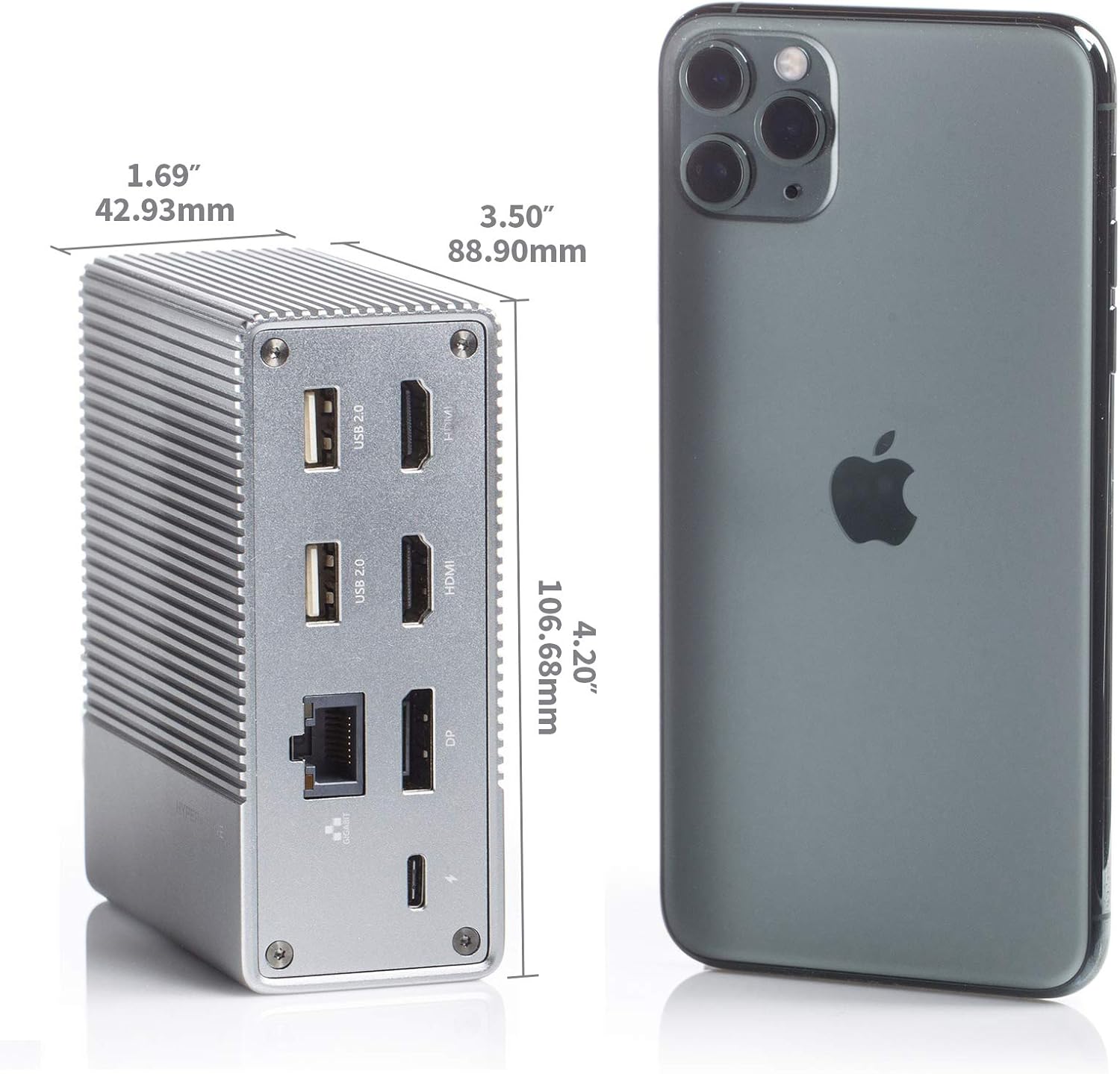
الشكل 2: خلفي view of the Hyper Drive GEN2 12-in-1 USB-C Hub, highlighting USB-C Power Delivery, Gigabit Ethernet, DisplayPort, two HDMI, and two USB-A 2.0 ports.
دليل الإعداد
- الاتصال بجهاز المضيف: Plug the integrated USB-C cable from the docking station into an available USB-C port on your laptop or tablet. Ensure the USB-C port on your host device supports DisplayPort Alternate Mode (Alt Mode) and Power Delivery for full functionality.
- توصيل الطاقة (اختياري ولكن موصى به): For optimal performance and to charge your host device, connect your laptop's USB-C power adapter to the USB-C PD port on the docking station. The docking station supports up to 100W power delivery.
- ربط الشاشات الخارجية:
- Connect your HDMI monitors to the HDMI ports on the docking station.
- Connect your DisplayPort monitor to the DisplayPort on the docking station.
ملحوظة: For macOS, only one extended display is supported with the same image on all external displays at 4K60Hz. Windows/Chrome OS supports Multi-Stream Transport (MST) for up to three extended displays.
- توصيل الأجهزة الطرفية: Plug your USB devices (keyboard, mouse, external drives), Ethernet cable, and audio devices into the corresponding ports on the docking station.
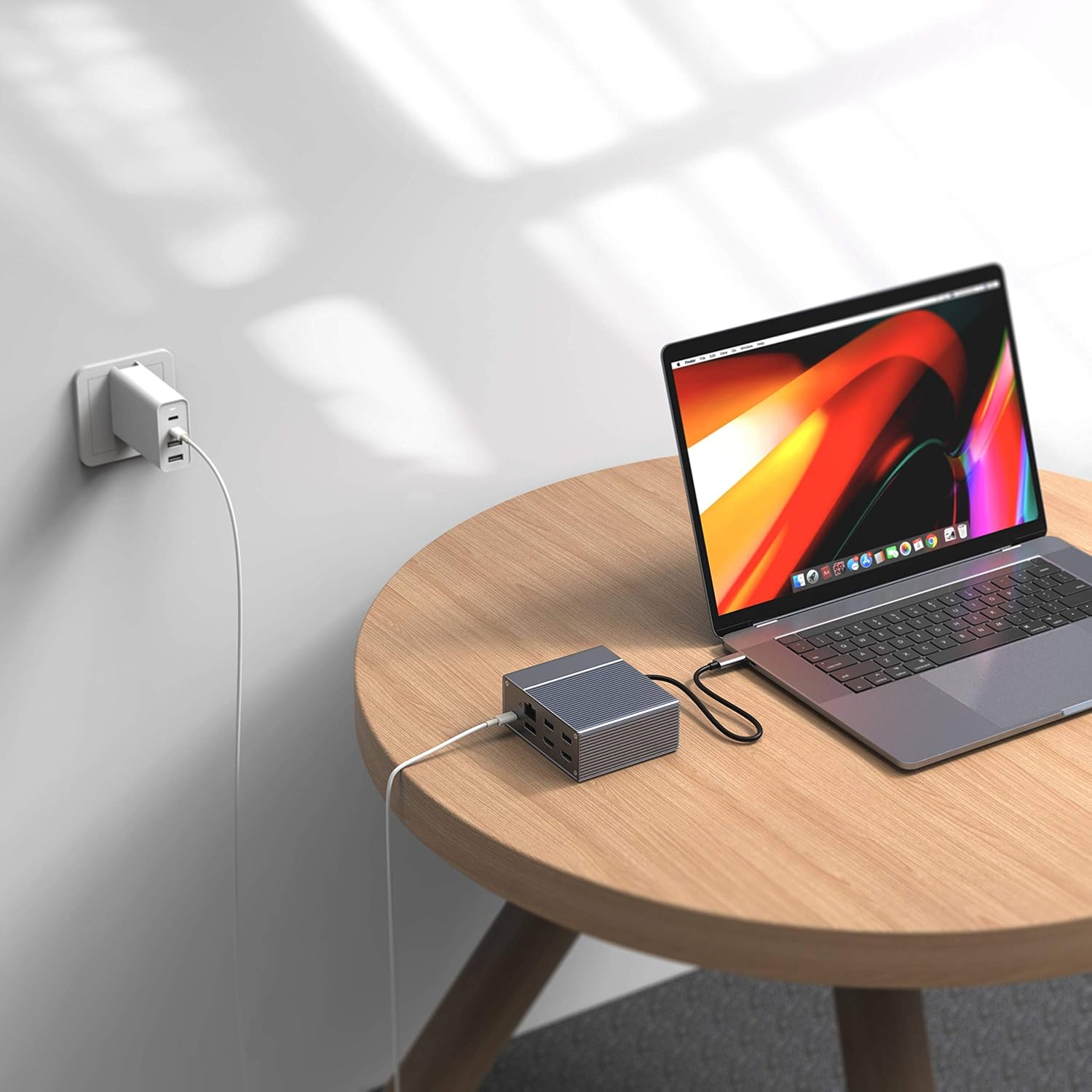
Figure 3: Laptop connected to the docking station and a power adapter for charging.
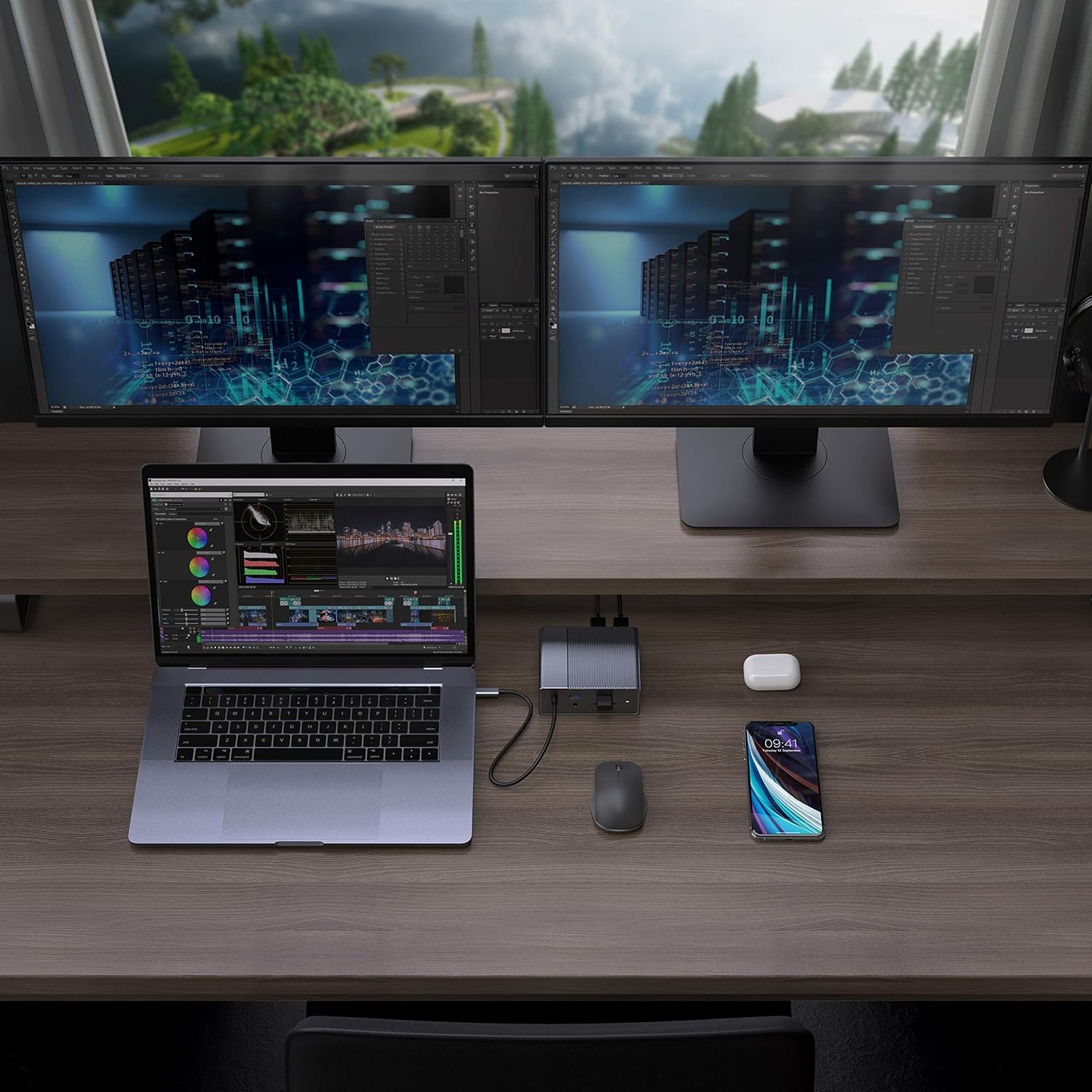
Figure 4: A typical setup showing a laptop connected to the docking station with multiple peripherals and external displays.
تعليمات التشغيل
أوضاع العرض
تدعم محطة الإرساء تكوينات عرض متنوعة حسب نظام التشغيل الخاص بك:
- ماك: Supports one extended display with the same image mirrored across all external displays at 4K60Hz. macOS does not support Multi-Stream Transport (MST) for independent extended displays.
- نظام التشغيل Windows/Chrome: Supports Multi-Stream Transport (MST), allowing for up to three extended displays with independent content at 4K60Hz.

Figure 5: Illustration of display modes for macOS (mirror mode) and Windows (mirror and extended modes) using the docking station.
Data Transfer and Power Delivery
- USB-A 10Gbps Ports: Use these ports for high-speed data transfer with compatible external hard drives, SSDs, or other USB 3.1 Gen 2 devices.
- منافذ USB-A 2.0: Ideal for connecting standard peripherals like keyboards, mice, or USB flash drives where high-speed data transfer is not critical.
- SD/MicroSD Card Slots: Insert your memory cards for quick access and transfer of photos and videos at up to 300MB/s (UHS-II speeds).
- منفذ USB-C PD: Connect your laptop's power adapter to this port to charge your laptop while using the docking station. This port also supports data transfer.
فيديو 1: انتهى الرسميview of the HyperDrive GEN2 USB-C Hub, demonstrating its speed, power, and various port functionalities.
صيانة
- حافظ على محطة الإرساء في بيئة نظيفة وجافة.
- تجنب تعريض الجهاز لدرجات حرارة شديدة أو لأشعة الشمس المباشرة.
- نظّف الجزء الخارجي بقطعة قماش ناعمة وجافة. لا تستخدم المنظفات السائلة أو البخاخات.
- تأكد من التهوية المناسبة حول الجهاز لمنع ارتفاع درجة الحرارة.
استكشاف الأخطاء وإصلاحها
- لا يوجد عرض للشاشة أو شاشة تومض:
- تأكد من أن منفذ USB-C الخاص بجهازك المضيف يدعم وضع DisplayPort البديل.
- تحقق من جميع توصيلات الكابلات (USB-C إلى الجهاز المضيف، HDMI/DP إلى الشاشات).
- Try a different HDMI or DisplayPort cable.
- Verify your monitor input settings are correct.
- For macOS, remember that only one extended display is supported, with other external displays mirroring the extended one.
- أجهزة USB غير معترف بها:
- Reconnect the USB device to the docking station.
- جرب منفذ USB مختلفًا على محطة الإرساء.
- Ensure the docking station is properly connected to your host device.
- If using high-power USB devices, ensure the docking station is connected to a power source via its USB-C PD port.
- Laptop not charging:
- Ensure your laptop's original USB-C power adapter is connected to the USB-C PD port on the docking station.
- تأكد من أن الكمبيوتر المحمول الخاص بك يدعم تقنية USB-C Power Delivery.
- افحص محول الطاقة والكابل بحثًا عن أي تلف.
تحديد
| ميزة | مواصفة |
|---|---|
| نموذج | GEN2 12-in-1 USB-C Hub |
| ماركة | هايبر |
| منافذ HDMI | 2x HDMI 4K60Hz HDR |
| منفذ العرض | 1x DisplayPort 4K60Hz |
| منفذ USB-C PD | عدد 1 منفذ USB-C لتوصيل الطاقة بقدرة 100 وات |
| منافذ بيانات USB-A | 2x USB-A 10Gbps (USB 3.1 Gen 2), 2x USB-A 2.0 |
| إيثرنت | 1 × جيجابت إيثرنت |
| قارئات البطاقات | 1x MicroSD UHS-II (300MB/s), 1x SD UHS-II (300MB/s) |
| مقبس الصوت | 1 × مقبس صوت 3.5 ملم |
| نظام التشغيل المتوافق | نظام التشغيل macOS، وويندوز، ونظام التشغيل Chrome OS |
| وزن العنصر | 480.8 جرام |
| رمز المنتج الموحد | 817110014519 |
الضمان والدعم
For warranty information and technical support, please refer to the official Hyper webالموقع أو تواصل مع خدمة العملاء. احتفظ بإيصال الشراء لطلبات الضمان.
الدعم عبر الإنترنت: www.hyper.com/support