
مقدمة
Welcome to the user manual for your Philips Serie 5400 Superautomatic Coffee Machine. This guide provides essential information for setting up, operating, maintaining, and troubleshooting your appliance to ensure optimal performance and enjoyment of a wide variety of coffee beverages.

Image: The Philips Serie 5400 coffee machine preparing a Latte Macchiato, showcasing its sleek design and the LatteGo milk system.
The Philips Serie 5400 is designed to deliver a premium coffee experience with convenience. Featuring the innovative LatteGo milk system, an intuitive display, and the ability to prepare 12 different coffee varieties, it caters to diverse preferences. You can also personalize your drinks and save settings for up to 4 users.
الإعداد والاستخدام الأول
Follow these steps to prepare your coffee machine for its first use:
- فك التعبئة: قم بإزالة جميع مواد التغليف بعناية وتأكد من وجود جميع المكونات.
- خزان المياه: Fill the water tank with fresh tap water up to the MAX indication. Ensure the AquaClean filter is correctly installed as per the filter instructions.
- حبوب هوبر: افتح غطاء خزان حبوب البن واملأه بحبوب البن الطازجة. لا تملأه أكثر من اللازم.
- تشغيل الطاقة: Plug the appliance into a grounded wall socket and press the power button. The machine will perform an automatic rinse cycle.
- نظام لاتيه جو: Assemble the LatteGo milk system by attaching the milk container to the frame. Ensure it clicks into place.
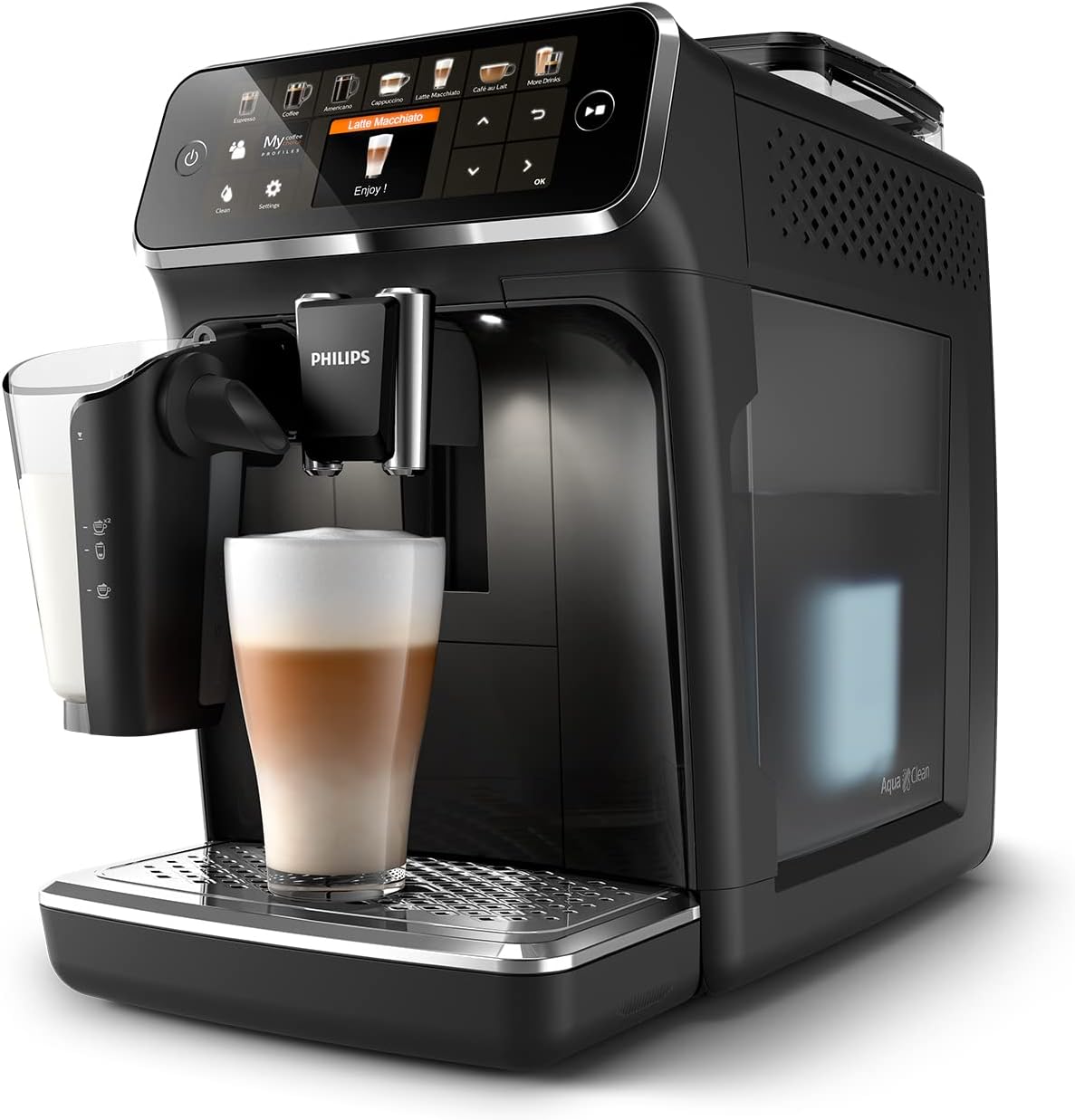
الصورة: زاوية view of the Philips Serie 5400 coffee machine, highlighting the transparent water tank on the side.

Image: A close-up of the AquaClean water filter correctly positioned within the water tank, essential for water quality and descaling prevention.
تعليمات التشغيل
Your Philips Serie 5400 offers a wide range of coffee beverages and customization options.
Selecting and Customizing Drinks
- عرض بديهي: Use the intuitive TFT display and touch controls to navigate through the 12 available coffee varieties.
- تشكيلة المشروبات: Choose from Espresso, Coffee, Americano, Cappuccino, Latte Macchiato, Café au Lait, Flat White, Café Crema, Ristretto, Espresso Lungo, and more.
- التخصيص: After selecting a drink, you can adjust settings such as coffee intensity, volume, and milk foam quantity using the on-screen sliders.
- ExtraShot Function: For an extra boost of flavor and intensity, select the ExtraShot option.
- مستخدم بروfiles: يدعم الجهاز ما يصل إلى 4 مستخدمين محترفينfiles. Configure and save your preferred drink settings for quick access.
- Pre-ground Coffee: If using pre-ground coffee, add one scoop to the pre-ground coffee compartment before selecting your drink.

الصورة: تفصيلية view of the coffee machine's intuitive display, illustrating the touch controls for customizing coffee intensity, volume, and milk foam.

Image: The machine's display interface, demonstrating how users can personalize their coffee with various settings.
Using the LatteGo Milk System
The LatteGo system provides smooth, dense milk foam for your milk-based beverages.
- تعبئة: Fill the LatteGo milk container with fresh milk.
- مرفق: Attach the LatteGo system to the machine.
- تحضير: Select a milk-based drink (e.g., Cappuccino, Latte Macchiato). The machine will automatically froth and dispense the milk.

Image: The LatteGo milk system in action, creating smooth and silky milk foam directly into a glass for a perfect coffee creation.
الصيانة والتنظيف
Regular cleaning and maintenance ensure the longevity and optimal performance of your Philips Serie 5400 coffee machine.
التنظيف اليومي
- نظام لاتيه جو: The LatteGo system is designed for quick cleaning. Rinse it under running water for 10 seconds after each use. It is also dishwasher safe.
- صينية التنقيط وحاوية بقايا القهوة: قم بإفراغ وشطف صينية التنقيط وحاوية بقايا القهوة يوميًا.

Image: The LatteGo milk container shown with its storage lid, allowing for easy removal and refrigeration of leftover milk.
التنظيف الاسبوعي
- مجموعة البيرة: The brew group is removable for easy cleaning. Rinse it thoroughly under lukewarm running water once a week. Allow it to air dry before reinserting.
فلتر أكوا كلين وإزالة الترسبات
- فلتر اكوا كلين: The AquaClean filter reduces limescale buildup, allowing you to prepare up to 5000 cups without descaling if the filter is replaced regularly as indicated by the machine.
- إزالة الترسبات: If you do not use the AquaClean filter or if the machine indicates, perform a descaling cycle using a Philips descaling solution. Follow the on-screen instructions carefully.
Ceramic Grinder
The durable ceramic grinder is designed for long-lasting performance, capable of grinding beans for at least 20,000 cups. No specific user maintenance is required for the grinder itself beyond ensuring the bean hopper is clean and free of foreign objects.

الصورة: لقطة مقربة view of the robust ceramic grinder, illustrating its precision and durability for consistent coffee bean grinding.
استكشاف الأخطاء وإصلاحها
This section addresses common issues you might encounter with your Philips Serie 5400 coffee machine.
| مشكلة | السبب المحتمل | حل |
|---|---|---|
| لا يتم توزيع القهوة. | Water tank empty, brew group clogged, or coffee beans empty. | Refill water tank, clean brew group, or refill bean hopper. |
| القهوة ضعيفة جداً | Grind setting too coarse, insufficient coffee dose, or low intensity setting. | Adjust grind setting finer, increase coffee dose, or select higher intensity. |
| الحليب ليس مزبدًا بشكل صحيح. | نظام لاتيه جو متسخ، أو نوع الحليب غير مناسب، أو الحليب دافئ جدًا. | Clean LatteGo system thoroughly, use cold fresh milk (dairy or plant-based suitable for frothing). |
| Machine displays 'Empty Grounds Container' even after emptying. | Sensor issue or container not fully reinserted. | Ensure the container is pushed in completely. If the issue persists, contact support. |
| تسرب المياه من الجهاز. | Water tank not correctly seated or internal component issue. | Check water tank position. If leaking continues, contact customer support. |
For more detailed troubleshooting or issues not listed here, please refer to the full product manual available on the Philips support webالموقع أو اتصل بخدمة عملاء Philips.
تحديد
Key technical specifications for the Philips Serie 5400 Superautomatic Coffee Machine (EP5441/50):
- رقم الموديل: EP5441 / 50
- ماركة: فيليبس
- لون: أسود
- الأبعاد (العرض × العمق × الارتفاع): حوالي 30.2 × 47.5 × 49.71 سم (11.9 × 18.7 × 19.6 بوصة)
- وزن: 8 كجم (17.6 رطل)
- المجلدtage: 230 فولت
- المميزات الخاصة: Water filter (AquaClean), Automatic shut-off
- نوع القهوة: ماكينة صنع الإسبريسو
- المكونات المتضمنة: Measuring scoop, AquaClean filter, LatteGo storage lid, Water hardness test strip
- Coffee Varieties: 12 (e.g., Espresso, Cappuccino, Latte Macchiato)
- نظام الحليب: لاتيه جو
- نوع المطحنة: Ceramic grinder
الضمان والدعم
Your Philips Serie 5400 Superautomatic Coffee Machine comes with a manufacturer's warranty. Please refer to the warranty card included in your product packaging for specific terms and conditions, including warranty duration and coverage details.
For technical support, service, or to purchase accessories and spare parts, please visit the official Philips website or contact their customer service department. You can find contact information and frequently asked questions on the Philips support page:


