
مقدمة
This manual provides detailed instructions for the installation, operation, and maintenance of your BINIZE Double Din Car Stereo. Please read this manual thoroughly before using the product to ensure proper functionality and to prevent damage. Keep this manual for future reference.
المنتج انتهىview
The BINIZE Double Din Car Stereo is a 10.1-inch multimedia player running on an Android 13 system. It offers a range of features designed to enhance your in-car entertainment and navigation experience.
المميزات الرئيسية:
- 10.1-inch capacitive touch screen with 1024x600 resolution.
- Android 13 Operating System with Quad-core Coretex-A7 processor (up to 1.3GHz).
- 2GB RAM + 32GB internal storage.
- Wireless CarPlay and Android Auto support.
- Wired MirrorLink for Android and iOS devices.
- مزود بتقنية بلوتوث مدمجة لإجراء المكالمات بدون استخدام اليدين وبث الصوت.
- Integrated GPS receiver for online and offline navigation.
- FM Radio tuner.
- Support for AUX, front, and rear camera inputs.
- Steering Wheel Control compatibility (manual learning required).
- Built-in Wi-Fi receiver and support for 4G communication (via external dongle, not included).
- Expandable options for OBD and tire pressure monitoring (accessories sold separately).

Figure 1: BINIZE Double Din Car Stereo Front View مع تسليط الضوء على الميزات الرئيسية.
الإعداد والتثبيت
Proper installation is crucial for the optimal performance of your car stereo. If you are unfamiliar with car audio wiring and installation, professional assistance is recommended.
الأبعاد المادية:
The unit measures approximately 251mm (width) x 146mm (height) x 56mm (depth). Ensure your vehicle's dashboard opening is compatible with these dimensions.
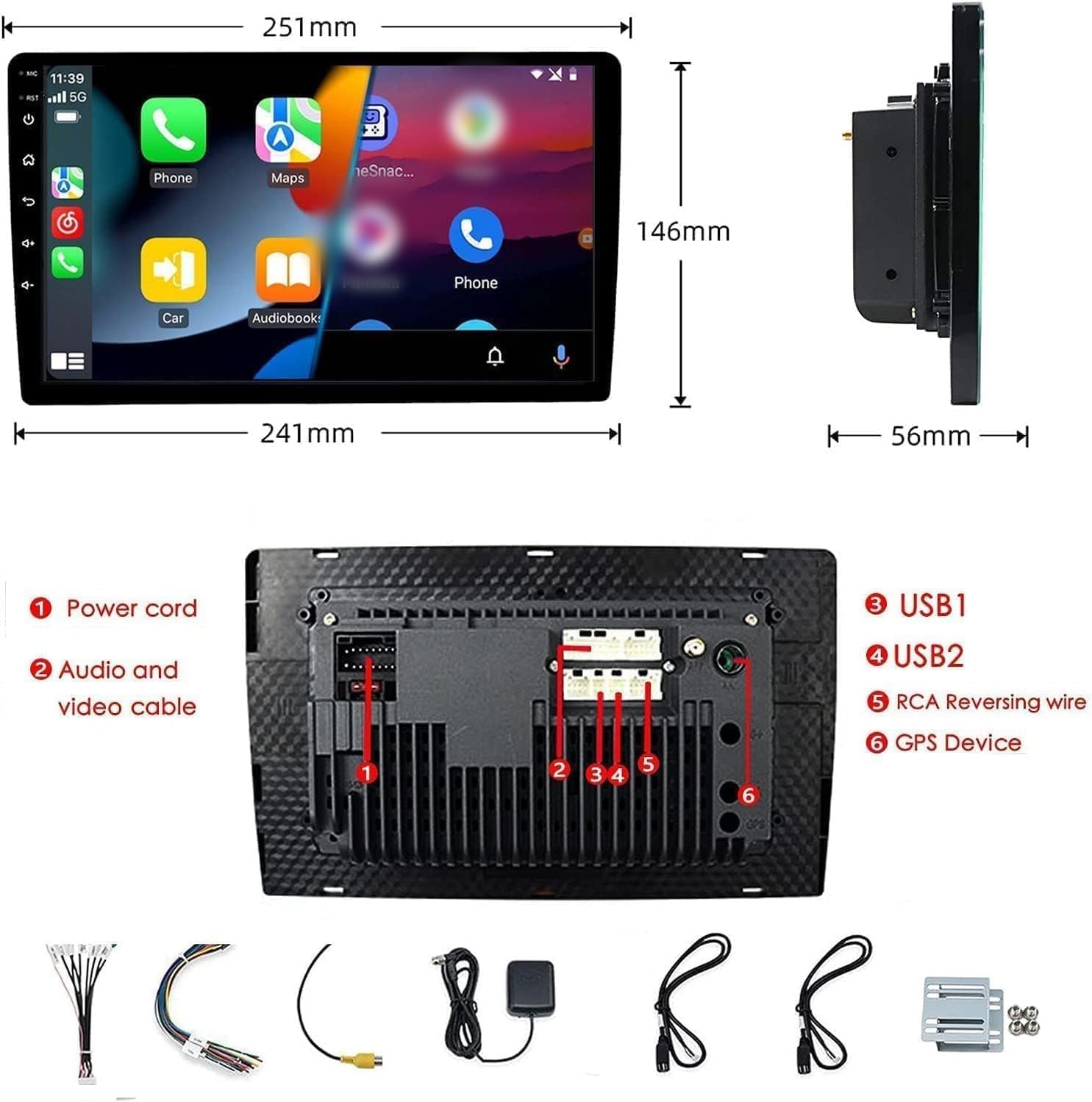
Figure 2: Unit dimensions and rear panel connection points.
التوصيلات السلكية:
Refer to the included wiring diagram for specific connections. Key connections include:
- سلك الطاقة: Connect to vehicle's power supply (constant 12V, accessory 12V, ground).
- Audio and Video Cable: For external audio/video devices.
- منافذ USB (USB1، USB2): For media playback, phone charging, and wired CarPlay/Android Auto.
- RCA Reversing Wire: Connect to the backup camera trigger wire.
- GPS Device: Connect the external GPS antenna for navigation functionality.
- Steering Wheel Control Wires (Key/SW): For integrating with vehicle's steering wheel controls.
تأكد من أن جميع التوصيلات آمنة ومعزولة بشكل صحيح لمنع حدوث دوائر قصيرة.
تعليمات التشغيل
تشغيل/إيقاف التشغيل:
The unit will power on automatically when the vehicle's ignition is turned on. To manually power off or restart, use the power button on the front panel.
تشغيل شاشة اللمس:
Navigate the interface by tapping, swiping, and pinching on the 10.1-inch capacitive touch screen, similar to a smartphone or tablet.
راديو FM:
Access the FM Radio application from the main menu. You can scan for stations, save presets, and adjust volume. The unit supports standard FM frequencies.

الشكل 3: واجهة راديو FM.
الاقتران بلوتوث:
- تأكد من تمكين Bluetooth على هاتفك المحمول.
- On the car stereo, open the Bluetooth application.
- بحث عن available devices on your phone and select "BINIZE" or a similar device name.
- قم بتأكيد رمز الاقتران على كلا الجهازين إذا طُلب منك ذلك.
- بمجرد الاقتران، يمكنك إجراء مكالمات بدون استخدام اليدين وبث الصوت.
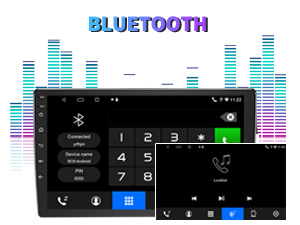
Figure 4: Bluetooth pairing screen.
التحكم في عجلة القيادة:
To use your vehicle's steering wheel controls, manual learning is required. Access the Steering Wheel Control settings in the system menu and follow the on-screen instructions to map your vehicle's buttons to the stereo functions.
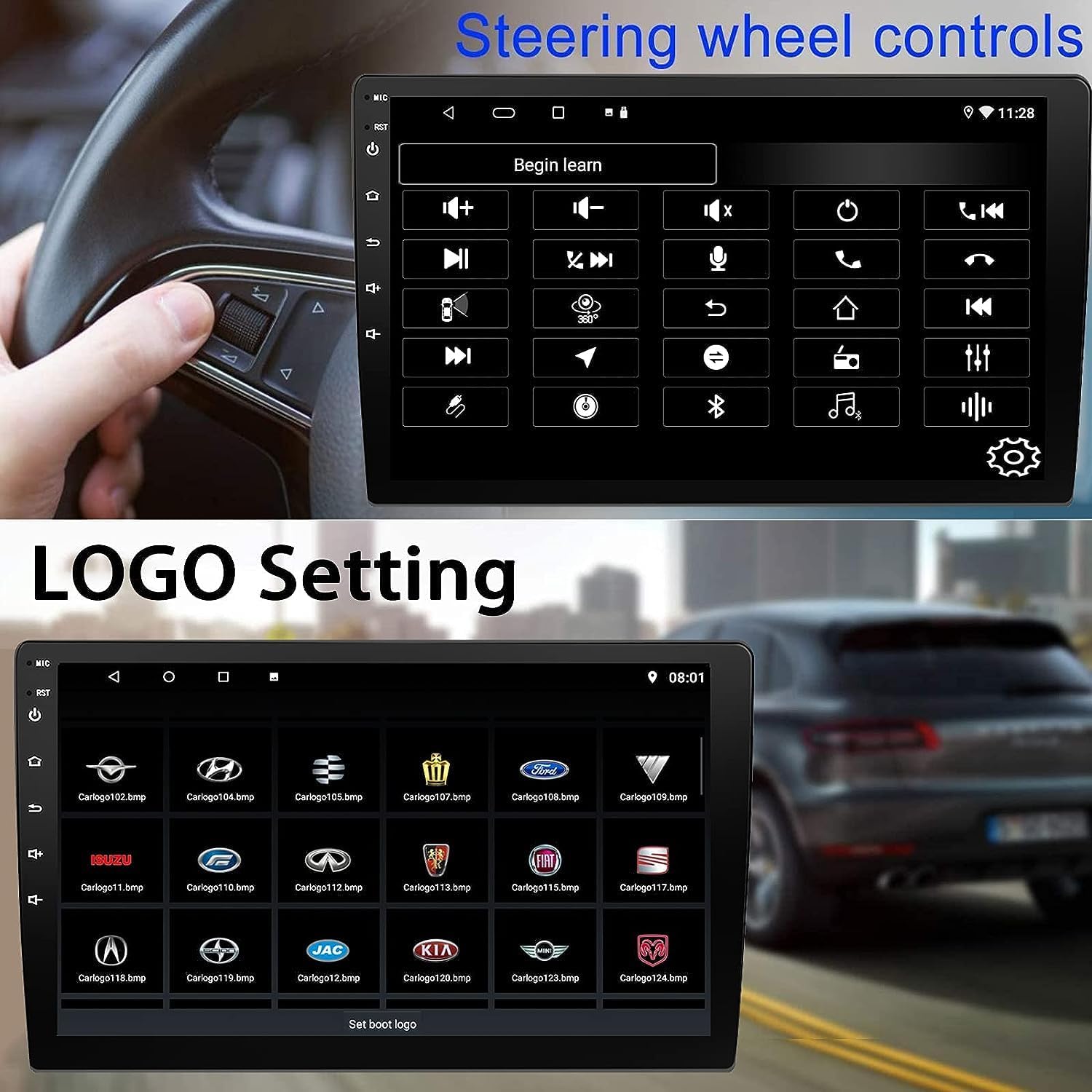
Figure 5: Steering Wheel Control setup screen.
Connectivity: CarPlay, Android Auto, and MirrorLink
كاربلاي لاسلكي:
Connect your iPhone wirelessly to access CarPlay features such as navigation, music, messages, and calls directly on the stereo display. Ensure Wi-Fi and Bluetooth are enabled on your iPhone.
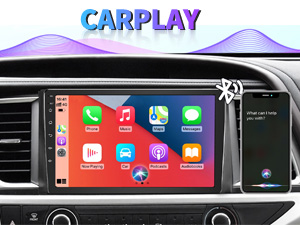
Figure 6: Wireless CarPlay interface.
لاسلكي Android Auto:
Connect your Android phone wirelessly to use Android Auto for navigation, communication, and entertainment apps. Ensure Wi-Fi and Bluetooth are enabled on your Android device.

الشكل 7: واجهة Android Auto اللاسلكية.
MirrorLink:
MirrorLink allows you to display your smartphone's screen directly onto the car stereo. This feature works with both Android and iOS devices via a wired connection. Note that CarPlay/Android Auto and MirrorLink cannot be used simultaneously.

Figure 8: MirrorLink feature displaying a phone screen on the stereo.
ملاحة
The car stereo features an integrated GPS receiver, supporting both online and offline navigation. Connect to Wi-Fi or a mobile hotspot to use online navigation apps. For offline navigation, you may need to download map data.

Figure 9: GPS navigation map display.
مدخل الكاميرا
كاميرا احتياطية:
The unit supports backup camera input. When properly connected, the display will automatically switch to the rear view when the vehicle is put into reverse, providing parking assistance with guidelines.
أمام View آلة تصوير:
The stereo also supports front view camera input, allowing for enhanced visibility when maneuvering in tight spaces.

Figure 10: Backup camera and front view camera displays.
صيانة
To ensure the longevity and optimal performance of your BINIZE car stereo, follow these maintenance guidelines:
- تنظيف الشاشة: استخدم قطعة قماش ناعمة وخالية من الوبر لمسح شاشة اللمس برفق. بالنسبة للبقع العنيدة، افركها قليلاًampامسح القماش بالماء أو بمنظف آمن للشاشات. تجنب المواد الكيميائية القاسية أو المواد الكاشطة.
- النظافة العامة: Keep the unit and surrounding areas free from dust and debris. Use a soft brush or compressed air to clean vents and button areas.
- تحديثات البرامج: Periodically check for available software updates through the system settings to ensure you have the latest features and performance improvements.
- تجنب درجات الحرارة القصوى: لا تعرض الوحدة للحرارة الشديدة أو البرودة الشديدة لفترات طويلة، لأن ذلك قد يؤثر على مكوناتها الإلكترونية.
استكشاف الأخطاء وإصلاحها
إذا واجهت مشاكل مع جهاز ستيريو سيارتك، فراجع المشاكل والحلول الشائعة التالية:
| مشكلة | السبب المحتمل | حل |
|---|---|---|
| الوحدة لا تعمل بالطاقة. | Incorrect wiring; Blown fuse; Vehicle power issue. | Check power connections and vehicle fuses. Ensure constant 12V and accessory 12V are correctly wired. |
| لا يوجد صوت. | مستوى الصوت منخفض للغاية؛ تم تفعيل وضع كتم الصوت؛ مشكلة في أسلاك مكبر الصوت. | ارفع مستوى الصوت. تأكد من تفعيل خاصية كتم الصوت. تحقق من توصيلات السماعات. |
| لا يتم الاتصال لاسلكيًا بنظامي CarPlay/Android Auto. | Bluetooth/Wi-Fi off on phone; Pairing issue; Software glitch. | Ensure phone's Bluetooth and Wi-Fi are on. Try re-pairing the device. Restart both phone and stereo. Some users reported needing to open phone's Bluetooth settings each time. |
| Screen too bright/dim at night. | إعدادات العرض غير مُحسّنة. | Adjust brightness settings in the display menu. Consider using a screen dimming app if available. |
| كاميرا النسخ الاحتياطي لا تظهر. | Camera not connected; RCA reversing wire not connected or faulty. | Check camera and RCA reversing wire connections. Ensure the camera is powered. |
تحديد
| ميزة | التفاصيل |
|---|---|
| ماركة | BINIZE |
| رقم الموديل | بينيز |
| نظام التشغيل | أندرويد 13 |
| حجم الشاشة | 10.1 بوصات (26 سم قطريًا مرئيًا) |
| دقة | 1024×600 |
| المعالج | Quad-core Coretex-A7, 1.3GHz |
| الذاكرة (RAM) | 2 جيجا بايت |
| التخزين (ROM) | 32 جيجا بايت |
| الاتصال | Bluetooth, Wi-Fi, USB, Auxiliary |
| المميزات الخاصة | Wireless CarPlay, Wireless Android Auto, MirrorLink, GPS Navigation, Touchscreen, Built-In Bluetooth |
| وضع إخراج الصوت | ستيريو (تكوين قناة الصوت المحيطي 2.0) |
| وزن العنصر | 2.94 رطل |
| لون | أسود |
الضمان والدعم
معلومات الضمان:
The BINIZE Double Din Car Stereo comes with a ضمان مجاني لمدة سنة يسري هذا الضمان من تاريخ الشراء. ويغطي عيوب التصنيع والأعطال الناتجة عن الاستخدام العادي. يرجى الاحتفاظ بإثبات الشراء لتقديم مطالبات الضمان.
الدعم الفني:
For any technical assistance, questions, or issues not covered in this manual, please contact our professional technical support team. You can reach us via Amazon email for 24/7 online technical support. Our team is available to assist with system upgrades and parts replacement.
We are committed to providing enthusiastic customer service and ensuring your satisfaction with the BINIZE product.