
1. المقدمة
This manual provides comprehensive instructions for the safe and efficient installation, operation, and maintenance of your HUANUO Triple Monitor Mount. Designed for optimal workspace utilization and ergonomic comfort, this mount supports three monitors ranging from 17 to 32 inches, each weighing between 4.4 lbs and 17.6 lbs. It features gas spring arms for smooth adjustments, allowing for swivel, tilt, and rotation to achieve your preferred viewزوايا متعددة.
يرجى قراءة هذا الدليل جيداً قبل التثبيت والاحتفاظ به للرجوع إليه مستقبلاً.

Image 1.1: HUANUO Triple Monitor Mount supporting three displays.
2. معلومات السلامة
To ensure safe installation and operation, please observe the following precautions:
- Do not exceed the maximum weight capacity of 17.6 lbs (8 kg) per arm. Overloading can cause instability and potential damage.
- Ensure your desk surface is sturdy enough to support the combined weight of the mount and all attached monitors.
- Verify that your monitors have VESA mounting holes (75x75mm or 100x100mm) before installation.
- Perform all adjustments slowly and carefully.
- احتفظ بالأطفال والحيوانات الأليفة بعيدًا عن منطقة التثبيت.
- If any parts are missing or damaged, do not proceed with installation. Contact customer support immediately.
3. محتويات العبوة
Please check that all components are present and undamaged before beginning installation. The package typically includes:
- مجموعة القطب الرئيسي
- Monitor Arms (3x)
- لوحات VESA (3x)
- سي- Clamp قاعدة
- مكونات قاعدة الحلقة
- Hardware Kit (screws, washers, spacers for VESA mounting)
- مقاطع إدارة الكابلات
- Hex Keys / Allen Wrenches
4. المواصفات
| ميزة | مواصفة |
|---|---|
| رقم الموديل | HNTS3B |
| حجم الشاشة المتوافق | من 17 إلى 32 بوصة |
| سعة الوزن لكل ذراع | 4.4 رطل - 17.6 رطل (2 كجم - 8 كجم) |
| التوافق مع VESA | 75×75 مم، 100×100 مم |
| أبعاد المنتج | 17 × 12 × 7 بوصات (تقريبًا) |
| وزن العنصر | 16.87 رطل (7.65 كجم) |
| مادة | سبائك الفولاذ |
| نوع الحركة | الدوران، الإمالة، التدوير |
| Maximum Arm Reach | 56 بوصة |
| سُمك المكتب (C-Cl)amp) | 0.39 - 3.15 بوصة |
| سُمك سطح المكتب (حلقة التثبيت) | 0.39 - 2.36 بوصة |
| قطر فتحة الحلقة | 0.39 - 0.8 بوصة |
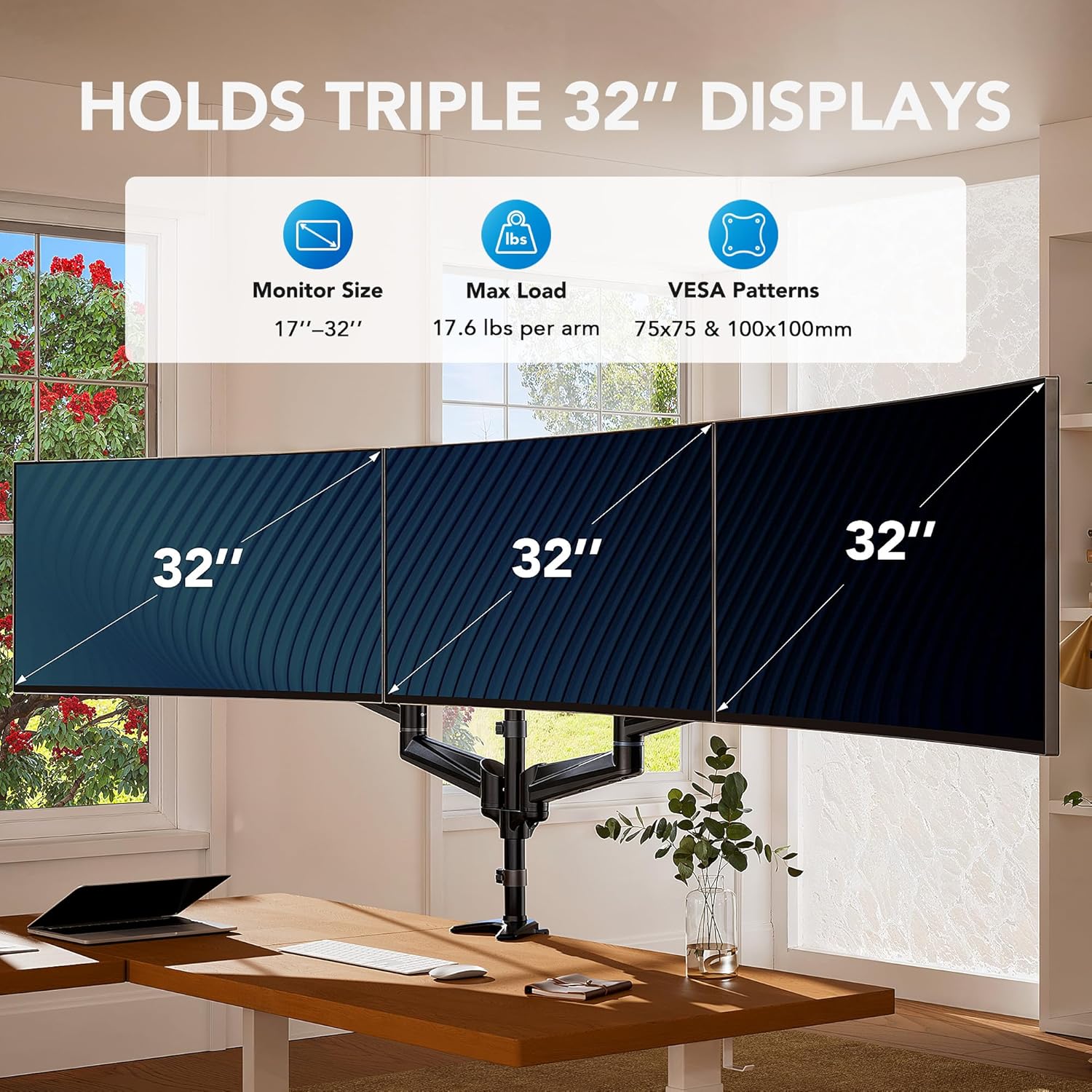
Image 4.1: Compatibility details for monitor size, weight, and VESA patterns.
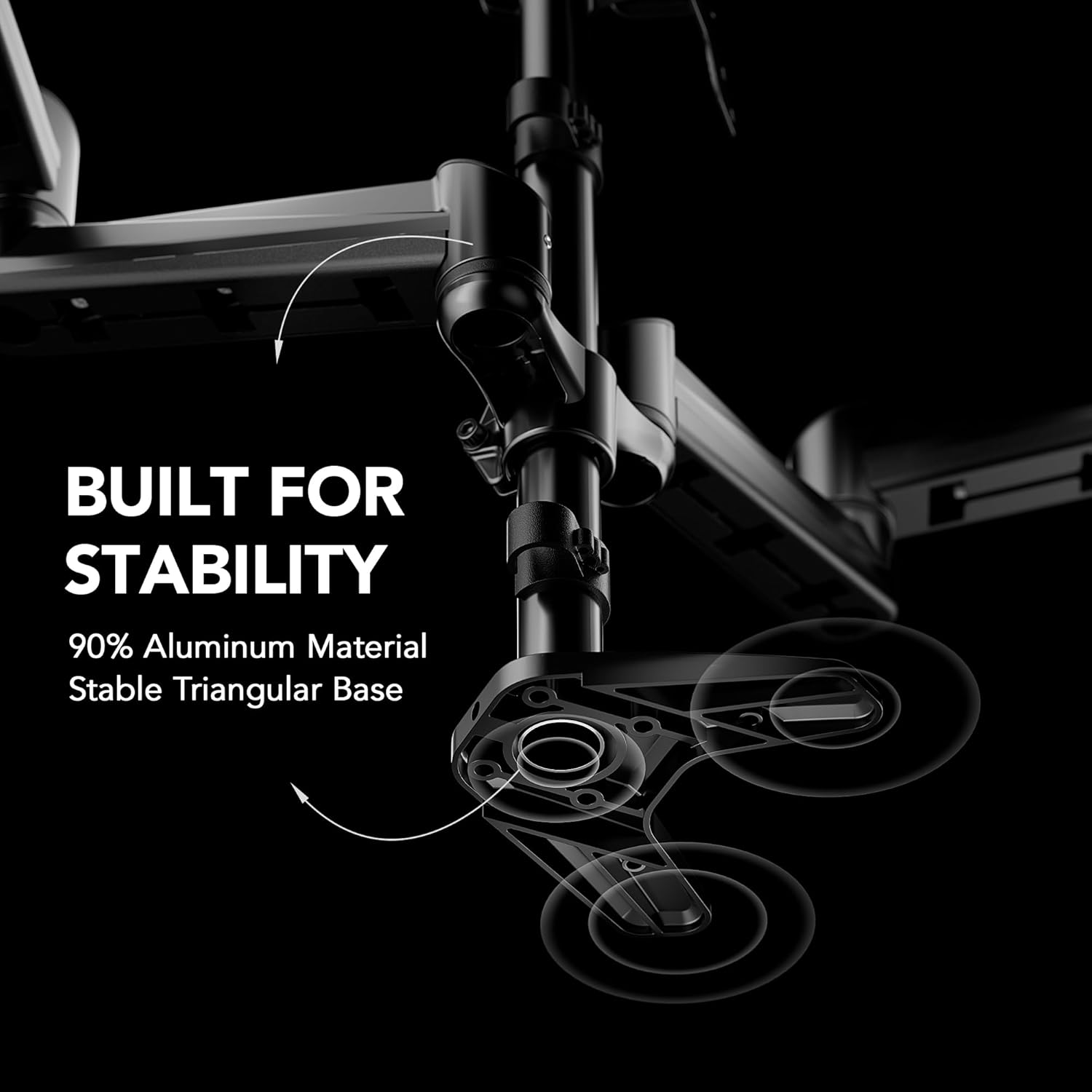
Image 4.2: Overall product dimensions and arm reach.
5. الإعداد والتثبيت
5.1 فحوصات ما قبل التثبيت
- توافق الشاشة: Ensure your monitors are between 17 and 32 inches and weigh between 4.4 lbs and 17.6 lbs each.
- التوافق مع VESA: Confirm your monitors have VESA mounting holes of 75x75mm or 100x100mm. If your monitor lacks VESA holes, a VESA adapter (sold separately) may be required.
- التوافق مع المكتب: Measure your desk thickness and check for any edge frames or back panels that might interfere with the clamp أو تركيب جروميت.

Image 5.1: How to check VESA compatibility on your monitor.

Image 5.2: Confirming monitor weight for compatibility.

Image 5.3: Checking desk compatibility for C-clamp وتركيبات الحلقات المعدنية.
5.2 طرق التثبيت
The HUANUO Triple Monitor Mount offers two installation options: C-Clamp وتركيب بحلقة معدنية.

الصورة 5.4: انتهىview of C-Clamp وخيارات تركيب الحلقات المعدنية.

Image 5.5: Detailed dimensions for C-Clamp and Grommet mount compatibility.
5.2.1 كربون-كلوريدamp تثبيت
- إرفاق C-clamp القاعدة إلى العمود الرئيسي.
- وضع C-clamp on the edge of your desk and tighten the screw until secure. Ensure the desk thickness is between 0.39 and 3.15 inches.
- Slide the monitor arms onto the main pole and secure them at your desired height.
- قم بتثبيت لوحات VESA على الجزء الخلفي من شاشاتك باستخدام البراغي المرفقة.
- Carefully slide the monitors (with VESA plates attached) onto the arms.
5.2.2 تركيب التثبيت عبر فتحة التثبيت
- If your desk has a grommet hole, insert the grommet base components through the hole and secure them from underneath the desk. Ensure the desk thickness is between 0.39 and 2.36 inches and the hole diameter is between 0.39 and 0.8 inches.
- Attach the main pole to the grommet base.
- Slide the monitor arms onto the main pole and secure them at your desired height.
- قم بتثبيت لوحات VESA على الجزء الخلفي من شاشاتك باستخدام البراغي المرفقة.
- Carefully slide the monitors (with VESA plates attached) onto the arms.
5.3 إدارة الكابلات
Utilize the integrated cable management clips and channels on the arms and pole to route and conceal your monitor cables, maintaining a tidy workspace.
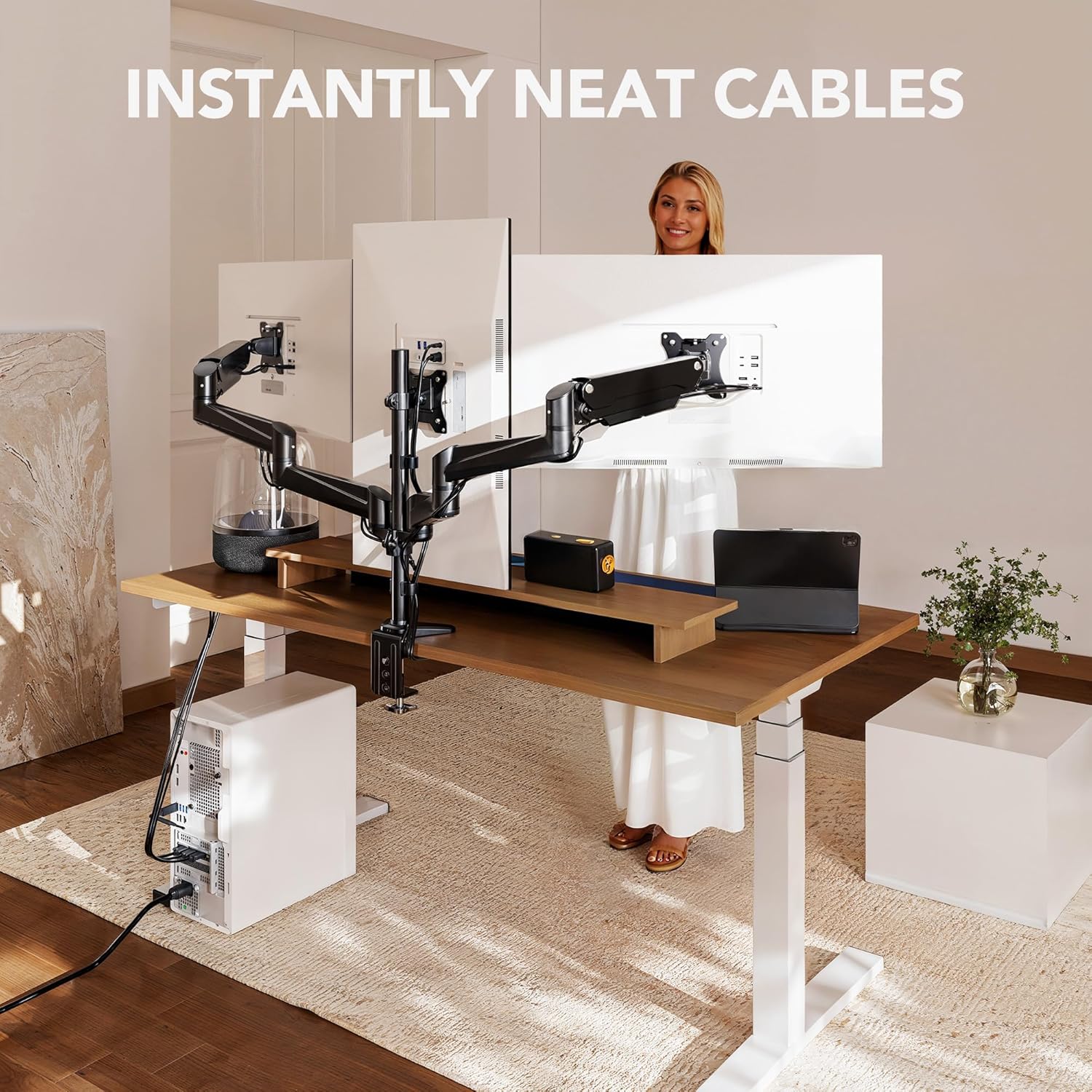
Image 5.6: Effective cable management for a neat setup.
6. التشغيل والتعديلات
The gas spring arms allow for flexible positioning of your monitors. Adjustments should be made smoothly to prevent sudden movements.
6.1 ضبط شد زنبرك الغاز
If a monitor sags or rises too easily, the gas spring tension needs adjustment. Use the provided hex key to turn the adjustment screw located on the arm joint:
- Turn clockwise (towards '+') to increase tension for heavier monitors.
- Turn counter-clockwise (towards '-') to decrease tension for lighter monitors.
Adjust gradually until the monitor stays in position when released.
6.2 وضع الشاشة
Each monitor can be independently adjusted:
- الإمالة: Adjust the monitor screen vertically (+85° to -90°) to reduce glare and optimize viewزاوية جي.
- قطب: Rotate the monitor horizontally (±90°) to share your screen or adjust for different tasks.
- تناوب: قم بتدوير الشاشة 360 درجة للتبديل بين الوضع الأفقي والوضع الرأسي.
- ارتفاع: Adjust the height of the arms along the main pole for ergonomic alignment.
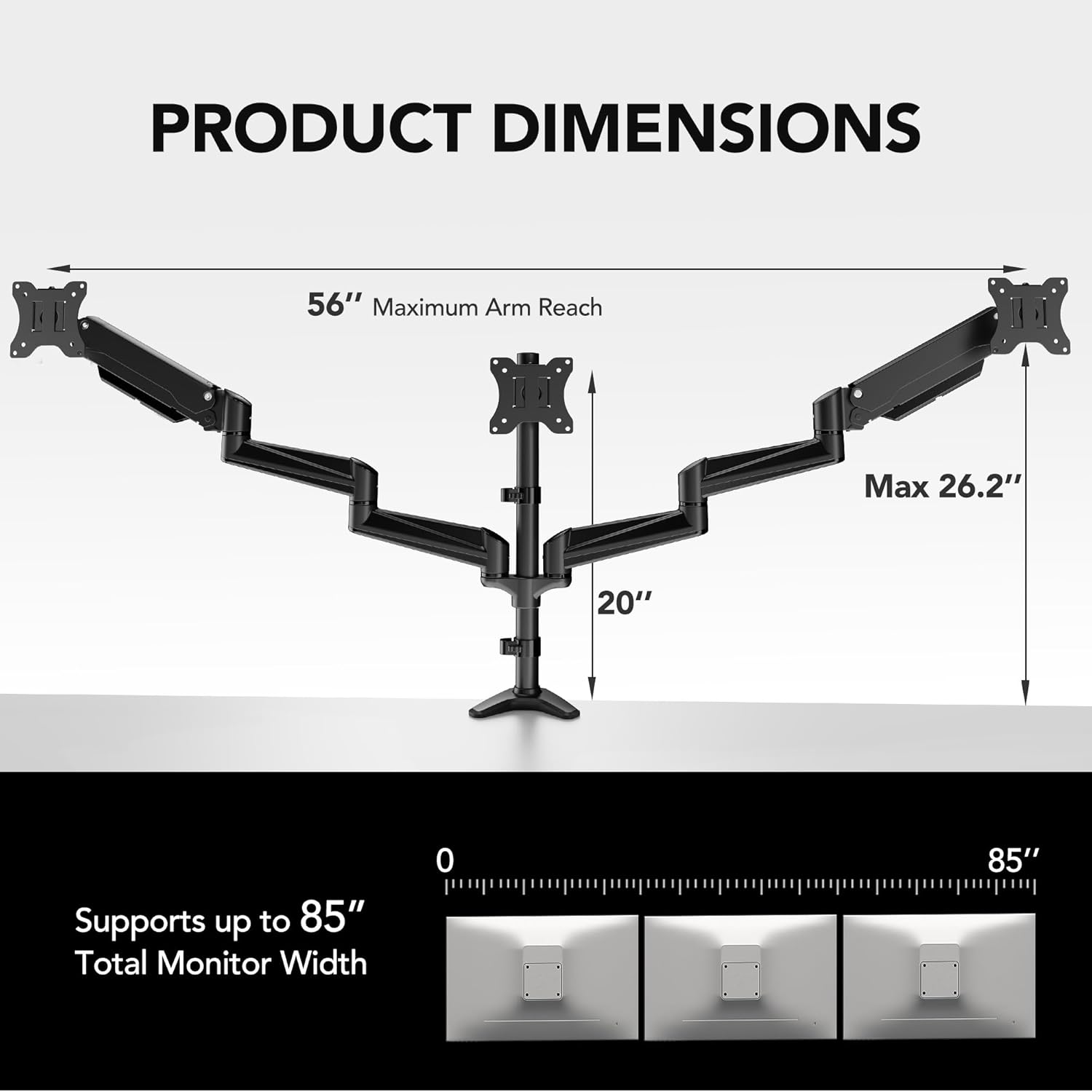
Image 6.1: Demonstrating the full range of motion for monitor adjustments.

الصورة 6.2: مثالampنماذج مختلفة من تكوينات الشاشة.
7. الصيانة
Regular maintenance ensures the longevity and optimal performance of your monitor mount:
- تنظيف: امسح الحامل بقطعة قماش ناعمة.amp القماش. تجنب استخدام المنظفات أو المذيبات الكاشطة.
- الفحوصات الدورية: افحص جميع البراغي والوصلات دوريًا للتأكد من إحكامها وثباتها. أعد ربطها إذا لزم الأمر.
- ضبط زنبرك الغاز: Re-adjust gas spring tension if monitors begin to sag or become difficult to move over time.
8. استكشاف الأخطاء وإصلاحها
راجع الجدول أدناه للتعرف على المشكلات الشائعة وحلولها:
| مشكلة | السبب المحتمل | حل |
|---|---|---|
| مراقبة الترهلات أو الانخفاضات | إن شد زنبرك الغاز منخفض جدًا بالنسبة لوزن الشاشة. | Increase gas spring tension by turning the adjustment screw clockwise. |
| Monitor is difficult to move up/down | إن شد زنبرك الغاز مرتفع للغاية بالنسبة لوزن الشاشة. | Decrease gas spring tension by turning the adjustment screw counter-clockwise. |
| Mount is unstable or wobbles | سيكلamp/Grommet mount is not tightened sufficiently; desk is not sturdy enough. | تأكد من C-clamp or grommet mount is securely tightened to the desk. Verify desk stability and thickness. |
| الشاشات ليست مستوية | Arms or VESA plates are not aligned. | Adjust the tilt and rotation of individual VESA plates and arms to level the monitors. |
| الأجزاء المفقودة أو المكونات التالفة | عيب في التصنيع أو تلف في الشحن. | Do not proceed with installation. Contact HUANUO customer support for replacement parts. |
If the issue persists after attempting these solutions, please contact HUANUO customer support.
9. الضمان والدعم
HUANUO products are designed for durability and performance. For specific warranty details, please refer to the warranty card included with your product or visit the official HUANUO webموقع.
For further assistance, technical support, or inquiries regarding replacement parts, please contact HUANUO customer service:
- رسمي Webموقع: HUANUO Official Store
- دليل المستخدم (PDF): تنزيل دليل المستخدم
- دليل التثبيت (PDF): تنزيل دليل التثبيت
Please have your product model number (HNTS3B) and purchase information ready when contacting support.