
1. المقدمة وما فوقview
The Ring Automotive RSC804 is a 4A smart battery charger and maintainer designed for a wide range of 6V and 12V vehicle batteries. It is compatible with Lead Acid, Gel, Calcium, EFB, and AGM battery types, including those found in START/STOP vehicles. This device ensures your battery remains in optimal condition by preventing overcharging and automatically transitioning to a long-term maintenance mode once fully charged. Its user-friendly design features one-button operation and a clear, backlit LCD display for easy monitoring of the charging process.
The RSC804 incorporates essential safety features such as reverse polarity and short-circuit protection, providing a secure and reliable charging experience.
2. معلومات السلامة
Please read all safety instructions before using the charger. Failure to follow these instructions may result in electric shock, fire, or serious injury.
- احرص دائمًا على ارتداء واقيات للعينين وملابس واقية عند العمل مع البطاريات.
- تأكد من وجود تهوية كافية في منطقة الشحن لمنع تراكم الغازات القابلة للانفجار.
- لا تدخن أو تسمح بوجود شرارات أو لهب بالقرب من البطارية أو الشاحن.
- Disconnect the AC power supply from the charger before connecting or disconnecting the battery leads.
- لا تقم أبدًا بشحن بطارية مجمدة أو تالفة.
- The charger is equipped with reverse polarity and short-circuit protection. However, always ensure correct polarity connections (positive to positive, negative to negative) to prevent damage.
- Keep the charger away from water and moisture. The unit is IP65 weatherproof, but direct submersion should be avoided.
- لا تحاول فتح الشاحن أو تعديله. قم بإحالة جميع أعمال الصيانة إلى فنيين مؤهلين.
3. ماذا يوجد في الصندوق
عند فتح العبوة، تأكد من وجود جميع المكونات:
- Ring Automotive RSC804 Smart Battery Charger
- Connectors with battery clamps
- O-ring terminals for long-term connection
- دليل المستخدم

Image: Contents of the Ring Automotive RSC804 box, showing the charger, battery clamps, O-ring terminals, and user manual.
4. تعليمات الإعداد
Follow these steps to safely set up your battery charger:
- تحضير البطارية: تأكد من نظافة أطراف البطارية وخلوها من الصدأ. إذا لزم الأمر، نظفها بفرشاة سلكية.
- الاتصال بالبطارية:
- استخدام Clamps: قم بتوصيل الأحمر (إيجابي) clamp to the positive (+) battery terminal. Connect the black (negative) clamp to the negative (-) battery terminal. Ensure a secure connection.
- Using O-Ring Terminals (for long-term connection): Attach the red O-ring terminal to the positive (+) battery post and the black O-ring terminal to the negative (-) battery post. Secure them with the battery nuts.
- الاتصال بالطاقة: Once the battery leads are securely connected, plug the charger's AC power cord into a suitable 230V mains outlet.
- الفحص الأولي: The charger's LCD display will illuminate, indicating it is powered on and ready for operation.

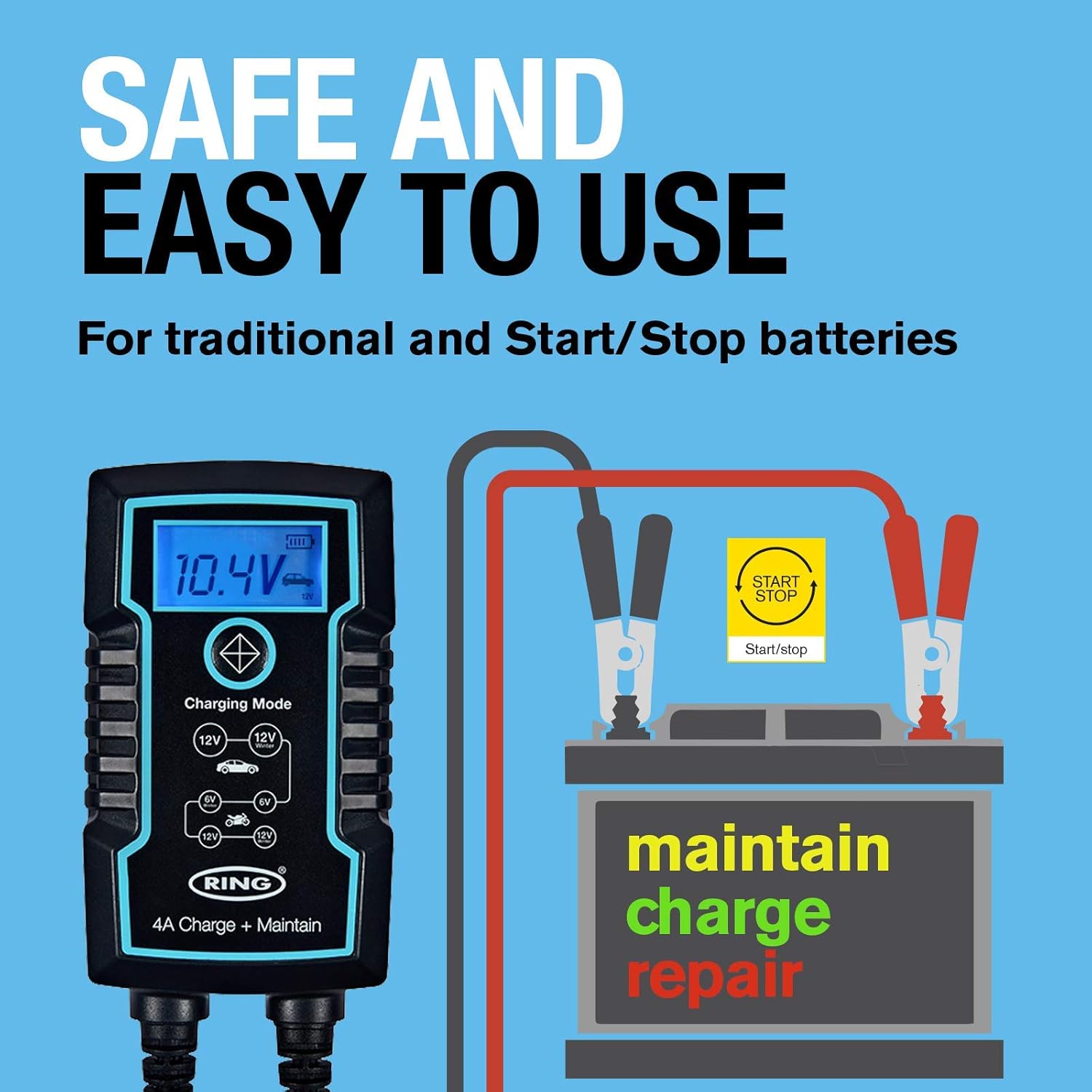
Image: Ring Automotive RSC804 charger connected to a car battery using clamps, illustrating a typical setup.
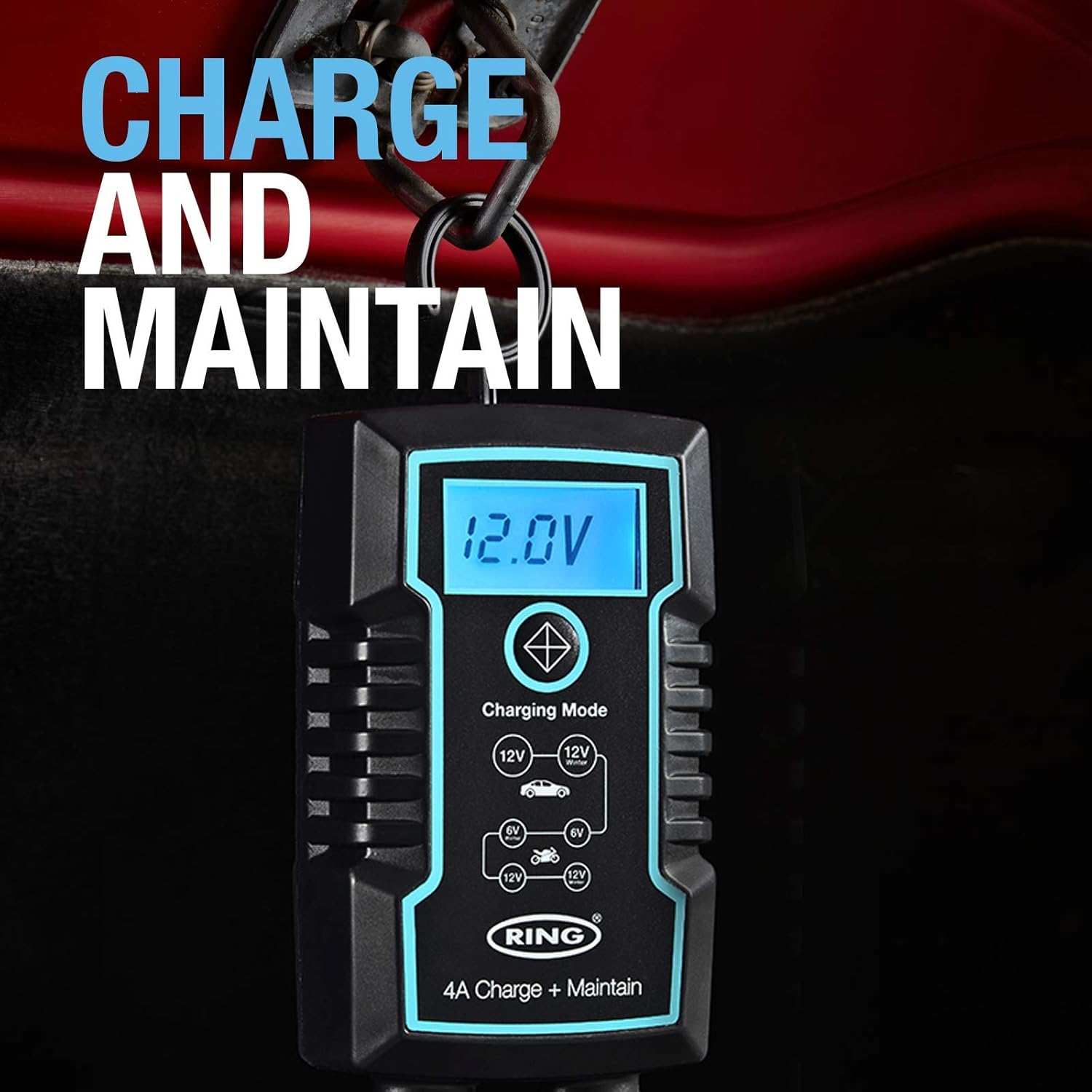
Image: Close-up of the RSC804 charger connected to a car battery, demonstrating proper terminal attachment.
5. تعليمات التشغيل
Operating the RSC804 charger is straightforward:
- تشغيل الطاقة: After connecting the charger to the battery and mains power, the charger will automatically power on.
- حدد وضع الشحن: Use the single button on the charger to cycle through the available charging modes. The backlit LCD display will show the selected mode (e.g., 6V, 12V Car, 12V Motorcycle). Select the mode appropriate for your battery type and voltage.
- مراقبة تقدم الشحن: The LCD display provides real-time information including:
- حجم البطاريةtage: يعرض المجلد الحاليtagهـ من البطارية.
- تقدم الشحنة: An icon or indicator shows the battery's charging status.
- Selected Mode: Confirms the active charging program.
- الصيانة التلقائية: Once the battery reaches full charge, the RSC804 will automatically switch to a maintenance (trickle charge) mode. This prevents overcharging and keeps the battery optimally charged for extended periods.
- قطع الاتصال: To disconnect the charger, first unplug the AC power cord from the mains outlet. Then, disconnect the negative (-) battery lead, followed by the positive (+) battery lead.
الصورة: مفصلة view of the RSC804's backlit LCD display, highlighting voltage, charge progress, and mode selection.
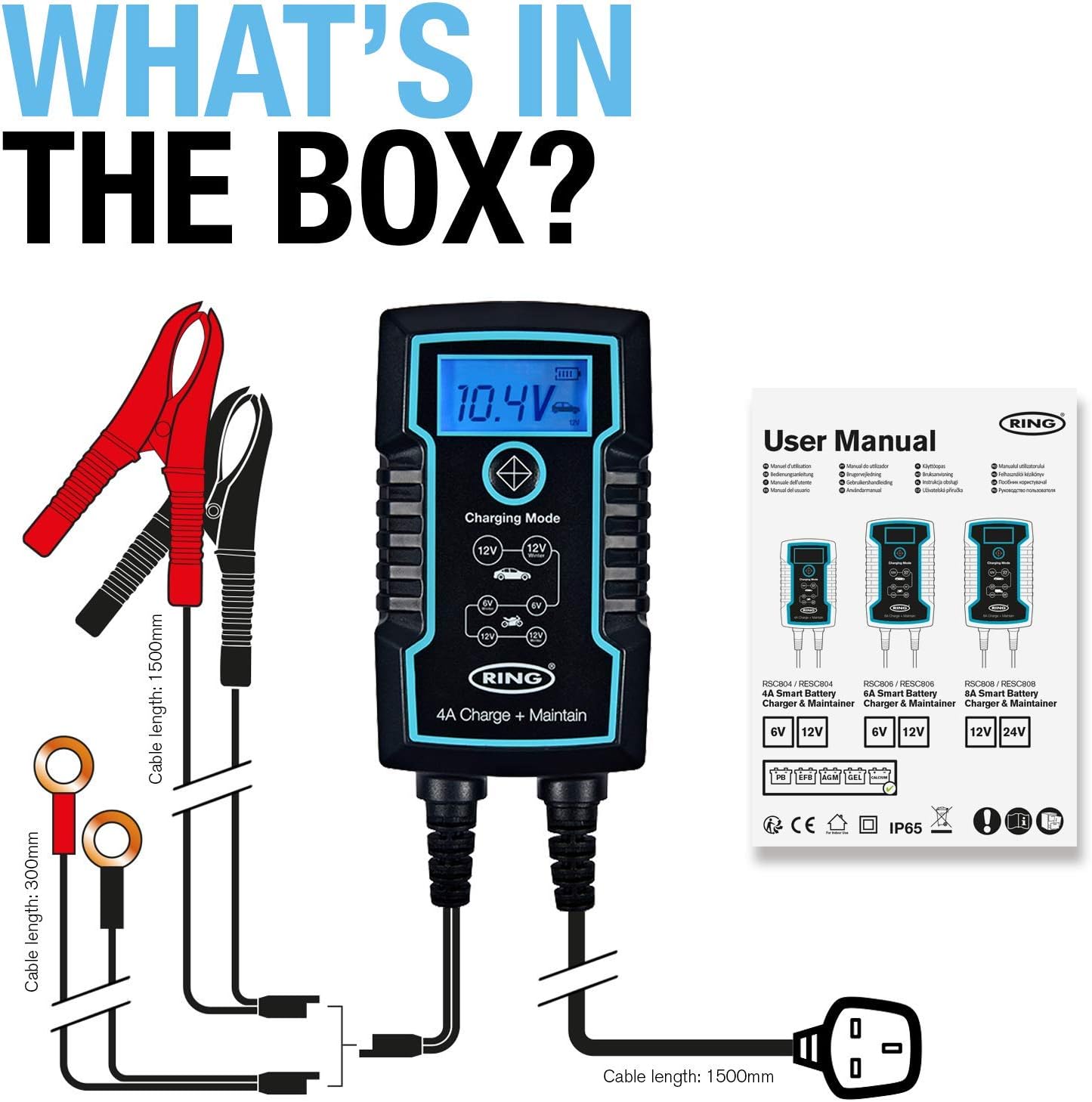
Image: The RSC804 charger in operation, displaying 12.0V and indicating maintenance mode, conveniently hanging from a vehicle's hood.
6. الصيانة
Proper maintenance ensures the longevity and reliable performance of your RSC804 charger:
- تنظيف: Periodically wipe the charger's casinامسح بقطعة قماش ناعمة وجافة. لا تستخدم مواد كيميائية قاسية أو منظفات كاشطة.
- فحص الكابلات: Regularly inspect the power cord and battery leads for any signs of damage, cuts, or fraying. Do not use the charger if any cables are damaged.
- تخزين: Store the charger in a cool, dry place when not in use. Keep it away from direct sunlight, extreme temperatures, and moisture.
- أطراف البطارية: Ensure battery terminals remain clean for optimal connection.

Image: The RSC804 charger's rugged and weatherproof (IP65) design, suitable for various environments.
7. استكشاف الأخطاء وإصلاحها
If you encounter issues with your RSC804 charger, refer to the following common problems and solutions:
| مشكلة | السبب المحتمل | حل |
|---|---|---|
| الشاحن لا يعمل. | لا يوجد تيار متردد، مخرج كهربائي معطل، سلك طاقة تالف. | Check mains power supply. Try a different outlet. Inspect power cord for damage. |
| تم توصيل الشاحن ولكن لا يتم الشحن. | Incorrect battery connection, wrong mode selected, deeply discharged battery. | Ensure correct polarity and secure connections. Select the appropriate 6V or 12V mode. For deeply discharged batteries, the charger may take some time to initiate charging. |
| Error message or indicator light. | Reverse polarity, short circuit, internal fault. | Disconnect immediately. Recheck battery connections for correct polarity. If error persists, contact customer support. |
| البطارية لا تشحن بالكامل. | Battery fault, incorrect mode, charger fault. | Have the battery tested by a professional. Ensure the correct charging mode is selected. If the battery is confirmed good, contact customer support. |
If troubleshooting steps do not resolve the issue, please contact Ring Automotive customer support for further assistance.
8. المواصفات
| مواصفة | قيمة |
|---|---|
| رقم الموديل | ر.س.س804 |
| حجم الإدخالtage | 230 Volts AC |
| حجم الإخراجtage | 6 فولت / 12 فولت تيار مستمر |
| التصويت الحالي (Ampإيج) | 4 Amps |
| واتtage | 60 واط |
| توافق البطارية | Lead Acid, Gel, Calcium, EFB, AGM |
| عدد المنافذ | 1 |
| وزن العنصر | 760 جرام |
| لون | أسود |
| ميزات الحماية | Reverse Polarity, Short-Circuit, Overcharging |
| تصنيف مانعة لتسرب الماء | IP65 |
9. الضمان والدعم
This Ring Automotive product is covered by a manufacturer's warranty. For specific warranty terms and conditions, please refer to the documentation included with your purchase or visit the official Ring Automotive website. In case of product defects or operational issues not resolved by the troubleshooting guide, please contact Ring Automotive customer support. Have your model number (RSC804) and proof of purchase ready when contacting support.
For the most up-to-date support information and contact details, please visit the official Ring Automotive webموقع.