
1. المقدمة
Thank you for choosing the Vandlion V8 Keychain Voice Recorder. This compact and versatile device is designed for high-quality audio recording in various environments, offering ease of use and portability. It also functions as an MP3 player and a USB storage device. Please read this manual thoroughly to understand the features and proper operation of your new device.
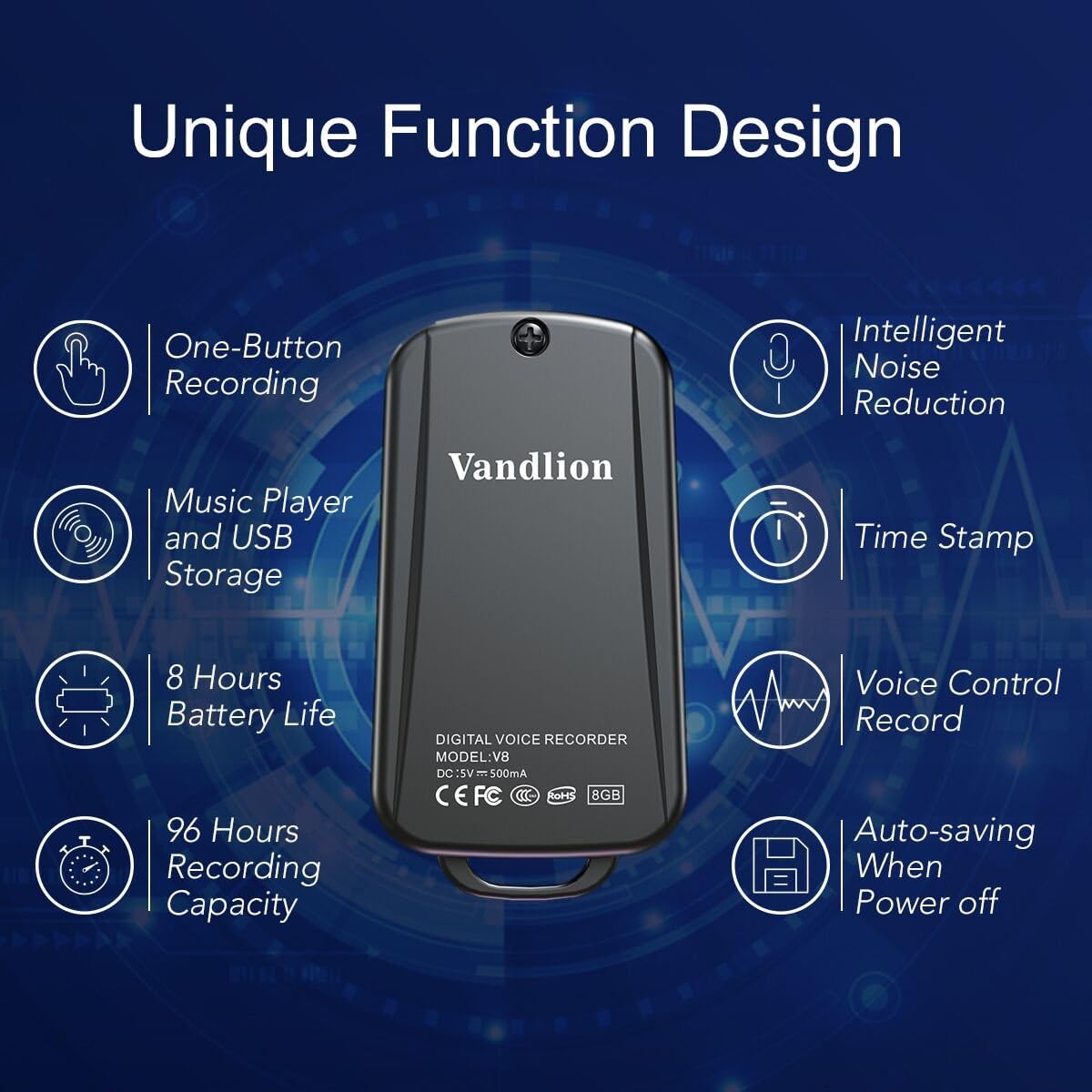
Image 1: Vandlion V8 Keychain Voice Recorder highlighting features like one-button recording, intelligent noise reduction, time stamp, voice control record, auto-saving, music player, USB storage, 8 hours battery life, and 96 hours recording capacity.
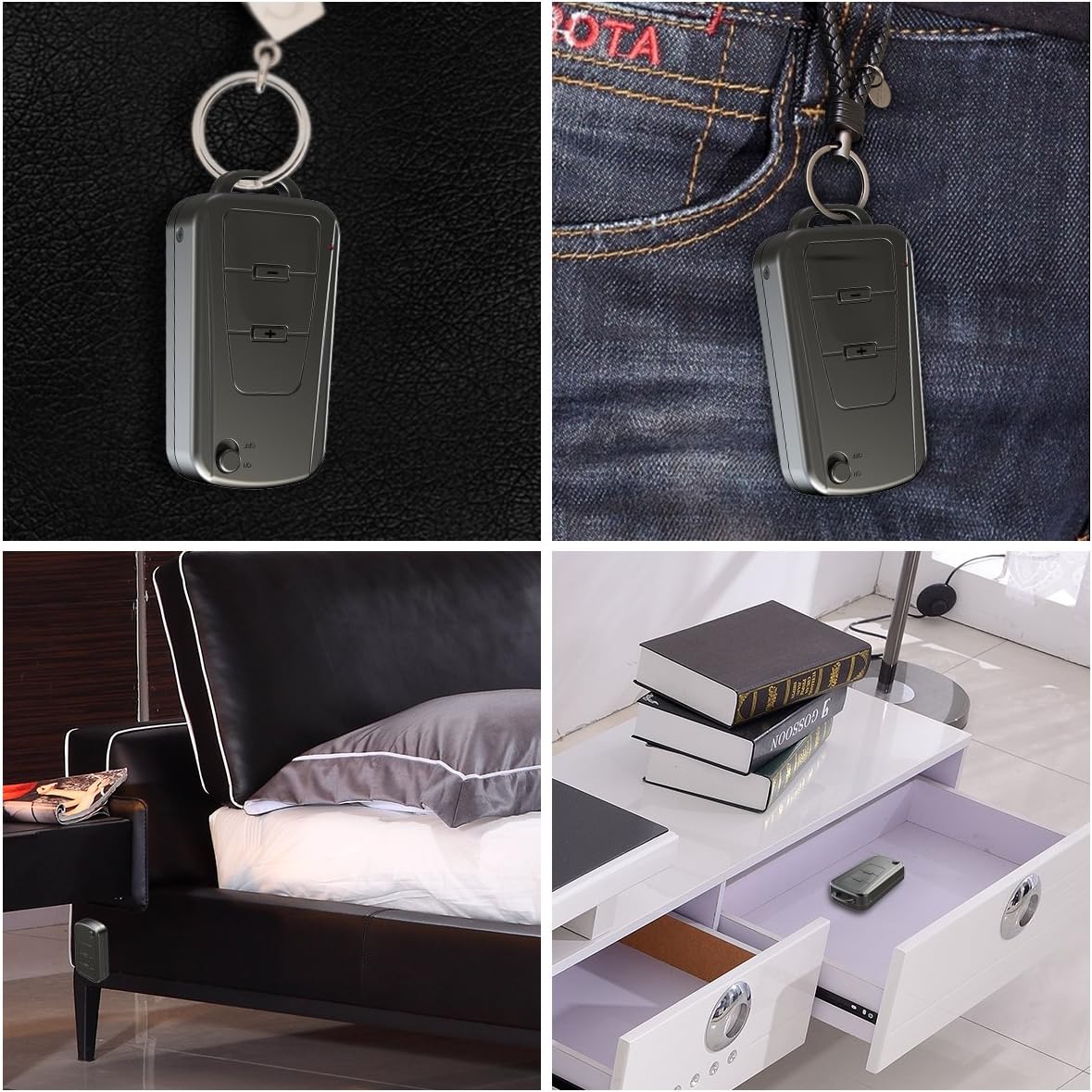
Image 2: The Vandlion V8 recorder shown in various discreet usage scenarios, including attached to a keychain, clipped to trousers, placed beside a bed, and hidden in a drawer.

Image 3: The Vandlion V8 recorder depicted in various application scenarios such as classes, meetings, speeches, concerts, interviews, and for forensic purposes.
2. محتويات العبوة
- مسجل صوت واحد من نوع فاندليون V8
- 1 × كابل يو اس بي
- 1 × دليل المستخدم (هذه الوثيقة)
3. انتهى الجهازview
Familiarize yourself with the physical components of your voice recorder.
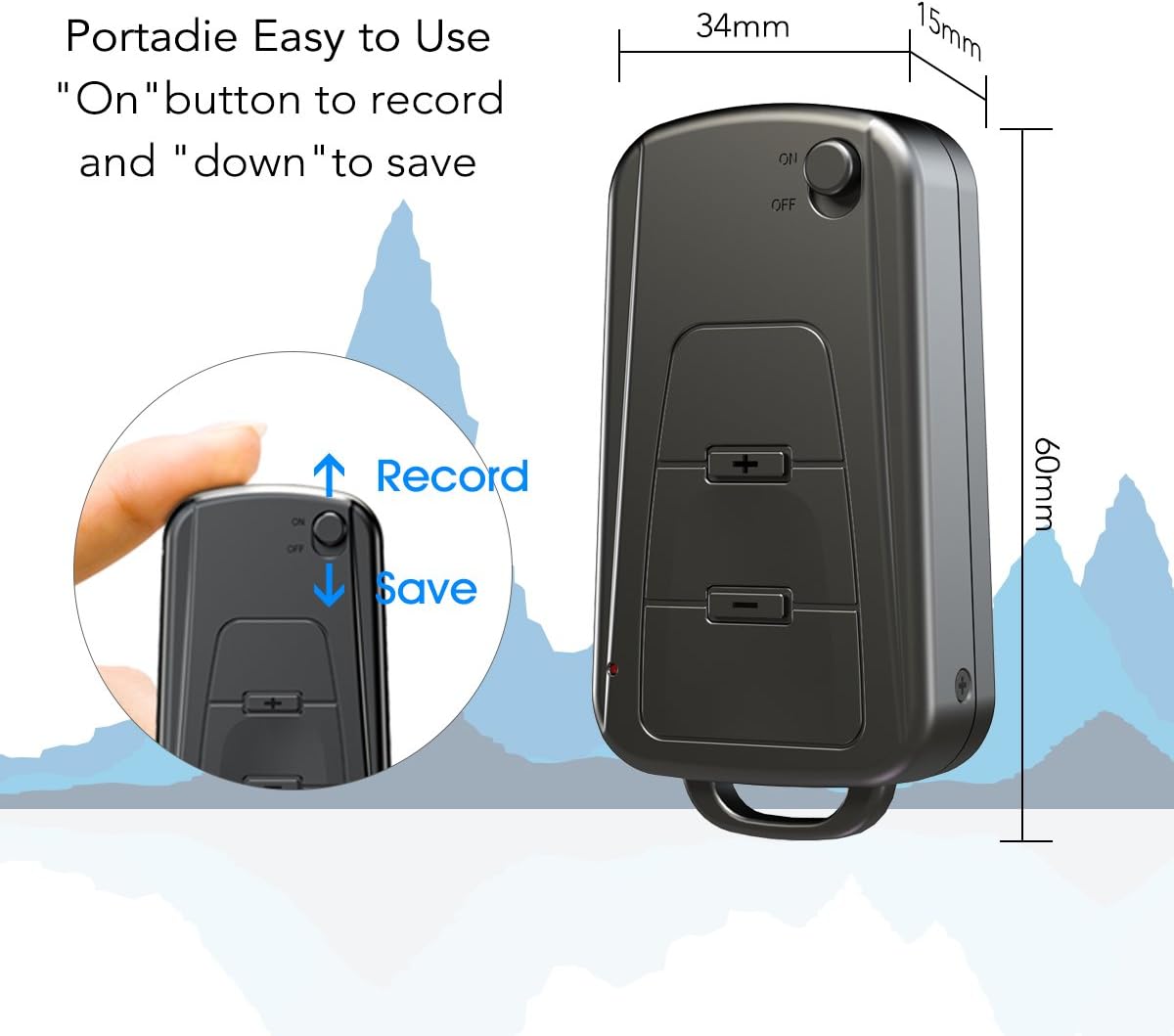
الصورة 4: الجانب view of the Vandlion V8 recorder, illustrating the ON/OFF switch for recording and saving, along with volume control buttons. Dimensions are also shown: 60mm length, 34mm width, 15mm thickness.
- مفتاح تشغيل / إيقاف: Used to start and stop recording, and to power the device.
- منفذ USB: للشحن والاتصال بالكمبيوتر.
- مقبس سماعة الرأس: لتشغيل الصوت.
- ميكروفون: Integrated for audio capture.
- مؤشر الضوء: يوفر معلومات عن الحالة (مثل التسجيل، الشحن).
4. الإعداد
4.1. شحن الجهاز
Before first use, fully charge the voice recorder. Connect the device to a computer's USB port or a USB wall adapter using the provided USB cable. The indicator light will typically show a specific color (e.g., red) during charging and change (e.g., blue or off) when fully charged. A full charge provides approximately 20 hours of operation.
4.2. التشغيل الأولي
Slide the ON/OFF switch to the "ON" position to power on the device. The indicator light will briefly illuminate.
5. تعليمات التشغيل
5.1. One-Button Recording
- To start recording, slide the ON/OFF switch to the "على" position. The device will automatically begin recording. The indicator light will not flicker during recording to ensure discreet operation.
- To save the recording, slide the ON/OFF switch to the "عن" position. The device will save the current recording and power off.
Image 5: Close-up of the Vandlion V8 recorder demonstrating the simple "ON" to record and "OFF" to save operation.
5.2. التسجيل الصوتي المُفعّل (VOR)
The device features a smart voice-activated system. When enabled, the recorder will only record when sound is detected, conserving storage space and battery life. Refer to the full user guide (if available from manufacturer) for detailed instructions on enabling/disabling VOR, as this feature may require specific button presses or software settings not covered by the basic one-button operation.
5.3. تشغيل التسجيلات
- Connect headphones to the headphone jack on the device.
- Power on the device by sliding the ON/OFF switch to "ON".
- Use the volume buttons (if present) to navigate through recordings and adjust playback volume.
Alternatively, connect the device to a computer to play back recordings.
5.4. النقل Fileس إلى جهاز كمبيوتر
- Ensure the recorder is powered off.
- Connect the recorder to your computer using the supplied USB cable. The device will be recognized as a removable storage drive.
- Open the drive, locate the recording files (typically in WAV format), and drag them to your computer.
- Note for Mac users: You may need to use VLC Media Player or similar software to play WAV files recorded by this device.
5.5. Using as an MP3 Player
The device supports WAV, WMA, and MP3 audio formats. You can transfer music files to the device's storage via USB connection, similar to transferring recordings. Once music files are on the device, connect headphones and power on the device to listen to your music.
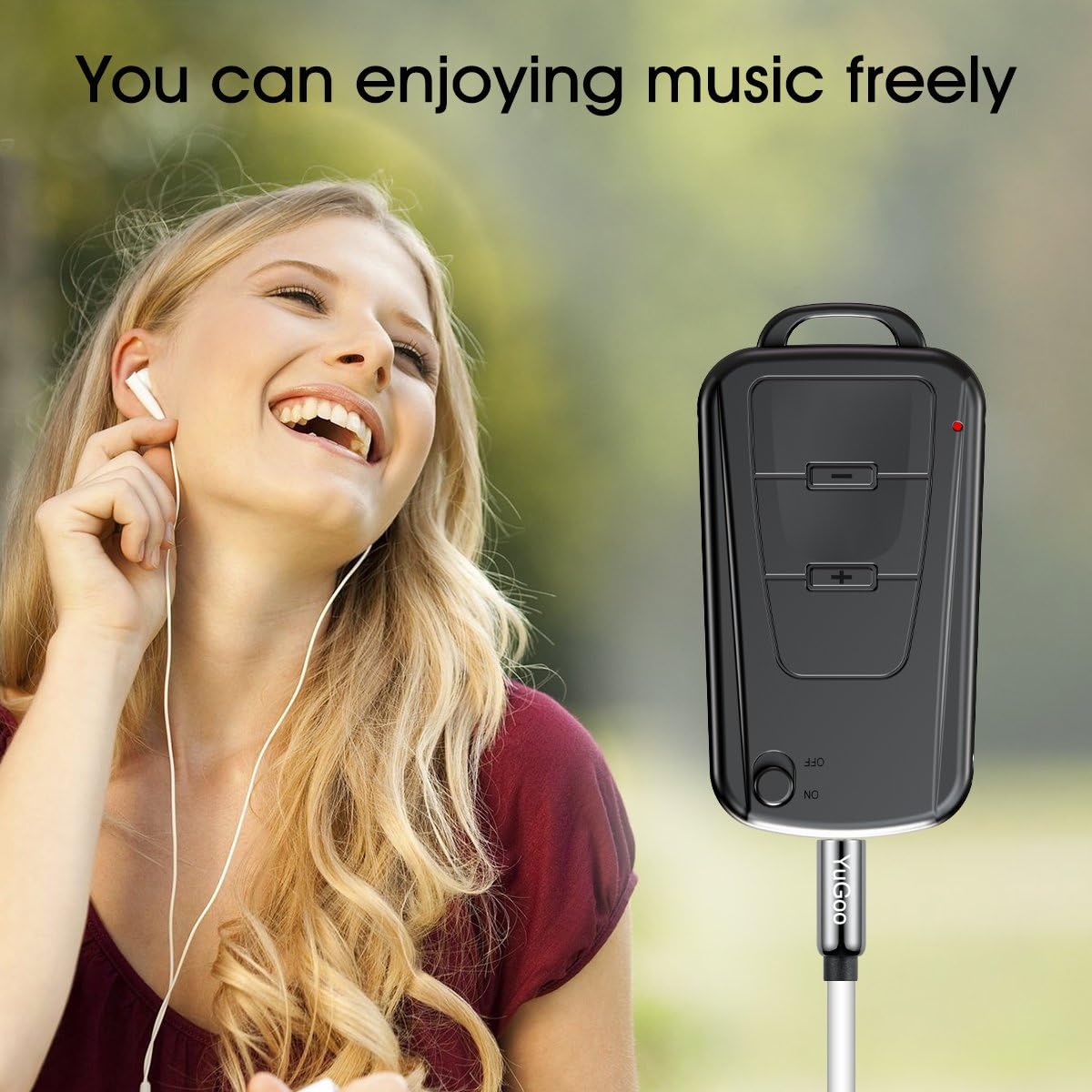
Image 6: The Vandlion V8 recorder connected to earphones, demonstrating its capability as an MP3 player for enjoying music.
6. الصيانة
- حافظ على الجهاز جافًا. تجنب تعريضه للرطوبة أو السوائل.
- نظّف الجهاز بقطعة قماش ناعمة وجافة. تجنّب استخدام مواد كيميائية قاسية أو منظفات كاشطة.
- قم بتخزين الجهاز في مكان بارد وجاف بعيدًا عن أشعة الشمس المباشرة ودرجات الحرارة القصوى.
- Charge the battery regularly, even if not in use, to maintain battery health. Avoid fully discharging the battery for extended periods.
7. استكشاف الأخطاء وإصلاحها
- الجهاز لا يعمل:
- تأكد من شحن البطارية. وصّل الجهاز بمصدر طاقة وحاول مرة أخرى.
- لا يمكن التسجيل:
- Check if the device has sufficient storage space. Ensure the ON/OFF switch is in the "ON" position.
- جودة التسجيل رديئة:
- Ensure the microphone is not obstructed. Record in a quiet environment. The device features DSP noise reduction for clear audio.
- الجهاز غير معترف به بواسطة الكمبيوتر:
- Try a different USB port or cable. Ensure the device is powered off before connecting. Restart your computer.
- لا يمكن اللعب files on Mac:
- Mac users are advised to use VLC Media Player for optimal playback of recorded WAV files.
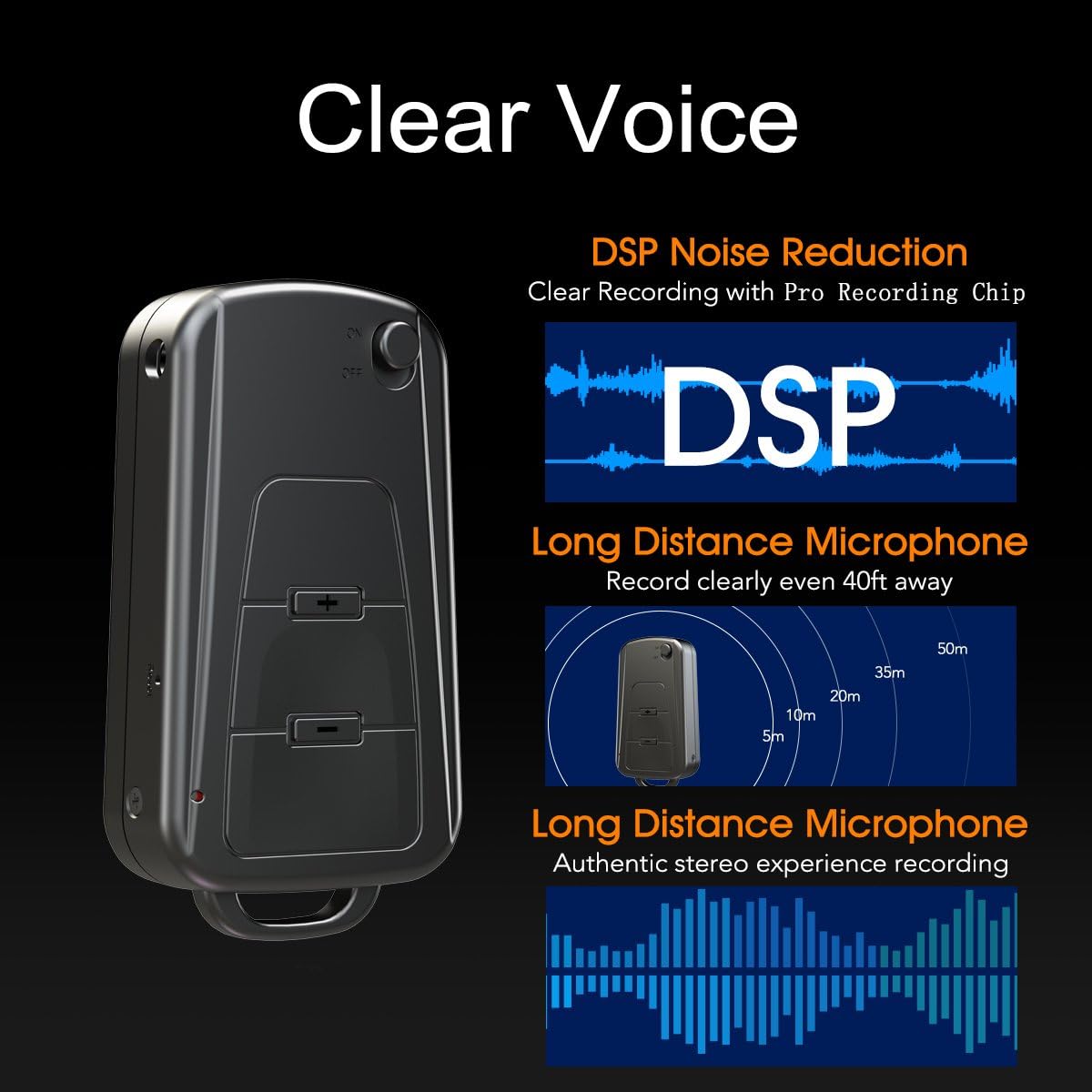
Image 7: Diagram illustrating the Vandlion V8's DSP noise reduction technology for clear recording and its long-distance microphone, capable of capturing sound clearly from up to 40 feet away, providing an authentic stereo experience.
8. المواصفات
| ميزة | مواصفة |
|---|---|
| نموذج | V8 |
| سعة التخزين | 8GB (approx. 96 hours recording capacity) |
| عمر البطارية (التسجيل) | حوالي 20 ساعات |
| تنسيق التسجيل | ويف |
| تنسيق الموسيقى | WAV، WMA، MP3 |
| Sampمعدل لينغ | 192Kbps |
| أبعاد | 60 × 34 × 15 ملم (2.36 × 1.33 × 0.59 بوصة) |
| وزن | 27 جرام (1.46 أونصات) |
| الواجهة | USB |
| الأجهزة المتوافقة | مشغل MP3، كمبيوتر شخصي |
| وضع تشغيل الميكروفون | ستيريو |
9. الضمان والدعم
9.1. ضمان الشركة المصنعة
This Vandlion V8 Keychain Voice Recorder comes with a Six Months Manufacturer's Warranty من تاريخ الشراء. يغطي هذا الضمان عيوب المواد والتصنيع في ظل الاستخدام العادي. ولا يغطي الأضرار الناجمة عن سوء الاستخدام، أو الحوادث، أو التعديلات غير المصرح بها، أو التآكل والتلف الطبيعي.
9.2. دعم العملاء
For further assistance, technical support, or warranty claims, please contact Vandlion customer service through the retailer where the product was purchased or refer to the official Vandlion website for contact information. Additional resources, such as a PDF version of the user manual and updated user guides, may be available for download from the manufacturer's support page.
10. معلومات هامة حول السلامة
- لا تحاول فك أو تعديل الجهاز.
- يحفظ بعيدًا عن متناول الأطفال.
- تخلص من الجهاز وبطاريته بطريقة مسؤولة وفقًا للوائح المحلية.
- تجنب درجات الحرارة القصوى وأشعة الشمس المباشرة.