1. المقدمة
This manual provides detailed instructions for the setup, operation, maintenance, and troubleshooting of your Leopold FC750R PD 87-key High-end Mechanical Keyboard. Please read this manual thoroughly before using the product to ensure proper functionality and longevity.
2. محتويات العبوة
عند فتح العبوة، يرجى التأكد من تضمين جميع العناصر التالية:
- Leopold FC750R PD Mechanical Keyboard body
- غطاء لوحة المفاتيح
- كابل PS/2
- USB cable (removable type, 1.8m)
- كيكاب بولير
- دليل المستخدم (هذا المستند)
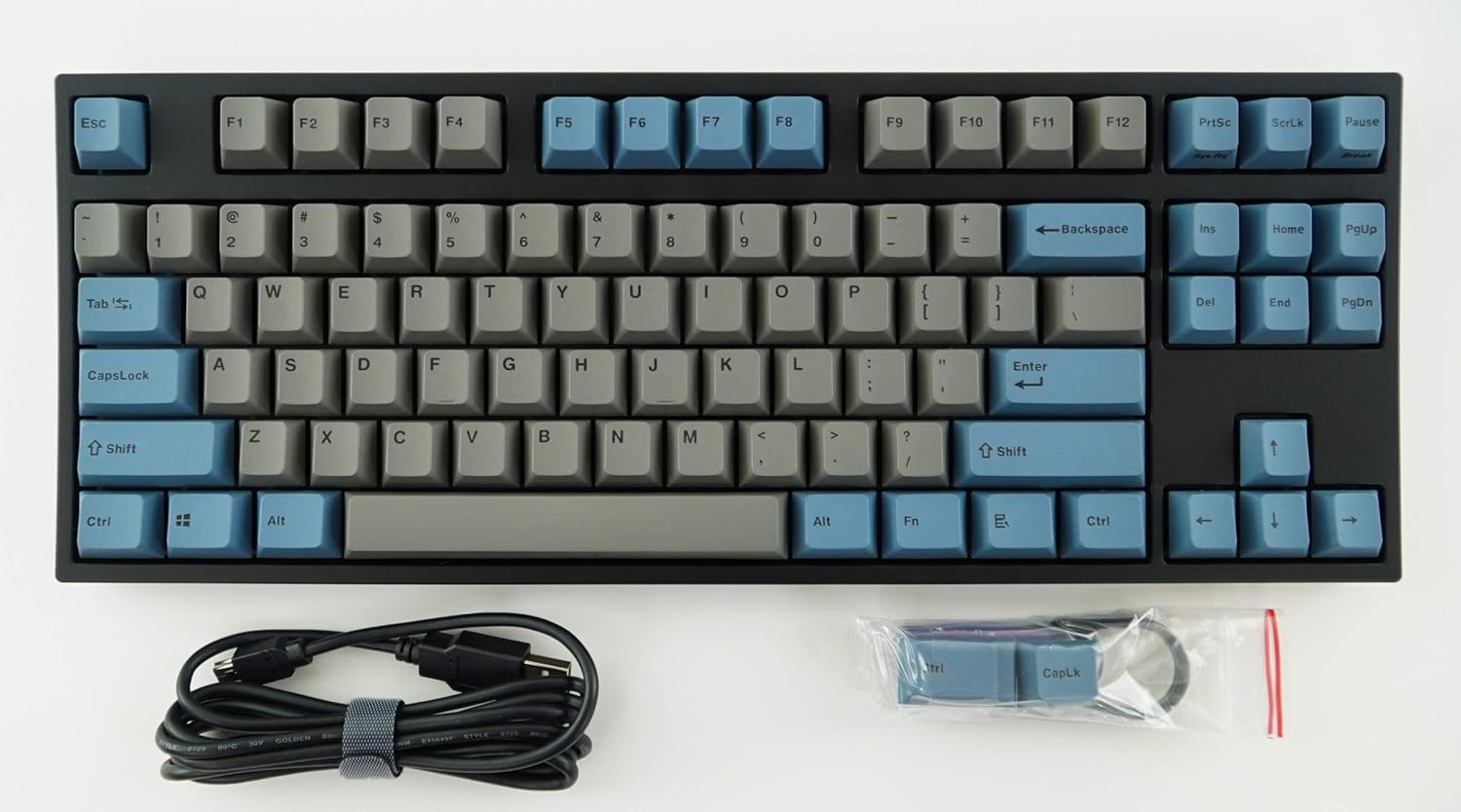
Image: The Leopold FC750R PD Mechanical Keyboard shown with its included accessories, including the USB cable and keycap puller.
3. الإعداد
Follow these steps to set up your Leopold FC750R PD Mechanical Keyboard:
- فك لوحة المفاتيح: قم بإزالة لوحة المفاتيح وجميع الملحقات من العبوة بعناية.
- قم بتوصيل الكابل: The keyboard supports both USB and PS/2 interfaces.
- For USB connection: Connect the removable USB cable to the port on the back of the keyboard and then to an available USB port on your computer.
- For PS/2 connection: Connect the PS/2 cable to the port on the back of the keyboard and then to the PS/2 keyboard port on your computer.
- توافق نظام التشغيل: The keyboard is compatible with Microsoft Windows 7, 8, 10, Vista, and XP. No special drivers are typically required for basic functionality.
- الموقع: Place the keyboard on a stable, flat surface. You can adjust the keyboard's angle using the flip-out feet located on the underside.

الصورة: الجانب view of the Leopold FC750R PD keyboard showing the adjustable feet extended for ergonomic tilt.
4. تعليمات التشغيل
The Leopold FC750R PD is an 87-key mechanical keyboard designed for standard typing and gaming. Its layout is a Tenkeyless (TKL) design, omitting the numeric keypad for a more compact form factor.
4.1. الاستخدام الأساسي
Once connected, the keyboard should be immediately recognized by your operating system. You can begin typing and using it for all standard computer input tasks.

Image: A full top-down view of the Leopold FC750R PD mechanical keyboard, showcasing its 87-key layout with grey and blue keycaps.
4.2. مفاتيح الوظائف (مجموعات Fn)
The keyboard may feature secondary functions accessible via the Fn key. Refer to the keycaps for printed legends indicating these functions (e.g., media controls, volume adjustment, etc.). To activate a secondary function, hold down the Fn key and press the desired function key (F1-F12) or other designated key.

الصورة: لقطة مقربة view of the left side of the Leopold FC750R PD keyboard, highlighting the Esc, F1-F4, Tab, CapsLock, Shift, and Ctrl keys.
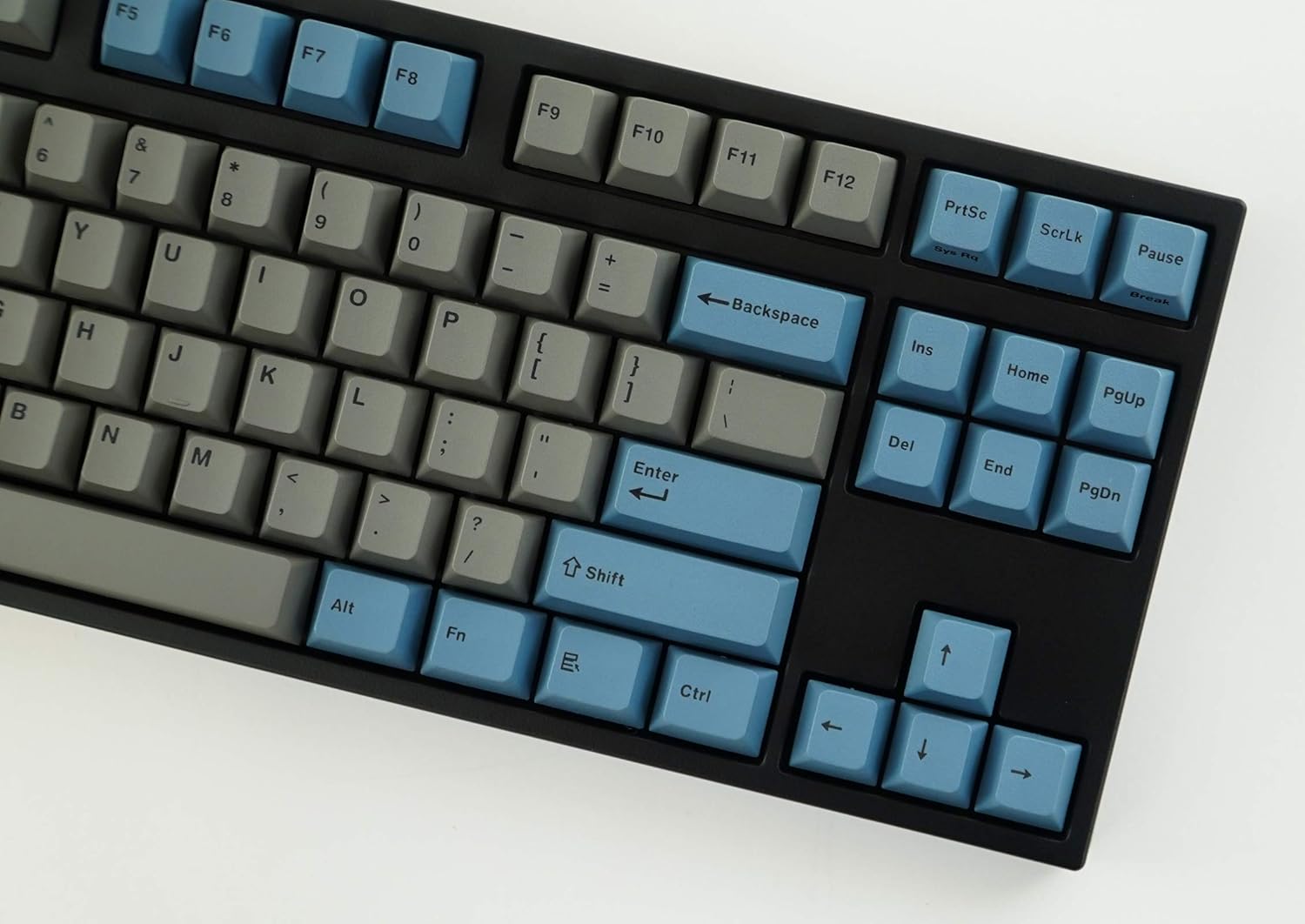
الصورة: لقطة مقربة view of the right side of the Leopold FC750R PD keyboard, showing the Backspace, Enter, Shift, and arrow keys, along with the Insert, Home, Page Up, Delete, End, and Page Down keys.
5. الصيانة
Proper maintenance will extend the lifespan of your mechanical keyboard.
- تنظيف أغطية المفاتيح: استخدمي قطعة قماش ناعمةamp cloth to wipe down the keycaps. For deeper cleaning, you can use the included keycap puller to remove keycaps and clean them with mild soap and water. Ensure keycaps are completely dry before reattaching.
- تنظيف جسم لوحة المفاتيح: Use a soft, dry cloth to wipe dust from the keyboard body. For stubborn dirt, a slightly damp يمكن استخدام القماش، ولكن تجنب الرطوبة الزائدة.
- إزالة الغبار: Use compressed air to blow out dust and debris from between the keycaps and switches.
- تجنب السوائل: تجنب سكب السوائل على لوحة المفاتيح. في حال انسكاب أي سائل، افصل لوحة المفاتيح فوراً عن جهاز الكمبيوتر واتركها تجف تماماً قبل إعادة توصيلها.
- تخزين: When not in use, store the keyboard in a clean, dry environment, ideally using the included keyboard cover to protect it from dust.

Image: A low-angle side profile of the Leopold FC750R PD keyboard, showcasing the keycap profile and the keyboard's sturdy build.
6. استكشاف الأخطاء وإصلاحها
If you encounter issues with your Leopold FC750R PD keyboard, try the following steps:
- لوحة المفاتيح لا تستجيب:
- Ensure the USB or PS/2 cable is securely connected to both the keyboard and the computer.
- Try connecting the keyboard to a different USB or PS/2 port on your computer.
- اختبر لوحة المفاتيح على جهاز كمبيوتر آخر لتحديد ما إذا كانت المشكلة في لوحة المفاتيح أو في إعدادات جهاز الكمبيوتر الخاص بك.
- أعد تشغيل الكمبيوتر الخاص بك.
- مفاتيح محددة لا تعمل:
- تحقق من وجود أي عوائق مادية أسفل غطاء المفتاح.
- Carefully remove the keycap using the keycap puller and inspect the switch for any visible damage or debris.
- تأخر الإدخال أو انقطاع الاتصال:
- تأكد من أن الكابل غير تالف أو ملتوي.
- Avoid connecting the keyboard through unpowered USB hubs; connect directly to the computer if possible.
If the problem persists after trying these steps, please contact Leopold customer support for further assistance.
7. المواصفات
| ميزة | التفاصيل |
|---|---|
| رقم الموديل | FC750R_EGBPD |
| علامة سويتش التجارية | Cherry MX (Black Switch) |
| عدد المفاتيح | 87 مفاتيح |
| النغمة الرئيسية | 19 ملم |
| ضغطة مفتاح | 4 ± 0.5mm |
| المواد Keycap | 1.5mm PBT (Polybutylene Terephthalate) |
| الأبعاد (الطول × العرض × الارتفاع) | 36.00cm X 14.00cm X 3.30cm (14.17"L x 5.51"W x 1.3"H) |
| وزن | 1 كجم (2.2 رطل) |
| طول الكابل | 1.8m (Removable type) |
| ثنائي الفينيل متعدد الكلور | FR-4 Dual Layer |
| أنظمة التشغيل المدعومة | Microsoft Windows 7, 8, 10, Vista, XP |
| الواجهة | USB & PS/2 |
| لون | رمادي/أزرق |
8. الضمان والدعم
Leopold products are manufactured to high quality standards. For information regarding warranty coverage, please refer to the warranty card included with your product or visit the official Leopold website. For technical support or service inquiries, please contact Leopold customer service through their official channels.
You can visit the Leopold Store on Amazon for more information: Leopold Store