
مقدمة
Welcome to the official instruction manual for Atari Ghostbusters: The Video Game. This guide provides essential information for installing, operating, and maintaining your game on a PC platform. Please read this manual thoroughly to ensure an optimal gaming experience.
Ghostbusters: The Video Game allows players to join the Ghostbusters team as a new recruit, using unique gadgets and proton packs to capture ghosts and save New York City from paranormal threats. The game features an original story written by the creators of the original films.
يثبت
متطلبات النظام
Before installation, ensure your computer meets the minimum system requirements for PC DVD-ROM games. These typically include a compatible operating system (e.g., Windows XP/Vista/7), a processor, sufficient RAM, a DirectX-compatible graphics card, and adequate free hard drive space. Refer to the game's packaging for specific requirements.
خطوات التثبيت
- أدخل قرص اللعبة: Place the Ghostbusters: The Video Game DVD-ROM into your computer's DVD drive.
- بدء التثبيت: The installer should launch automatically. If it does not, navigate to "My Computer" or "This PC," right-click on the DVD drive icon, and select "Open" or "Explore" to locate and run the "setup.exe" file.
- اتبع الإرشادات التي تظهر على الشاشة: Adhere to the instructions provided by the installation wizard. This will typically involve accepting the End User License Agreement (EULA), choosing an installation directory, and selecting components to install.
- أدخل مفتاح المنتج: If prompted, enter the unique product key found on the game's packaging or disc sleeve.
- التثبيت الكامل: Allow the installation process to finish. This may take several minutes. Once complete, you may be prompted to install DirectX or other necessary software components.
- إعادة تشغيل الكمبيوتر: It is often recommended to restart your computer after installation to ensure all changes are applied correctly.
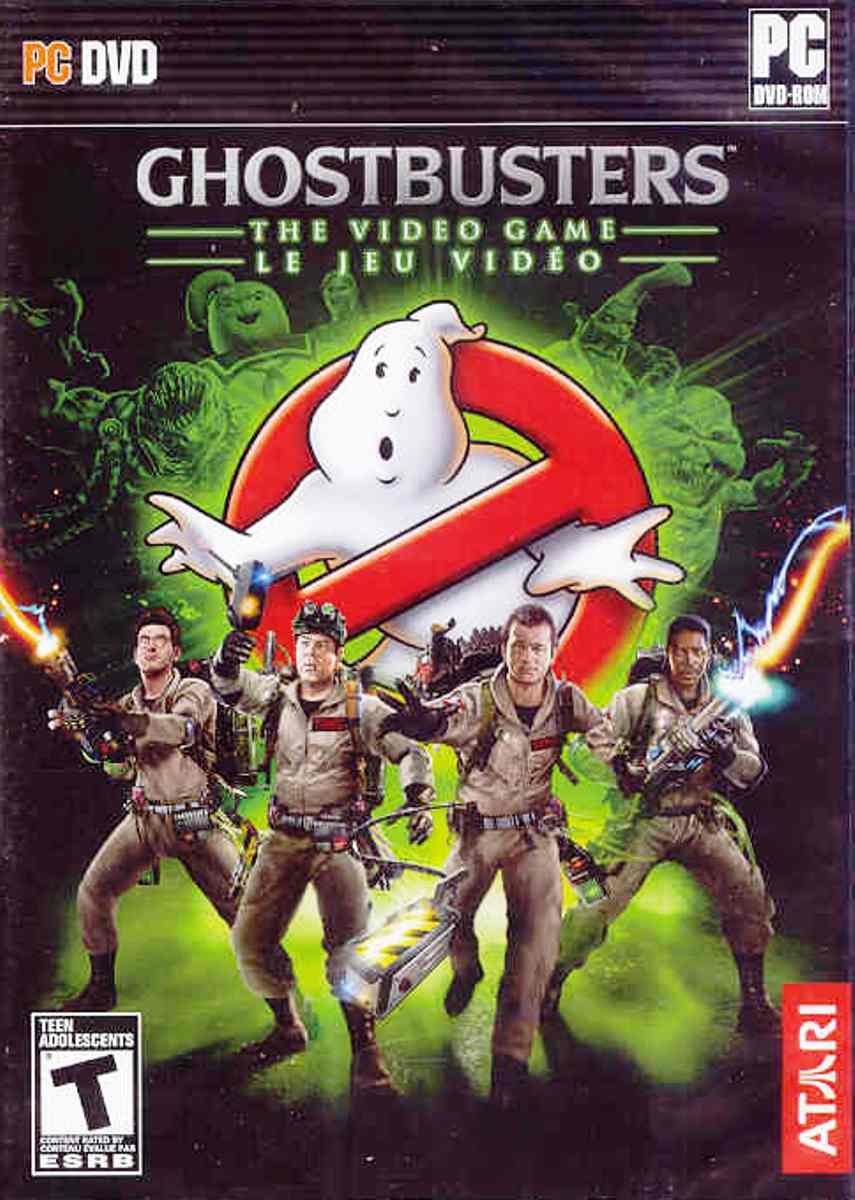
Image: The front cover of the Ghostbusters: The Video Game PC DVD-ROM. It features the iconic Ghostbusters logo with the four main characters and the new recruit standing in front of a spectral New York City skyline.
تشغيل اللعبة
بدء اللعبة
After successful installation, you can launch the game by double-clicking the Ghostbusters: The Video Game icon on your desktop or by selecting it from the Start Menu (or equivalent application launcher).
Basic Controls (PC)
The game typically uses a standard PC control scheme. Below are common default controls, which can usually be customized within the game's options menu:
- W, A, S, D: Movement (Forward, Left, Backward, Right)
- الفأر: Look/Aim
- زر الفأرة الأيسر: Primary Fire (Proton Stream)
- زر الفأرة الأيمن: Secondary Fire/Alternate Gadget Function
- E: Interact/Use
- مفتاح المسافة: Jump/Dodge
- Q/F: Switch Gadgets/Weapons
- خروج: Pause Menu/Options
Refer to the in-game tutorial or options menu for a complete list of controls and customization options.
Saving and Loading Progress
Ghostbusters: The Video Game typically features an auto-save system that automatically records your progress at key points. Manual saving options may also be available through the in-game pause menu. To load a saved game, select "Load Game" from the main menu and choose your desired save file.
صيانة
Proper maintenance ensures the longevity of your game disc and optimal software performance.
- العناية بالقرص: Keep the game DVD-ROM clean and free from scratches. Store it in its original case when not in use. Use a soft, lint-free cloth to gently wipe the disc from the center outwards if cleaning is necessary.
- تحديثات البرامج: Periodically check the official Atari or Ghostbusters: The Video Game website for any available patches or updates. These updates can improve performance, fix bugs, and enhance compatibility.
- تحديثات النظام: Ensure your operating system and graphics card drivers are up to date. Outdated drivers can cause performance issues or prevent the game from running correctly.
استكشاف الأخطاء وإصلاحها
If you encounter issues while installing or playing Ghostbusters: The Video Game, consider the following troubleshooting steps:
- اللعبة لا تبدأ:
- Verify your system meets the minimum requirements.
- Ensure the game disc is clean and properly inserted.
- Try running the game as an administrator (right-click the shortcut and select "Run as administrator").
- Reinstall the game.
- Performance Issues (Low FPS, Lag):
- قم بتحديث برامج تشغيل بطاقة الرسومات الخاصة بك.
- Lower the in-game graphics settings (resolution, texture quality, anti-aliasinج).
- أغلق التطبيقات الأخرى التي تعمل في الخلفية.
- Ensure your PC is not overheating.
- Crashes or Freezes:
- Ensure all system drivers (graphics, sound, chipset) are up to date.
- Check for game patches or updates.
- Disable any background programs that might conflict with the game.
- Perform a clean reinstallation of the game.
- مشاكل الصوت:
- Check your speaker/headphone connections and volume levels.
- Update your sound card drivers.
- Verify in-game audio settings.
For persistent issues, consult online forums or the official support channels for Atari or Ghostbusters: The Video Game.
تحديد
| ميزة | التفاصيل |
|---|---|
| عنوان المنتج | Atari-Ghostbusters: The Video Game |
| ماركة | أتاري |
| رقم الموديل | 27934 |
| ASIN | B002IVV0Y4 |
| نوع العنصر | DVD-ROM |
| تصنيف ESRB | مراهق |
| وزن العنصر | 5.6 أونصات |
| أبعاد الحزمة | 7.48 × 5.35 × 0.55 بوصة |
| الشركة المصنعة | Atari Inc. |
| تاريخ أول توفر | 26 مارس 2012 |
| تم إيقافه | نعم |
معلومات الضمان
Warranty coverage for Ghostbusters: The Video Game is typically provided by the manufacturer, Atari Inc., and is subject to the terms and conditions outlined at the time of purchase. Please refer to the warranty card or documentation included with your game packaging for specific details regarding warranty duration, coverage, and claims procedures. Keep your proof of purchase for any warranty-related inquiries.
يدعم
For technical assistance, gameplay questions, or further support regarding Ghostbusters: The Video Game, please visit the official Atari support website or the game's dedicated support page. Online resources often include FAQs, forums, and contact information for customer service. Ensure you have your product key and system information ready when contacting support.
Note: As this product is listed as discontinued, direct manufacturer support may be limited. Community forums and fan-made resources might offer additional assistance.