
1. መግቢያ
This manual provides essential information for setting up, operating, maintaining, and troubleshooting your HP 14-em 14-inch HD Laptop. Please read this guide thoroughly to ensure optimal performance and longevity of your device.
The HP 14-em laptop features an AMD Athlon Silver 7120U processor, 4GB RAM, 512GB eMMC storage, and runs on Windows 11 Pro. It is designed for everyday tasks, offering a balance of performance and portability.
2. ማዋቀር
2.1 ማሸግ እና የመጀመሪያ ምርመራ
ላፕቶፑን እና ሁሉንም መለዋወጫዎች ከማሸጊያው በጥንቃቄ ያስወግዱ። ሁሉም ክፍሎች መኖራቸውን ያረጋግጡ፡
- HP 14-inch Laptop
- የኃይል አስማሚ
- Mytrix 2.4GHz Wireless Gaming Headset
- ሰነድ
ላፕቶፑን ለማንኛውም አካላዊ ጉዳት ይፈትሹ. ማንኛውም ጉዳት ከተገኘ ወዲያውኑ ቸርቻሪዎን ያነጋግሩ።
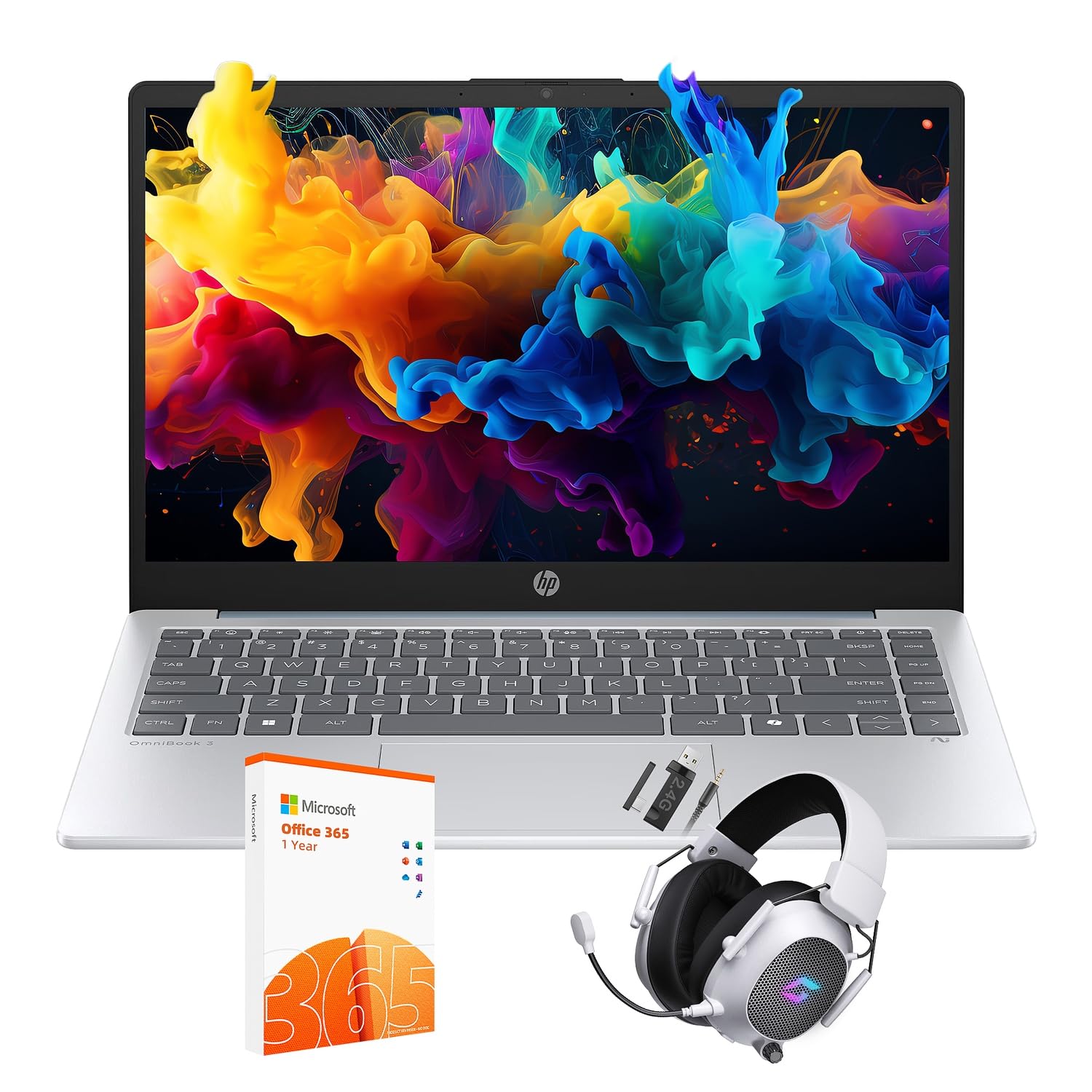
Figure 2.1: The HP 14-inch HD Laptop in Moonlight Blue, showcasing የእሱ ለስላሳ ንድፍ.
2.2 የኃይል አስማሚን ማገናኘት
የኃይል አስማሚውን ከላፕቶፑ የኃይል ወደብ ጋር ያገናኙ እና ከዚያ ከግድግዳ ሶኬት ጋር ይሰኩት። ከመጀመሪያው ጥቅም በፊት ባትሪውን ሙሉ በሙሉ መሙላት ይመከራል.
2.3 Initial Power On and Windows 11 Pro Setup
Press the power button located on the keyboard deck. The laptop will boot up and guide you through the Windows 11 Pro setup process. Follow the on-screen instructions to:
- የእርስዎን ክልል እና ቋንቋ ይምረጡ።
- ከWi-Fi አውታረ መረብ ጋር ይገናኙ።
- የፍቃድ ውሎችን ተቀበል።
- የተጠቃሚ መለያ ይፍጠሩ ወይም በማይክሮሶፍት መለያ ይግቡ።
- የግላዊነት ቅንብሮችን ያዋቅሩ።
2.4 Setting up the Mytrix Wireless Gaming Headset
Refer to the separate instructions provided with the Mytrix 2.4GHz Wireless Gaming Headset for detailed setup. Generally, this involves:
- የጆሮ ማዳመጫውን በመሙላት ላይ.
- Connecting the wireless dongle to an available USB port on the laptop.
- Powering on the headset and ensuring it pairs with the dongle.
- Configuring audio input/output settings in Windows 11 Pro.
3. ላፕቶፑን መጠቀም
3.1 የኃይል አስተዳደር
- አብራ፡ የኃይል አዝራሩን ይጫኑ.
- የእንቅልፍ ሁኔታ: ክዳኑን ይዝጉ ወይም ከመነሻ ምናሌው ውስጥ "እንቅልፍ" ን ይምረጡ።
- ዝጋ፡ ከጀምር ምናሌው "ዝጋ" የሚለውን ይምረጡ።
- እንደገና ጀምር፥ ከጀምር ምናሌው "ዳግም አስጀምር" ን ይምረጡ።
3.2 የመዳሰሻ ሰሌዳውን መጠቀም
የመዳሰሻ ሰሌዳው ለማሰስ ባለብዙ-ንክኪ ምልክቶችን ይደግፋል። የተለመዱ ምልክቶች የሚከተሉትን ያካትታሉ፡
- መታ ያድርጉ፡ ለግራ-ጠቅታ በአንድ ጣት መታ ያድርጉ።
- ባለ ሁለት ጣት መታ ያድርጉ፡ በቀኝ ጠቅታ.
- ባለ ሁለት ጣት ጥቅልል; ወደ ላይ ወይም ወደ ታች ይሸብልሉ።
- ለማጉላት መቆንጠጥ; አሳንስ ወይም አሳንስ።
3.3 Connecting to Networks (Wi-Fi 6 and Bluetooth 5.4)
ከWi-Fi አውታረ መረብ ጋር ለመገናኘት፡-
- በተግባር አሞሌው ውስጥ የ Wi-Fi አዶን ጠቅ ያድርጉ።
- ከዝርዝሩ ውስጥ የሚፈልጉትን አውታረ መረብ ይምረጡ።
- ከተጠየቁ የአውታረ መረብ ይለፍ ቃል ያስገቡ።
የብሉቱዝ መሣሪያን ለማገናኘት፡-
- ወደ ሂድ ቅንብሮች > ብሉቱዝ እና መሳሪያዎች.
- ብሉቱዝ እንደበራ ያረጋግጡ።
- Select "Add device" and follow the pairing instructions for your device.
3.4 External Port Usage
ላፕቶፕዎ ውጫዊ መሳሪያዎችን ለማገናኘት የተለያዩ ወደቦች አሉት።

Figure 3.1: Available ports on the HP 14-inch HD Laptop.
- የዩኤስቢ አይነት-A፡- For connecting standard USB devices like mice, keyboards, and external storage.
- የዩኤስቢ ዓይነት-C፡ ለውሂብ ማስተላለፍ።
- ኤችዲኤምአይ: ከውጭ ማሳያዎች ወይም ፕሮጀክተሮች ጋር ለመገናኘት.
- የጆሮ ማዳመጫ/ማይክራፎን ጥምር For connecting a headset or external speakers/microphone.
3.5 ዊንዶውስ 11 ፕሮ ባህሪዎች
Windows 11 Pro offers advanced security, management tools, and productivity features. Explore the Start Menu, Taskbar, and Settings app to customize your experience. The laptop also supports a 180-degree hinge for flexible viewing ማዕዘኖች.
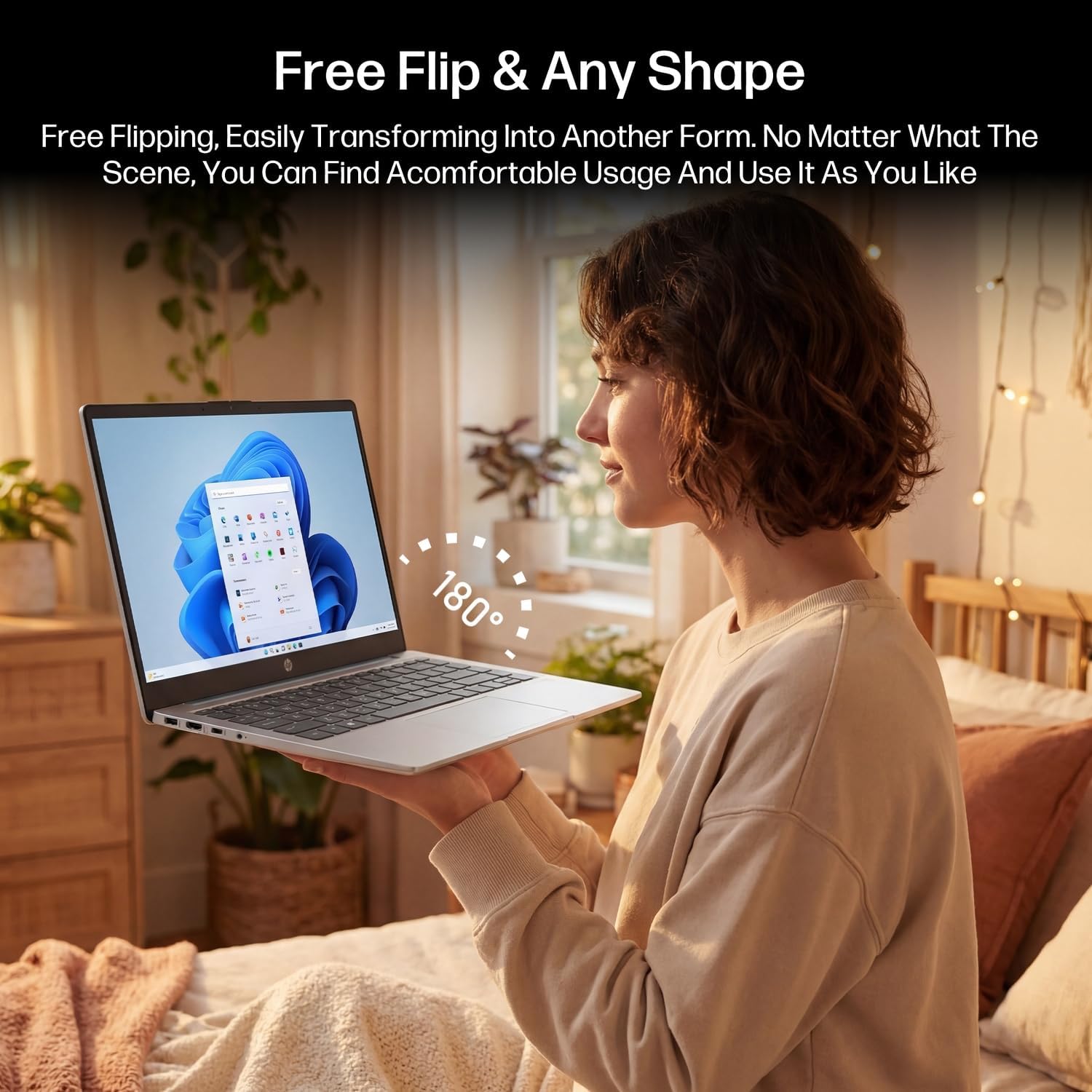
Figure 3.2: The laptop's 180-degree hinge for versatile use.

Figure 3.3: The HP laptop efficiently handles daily tasks.
4. ጥገና
4.1 ላፕቶፑን ማጽዳት
- ስክሪን፡ ለስላሳ፣ ከቆሸሸ ነፃ የሆነ ጨርቅ በትንሹ ተጠቀም መampበውሃ ወይም በስክሪን ማጽጃ የታሸገ። ማጽጃውን በቀጥታ በስክሪኑ ላይ አይረጩ።
- ቻሲስ እና የቁልፍ ሰሌዳ; ለስላሳ እና ደረቅ ጨርቅ ይጠቀሙ. ለግትር ቆሻሻ, ትንሽ መamp ጨርቅ መጠቀም ይቻላል። ከመጠን በላይ እርጥበትን ያስወግዱ።
- ወደቦች፡ አቧራውን ወደቦች ለማፅዳት የታመቀ አየር ይጠቀሙ።
4.2 የባትሪ እንክብካቤ
የባትሪ ዕድሜን ከፍ ለማድረግ፡-
- ከፍተኛ የሙቀት መጠንን ያስወግዱ.
- ባትሪው ብዙ ጊዜ ሙሉ በሙሉ እንዲወጣ አይፍቀዱ።
- Utilize HP Fast Charge technology for quick recharging when needed.
4.3 የሶፍትዌር ዝመናዎች
ስርዓትዎ የቅርብ ጊዜዎቹ የደህንነት መጠገኛዎች እና የአፈጻጸም ማሻሻያዎች እንዳሉት ለማረጋገጥ በየጊዜው የዊንዶውስ ዝመናዎችን ይፈልጉ እና ይጫኑ። ወደ ሂድ ቅንብሮች> የዊንዶውስ ዝመና.
4.4 የማከማቻ አስተዳደር
The 512GB eMMC storage provides fast boot-ups and file access. To maintain performance, periodically:
- አላስፈላጊ ሰርዝ files.
- ጥቅም ላይ ያልዋሉ መተግበሪያዎችን ያራግፉ።
- በዊንዶውስ ውስጥ አብሮ የተሰራውን የዲስክ ማጽጃ መሳሪያ ይጠቀሙ።
5. መላ መፈለግ
ይህ ክፍል ሊያጋጥሙዎት የሚችሉ የተለመዱ ጉዳዮችን ይመለከታል። ለተጨማሪ ውስብስብ ችግሮች፣ የHPን ኦፊሴላዊ የድጋፍ መርጃዎችን ይመልከቱ።
5.1 ላፕቶፕ አይበራም።
- የኃይል አስማሚው ደህንነቱ በተጠበቀ ሁኔታ ከሁለቱም ላፕቶፕ እና ከሚሰራ የኃይል ማከፋፈያ ጋር መገናኘቱን ያረጋግጡ።
- ሌላ መሳሪያ በመጫን የኃይል ማከፋፈያው የሚሰራ መሆኑን ያረጋግጡ።
- ባትሪው ሙሉ በሙሉ ከተለቀቀ, እንደገና ለማብራት ከመሞከርዎ በፊት ቢያንስ ለ 30 ደቂቃዎች እንዲሞላ ይፍቀዱለት.
5.2 የ Wi-Fi ግንኙነት ጉዳዮች
- በዊንዶውስ ቅንጅቶች ውስጥ Wi-Fi መንቃቱን ያረጋግጡ።
- የእርስዎን ራውተር እና ሞደም እንደገና ያስጀምሩ።
- አውታረ መረቡን ይረሱ እና እንደገና ይገናኙ ፣ የይለፍ ቃሉን እንደገና ያስገቡ።
- ላፕቶፕዎ በWi-Fi ምልክት ክልል ውስጥ መሆኑን ያረጋግጡ።
5.3 External Display Not Detected
- የኤችዲኤምአይ ኬብሉ ከላፕቶፑም ሆነ ከውጭ ማሳያው ጋር ደህንነቱ በተጠበቀ ሁኔታ መገናኘቱን ያረጋግጡ።
- Check the input source on your external display (e.g., HDMI 1, HDMI 2).
- ተጫን የዊንዶውስ ቁልፍ + ፒ and select a display option (Duplicate, Extend, Second screen only).
5.4 የድምጽ ችግሮች
- Check volume levels in Windows and on any connected external audio devices.
- በዊንዶውስ የድምፅ ቅንብሮች ውስጥ ትክክለኛው የድምጽ ውፅዓት መሣሪያ መመረጡን ያረጋግጡ።
- If using the Mytrix headset, ensure it is powered on and properly paired.
6. ዝርዝሮች
Detailed technical specifications for your HP 14-em 14-inch HD Laptop:
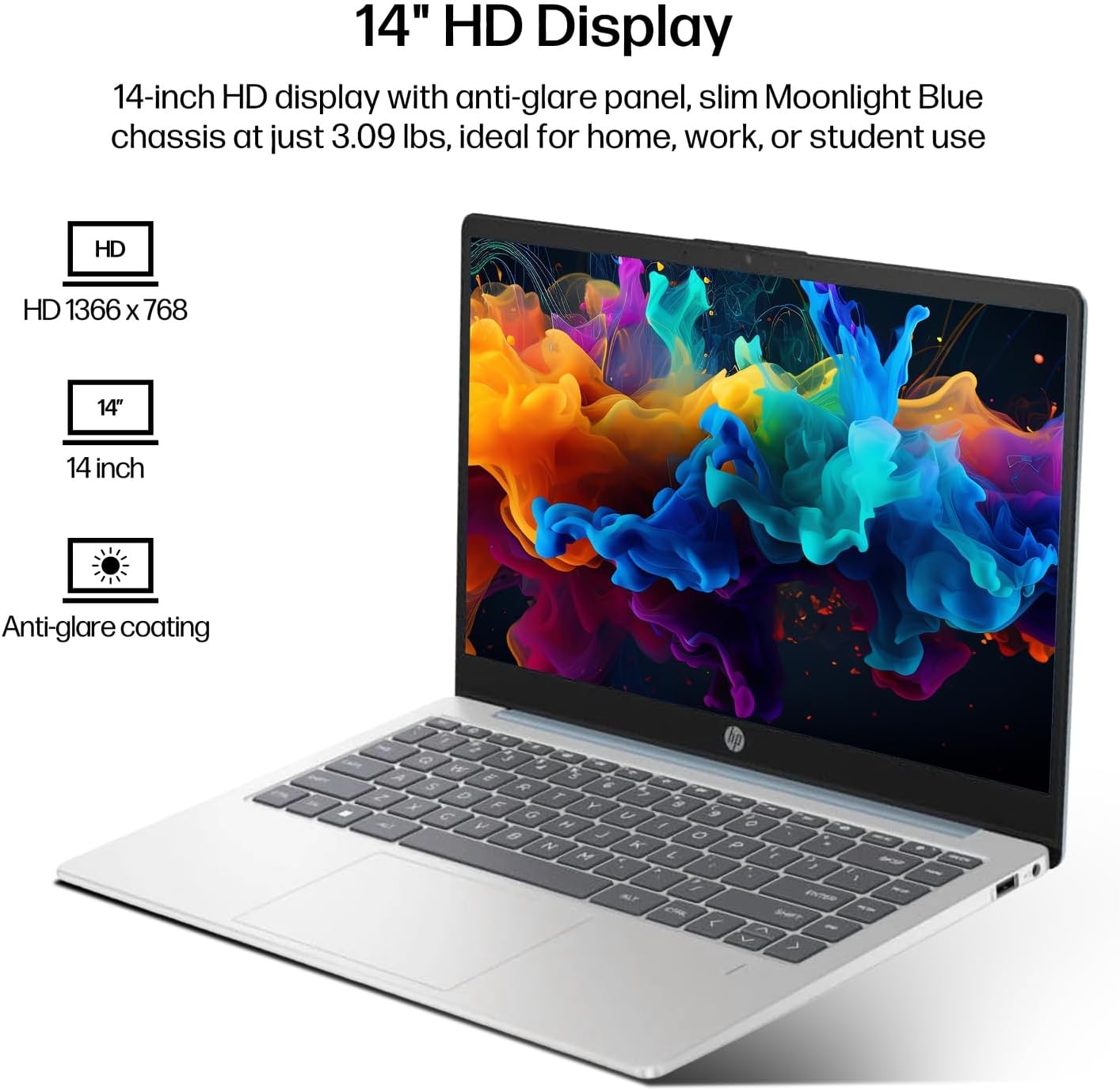
Figure 6.1: The 14-inch HD display features a resolution of 1366 x 768 pixels and an anti-glare coating.

Figure 6.2: The laptop is powered by an AMD Athlon Silver 7120U Processor with integrated AMD Radeon Graphics.
| ባህሪ | ዝርዝር መግለጫ |
|---|---|
| የምርት ስም | HP |
| የሞዴል ስም | 14-em |
| ፕሮሰሰር | AMD Athlon Silver 7120U (2 Cores, 2 Threads, up to 3.5 GHz Boost Clock) |
| ግራፊክስ | AMD Radeon ግራፊክስ (የተቀናጀ) |
| ራም | 4 GB DDR4 SODIMM |
| ማከማቻ | 512 ጊባ eMMC (ጠንካራ ሁኔታ) |
| ማሳያ | 14-inch HD (1366 x 768) LED, Anti-Glare |
| ስርዓተ ክወና | ዊንዶውስ 11 ፕሮ |
| የገመድ አልባ ግንኙነት | Wi-Fi 6 (802.11ax)፣ ብሉቱዝ 5.4 |
| ወደቦች | 2x USB Type-A, 1x USB Type-C (Data Transfer), 1x HDMI, 1x Headphone/Microphone Combo |
| ካሜራ | ፊት ለፊት |
| ኦዲዮ | ኤችዲ ኦዲዮ |
| ልኬቶች (L x W x H) | 12.74" x 8.46" x 0.7" |
| ክብደት | በግምት 3.09 ፓውንድ |
| የተካተቱ መለዋወጫዎች | Mytrix 2.4GHz Wireless Gaming Headset |

Figure 6.3: Physical dimensions of the HP 14-inch HD Laptop.
7. ዋስትና እና ድጋፍ
7.1 የምርት ዋስትና
Your HP 14-em laptop comes with a 12-month manufacturer's warranty. This warranty covers defects in materials and workmanship under normal use. For specific terms and conditions, please refer to the warranty documentation included with your product or visit the official HP support webጣቢያ.
7.2 የቴክኒክ ድጋፍ
For technical assistance, troubleshooting beyond this manual, or warranty claims, please contact HP Customer Support. You can find contact information on the official HP webጣቢያ ወይም በላፕቶፕዎ ላይ አስቀድሞ በተጫነ የድጋፍ መተግበሪያ በኩል።
Additional protection plans are available for purchase, including 2-Year and 4-Year Protection Plans, and a monthly Complete Protect plan. Details can be found where you purchased the product.


